


A smart thermostat savings calculator isn’t some mysterious black box. However, it’s really just three pieces of information and one multiplication: your annual heating and cooling cost, a realistic savings percentage, and the price of the thermostat. Multiply the first two, subtract the third, and you have an honest estimate of what a smart thermostat could save you each year.
For example, here’s the short answer before we dive in: research from the U.S. Department of Energy and ENERGY STAR puts typical savings at 8–10% of your heating and cooling bills — roughly $50 to $150 a year for an average home. So if your home spends $1,800 a year on heating and cooling, a reasonable estimate lands between $144 and $180 per year. In addition, your actual number will be higher or lower depending on your climate, your HVAC system, your energy rates, and how often the house sits empty during the day.
Everything below is an estimate, not a promise. Nobody can guarantee what your thermostat will save — not the manufacturer, not your installer, and definitely not a blog post. But with a simple method and clearly labeled example numbers, you can get a figure that’s grounded in real data instead of marketing claims.
How a Smart Thermostat Savings Calculator Works
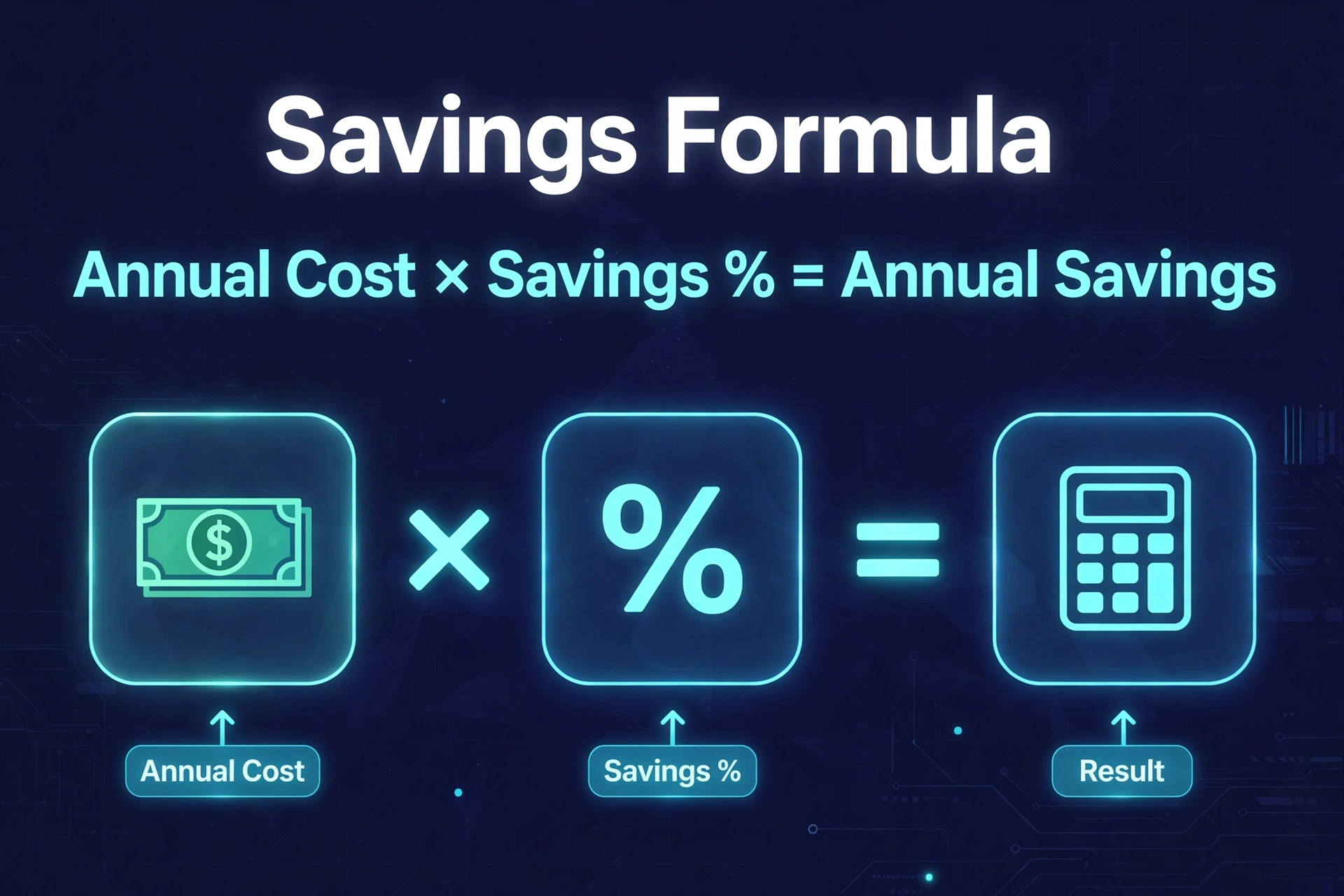
Furthermore, every savings calculator — the ones on manufacturer websites and the one you’ll build in this article — follows the same logic. Moreover, it asks how much energy your HVAC system uses, how much the thermostat can trim off that usage. In addition, how much you pay per unit of energy. Then it converts the energy savings into dollars. The formula looks like this:
Annual savings = (Annual heating + cooling cost) × Savings percentage
That’s genuinely it. Furthermore, the percentage is where all the debate lives. Is why the next section exists: so you pick a number you can defend instead of one that just looks good on a sales page. Also, once you have the annual savings figure, one more calculation tells you the payback period:
Payback (years) = Thermostat price ÷ Annual savings
For example, if a $250 thermostat saves you $125 a year, it pays for itself in about two years. Everything after that is money back in your pocket.
The Savings Percentages Researchers Actually Publish
Before you plug a percentage into your own math, it’s worth knowing what independent researchers and manufacturers actually report. These are the figures worth citing, along with honest caveats about each one:
Table 1: Published smart thermostat savings figures and where they come from
| Source | Reported savings | What the figure covers |
|---|---|---|
| U.S. Department of Energy | Up to 10% of heating and cooling per year | The effect of turning the thermostat back 7–10°F for 8 hours a day, whether done manually or automatically |
| ENERGY STAR | About 8% of heating and cooling bills, roughly $50 per year | Average across certified smart thermostats in real homes; actual results vary with climate, occupancy, comfort preferences, and equipment |
| Google Nest (manufacturer data) | About 10–12% on heating, 15% on cooling; estimated $131–145 per year | Reported U.S. customer averages; Nest says the thermostat can pay for itself in under two years |
| ecobee (manufacturer claim) | Up to 26% on heating and cooling | ecobee’s own published figure — treat this as the vendor’s best-case claim, not an independent measurement |
Notice the gap between the independent figures (8–10%) and the manufacturer claims (up to 26%). That gap isn’t necessarily dishonest — manufacturers often report on their best-performing homes, or measure over ideal conditions — but it tells you exactly where to aim for a conservative, believable estimate: start with 8–10% and adjust from there.
The U.S. Department of Energy’s guidance on thermostat setbacks is the most useful anchor point, because it describes the behavior that produces the savings rather than a specific product. Moreover, a smart thermostat just automates that behavior so you don’t have to remember it every day.
The ENERGY STAR smart thermostat FAQ adds another useful detail: certified models must demonstrate real savings from real homes across the country, not lab tests. So that 8% figure comes from actual energy use, not a spreadsheet model.
The 5 Inputs Your Calculation Needs
To run your own numbers, gather these five inputs. Most of them are sitting on a utility bill or in a utility app:
- Annual heating cost. Your gas, oil, or electric heating spend for a full year. If you only have monthly bills, add up 12 months.
- Annual cooling cost. Your electricity spend attributable to air conditioning over a year. In mild climates this may be small; in hot ones it can rival heating.
- Your savings percentage. Start with 8–10% (the research-backed middle), then adjust up or down using the factors later in this article.
- Your energy rates. Price per kWh for electricity and per therm or gallon for fuel. You’ll need these if you want to convert kilowatt-hours into dollars.
- The thermostat’s installed cost. The device price plus any installation cost (many homes are a 30-minute DIY job, but factor in an installer if yours isn’t).
If you can only find your total energy bill and not the heating/cooling split, a rough rule of thumb is that HVAC accounts for roughly half of a typical home’s energy use. It’s an approximation — but it’s a documented one, and it beats guessing blindly.
Build Your Own Smart Thermostat Savings Calculator in 10 Minutes
Grab your bills and a calculator app. Each step takes about two minutes, and everything uses clearly labeled example numbers you can swap for your own.
Step 1: Find Your Current Heating and Cooling Cost
Pull your last 12 months of utility bills and add up what you spent on heating and cooling. If you have separate gas and electric bills, add the relevant portions of each.
Example: A home uses gas for heating and electricity for cooling. Gas bills show $1,200 for the year, of which about $900 is heating (the rest is the water heater). Electric bills show $1,440 for the year, of which about $500 is air conditioning. Total heating and cooling cost: $1,400 per year.
Step 2: Pick a Realistic Savings Percentage
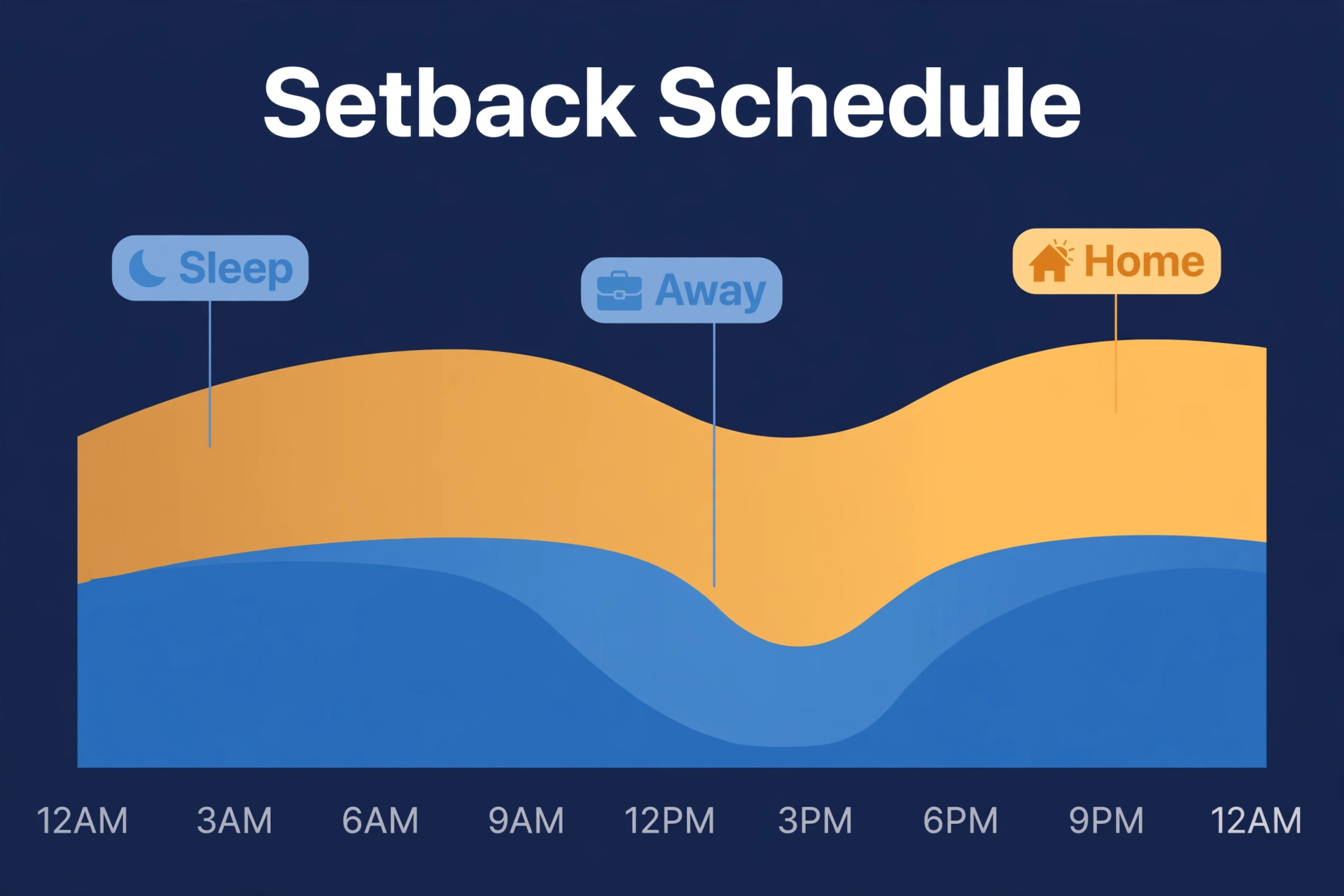
Start with the ENERGY STAR average of 8% and the Department of Energy’s up-to-10% figure, then sanity-check against your own home. Already keep a strict schedule and never heat an empty house? Stay near the low end, maybe 5–8%. Run the system full blast 24/7 and leave for work nine hours a day? The 10–12% range is defensible.
Example: The example home keeps a loose schedule and the house sits empty on weekdays, so we’ll use 10% — matching the DOE’s published figure for a full 8-hour daily setback.
Step 3: Multiply and Get Your Annual Estimate
Now run the core calculation:
- Write down your annual heating and cooling cost. (Example: $1,400)
- Write down your savings percentage as a decimal. (Example: 10% becomes 0.10)
- Multiply the two. (Example: $1,400 × 0.10 = $140)
- The result is your estimated annual savings. (Example: $140 per year)
That’s the number a manufacturer calculator would show you — except now you know exactly where it came from, and you can tweak either input to see best-case and worst-case scenarios. Try 8% for the conservative view (example: $1,400 × 0.08 = $112) and 12% for the optimistic one (example: $1,400 × 0.12 = $168).
Step 4: Subtract the Thermostat Cost to Find the Payback Period
Divide the thermostat’s installed cost by your annual savings estimate to see how long it takes to break even:
- Write down the thermostat’s installed cost. (Example: $250 device + $0 DIY install = $250)
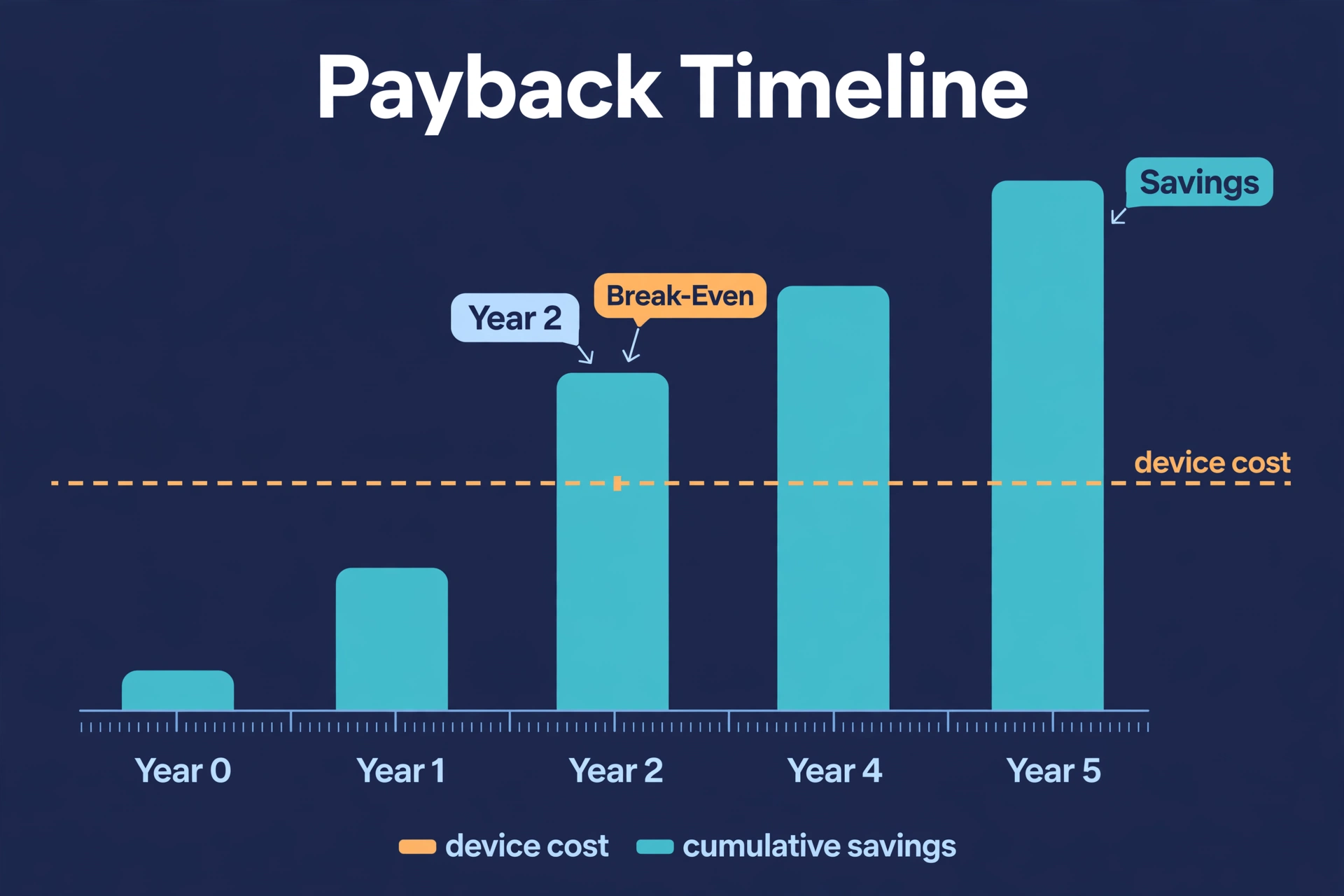
- Divide by your estimated annual savings. (Example: $250 ÷ $140 = about 1.8 years)
- The result is your estimated payback period — roughly 22 months in this example.
Once the thermostat has paid for itself, the yearly savings become pure return. In the example above, that’s an estimated $112–$168 a year from year three onward — as long as your habits, rates, and equipment stay roughly the same.
What Pushes Your Number Up or Down
Two homes with the same thermostat can see very different savings. The table below summarizes the factors that matter most, so you can adjust your estimate honestly:
Table 2: Factors that move your smart thermostat savings number up or down
| Factor | How it affects your savings | What you can do about it |
|---|---|---|
| Hours the home sits empty | Empty 8+ hours a day means the setback has real work to do — savings climb | Turn on away/geofencing mode so the thermostat reacts automatically |
| Climate | Harsh winters or brutal summers mean bigger HVAC bills, so the same percentage equals more dollars | Use a percentage toward the higher end of the 8–12% range in extreme climates |
| Heating system type | Furnaces and boilers respond well to setbacks; heat pumps need a dedicated strategy | Pick a thermostat designed for your system (see the heat pump section below) |
| Your current habits | Already disciplined about schedules? Your headroom is small. Heat an empty house all day? Headroom is huge | Be honest about today’s behavior — the thermostat only saves what you currently waste |
| Energy rates | High electricity or gas prices turn the same kilowatt-hours into bigger dollar savings | Use your actual rates, not national averages, for the final dollar figure |
| Room sensors and presence detection | Heating only the rooms you’re actually in can stack extra savings on top of the schedule | Consider models with room sensors, or pair your thermostat with presence-detection sensors for true room-by-room awareness |
The single biggest lever is almost always occupancy. A smart thermostat saves the most in homes that are empty during the day but currently heated and cooled as if someone were there. If someone is home around the clock, the setback windows shrink — and so does the savings estimate.
Heat Pumps Need Their Own Math
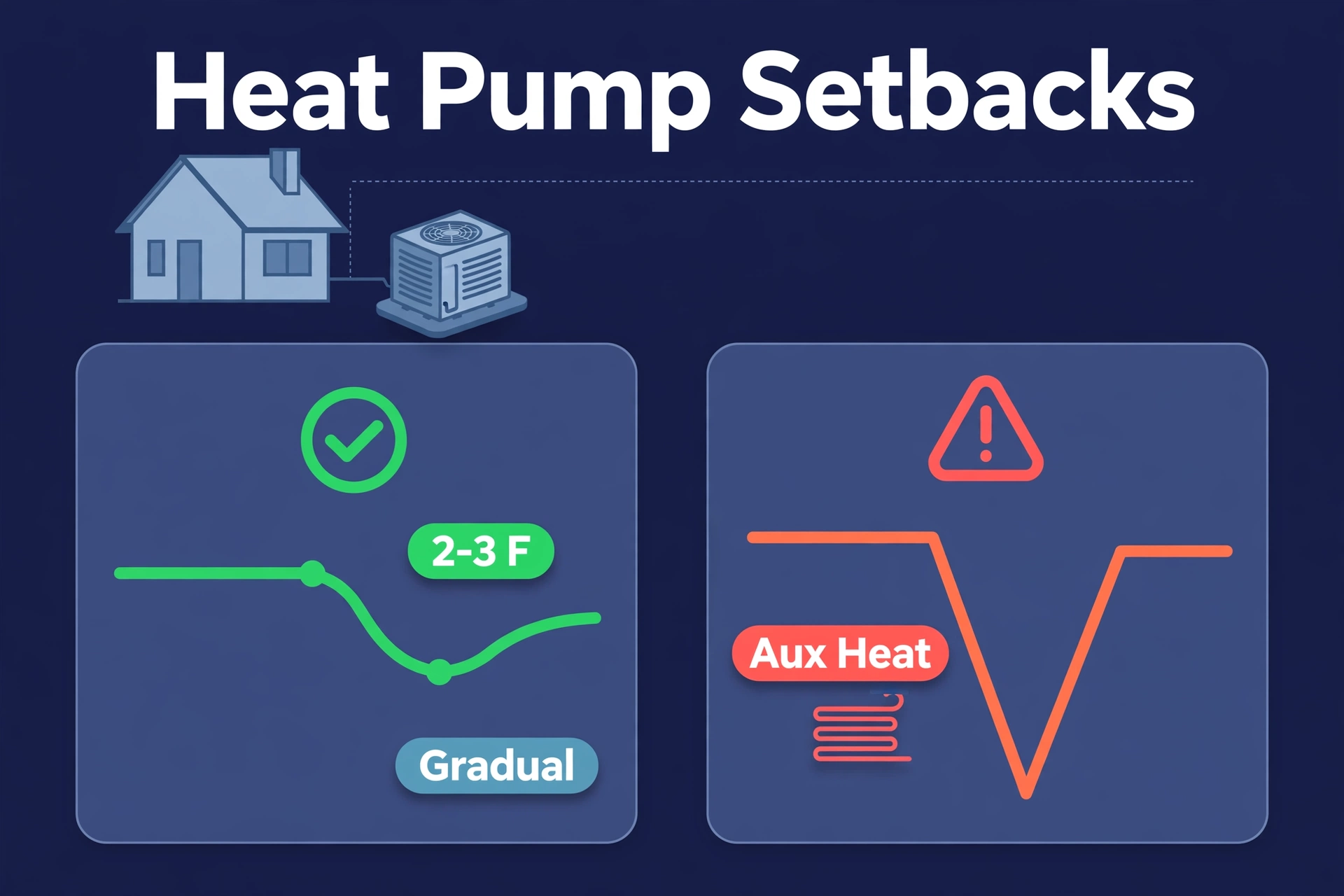
Standard setback math works cleanly for gas furnaces and boilers, but heat pumps are the exception that trips people up. Also, an aggressive setback can force a heat pump to call for expensive auxiliary (backup) resistance heat when recovering. First, can wipe out the savings the setback was supposed to create.
This doesn’t mean heat-pump homes can’t save — it means the savings percentage you plug in should come from a heat-pump-specific strategy: gentler setbacks (2–3°F instead of 7–10°F), smart recovery that ramps up gradually. In addition, thermostat features that lock out aux heat above certain outdoor temperatures.
Our heat-pump-ready smart thermostats guide compares the models that handle aux heat correctly, including ecobee’s Heat Pump Balance and Nest’s Heat Pump Balance features. If you have a heat pump, start your estimate at the conservative end of the range (5–8%) and let the thermostat’s actual first-winter performance tell you the rest.
How Fast Does It Pay for Itself?
Here are the current prices of two of the most popular models, checked on 2026-10-02. Prices change often, so treat these as a snapshot:
- Google Nest Learning Thermostat (4th Gen): list price $279.99, frequently on sale around $220–$250.
- ecobee Smart Thermostat Premium: list price $259.99, often discounted to roughly $210–$270.
Now combine those with the example savings from earlier. At $140 a year in estimated savings, a $250 thermostat pays for itself in roughly 1.8 years. At the conservative $112 a year, payback stretches to about 2.2 years. At the optimistic $168, it’s under 1.5 years.
If you’re deciding between specific models, our ecobee vs Nest comparison breaks down which one suits different homes — and the right pick can shift both the upfront cost and the long-term savings.
One more thing worth checking: many utilities offer rebates of $50–$150 on ENERGY STAR certified thermostats, and some even hand them out free through efficiency programs. A rebate doesn’t change the savings percentage, but it shortens the payback math considerably. Check your utility’s website before you buy.
Smart Thermostat Savings FAQs
How accurate is a smart thermostat savings calculator?
It’s an estimate, not a measurement. Manufacturer calculators tend to lean optimistic because they use favorable assumptions; independent figures like ENERGY STAR’s 8% average are more conservative because they’re built from real homes. Your calculator is as accurate as your inputs — garbage in, garbage out. Use your actual bills and an honest assessment of your habits, and the estimate will land much closer to reality.
Can a smart thermostat save money if I’m home all day?
Less than it would for an empty house, but it can still help. Smart thermostats also optimize overnight setbacks, trim overheating and overcooling, and use features like humidity-based cooling that a manual thermostat can’t do. Expect your savings toward the lower end of the range — around 5–8% — and weigh that against the price before buying purely for savings.
Do smart thermostats save more on heating or cooling?
Manufacturer data suggests the split favors cooling slightly — Nest reports about 10–12% on heating versus 15% on cooling. In practice, whichever bill is bigger in your climate dominates the dollar savings. Cold-climate homes will see most of their dollar savings from heating; hot-climate homes from cooling.
Will a smart thermostat save money with a heat pump?
It can, but only with the right settings. Standard deep setbacks can trigger costly auxiliary heat, so heat-pump owners should use gentler setbacks and enable their thermostat’s heat-pump optimization features. Use a conservative 5–8% estimate until you have a season of real data.
What raises my savings estimate the most?
Honestly? An empty house. The homes that save the most are the ones currently paying to heat and cool nobody. After that, high energy rates and extreme climates amplify the dollar value of every percentage point saved. A well-programmed schedule on a thermostat you already own costs nothing and captures most of the same gains — the smart thermostat’s real job is making sure it actually happens every day.
The Bottom Line
Calculating smart thermostat savings comes down to one honest multiplication: your annual heating and cooling cost times a defensible percentage. Use 8–10% as your starting point (grounded in DOE and ENERGY STAR research), adjust for your home’s occupancy and equipment, and never let a marketing page hand you the percentage.
First, run the numbers with your real bills, check for utility rebates before you buy. In addition, give the thermostat one full heating or cooling season before judging the results. Second, do that, and you’ll know exactly what your smart thermostat is worth — no calculator required.
