

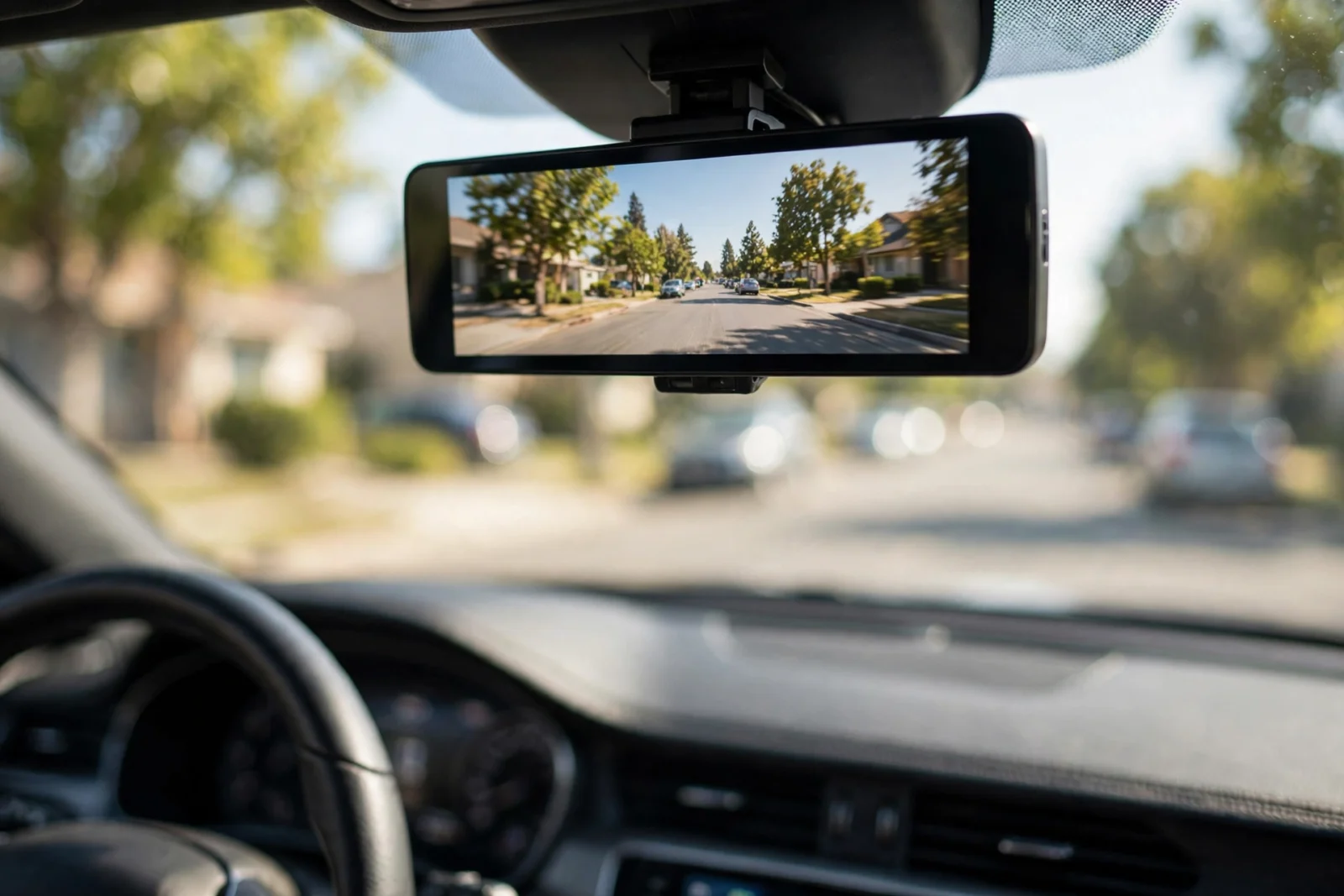
However, here’s the idea in one sentence: a mirror dash cam is a dash camera built into a wide rear-view mirror that straps right over the mirror your car already has. It films the road ahead (and usually what’s happening behind you), and the live screen is enormous next to a normal dash cam. Shopping for the best mirror dash cam in 2026? Short version: get a true 1296P or better front camera, a separate rear camera, and a supercapacitor instead of a battery. In addition, wolfbox keeps popping up in owner discussions — and honestly, the name comes up for a reason. But the right pick for you comes down to two things: whether you also want a backup camera, and how much of your driving happens after dark.
A mirror dash cam doesn’t look like those little wedge cameras most people picture. The whole mirror surface is the screen. Car on — you’re watching a live video feed. Car off — it’s just a mirror. Clever? Very. It solves two problems in one go: a dash cam without a blocky little camera stuck to your windshield, and a reversing camera without bolting a separate monitor onto your dashboard. One device, two jobs.
What Is a Mirror Dash Cam and How Does It Work?
Only three pieces. And yes, they all have to work together — if one fails, the whole thing feels broken.
- The mirror unit itself. A wide touchscreen panel — usually 10 to 12 inches across — that straps over your factory mirror with rubber straps. The front-facing camera sits on the back of the unit, aimed straight through your windshield.
- A rear camera. A small camera that mounts on your rear windshield or above your license plate. It records what’s behind you, and on most models it moonlights as the reversing camera too.
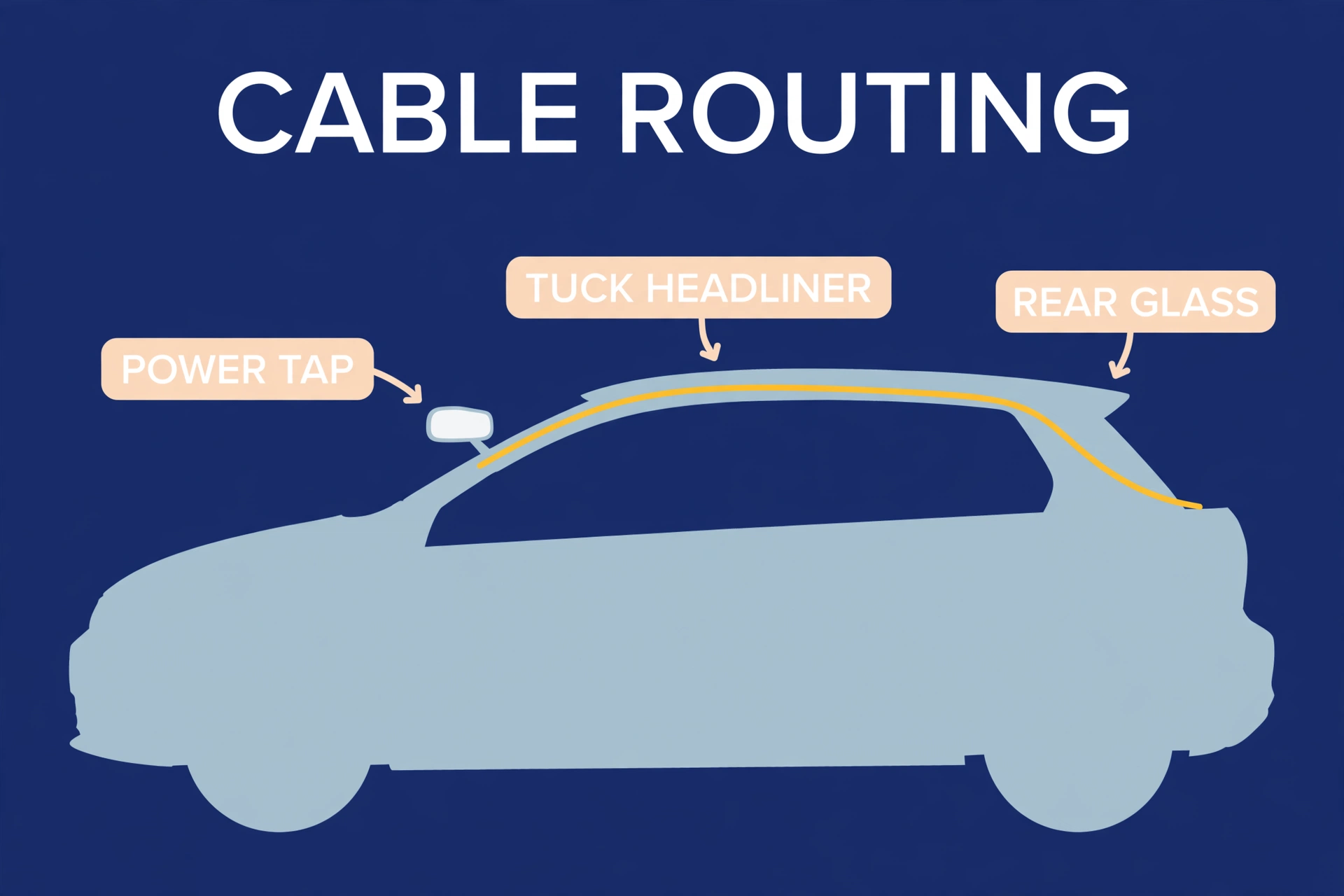
- A power cable. Most mirror dash cams just plug into the 12V cigarette-lighter socket. Simple. But parking mode — recording while the car sits parked — needs a hardwire kit wired into your fuse box. More on that later.
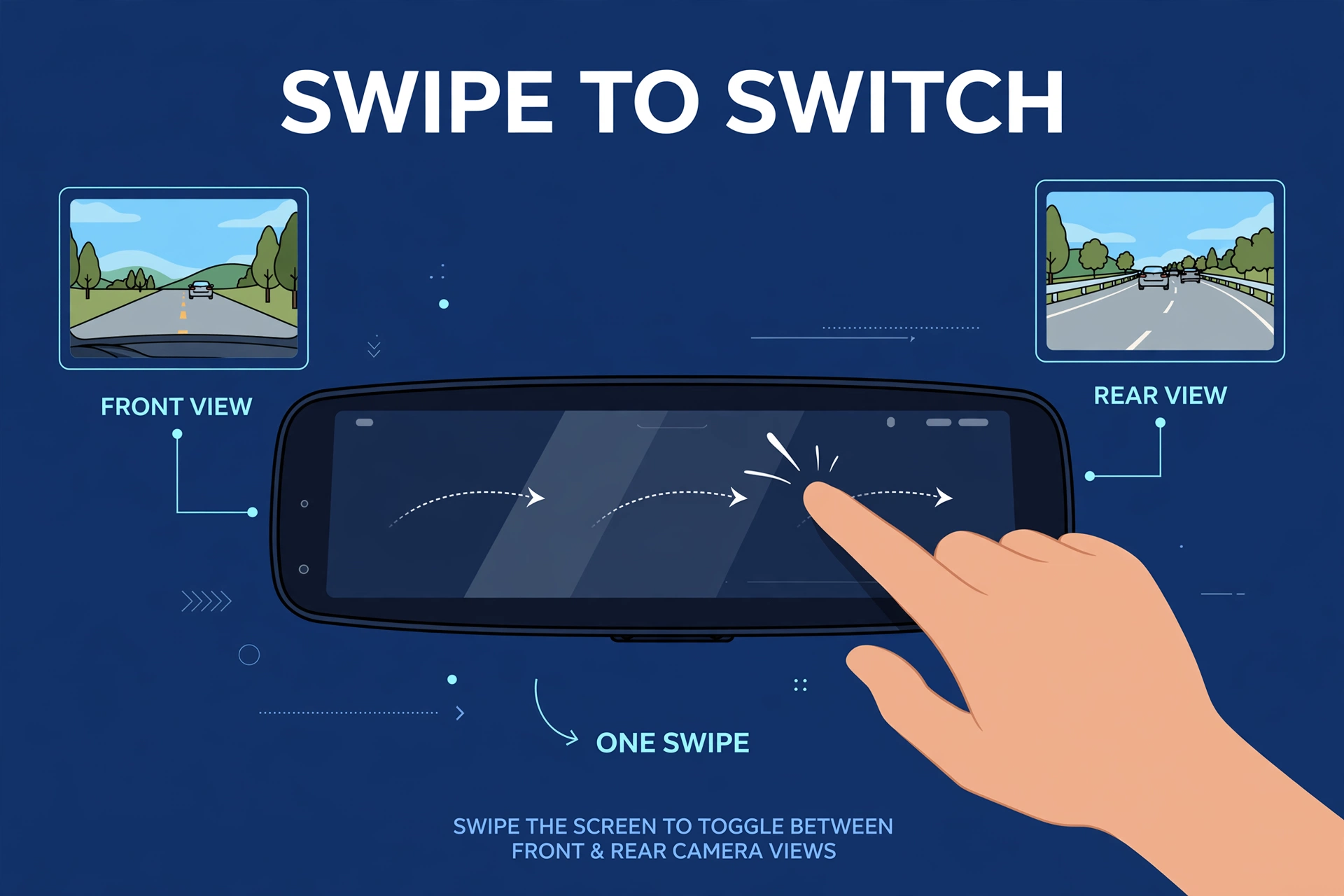
Turn the key and the screen wakes up on the front camera. Swipe or tap to flip to the rear view, a split view — or kill the screen entirely so it behaves like a plain mirror. On a lot of models, shifting into reverse pulls up the rear camera automatically. Parking guide lines included. Nice touch.
Video saves to a microSD card in a continuous loop — exactly like a regular dash cam. Card fills up; oldest non-locked footage gets overwritten. And if the built-in G-sensor feels a bump or hard braking? That clip gets locked so loop recording can’t touch it. Standard stuff, but good to know how it works.
Why Drivers Choose a Mirror Dash Cam Over a Regular One
So why do people keep buying these? SUV, truck, and minivan owners especially — they swear by these things. It comes down to four reasons. Count ’em.
A much bigger live screen
A regular dash cam gives you maybe 2 to 3 inches of screen. If it even has one. A mirror dash cam hands you 10 to 12 inches — the whole mirror. That gap matters when you’re glancing at the rear feed in traffic, or when you want to review a clip right there instead of fishing your phone out of your pocket. Size isn’t everything. Here, it kind of is.
Backup camera without extra clutter
Plenty of older cars and base-trim models never came with a reversing camera. A mirror dash cam with a rear camera fills that hole nicely. Drop into reverse, the mirror shows the rear view with guide lines. Two devices for the price — and dashboard space — of one. Hard to argue with that.
Better rear visibility when the back window is blocked
Drive a loaded SUV, a work van, or anything with a postage-stamp rear window? Your mirror is basically decoration. A mirror dash cam swaps the optical mirror for a camera feed — tall cargo, headrests, all of it stops blocking your view. Ask owners what they love most, and this is the answer. Again and again and again.
A cleaner, factory look
A wedge dash cam glued to the windshield is obvious from outside the car — there’s no hiding it. A mirror dash cam just looks like it came with the car. If visible electronics bug you (and they bug me), that counts for a lot.
What to Look for in the Best Mirror Dash Cam
They’re not all equal. Not even close. Here’s what actually separates the good ones from the ones that end up in a drawer, dead and forgotten.
Front camera resolution (and honesty about it)
Look for a front camera that records at 1296P or higher — with a real image sensor behind the number. Some listings slap “4K” on cameras whose sensors can’t truly resolve 4K detail. My rule of thumb? If the listing won’t name the sensor, don’t trust the resolution claim. Simple as that. Our guide to true 4K dash cams walks through how to check.
Rear camera quality and mounting
The rear camera is where cheap mirror dash cams quietly cut corners. Sneaky, right? Check two things. First, the rear resolution — 1080P is the useful minimum if you ever want to read a plate. Second, whether the rear camera is waterproof enough for an exterior license-plate mount. An interior rear-window mount is easier to fit, sure — but it’s useless behind dark tint or a cargo area stacked to the roof. Think about your actual car here.
Backup camera behavior
Want the reversing function? Confirm the unit flips to the rear camera on its own in reverse and shows parking guide lines. Some units need an extra wire tapped into the reverse light for that trigger — a 10-minute job for most DIYers. Not a dealbreaker. You just want to know before you buy, not after. Surprises during installation are the worst kind.
Night vision
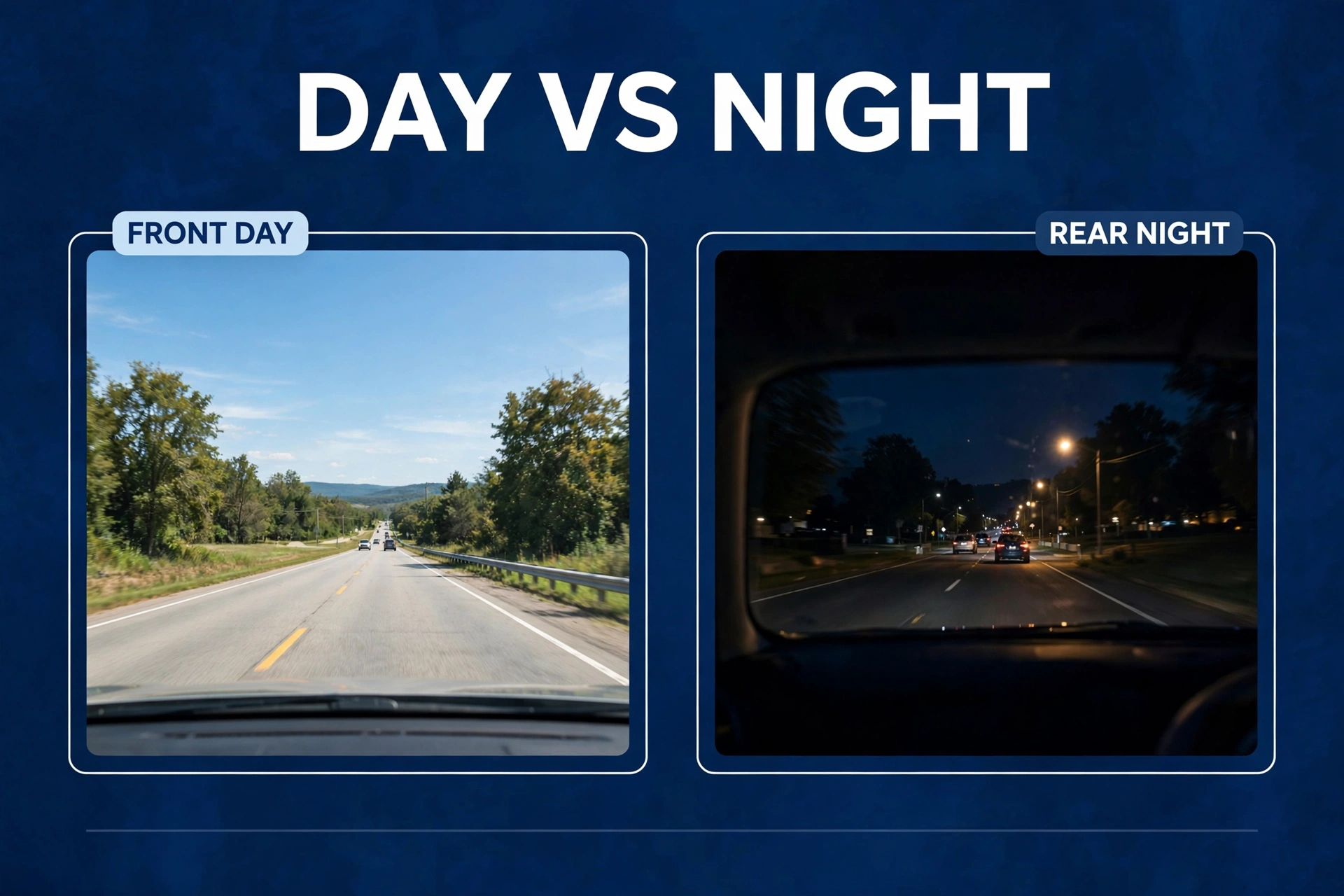
Mirror dash cams live or die by their sensors after dark. Models running Sony STARVIS sensors consistently produce cleaner night footage than generic-sensor ones — not a little cleaner, obviously cleaner. Drive at night a lot? The sensor matters more than whatever resolution number is printed on the box. See our picks for the best night vision dash cam to see what good night footage actually looks like.
Supercapacitor vs battery
A dash cam parked in summer heat will cook its own battery. I’ve seen it happen — swollen, dead, useless. Supercapacitors shrug off heat and last far longer. Live somewhere hot, or park in the sun? Treat a supercapacitor as a requirement. Not a bonus. A requirement.
Parking mode support
Not every mirror dash cam offers parking mode — and among the ones that do, quality varies wildly. If hit-and-run protection while parked matters to you (and honestly, why wouldn’t it?), check the model supports buffered parking mode. Then pair it with a hardwire kit. One without the other is half a solution.
Types of Mirror Dash Cams Compared
Mirror dash cams come in three broad designs. The table below lines them up so you can match one to your car — and to how much installation hassle you’ll tolerate. Be honest with yourself about that second part.
Table: Mirror dash cam designs at a glance
| Feature | Strap-on mirror cam | Full mirror replacement | Mirror cam with backup cam |
|---|---|---|---|
| Install difficulty | Easy (15–30 min) | Moderate (30–60 min) | Moderate (45–90 min) |
| Front camera | Yes | Yes | Yes |
| Rear recording camera | Usually yes | Usually yes | Yes |
| Reverse-trigger display | Sometimes | Sometimes | Yes, with guidelines |
| Best for | First-time buyers | Cleanest look | Cars with no factory reversing camera |
| Typical trade-off | Slightly bulkier | Harder to remove | Extra wire to reverse light |
For most buyers, the strap-on design is the sweet spot. It goes on in minutes, comes off without a trace when you sell the car, and does everything the fancier designs do — except looking quite as factory-fitted. Honestly? That trade-off is worth it for most people.
Installing a Mirror Dash Cam: The Basic Steps
A standard strap-on install needs nothing beyond what’s in the box. Here’s the usual order — and don’t skip the last step; it’s the one everyone skips.
First, strap the mirror unit over your existing mirror — hook the rubber straps top and bottom. In addition, tighten until it sits firm with zero wobble. Give it a shake. If it moves, tighten more. Furthermore, it shouldn’t vibrate on rough roads, and this is the part that decides that.
Next, route the power cable. However, tuck it along the headliner, down the A-pillar, to your 12V socket or fuse box. Moreover, most people get it fully hidden in about 10 minutes. Also, it looks harder than it is — trim panels pop loose with gentle pressure.
Then mount the rear camera. For example, interior mount? In addition, stick it high on the rear windshield and aim it level. License-plate mount? First, use the included bracket and screws. Second, either way, take a minute to aim it properly — “good enough” at this stage comes back to bite you later.
Finally, now the long cable: run the rear camera cable from back to front along the headliner edge, tucking under trim panels as you go. Furthermore, tedious, not difficult. Moreover, put on a podcast, and you’ll be done before you notice.
Want automatic reverse display? Also, connect the reverse trigger wire — tap that thin wire into your reverse light circuit. It’s optional, but it’s what makes the backup camera feel automatic instead of manual. Worth the extra few minutes.
Then the SD card. First, insert a high-endurance microSD card and format it in the unit — not on your computer, in the unit. Meanwhile, skip the old phone card gathering dust in your drawer; dash cams write nonstop and kill regular cards fast. Our best SD card for dash cam guide explains which cards actually survive.
And finally — test everything before tidying the cables. Front view, rear view, reverse trigger — and confirm clips are really saving to the card. Do this now, not after you’ve tucked every cable away. Trust me on this one.
Mirror Dash Cam vs Regular Dash Cam
Neither design wins on everything — anyone who tells you otherwise is selling something. Here’s the honest split:
- Screen size: mirror wins by a mile — 10–12 inches vs 2–3 inches.
- Discreetness: mirror wins. It looks factory-fitted, full stop.
- Backup camera function: mirror wins. Most regular dash cams can’t do it at all.
- Video quality per dollar: regular dash cams usually win. That big mirror screen costs money — money that could have gone into a better sensor.
- Heat: roughly even if both run supercapacitors. Check before buying.
- Rear camera quality: regular dual-channel dash cams often have the edge here, because mirror kits spend their budget on the big screen. If rear plate readability is your priority, compare with the top front and rear dash cam picks first.
Bottom line? Pick the mirror dash cam if the big screen, the clean look, or the backup camera function matters to you. Pick a regular dual-channel dash cam if maximum video evidence per dollar is the goal. There’s no wrong answer — just the wrong priority for your situation.
Common Mistakes to Avoid
- Using a regular microSD card. This is the number one cause of “my dash cam stopped recording” complaints. Bar none. Get a high-endurance card rated for continuous writing.
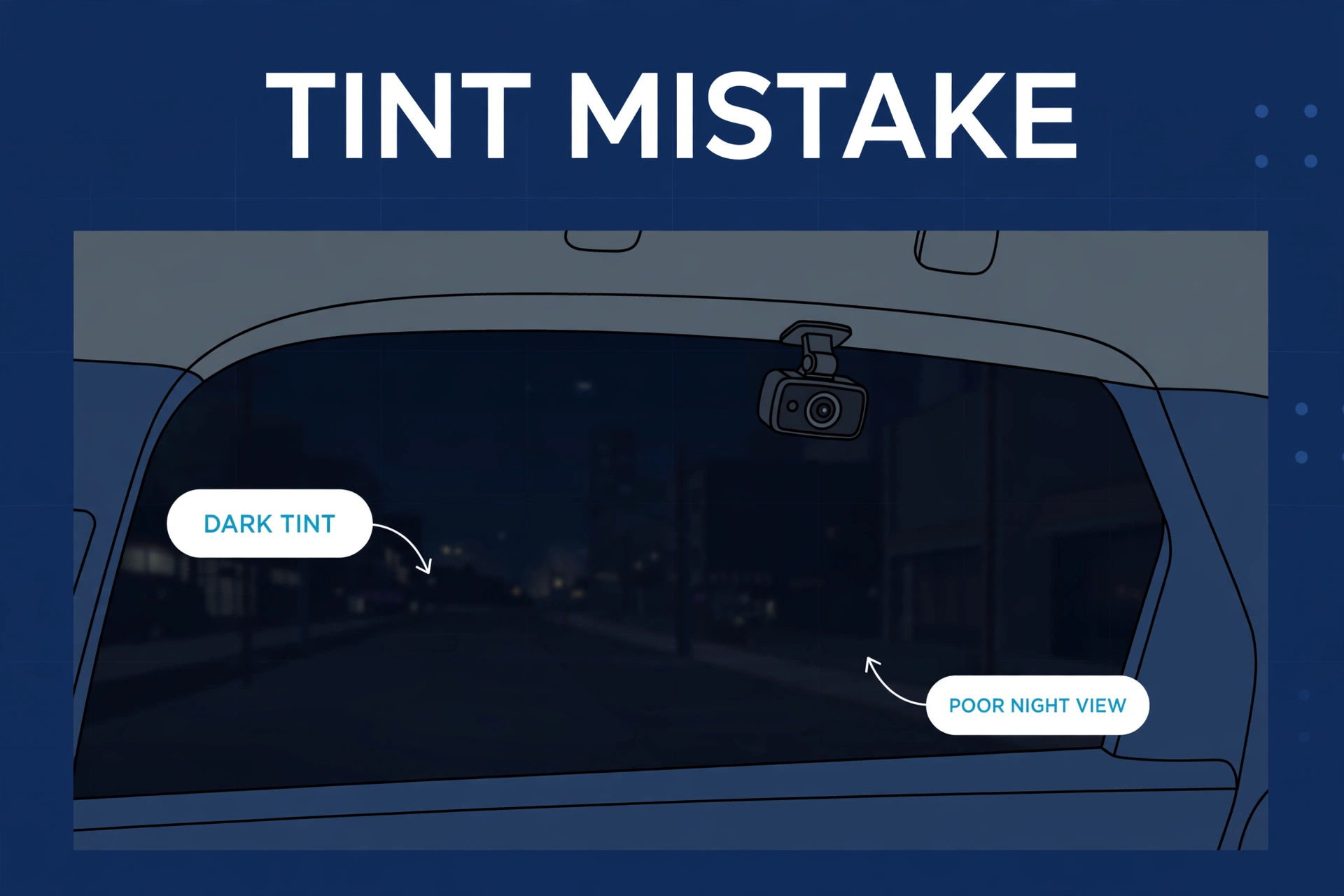
- Mounting the rear camera behind dark tint. Heavy tint turns night rear footage into mud — ask me how I know. Rear window limo-tinted? Use an exterior license-plate mount instead.
- Skipping the test drive. Always do a short drive and review the footage on a computer before calling the job done. A camera aimed two degrees too high misses plates — two degrees is nothing, and everything.
- Believing every “4K” claim. Budget mirror cams are the worst offenders for upscaled resolution claims. Hands down. If plate readability matters to you, verify the sensor model first.
- Forgetting parking mode needs power. A mirror dash cam plugged into a 12V socket that dies with the ignition won’t record while parked — obvious in hindsight, easy to miss in the store. Parking surveillance needs a hardwire kit. No way around it.
Mirror Dash Cam FAQs
Do mirror dash cams record while the car is parked?
Only if they’re wired for it. On a standard 12V socket, the camera stops when the socket loses power — most sockets die with the ignition. Real parking mode needs a hardwire kit on a constant fuse, plus a model that actually supports parking mode. Check the specs before buying, because plenty of them don’t. “Parking mode” on the box and parking mode in the firmware are two different things.
Will a mirror dash cam fit over my existing mirror?
Most of the time, yes. Strap-on units are built for standard mirror sizes, and the straps adjust to different widths. The exceptions? Tiny mirrors on some sports cars, and oversized commercial mirrors. So glance at the supported size range in the listing first — takes ten seconds and saves a return.
Can a mirror dash cam replace my factory backup camera?
It can add one if your car never had it — but don’t expect a perfect substitute for a factory system. Factory cameras are calibrated to your specific car and wired into the dashboard display. A mirror cam’s reversing view is good. Genuinely useful. Just treat it as an aid, and keep checking your mirrors like a responsible human.
Do mirror dash cams work at night?
The good ones do. Night quality comes down to the image sensor — not the screen size, no matter how impressive that screen looks in the showroom. Models with Sony STARVIS sensors give clearly readable night footage; generic-sensor models go grainy fast. If night driving is a big part of your life, put the sensor ahead of screen size on your priority list. Every time.
How long does installation take?
A basic strap-on install takes most people 30 to 60 minutes — and routing the rear camera cable eats most of that. It’s the boring part. Adding the reverse trigger wire tacks on another 10 to 20 minutes. Hardwiring for parking mode? Separate job, about the same length. Budget your afternoon accordingly.
Can I use my mirror dash cam’s footage for an insurance claim?
Yes — it’s timestamped video evidence, same as any dash cam recording. Lock the important clips so loop recording doesn’t overwrite them, and get a copy off the SD card as soon as you can after an incident. Don’t wait a week. Memory cards are not archives.
