


The best mesh WiFi for smart home use in 2026 is the Amazon eero Pro 6E. Its built-in Zigbee hub removes the need for a separate smart home bridge, TrueMesh routing keeps dozens of devices stable, and setup takes minutes. If you want maximum value, the TP-Link Deco XE75 delivers tri-band WiFi 6E and 200-device capacity for less money.
A smart home is brutal on WiFi. A single router that was fine for two laptops starts choking when you add 40 or 60 always-on devices — cameras, bulbs, locks, sensors, speakers, and thermostats all competing for airtime. A mesh system spreads multiple nodes around the house so every device gets a strong, stable signal. Here are the five best mesh WiFi systems for smart homes in 2026, and how to pick the right one for your device count.
Why Smart Homes Need Mesh WiFi
A traditional single router broadcasts from one spot. That worked when a household had a handful of devices, but the average smart home now runs 40 to 80 connected gadgets, and heavy setups pass 100. Three problems show up:
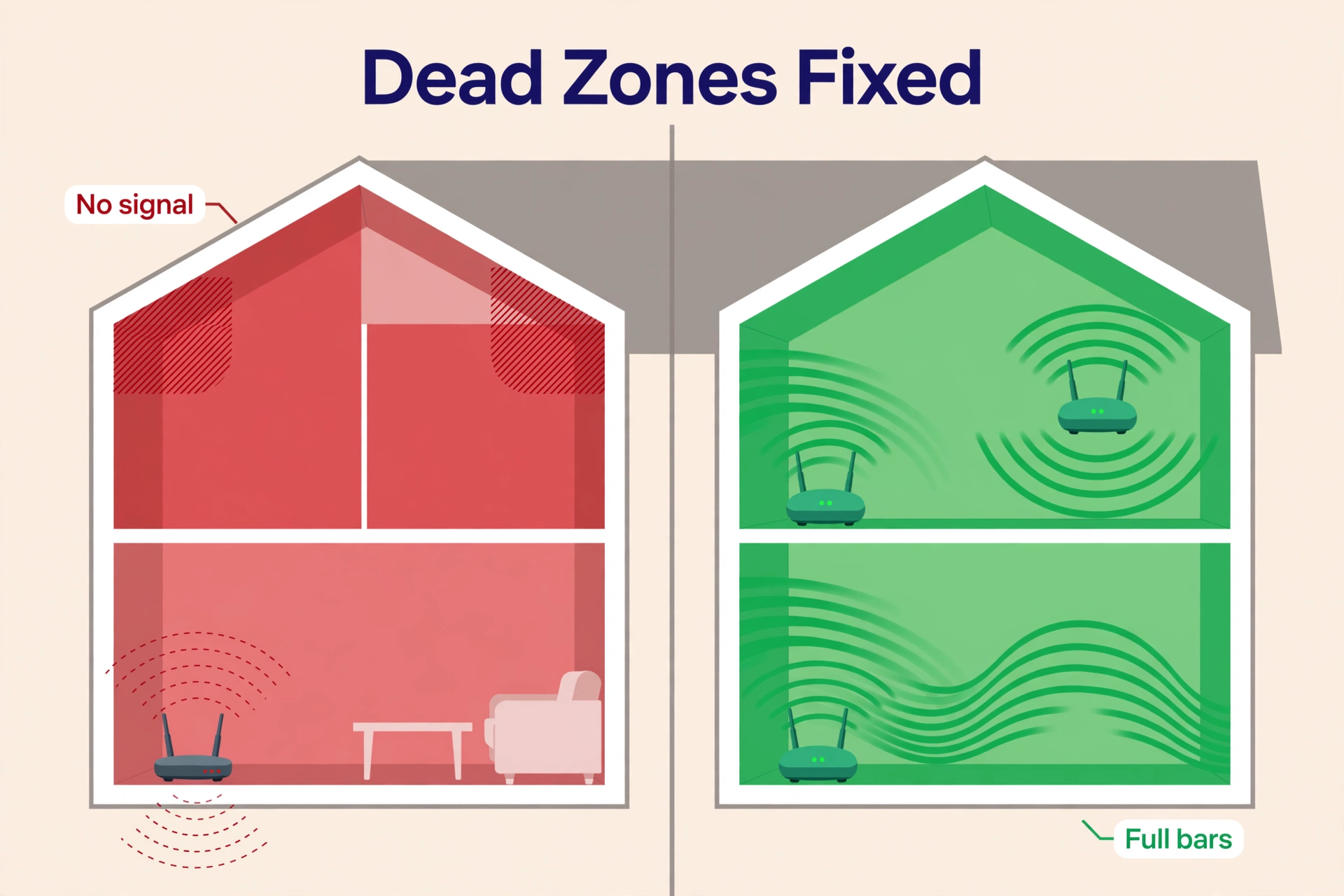
- Dead zones: Cameras at the far end of the house, the garage door controller, and outdoor lights sit at the edge of one router’s range and drop offline randomly.
- 2.4 GHz congestion: Almost all smart home gadgets use the 2.4 GHz band. One router juggling 50 low-bandwidth IoT clients plus your laptops gets sloppy at managing airtime.
- Roaming gaps: Phones and tablets cling to a weak signal instead of switching to a closer access point, which breaks voice assistant responses and camera streams.
Mesh fixes this with two or three nodes that act as one network. Devices roam to the strongest node automatically, and the nodes share the load instead of one router doing everything.
How to Choose a Mesh System for a Smart Home
Count Your Devices First
Open your router’s app and count connected clients — most people underestimate by half. Then add headroom: manufacturers’ “supports 75+ devices” claims assume a mix of idle and active clients. If you have 50 devices today, buy a system rated for at least 100. Running a system near its device limit is the most common cause of “my smart home randomly disconnects” complaints.

Coverage and Node Count
Plan roughly one node per 1,500 to 2,000 square feet in a wood-frame home. Brick, concrete, or plaster walls cut that to one node per 1,000 to 1,500 square feet. A 2-pack suits apartments and small homes; a 3-pack covers most family houses up to about 5,000 square feet. You can add nodes later, but only within the same brand’s ecosystem — mesh systems do not mix brands.
Backhaul: The Hidden Spec
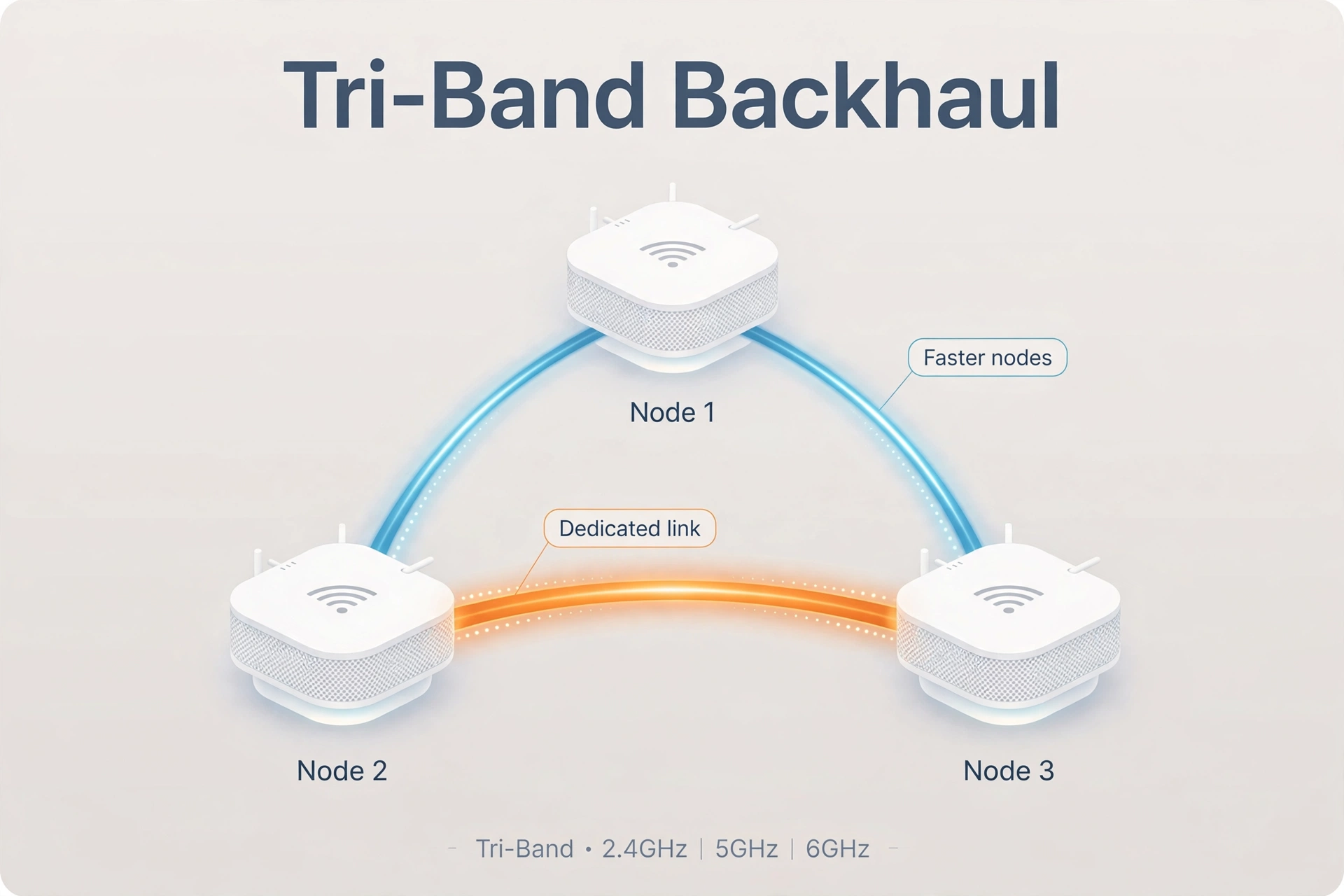
Backhaul is how the nodes talk to each other. Tri-band systems reserve a whole radio band (often 6 GHz) just for node-to-node traffic, so your devices never compete with it. Dual-band systems share one band between backhaul and devices, which costs speed on wireless hops. If you can run ethernet cable to a node, wired backhaul beats everything — even a budget dual-band system performs excellently with wired nodes.
Smart Home Radios Built In
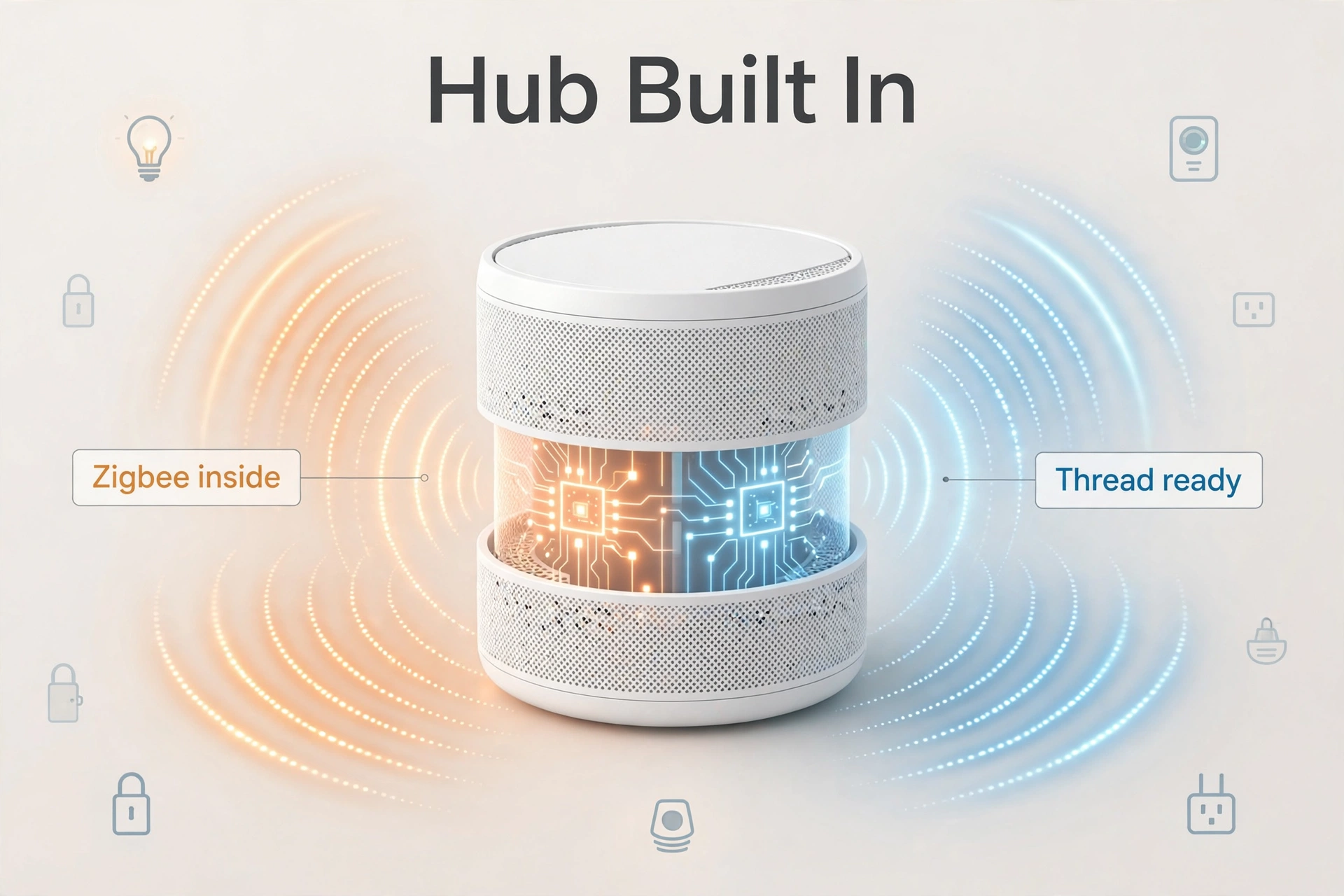
Some mesh nodes include Zigbee and Thread radios alongside WiFi. That turns the router into a smart home hub: Zigbee sensors and bulbs pair directly with no separate bridge, and Thread border router support (the same role our best Thread border router picks fill) future-proofs you for Matter devices. If your home runs on Alexa or you plan a Matter setup, this feature alone can decide the purchase.
IoT Network and Parental Controls
A dedicated IoT/guest network keeps cameras and cheap gadgets isolated from your laptops and NAS — good security hygiene that costs nothing. Also check whether advanced features (parental controls, security scanning) need a paid subscription; some brands lock them behind one, others include them free.
The Best Mesh WiFi for Smart Home: 5 Top Picks (2026)
1. Amazon eero Pro 6E — Best for Smart Homes
The eero Pro 6E is the best mesh WiFi for a smart home because it was designed around one: every node carries a Zigbee radio, newer models add Thread, and the TrueMesh software is unusually good at keeping dozens of low-bandwidth IoT clients stable. In real homes it routinely holds 75 or more devices with zero mysterious drop-offs — the exact problem that sends people mesh shopping in the first place.
Setup is the easiest here: the eero app walks you through it in about ten minutes, and the system quietly optimizes itself over the first day. Alexa households get the most out of it, since the mesh doubles as an Alexa smart home hub and kills the need for a separate Echo with a hub radio. The 3-pack covers around 4,000 to 5,000 square feet and typically costs in the mid-range — check the current price, as eero discounts run often.
Best for: Alexa-based smart homes that want the router and the smart home hub in one box.
Watch out for: Only two ethernet ports per node; some advanced features need the eero Plus subscription; Google Home households may prefer the Nest Wifi Pro below.
2. TP-Link Deco XE75 — Best Value WiFi 6E
The Deco XE75 gives you tri-band WiFi 6E — including the clean 6 GHz band most neighbors are not using yet — plus a claimed 200-device capacity and up to 7,200 square feet of coverage from a 3-pack. That is serious headroom for a big device-heavy home, at a price that usually undercuts the big-brand flagships.
TP-Link’s Deco app is straightforward, with parental controls, QoS, and device prioritization included free. There is no Zigbee or Thread radio, so this is a pure WiFi play — pair it with a dedicated Zigbee coordinator for your sensors and you have a best-of-both setup. A congested 2.4 GHz band is often the real culprit behind dropping sensors, and a tri-band mesh with a separate IoT SSID helps enormously.
Best for: Large homes that want WiFi 6E capacity at a sane price.
Watch out for: No built-in smart home hub radios; 6 GHz range is shorter through walls than 5 GHz.
3. TP-Link Deco X20 — Best Budget Pick
The Deco X20 is the mesh system to buy when the budget is tight but the device count is not. It is WiFi 6 (dual-band AX1800), covers up to 5,800 square feet with a 3-pack, and handles around 150 devices. For most smart homes that is plenty, and it routinely sells for well under half the price of flagship systems.
You give up the 6 GHz band and the premium tri-band backhaul, so place the nodes thoughtfully and use wired backhaul if you can run a cable. The Deco app, free parental controls, and Alexa compatibility all carry over from its pricier siblings. This is the rational default for renters and smaller homes.
Best for: Budget smart homes that still need real device capacity.
Watch out for: Dual-band only, so wireless backhaul shares airtime with devices; slower than tri-band rivals under heavy load.
4. Netgear Orbi 770 — Best Performance (WiFi 7)
The Orbi 770 is for the household that wants the fastest mesh available and is willing to pay for WiFi 7. Tri-band with a 6 GHz backhaul, multi-gig ethernet ports, and a dedicated IoT network for smart home gadgets keep everything segregated and speedy. In testing it blasts full ISP speeds into corners that defeat lesser systems.
The standout smart-home feature is the separate IoT network: your cameras, locks, and sensors live on their own SSID while laptops and streaming stay on the main network. That isolation is exactly what security-conscious smart home owners should want. The Orbi app is thinner on features than eero’s or Deco’s, and some extras need a subscription, so you are paying for raw performance, not software polish.
Best for: Performance-first homes with gigabit-plus internet and lots of bandwidth-hungry devices.
Watch out for: Premium price; WiFi 7 client devices are still uncommon, so some of the speed is future-proofing; app features are basic.
5. Google Nest Wifi Pro — Best for Google Home Households
If your home runs on Google Home, the Nest Wifi Pro is the frictionless choice. Setup happens inside the Google Home app you already use, it speaks Matter and Thread (acting as a Thread border router for your Matter devices), and the design disappears on a shelf. WiFi 6E with a 6 GHz band gives it modern performance for a typical family home.
It is not the capacity king — device limits and ethernet ports (one WAN plus one LAN per node) trail the Deco and Orbi picks — but for a Google-centric household with a few dozen devices, the integration is worth more than spec-sheet wins. Everything just shows up in the app you already open daily.
Best for: Google Home households that value integration over maximum specs.
Watch out for: Limited ethernet ports; lower device ceiling than rivals; no Zigbee radio.
Table: The 5 best mesh WiFi systems for smart homes compared (2026)
| Feature | eero Pro 6E | Deco XE75 | Deco X20 | Orbi 770 | Nest Wifi Pro |
|---|---|---|---|---|---|
| WiFi standard | 6E | 6E | 6 | 7 | 6E |
| Bands | Tri-band | Tri-band | Dual-band | Tri-band | Tri-band |
| Device capacity | 75+ | 200 | 150 | High | Moderate |
| Coverage (3-pack) | ~4,500 sq ft | ~7,200 sq ft | ~5,800 sq ft | Large homes | ~6,600 sq ft |
| Smart home radios | Zigbee + Thread | None | None | None | Thread (Matter) |
| IoT network | Via app | Guest/IoT SSID | Guest/IoT SSID | Dedicated IoT SSID | Via Google Home |
| Standout trait | Hub built in | Value WiFi 6E | Budget capacity | WiFi 7 speed | Google integration |
Setup Tips for a Device-Heavy Smart Home
- Count devices before you buy. Check your current router’s client list, add 50% headroom, and buy capacity accordingly. A system running near its device limit is the top cause of random smart home dropouts.
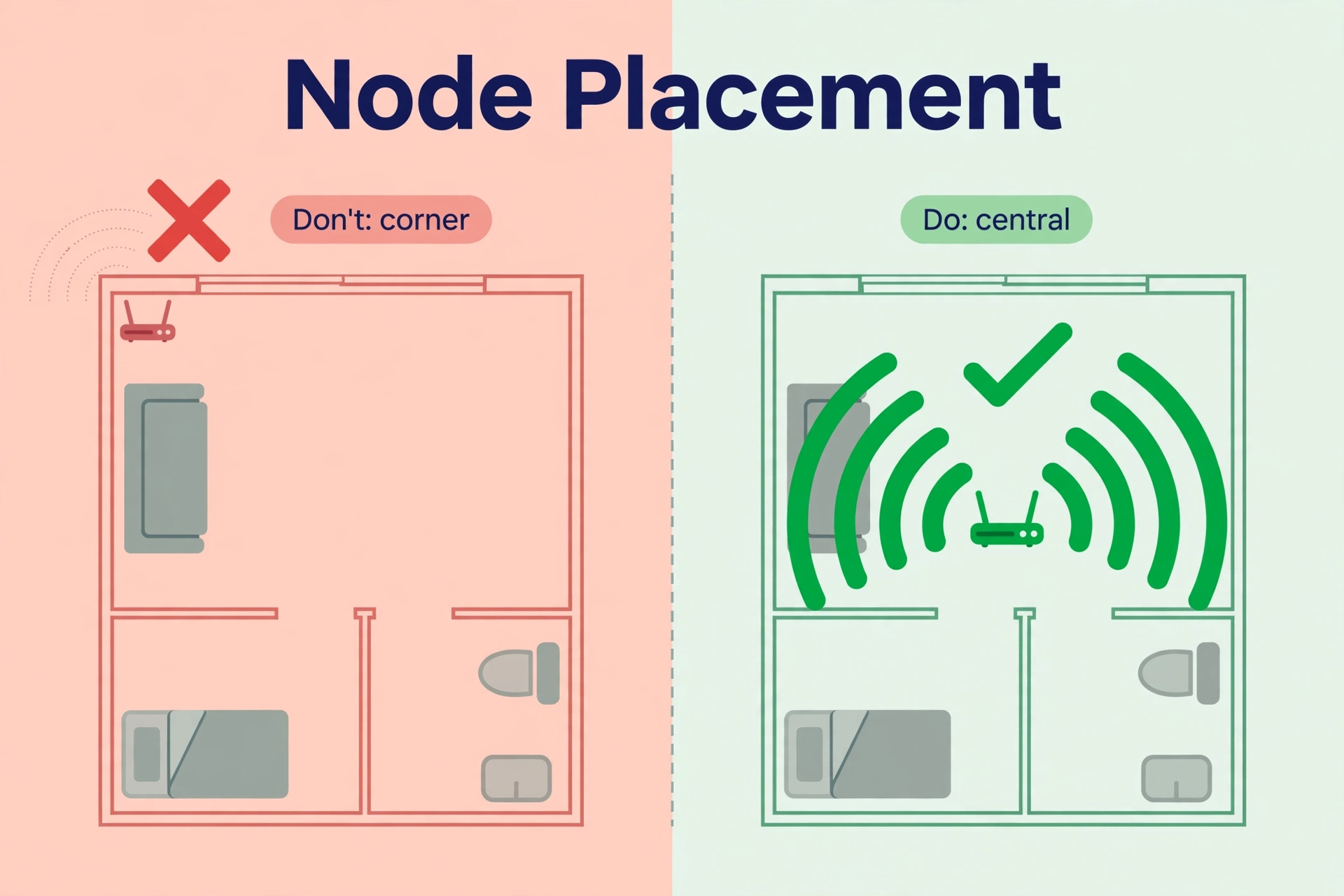
- Place nodes halfway, not in the dead zone. A node belongs midway between the router and the weak spot — deep inside the dead zone it has nothing good to repeat.
- Give IoT its own SSID. Put cameras, plugs, and sensors on a separate 2.4 GHz IoT network. It reduces congestion and limits what a compromised gadget can reach.
- Keep Zigbee away from WiFi channels. Zigbee and 2.4 GHz WiFi share spectrum. If sensors drop after a router upgrade, change your Zigbee channel to avoid WiFi interference — it fixes more “broken” sensors than any new hardware.
- Wire what you can. One ethernet cable to a distant node (wired backhaul) improves the whole mesh more than upgrading to a pricier system.
- Update firmware and reboot quarterly. Mesh systems auto-update, but a quarterly reboot clears the cruft that builds up in long-running IoT networks.
Frequently Asked Questions
How many smart home devices can a mesh system handle?
It varies by model: budget systems handle around 100 to 150, mid-range around 150 to 200, and flagships more. Always buy headroom — count your current devices and add 50%. A system running near its limit causes the random disconnects most people blame on the gadgets.
Do I still need a smart home hub if my mesh router has Zigbee?
For Zigbee devices paired through Alexa, no — an eero with a built-in Zigbee radio replaces a separate hub. But if you run Home Assistant with Zigbee2MQTT or ZHA, keep your dedicated Zigbee coordinator; it gives you local control and far deeper device support than a router hub.
Is WiFi 7 worth it for a smart home in 2026?
For the smart home gadgets themselves, no — sensors and bulbs barely sip bandwidth. WiFi 7 pays off if you have gigabit-plus internet, many 4K streams, or want maximum future-proofing. Most smart homes are better served spending the difference on an extra node or a tri-band WiFi 6E system.
Should smart home devices use the 2.4 GHz or 5 GHz band?
Almost all smart home gadgets only support 2.4 GHz, and that is fine — they need range, not speed. Let the mesh steer phones and laptops to 5 or 6 GHz automatically, and keep IoT on 2.4 GHz where it belongs.
Can I mix mesh brands, like an eero with a Deco node?
No. Mesh nodes only work within their own brand’s ecosystem. Pick one system and expand with its own nodes. If you outgrow a brand entirely, you replace the whole set.
Will a mesh system fix my Zigbee sensors dropping offline?
Sometimes. If the drops come from WiFi congestion or a weak 2.4 GHz signal at the sensor’s location, a mesh with better coverage helps. But Zigbee has its own mesh — weak Zigbee routing and channel interference are separate problems. Read our Zigbee offline fix guide before buying new hardware.
Conclusion
The best mesh WiFi for a smart home in 2026 is the Amazon eero Pro 6E — the built-in Zigbee hub and rock-solid device handling solve the two problems smart homes actually have. On a budget, the TP-Link Deco X20 covers a device-heavy home for far less money, and the Deco XE75 is the value king if you want WiFi 6E. See eero’s official site for current models and pricing, and check the current price on any system before buying — mesh prices move constantly.
Once the network is solid, the next upgrade is usually the smart home brain itself — a dedicated Thread border router ties all your Matter devices together.
