How to Identify a Neutral Wire in Your Switch Box (Safely)
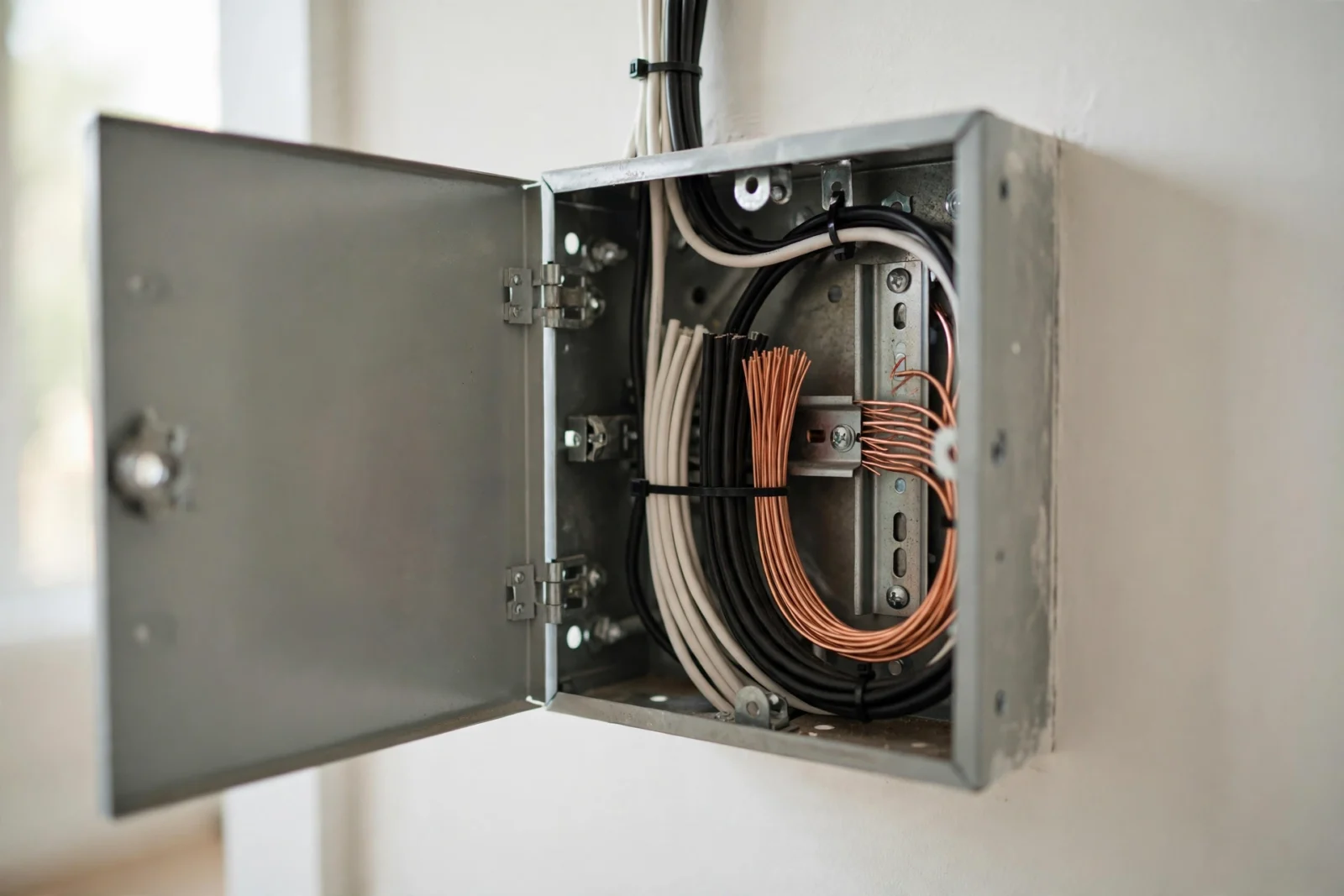
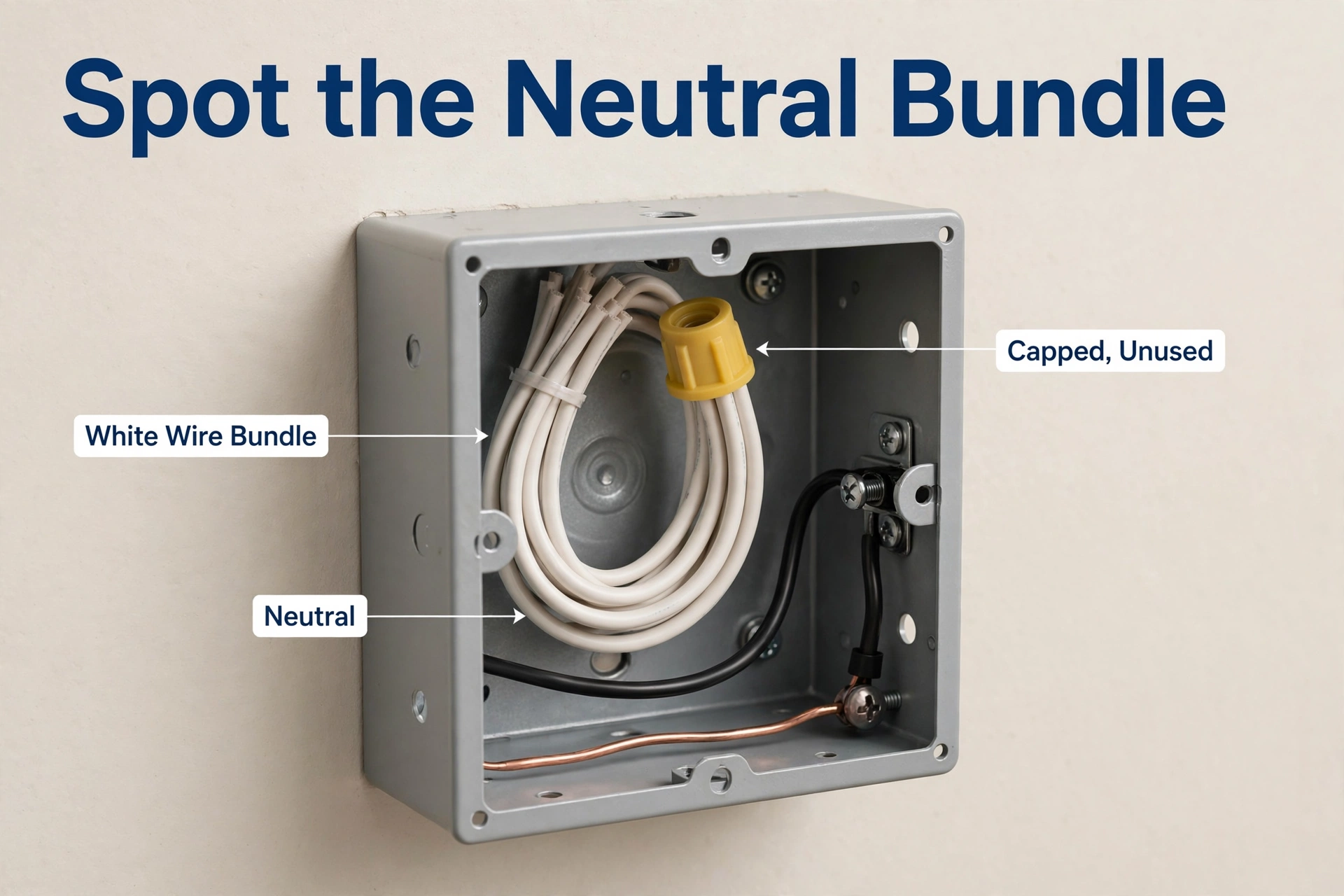
The most reliable way to identify a neutral wire is to look inside the switch box for a bundle of white or gray wires joined with a wire connector and not connected to the switch itself. If you find that capped bundle, you almost certainly have a neutral at the switch, which means most smart switches will work there.
This guide shows you how to recognize that bundle, how to tell a true neutral from a white wire that has been re-marked as a hot, and how to confirm your finding with a multimeter. It also explains what it means when there is no neutral in the box and which switch types still work.
What a Neutral Wire Actually Does
A neutral wire completes the circuit back to the panel. A simple mechanical switch only needs to break the hot wire to turn a light off, so older switch boxes often contain just hot and switch-leg wires. A smart switch is different: its radio, chip, and tiny processor need power all the time, even when the light is off. It takes that power from the hot-and-neutral pair at the switch location. Without a neutral present, the switch cannot get continuous power the normal way.
That is why the presence of a neutral decides which smart switches you can install cleanly. Most full-feature smart switches are designed assuming a neutral is available. Brands describe their own requirements on their support pages: Lutron notes that its Caséta dimmer products do not require a neutral wire, while the regular design of its Diva Smart Dimmer still expects a neutral unless you choose the no-neutral variant.
The 60-Second Visual Check
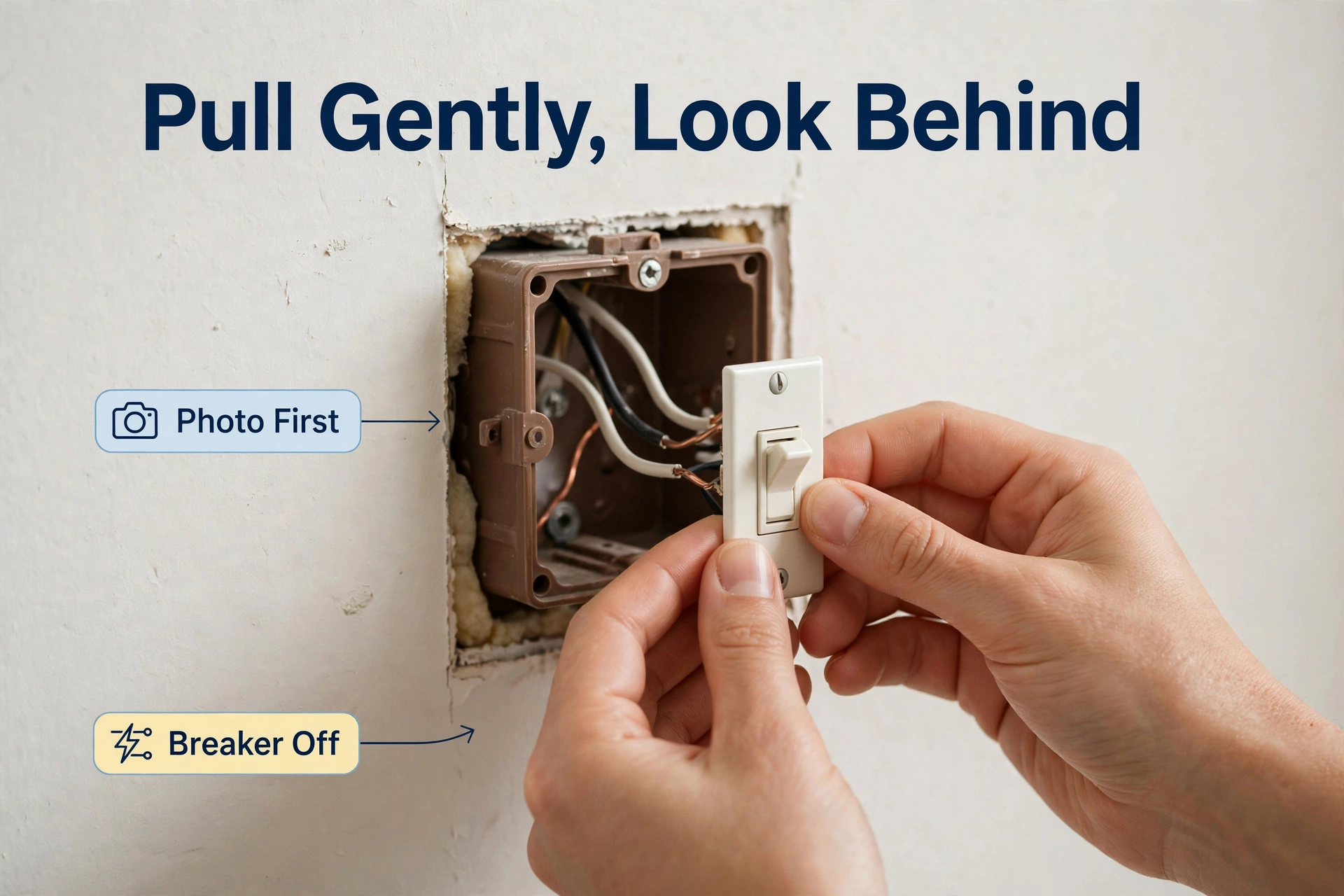
Most people can settle the question with a flashlight and one careful look. Take a photo of the box before you touch anything, so you can put it back exactly as it was.
- Turn off the breaker for the switch and test the switch to confirm it is dead.
- Remove the wall plate, then remove the two screws holding the switch in the box.
- Gently pull the switch forward. Do not yank; the wires have limited slack.
- Look behind the switch, into the back of the box.
- Look for a bundle of two or more white or gray wires twisted together under a wire connector, ending in the box and not attached to the switch.
- Count the wires connected to your switch. A typical switch has hot, switch-leg (load), and ground. The neutral bundle will be separate from those.
If you see that capped white or gray bundle in the back, you have a neutral. That is the single most common layout in homes with modern wiring.
Wire Colors: What They Usually Mean (and the Trap)
Standard colors help, but they can lie in one specific way that matters for your safety and for whether the switch works. Use the colors as a first hint, then confirm with the checks below.
| Wire | Usual color | Usual job | Watch out for |
|---|---|---|---|
| Hot (line) | Black | Brings power in | Can also be red in some runs |
| Switch leg (load) | Black or red | Carries power to the fixture | May be the white wire (see the trap below) |
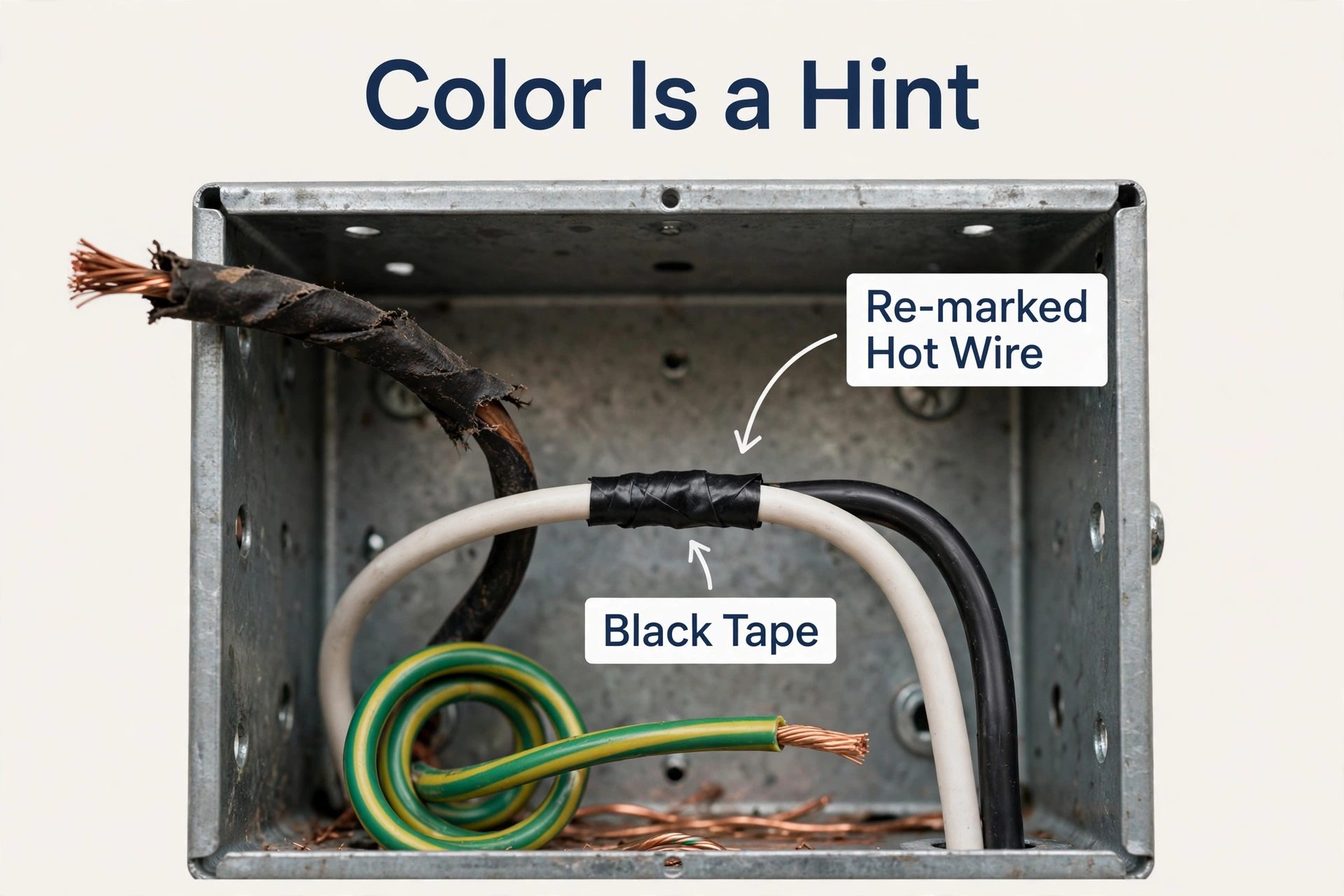
| Neutral | White or gray | Returns power to panel | A white wire marked with black tape is not a neutral |
| Ground | Bare copper or green | Safety path only | Never used as a neutral |
The switch-loop trap
In older wiring, power often arrives at the light fixture first, and a two-wire cable runs down to the switch. In that cable, the white wire is commonly used as a hot and should be re-marked with black tape or paint. That white wire is not a neutral, even though it looks like one at a glance. If the only white wire in the box connects to the switch itself, especially with black tape on it, you are looking at a switch loop, not a neutral bundle.
Why the trap happens
Electricians wire to the code and materials of their time. A two-wire run to a switch was legal and normal when smart switches did not exist, so no neutral was pulled down. Your job is simply to recognize the pattern: a neutral lives as a capped bundle in the back, not as a single white wire screwed onto the switch.
Confirm It With a Multimeter (When You Are Unsure)
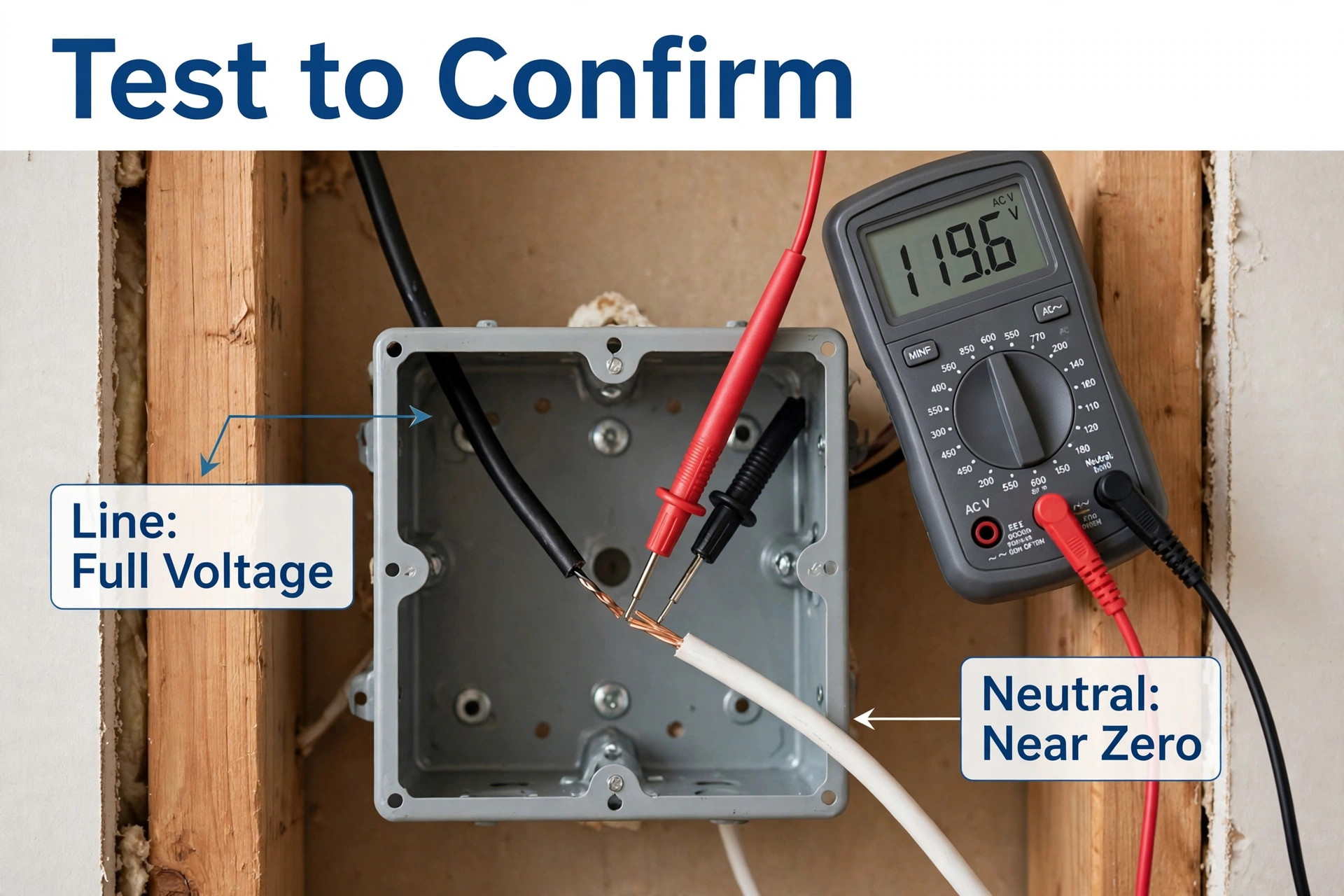
A multimeter gives you certainty, and you only need two readings if the box is wired conventionally.
- Set the meter to AC voltage.
- Identify your known hot wire (the black wire that feeds the switch).
- With the power on and care, measure between that hot and the white bundle: a true neutral reads close to full line voltage there.
- Then measure between that white bundle and the bare ground: a true neutral reads close to zero.
If you do not see that pattern, stop. The bundle may not be a neutral, the circuit may be wired in a non-standard way, or you may be measuring the wrong hot. An electrician can sort it out in one visit.
The Short Safety Note (Read This)
Working inside a switch box means working near live wiring. Turn the breaker off, test that the circuit is dead, and stop if anything looks scorched, brittle, or confusing. Never trust wire color alone. If in doubt, hire a licensed electrician. It is cheaper than the alternative.
No Neutral in the Box? Your Options
If the back of the box holds only the wires on the switch, you have a switch loop with no neutral. You are not stuck.
- Choose a no-neutral smart switch designed for exactly this situation. Our roundup of the best no-neutral smart switch options compares the models made for older homes, so you can pick one that suits your lighting.
- Add a bypass at the fixture if an electronic dimmer needs a minimum load without a neutral. The flicker angle of that pairing is covered in our guide to fixing LED flicker with smart dimmers.
- Have an electrician pull a neutral if you are renovating anyway. It is the permanent fix and opens up every switch on the market.
- Use smart bulbs instead of a smart switch in rooms where a switch swap is not practical, and control them by app or voice and automation rather than the wall switch.
Frequently Asked Questions
How can I identify a neutral wire without a multimeter?
Look for the capped bundle of white or gray wires in the back of the box, not connected to the switch. A single white wire attached to the switch, especially one marked with black tape, is a hot in a switch loop, not a neutral. If there is no bundle and you have no meter, treat the box as “no neutral” and choose a no-neutral switch.
Is the white wire always the neutral?
No. In switch loops, the white wire is often used as a hot and should be re-marked. A true neutral at a switch location is normally a joined bundle that does not connect to the switch itself.
Can I use the ground wire as a neutral for a smart switch?
No. Ground is a safety path and must never carry normal circuit current. Using it as a neutral is unsafe and against code. Choose a no-neutral switch instead.
My box has a white bundle, but my smart switch also has more wires than the old switch. Is that normal?
Yes. A smart switch typically adds a neutral connection and sometimes a traveler for 3-way setups. Follow the manufacturer’s wiring diagram for your exact configuration; the neutral bundle simply gains one more wire under the connector.
What if I find aluminum or cloth-insulated wires?
Stop and call an electrician. Older wiring types need special connectors and handling, and it is not a DIY identification exercise.
A Quick Recap
A neutral at the switch is a capped bundle of white or gray wires waiting in the back of the box. Find that bundle and you can install almost any smart switch. Find only a switch loop and you still have good options, starting with a no-neutral model. When the picture is not clear, a multimeter reading or an electrician settles it without guessing.