

If you killed every watt of phantom load in your home, this guide’s phantom power savings calculator formula shows exactly what it’s worth per year: standby watts × idle hours × your electricity rate, divided by 1,000. One TV drawing 8W in standby for 20 hours a day at an example rate of $0.17/kWh costs about $10 a year — and a house full of sleep-mode gadgets can reach $60 to $100, per U.S. Department of Energy standby-power estimates. Run the worked examples below with your own numbers, and you’ll know precisely where your money is leaking.
Phantom power (also called vampire power or standby power) is the electricity your devices sip while they look “off.” Anything with a remote control, a clock display, a glowing LED, or a wall charger keeps drinking power around the clock. This guide covers the worst offenders, the simple math, how to measure your real draw, and the fixes that pay back fastest. All numbers below are clearly labeled examples — plug in your own.
What Phantom Power Actually Is
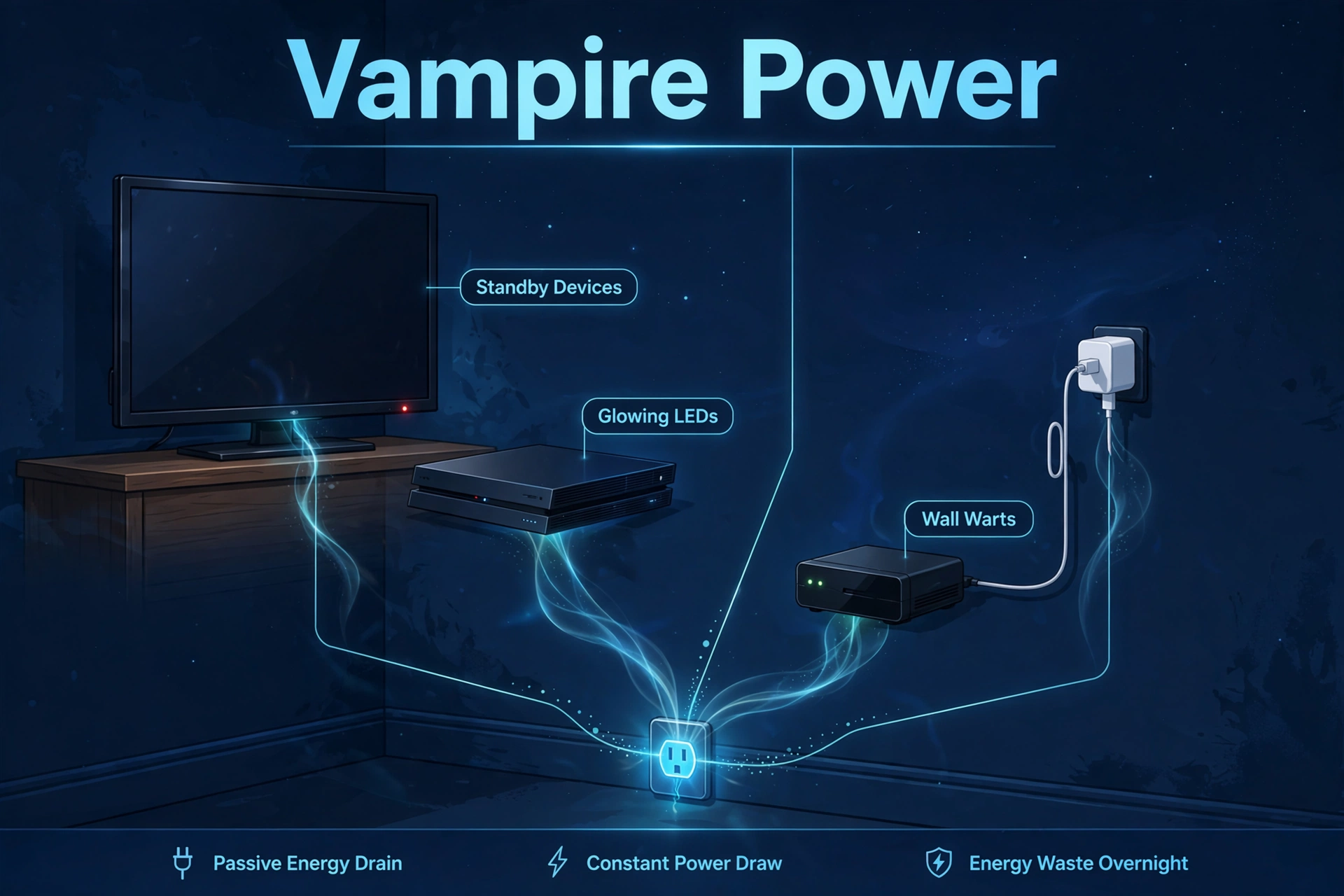
When you press the power button on your remote, most electronics don’t truly shut off. They drop into a low-power standby state: listening for the remote, keeping the clock alive, or trickle-charging a device you disconnected hours ago.
Phantom loads fall into three buckets. First, standby devices: TVs, game consoles, cable boxes, and printers that stay half-awake for instant-on convenience. Second, always-on wall warts: chargers and power adapters that draw a trickle even with nothing attached. Third, background infrastructure: your router, modem, and smart home hub — worth knowing about, but they genuinely need to run 24/7.
The official standby power guidance from the U.S. Department of Energy’s Energy Saver program estimates standby power at 5 to 10 percent of household electricity use. The Lawrence Berkeley National Laboratory puts the average household cost of idle loads at up to $100 a year. That’s the national backdrop; your home has its own answer, and the formula below gets you there in five minutes.
Typical Phantom Power Draws by Device
You don’t need lab equipment to start. Decades of standby-power research (notably Lawrence Berkeley National Laboratory’s standby database) give us typical ranges for the usual suspects. Treat every number below as a typical example — your model, settings, and age change everything, which is why the measurement section shows you how to get the real draw.
| Device category | Typical standby draw (example) | Why it sneaks up on you |
|---|---|---|
| Cable / DVR set-top box | 15–35W | Often never truly sleeps; program-guide updates keep it busy all night |
| Game console (instant-on mode) | 10–15W | “Instant on” means never off; energy-saver mode drops it to ~0.5W |
| Desktop PC in sleep | 1–5W | Small alone, but it idles for 16+ hours a day |
| TV (modern LED/LCD) | 0.5–3W | Low per set — but most homes have two or three |
| Soundbar / receiver | 2–6W | Stays awake listening for HDMI-CEC signals |
| Printer / scanner | 1–5W | Used minutes a week, powered 168 hours a week |
| Microwave clock display | 1–3W | You pay to tell time twice a day |
| Coffee maker with clock | 1–2W | Same story — a glowing clock you barely glance at |
| Phone charger (no phone attached) | 0.1–0.5W | Negligible alone, but everyone leaves them plugged in |
| Smart speaker | 2–4W | Has to stay awake to hear its wake word |
| Wi-Fi router + modem | 5–12W | Always-on by design — know it, but don’t unplug it |
Two patterns jump out. First, old devices are the worst: a ten-year-old cable box can draw 30W+ doing nothing, while a modern TV sips under 1W. Second, hours multiply watts: a tiny 3W draw running 24/7 burns more kilowatt-hours in a year than a 1,000W appliance you run for an hour. That multiplication is the whole game, so let’s do the math properly.
Phantom Power Savings Calculator: The Step-by-Step Formula
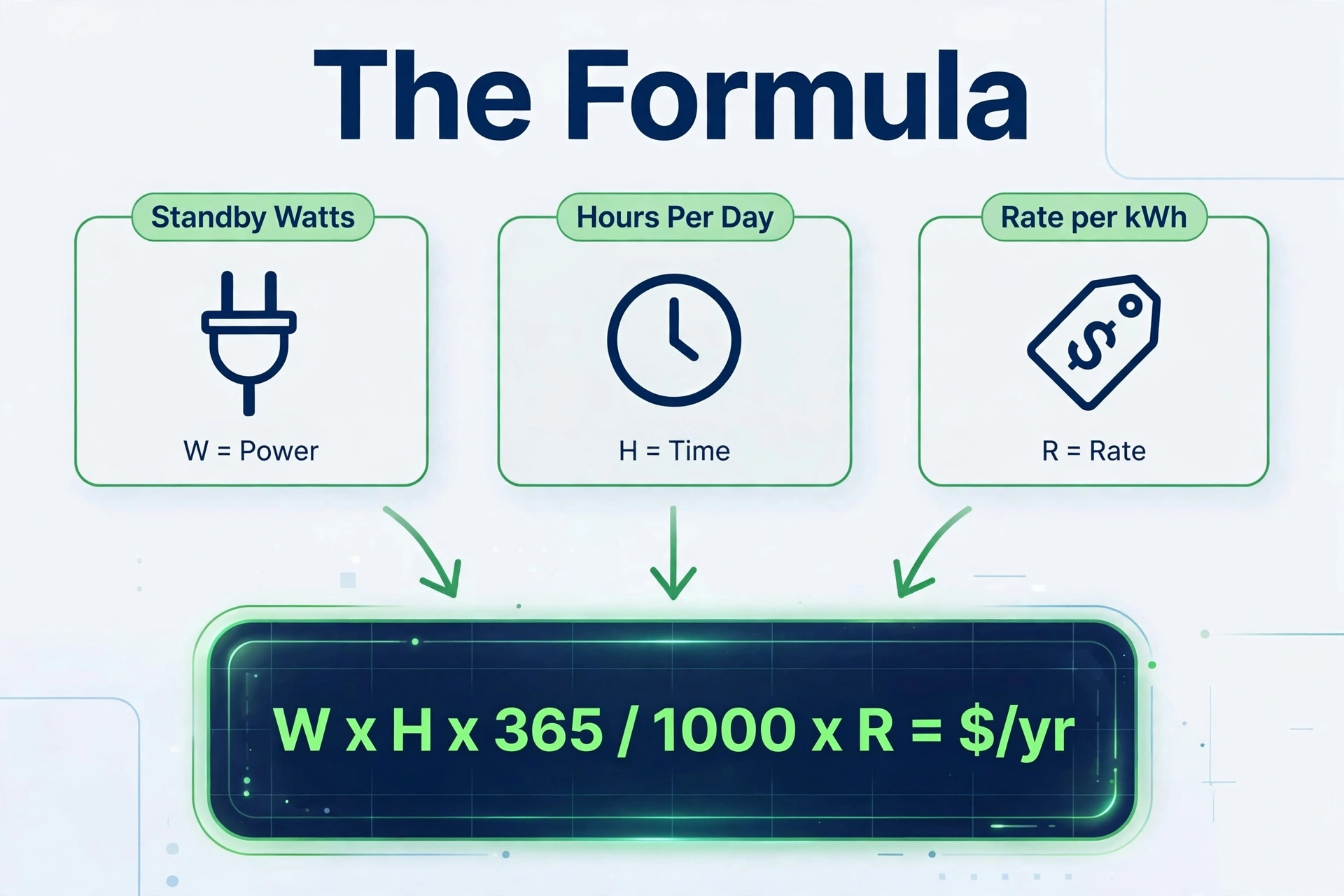
The entire calculation is one line of arithmetic. Here it is, broken into steps you can follow with a phone calculator:
- Find the standby watts. Estimate from the table above, check the device’s manual or label, or measure it (Section 6). Call this W.
- Count the idle hours per day. How many hours does the device sit in standby rather than being used? A TV watched 4 hours a day idles for 20. Call this H.
- Compute annual kilowatt-hours: W × H × 365 ÷ 1,000 = annual kWh.
- Find your electricity rate. It is on your power bill, listed as a price per kWh. Call this R. (The examples below use $0.17/kWh — plug in your own rate.)
- Compute annual cost: annual kWh × R = dollars per year spent on doing nothing.
The “savings” part is the last line: every dollar in that total is what you could recover by unplugging the device, switching it off at a power strip, or automating it with a smart plug. Add up the result for every device you audit, and you have your household’s phantom load bill. Skip devices that must stay on — your router, smart home hub, and anything that loses recordings or settings when unplugged stays out of the savings column.
Worked Example: A Living-Room Entertainment Setup
Let’s run the formula on one realistic corner of a home. Every number below is an example — placeholder rate $0.17/kWh, typical wattages. Follow along, then repeat with your own.
| Device | Example standby draw | Example idle hours/day | Annual kWh (example) | Annual cost at $0.17/kWh (example) |
|---|---|---|---|---|
| LED TV | 8W | 20 | 58.4 | $9.93 |
| Game console (instant-on) | 12W | 21 | 92.0 | $15.64 |
| Soundbar | 4W | 22 | 32.1 | $5.46 |
| Set-top box | 25W | 24 | 219.0 | $37.23 |
| Setup total | 49W | — | 401.5 | $68.26 |
Walk through the TV row: 8W × 20 hours × 365 days = 58,400 watt-hours a year; divide by 1,000 for 58.4 kWh; times $0.17/kWh = $9.93 a year. The whole setup costs about $68 a year just sitting there — in this example.
Now the fun part: put the TV, soundbar, and console on a smart strip that cuts them when the TV is off, and switch the console to energy-saver mode (~0.5W). Say the strip kills roughly 40W of the 49W. Recoverable savings: 40 × 20 × 365 ÷ 1,000 × 0.17 = $49.64 a year. One power strip, one settings change, ~$50 a year off the bill — with example numbers.
How to Measure Your Real Standby Draw
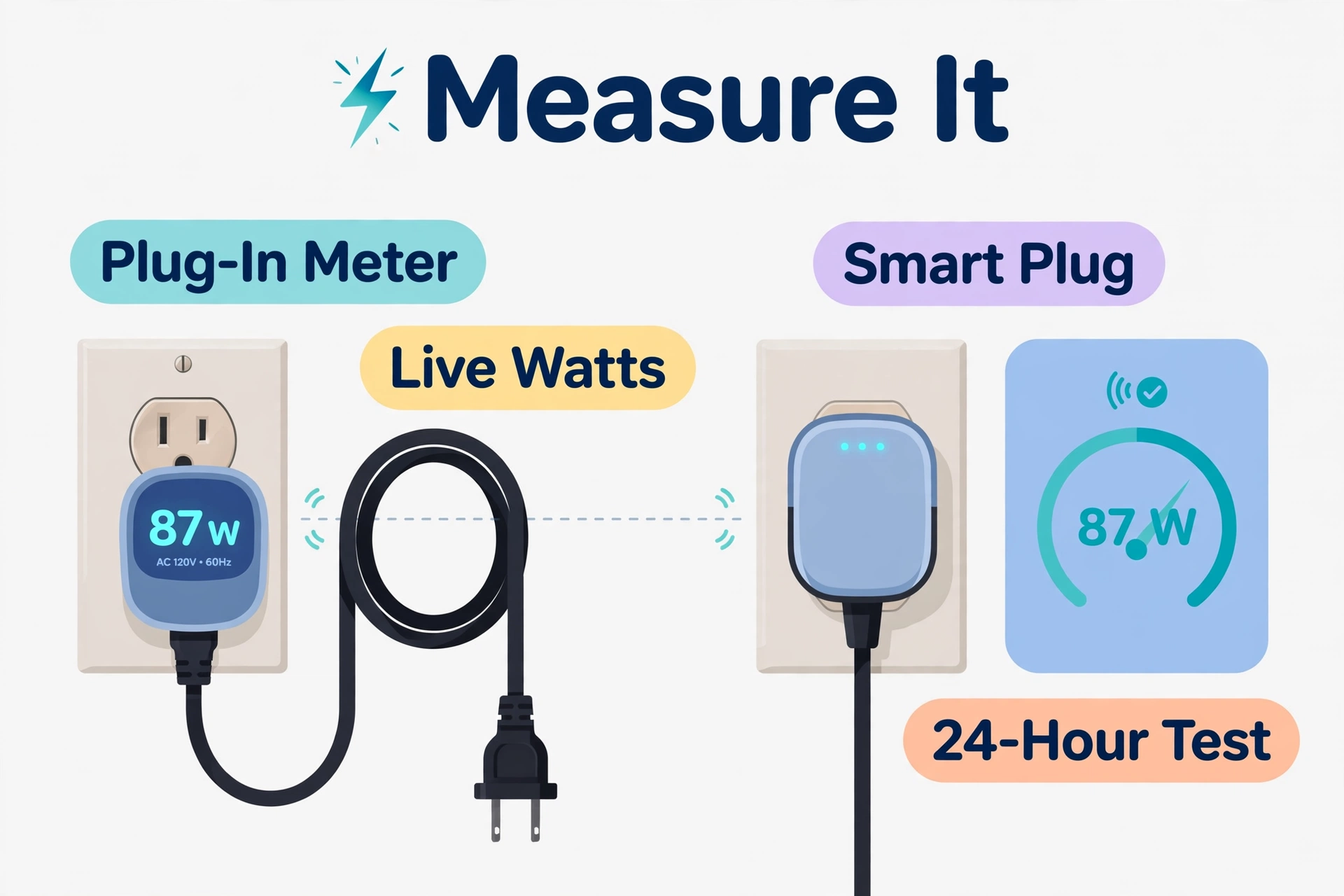
Examples get you started; measurement gets you the truth. Two tools do the job, and they suit different people.
Option 1: a plug-in watt meter. The classic in this category is the P3 Kill A Watt P4400 — it plugs into the wall, the device plugs into it, and the LCD shows live watts plus cumulative kWh. Cheap, no app needed, and the fastest way to answer “what does this thing actually draw?” Leave it on a suspect device for 24 hours and read the kWh tally: that’s your real annual number, no formula required.
Option 2: a smart plug with energy monitoring. The smart-home-native answer — it measures and it cuts. A plug that logs watts lets you watch the draw in an app, spot the devices that never sleep, and schedule the plug to switch off automatically at night or when you leave. If you’re comparing models, our guide to the best energy-monitoring smart plug covers which ones measure accurately enough to trust — not all of them do.
Whichever you use, measure the same way:
- Plug in the device in its normal “off” state (remote off, not unplugged) and wait 5 minutes for the draw to settle.
- Note the idle wattage, then watch a few minutes — some devices spike periodically (checking for updates).
- For the honest annual number, leave the meter on for a full 24 hours and use its kWh reading × 365.
- List each device’s watts, hours, and cost — that’s your personal phantom-power audit.
If you want to see what the whole house is doing at once, a meter clamped onto your electrical panel gives the full picture; we compare the options in our best whole-home energy monitor guide. Panel-level monitoring shows you the total phantom baseline at 3 a.m. — the moment of truth for any home.
The Biggest Wins, Ranked

Not all phantom loads are worth chasing. Ranked by payoff per minute of effort, here is where to start:
- Old cable/DVR boxes. The undisputed champion of wasted watts. If you don’t use one anymore, unplug it today — in the example above, one idle box costs more per year than the TV, console, and soundbar combined.
- Game console power mode. Switching from “instant on” to energy-saver mode takes 30 seconds in the settings menu and can drop standby from ~12W to ~0.5W. Free, permanent, zero downside except a slower cold boot.
- Entertainment center on one switchable strip. TV, soundbar, streaming box, and console all cut to true zero with one switch or one smart-plug schedule. The worked example above showed ~$50 a year of recoverable cost.
- Home office peripherals. Monitors, printers, speakers, and desk lamps idle 16+ hours a day. A smart strip that cuts peripherals when the PC sleeps handles it automatically.
- Chargers and small kitchen appliances. Individually tiny, but five wall warts and a clock-display coffee maker add up — and unplugging them is free.
What not to bother with: your router and smart home hub (they need to run), and devices you genuinely use around the clock. Phantom-load hunting has diminishing returns — once the big offenders are handled, the remaining savings are pocket change.
When a Smart Plug Pays for Itself
A smart plug only saves money if the phantom load it kills is worth more than the plug itself. Here’s the payback math — the $25 below is a placeholder; use your actual receipt.
The payback formula: payback (years) = plug cost ÷ annual savings, where annual savings = watts killed × idle hours per day × 365 ÷ 1,000 × your rate.
Example only: say the plug costs $25 (placeholder — check your own receipt). It kills 40W of entertainment-center phantom load for 20 idle hours a day at the example $0.17/kWh rate. Annual savings = 40 × 20 × 365 ÷ 1,000 × 0.17 = $49.64. Payback = $25 ÷ $49.64 ≈ 0.5 years, or about six months. After that, the savings are pure gain. Your plug’s price, your watts, and your rate will differ — but at 40W of killed load, most smart plugs pay back in well under a year.
The rule of thumb: if a plug eliminates at least 20W for 12+ hours a day, it almost always pays for itself within a year at typical rates. Below ~5W, payback stretches past two years — put several small offenders on one strip instead of buying a plug per device.
Automate It: Let Your Smart Home Do the Unplugging
Manual unplugging works, but it fails the moment you get lazy. Automation doesn’t. Once you’ve measured your phantom loads, set them on autopilot:
- Nighttime kill schedule. Put the entertainment center and home office on smart plugs that switch off at midnight and back on at 6 a.m. (or whenever your household’s day starts). Phantom savings with zero daily effort.
- Away-from-home cut. When your phone leaves the geofence, cut power to the office and entertainment strips. When you return, they come back on.
- Presence-triggered office. A smart plug paired with a motion sensor can cut the monitor and desk gear when nobody has been in the room for 30 minutes.
- One-tap “goodnight” routine. A voice command or dashboard button that kills every non-essential plug — the satisfying finale to a phantom-load audit.
All of this runs on any decent hub. If you’re starting from scratch, our Home Assistant on Raspberry Pi 5 guide walks through a free, fully local setup — no cloud subscription needed.
One caution: don’t automate plugs that feed devices which hate hard power cuts — some DVRs corrupt recordings, and some printers run cleaning cycles on power-up that waste ink. Measure, automate the safe stuff, and leave the fussy gear alone.
Phantom Power Savings FAQs
How much can I realistically save by eliminating phantom power?
It depends entirely on your devices, habits, and rate — there is no universal number. The U.S. Department of Energy suggests standby power is 5–10% of residential electricity use, and Lawrence Berkeley National Laboratory estimates idle loads can cost up to about $100 a year for an average household. A home with an old cable box and an always-on console lands near the top of that range; a modern, minimal setup may barely reach $20. Run the formula on your own devices instead of trusting anyone’s headline number.
Is it better to unplug devices or use a smart plug?
Unplugging is free and uses zero standby power of its own, so for devices you rarely use (guest-room TV, old printer), it’s the best answer. Smart plugs win for devices you use daily: they add scheduling, remote control, and energy monitoring, and they eliminate the daily friction of reaching behind furniture. Just remember the plug itself draws a watt or two — check the actual model you buy.
Do power strips really eliminate phantom power?
A basic switched strip does — when the switch is off, the circuit is physically broken, so downstream devices draw nothing. “Smart” or “advanced” power strips go further: they sense when the main device (say, the TV) powers down and automatically cut the peripheral outlets. Either way, the strip has to actually be switched off; a strip that’s always on eliminates nothing. Note that surge-protector strips with indicator LEDs draw a tiny amount themselves.
Should I unplug my Wi-Fi router to save power?
No. Routers draw a modest 5–12W, but they’re infrastructure: unplugging them kills your internet, breaks scheduled recordings, drops your smart home offline, and forces everything to reconnect. The savings (a few dollars a year in the example math) aren’t worth the daily hassle. If your router is ancient and hot to the touch, upgrading to an efficient modern one is the smarter play.
Does phantom power really add up, or is it a myth?
It genuinely adds up, and the math is uncontroversial: standby watts run 8,760 hours a year, and watts × hours × rate is exactly how utilities bill you. The “myth” part is only about scale — one phone charger won’t change your bill, and scare headlines about hundreds of dollars are overblown for modern homes. That’s why this guide has you measure: your biggest offenders are probably one or two devices, and the calculator tells you which ones deserve attention. For perspective on where your energy dollars actually go, our Ecobee vs Nest comparison shows how a smart thermostat attacks the far bigger heating-and-cooling slice of the bill.
