

Walk into any electronics store today and you will see the same word on dozens of boxes: Matter. Next to it, you might notice a small oval logo that says “Thread”. And if you are anything like most beginners, your first thought is probably: what is Matter Thread smart home technology all about — and do I actually need it?
You are not alone in asking. For years, smart homes were a confusing mess of incompatible gadgets — your bulb needed one app, your lock needed another, and your thermostat refused to talk to anything. Matter and Thread were created to fix exactly that. In this guide, I will explain both technologies in plain, beginner-friendly English — no engineering degree required.
What Is Matter Thread Smart Home Technology?
Let us start with the simplest possible explanation. Matter and Thread are two different technologies that work best as a team, and confusing them is the most common beginner mistake.
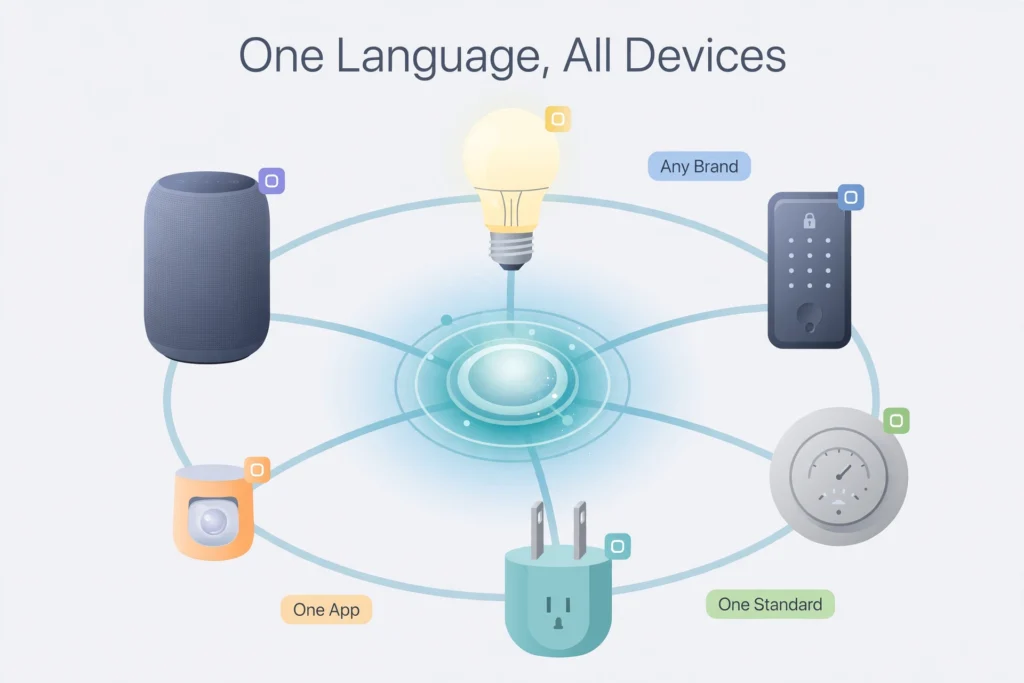
Matter is a language. It is a universal standard that lets smart home devices understand each other, no matter which brand made them. A Matter-certified light bulb from one company can be controlled by the Apple Home app, Google Home, or Amazon Alexa — your choice.
Thread is a network. It is a low-power wireless mesh network that carries Matter’s messages between devices. Think of Matter as the language people speak at a meeting, and Thread as the telephone network they use to call in. You need both for the conversation to happen.
Together, they form the backbone of the modern smart home. So when someone asks “what is Matter Thread smart home technology,” the short answer is: Matter is the common language, and Thread is the reliable wireless network that helps battery-powered devices speak it. Understanding that one distinction will make everything else in this guide click into place.
What Is Matter? The Universal Smart Home Language
Matter is an open standard for smart home devices, developed by the Connectivity Standards Alliance (CSA) — the same organization that was previously known as the Zigbee Alliance. The project started in December 2019 under the name “Project Connected Home over IP,” with Amazon, Apple, and Google as founding members. Matter 1.0 launched on October 4, 2022, and the standard has kept improving since — versions 1.1 through 1.4 added new device types, energy reporting, and support for solar panels, heat pumps, and water heaters. By 2026, the ecosystem has matured into something genuinely dependable.
The Problem Matter Solves
Before Matter, every smart home brand spoke its own private language. A bulb that worked with Alexa might ignore Apple Home entirely. Buying a new gadget felt like a gamble — you had to research compatibility lists, download extra apps, and sometimes buy a brand-specific hub just to make one device work.
Matter removes that gamble. When you see the Matter logo on a box, the device has passed certification and will work with any Matter-compatible platform. Buy a sensor from one brand, a smart plug from another, and control both from a single app. For beginners, that single change turns smart home shopping from stressful to simple.
Multi-Admin: One Device, Many Apps
One of Matter’s most impressive features is called multi-admin. In plain English, it means one device can be controlled by several ecosystems at the same time. If you have an iPhone but your partner uses Android, the same smart lock can appear in both Apple Home and Google Home simultaneously. Nobody has to compromise on their favorite app.
Local Control and Security
Another big win is local control. Matter devices communicate over your home network — Wi-Fi, Ethernet, or Thread — which means basic controls like turning on a light or locking a door work even if your internet goes down. Your commands do not need to travel to a distant cloud server and back.
Security was built in from the start, not bolted on later. Every Matter device uses encrypted communication and device attestation certificates — your home verifies that a new device is genuine before letting it join. You can read the technical details on the official Matter standard page if you ever want to go deeper.
What Is Thread? The Network Behind Matter
Now let us talk about Thread. If Matter is the language, Thread is one of the roads it travels on. Thread is a low-power wireless mesh networking protocol built on open standards (IPv6 and IEEE 802.15.4), and it is managed by the non-profit Thread Group.
Here is why Thread matters for your home. Many smart home devices run on batteries — door sensors, motion sensors, smart locks. Wi-Fi would drain their batteries in weeks because it was designed for speed, not efficiency. Thread was designed specifically for tiny, battery-powered devices, so a sensor can run for months or years on a single coin-cell battery.
How a Thread Mesh Network Works
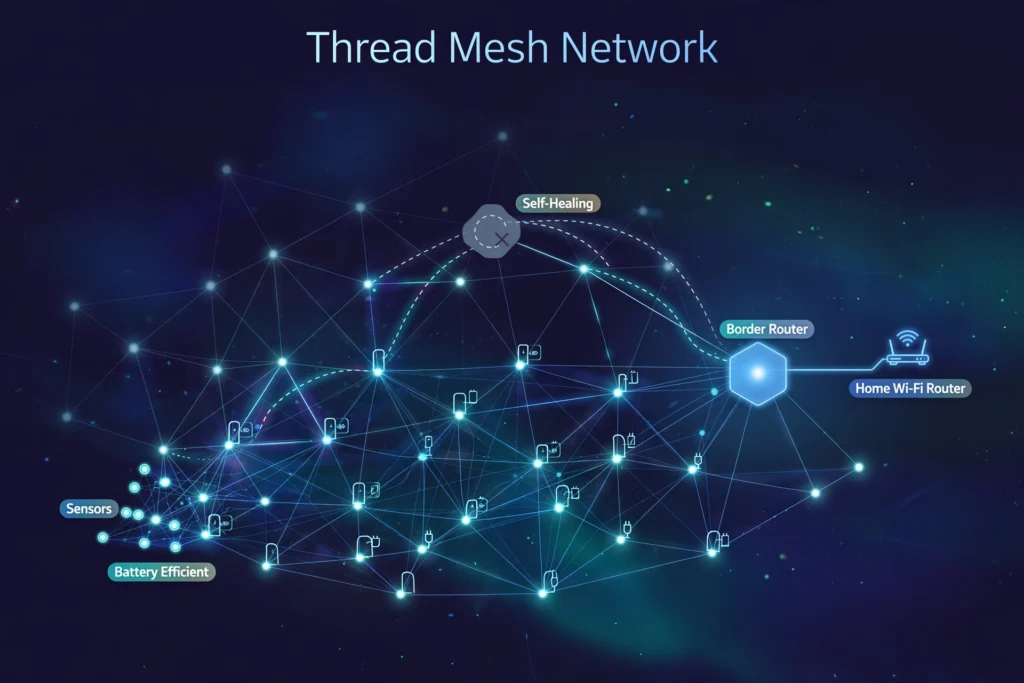
Thread networks are “mesh” networks, and that word is worth understanding. In a traditional Wi-Fi setup, every device talks directly to your router. If a device is too far from the router, it drops out.
In a mesh network, devices relay messages for each other. Your hallway sensor can pass its message through the smart plug in the living room, which passes it along to the border router. Every mains-powered Thread device strengthens the mesh. Better yet, Thread is self-healing: if one device goes offline, messages automatically find another path. The more Thread devices you add, the more reliable your network becomes.
Thread is also IP-based, speaking the same fundamental networking language as the rest of your home network — no translation layers needed. The Thread Group’s official What is Thread page is a great next read once you finish here.
How Matter and Thread Work Together
By now the relationship should be getting clear. Matter defines what devices say to each other — “turn on,” “set brightness to 50%,” “the door is open.” Thread defines how those messages travel between battery-powered devices.
Here is a helpful analogy. Think of Matter as English, the shared language at an international conference. Thread is the telephone system the attendees use to call each other. Wi-Fi and Ethernet are alternative telephone systems — Matter can travel over any of them. In practice, a Matter smart plug usually uses Wi-Fi because it is plugged into mains power, while a Matter door sensor uses Thread because it needs to sip battery power for years.
One more piece of the puzzle: Bluetooth Low Energy (BLE). When you first set up a Matter device, your phone connects to it over BLE just long enough to share your network details. After that, the device switches to its permanent connection — Wi-Fi, Ethernet, or Thread.
What Does a Thread Border Router Do?
Here is the one technical term you should know: the Thread border router. Thread devices cannot reach your Wi-Fi network on their own, so they need a translator that sits on both networks and passes messages between them. The good news is you probably already own one — the HomePod mini, recent Apple TV 4K models, the Amazon Echo (4th generation), the Google Nest Hub (2nd generation), and the Nest Hub Max all double as border routers. If you are not sure which fits your setup, our guide to choosing a Thread border router breaks down the options.
Multiple border routers in one home are a bonus, not a problem. They back each other up, so if one goes offline, another takes over — another example of Thread’s self-healing design.
Setting Up Your First Matter Device: What to Expect
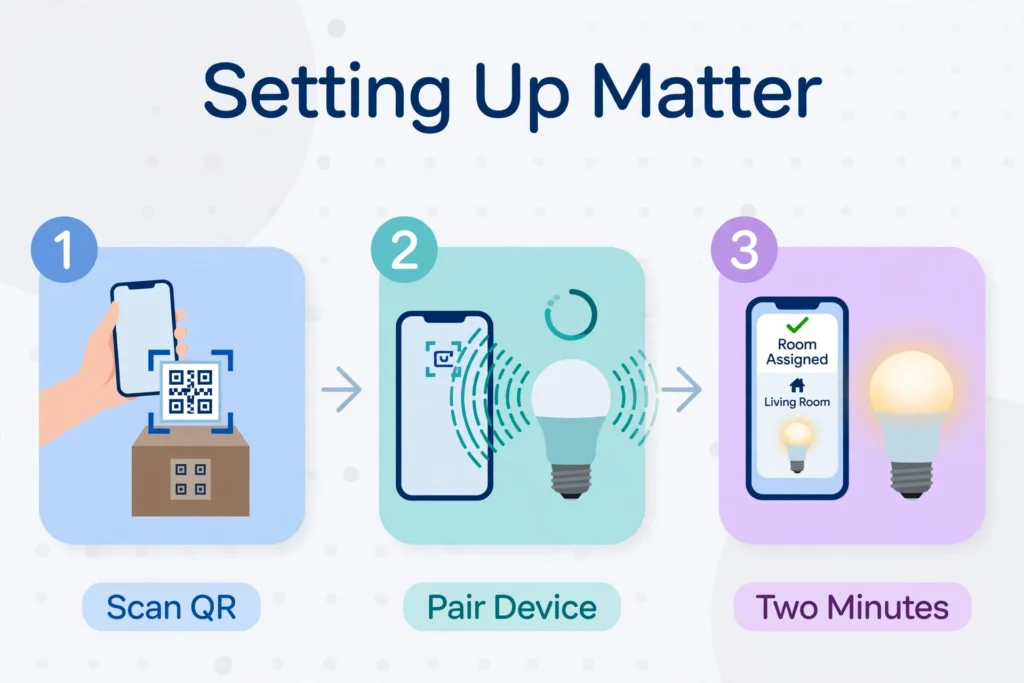
One of Matter’s biggest promises is easier setup, and for the most part it delivers. Newer versions of the standard even let you scan a single QR code to set up multiple devices at once. Here is the typical flow:
- Check your platform. Make sure you have a Matter controller — a smart speaker, hub, or TV box running Apple Home, Google Home, Alexa, or SmartThings.
- Power on the device. Put the new gadget into pairing mode, usually by plugging it in or holding a button.
- Scan the code. Open your smart home app and scan the Matter QR code on the device or packaging — or type the 11-digit setup code manually.
- Follow the prompts. Your phone shares your network details with the device over Bluetooth, then hands control to your Matter controller.
- Name it and assign a room. Give it a clear name like “Bedroom Lamp” so voice commands work naturally.
The whole process usually takes two to three minutes. If something goes wrong, do not panic — most setup headaches come down to a handful of fixable issues, which we cover in our guide to troubleshooting Matter pairing errors.
Matter vs Thread vs Zigbee: Key Differences
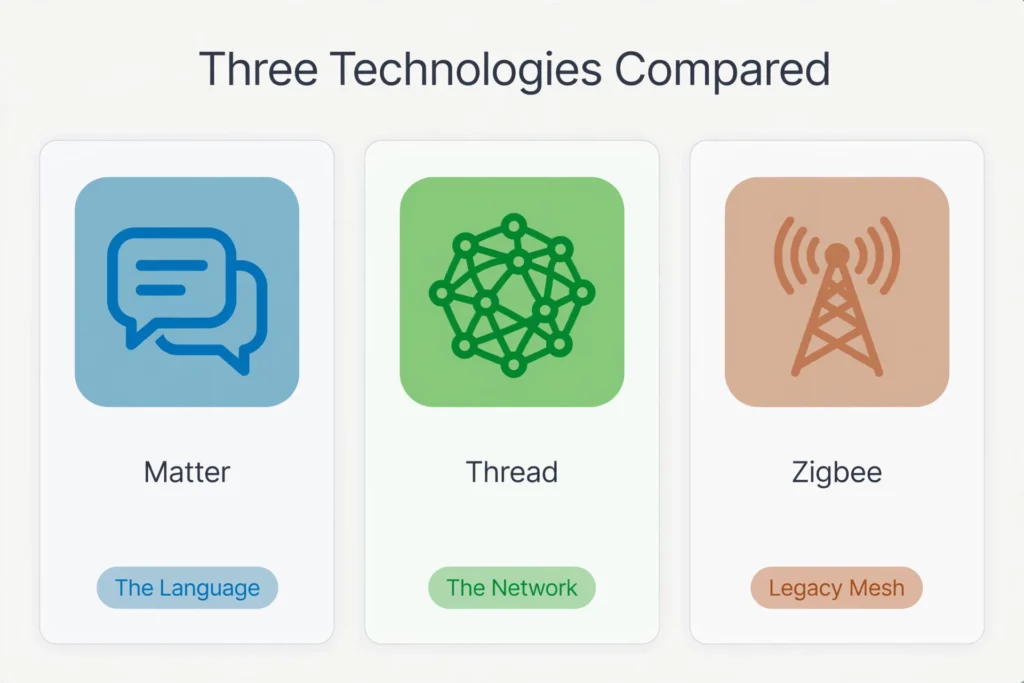
Beginners often ask how Matter and Thread compare to Zigbee, the older standard that dominated smart homes for years. After all, Zigbee is also a low-power mesh network. The table below lays out the differences simply.
Table 1: Comparison of Matter, Thread, and Zigbee for smart home beginners.
| Aspect | Matter | Thread | Zigbee |
|---|---|---|---|
| What it is | Application-layer standard (the language) | Low-power mesh network (the road) | Low-power mesh network plus its own language |
| Managed by | Connectivity Standards Alliance | Thread Group | Connectivity Standards Alliance |
| IP-based | Yes | Yes (IPv6) | No (needs a gateway to reach IP networks) |
| Cross-brand compatibility | Excellent — certified devices work across ecosystems | Good — any Thread radio can join the mesh | Limited — often tied to one brand’s hub |
| Typical devices | Bulbs, plugs, locks, sensors, thermostats | Sensors, locks, battery devices | Sensors, bulbs, switches, older devices |
| Needs a hub or bridge | Needs a Matter controller; Thread devices also need a border router | Needs a Thread border router | Needs a brand-specific Zigbee hub |
| Works without internet | Yes — local control is built in | Yes — the mesh runs locally | Yes — the mesh runs locally |
| Best for beginners in 2026 | Yes — the simplest buying decision | Yes — as the network under Matter | Okay for existing setups, not ideal for new ones |
The takeaway is straightforward. Zigbee served the smart home well for two decades, and millions of Zigbee devices are still running happily. But if you are starting fresh in 2026, Matter over Thread (or Matter over Wi-Fi) is the safer long-term bet: cross-brand freedom, local control, and an ecosystem every major platform is investing in.
Do You Need Matter and Thread in Your Smart Home?
Short answer: probably yes, if you are buying new devices. Long answer: it depends on where you are starting from.
If you are building a smart home from scratch, Matter should be your default. Look for the Matter logo on every device you buy — you will thank yourself later when you mix brands or switch voice assistants without replacing hardware. Our roundup of Matter-compatible smart home devices is a good place to start your shopping list.
If you already have a working smart home, there is no rush to rip anything out. Your existing Wi-Fi plugs and Zigbee sensors will keep working. The smart move is to buy Matter versions whenever you naturally replace or expand — a new bulb here, an extra sensor there. Over time, your home will quietly migrate to the new standard.
If you care about privacy and reliability, Matter’s local control is a genuine upgrade. Devices that keep working during an internet outage, with encrypted communication as standard, are simply better houseguests than cloud-dependent gadgets.
One thing to keep in mind: Matter is a standard, not a magic wand. A cheaply made Matter device is still a cheaply made device. Read reviews, buy from reputable brands, and remember that the logo guarantees compatibility — not quality.
Common Beginner Mistakes to Avoid
Before you go shopping, here are the mistakes I see beginners make most often with Matter and Thread:
- Assuming every “smart” device supports Matter. The logo matters — literally. If the box does not say Matter, do not assume compatibility.
- Forgetting the border router. Matter-over-Wi-Fi devices need only your Wi-Fi. But Matter-over-Thread sensors and locks need a Thread border router on your network.
- Buying Thread-only accessories without checking. Some Thread devices do not speak Matter — they use older protocols like HomeKit-over-Thread. Confirm Matter support specifically.
- Ignoring the 2.4 GHz requirement. Many Matter devices only join the 2.4 GHz band during setup. If your phone is on 5 GHz, pairing can fail for no obvious reason.
- Skipping firmware updates. Devices and controllers get regular Matter updates. An outdated hub is one of the most common causes of pairing failures.
- Mixing up Thread and Zigbee radios. They use similar frequencies but are different protocols. A Zigbee hub cannot control Thread devices, and vice versa.
Avoid these six pitfalls and your first Matter setup will likely go smoothly. Most pairing problems have simple fixes — which is exactly why we wrote a dedicated troubleshooting guide.
Frequently Asked Questions
What is the difference between Matter and Thread?
Matter is the universal language that smart home devices use to understand each other, while Thread is the low-power wireless mesh network that carries those conversations between battery-powered devices. You can have Matter without Thread — it also runs over Wi-Fi and Ethernet — but a Matter-over-Thread device needs both. Language versus telephone network.
Do I need a Thread border router for Matter devices?
Only for Matter-over-Thread devices, such as battery-powered sensors and locks. A border router — like a HomePod mini, Nest Hub, or Echo — bridges the Thread mesh to your Wi-Fi. Matter-over-Wi-Fi devices, such as most smart plugs and bulbs, do not need one at all.
Do Matter devices work without an internet connection?
Yes, for local control. Turning lights on and off, locking doors, and reading sensors all happen over your home network, so they keep working during an internet outage. Features that genuinely need the cloud — like controlling your home from the office — will of course still need an internet connection.
Is it worth buying Matter devices in 2026?
For most beginners, yes. The ecosystem has matured well past its rocky launch, device prices are competitive, and the Matter logo is now a reliable shortcut for cross-brand compatibility. If you are curious about the broader landscape of connected living, our beginner’s explainer on what smart technology is puts Matter and Thread in the bigger picture.
Final Thoughts
Matter and Thread are the foundation the smart home industry has been waiting for: one language every brand can speak, and a reliable, self-healing network for battery-powered devices to speak it on.
As a beginner, you do not need to memorize the technical details. Just remember three things: look for the Matter logo when you shop, make sure you have a Thread border router if you buy Thread-based sensors or locks, and enjoy devices that work together no matter whose name is on the box. The smart home is finally growing up — and you picked a great time to join in.
