

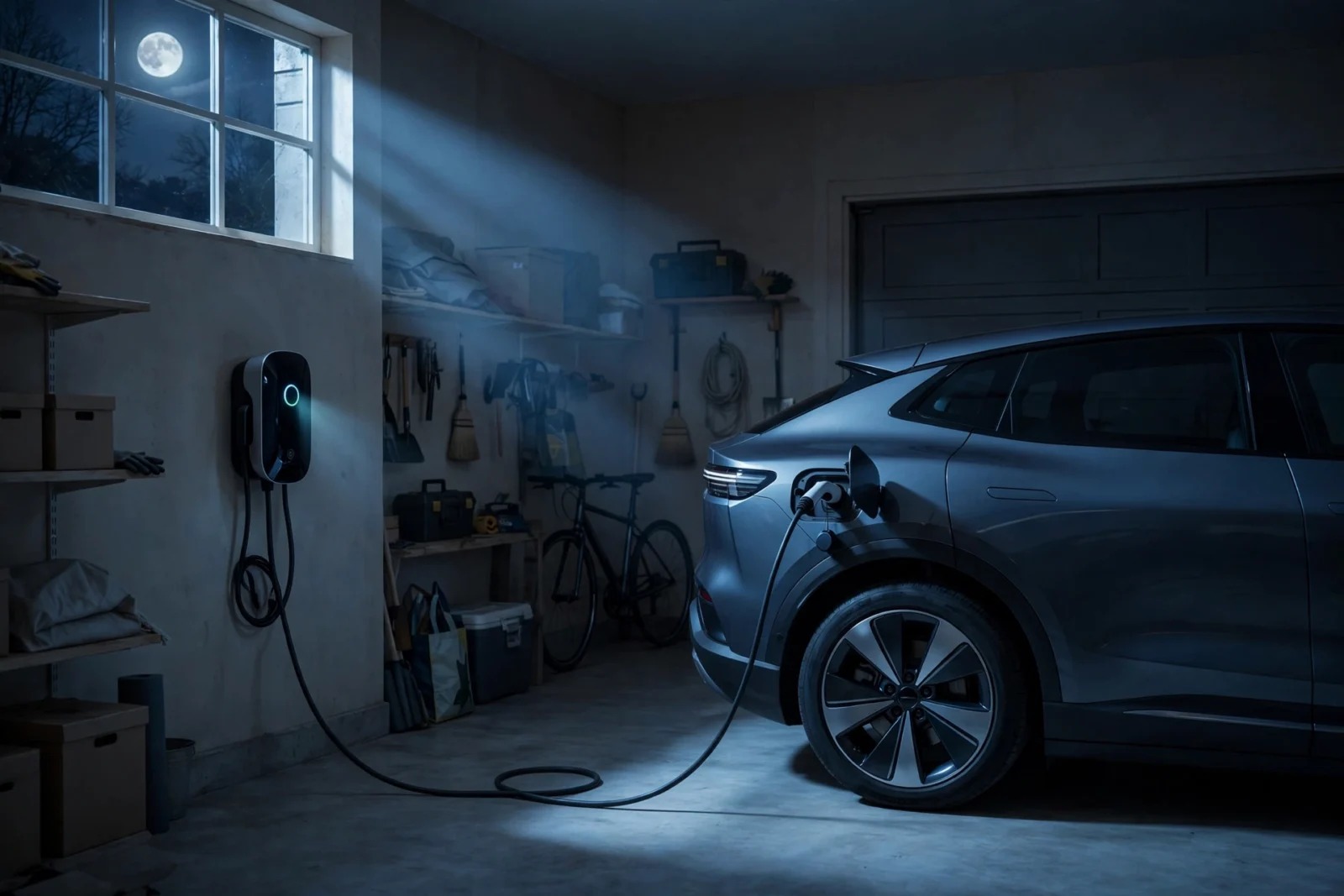
An off-peak EV charging schedule is simply a plan that charges your electric car when electricity is cheapest — usually overnight, when demand on the grid is low and your utility’s time-of-use rate is at its lowest. The short version of setting one up: check whether your utility offers a time-of-use (TOU) plan, find the off-peak hours, then tell your car, your charger, or your smart home to only charge inside those hours. Done right, it can cut your charging cost noticeably without you thinking about it again.
This guide walks through everything in order: how time-of-use rates work, how to find your utility’s off-peak window, how to set the schedule in your car’s app and your charger’s app, and how to go further with Home Assistant. All savings numbers in this article are examples with stated assumptions — your real savings depend on your utility, your rates, and how much you drive.
What an Off-Peak EV Charging Schedule Actually Does
Most EV owners plug in when they get home from work — around 6 PM — and the car starts charging immediately. That is the most expensive time to use electricity on many rate plans. Late afternoon and early evening is “peak” time: air conditioners are running, people are cooking dinner, and the grid is at its busiest.
An off-peak EV charging schedule flips this around. You still plug in at 6 PM, but nothing happens until the off-peak window opens — often 9 PM, 11 PM, or midnight, depending on your utility. The car charges while you sleep and finishes before the morning peak. You wake up to a full battery, exactly as if you had charged immediately, but the kilowatt-hours cost less.
There are three places you can set this schedule, and they overlap:
- Your car’s own software — most EVs (Tesla, Ford, Chevy, Hyundai/Kia, VW) let you set charge windows, departure times, or off-peak end times in the dashboard or companion app.
- Your charger’s app — smart Level 2 chargers like ChargePoint Home Flex or Wallbox Pulsar Plus have their own scheduling that controls any EV plugged into them.
- Your smart home — Home Assistant can watch the clock, your rate plan, and even your solar output, then start and stop charging automatically.
You only need one of these to be in charge. Pick one control point and let it own the schedule — running two schedules at once is the most common cause of “my car didn’t charge overnight.”
How Time-of-Use (TOU) Rate Plans Work
Electricity prices are not fixed for many households. Utilities increasingly sell power on time-of-use plans: the price per kilowatt-hour (kWh) changes depending on when you use it. The day is split into bands:
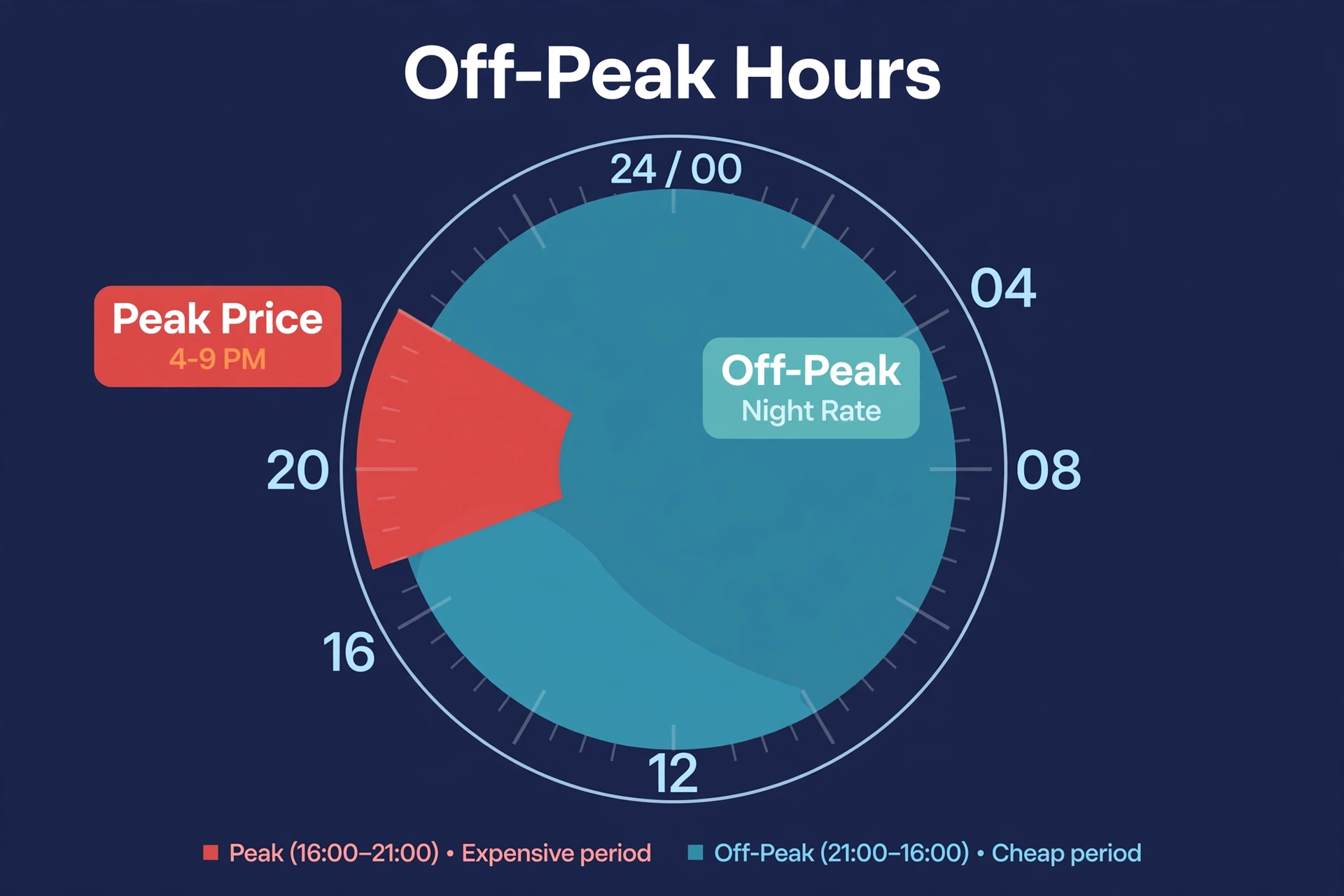
- Off-peak — late night to early morning (often 9 PM or 11 PM to 6–7 AM). The cheapest band.
- Mid-peak / partial-peak — shoulder hours during the day. Middle pricing.
- Peak / on-peak — typically 4 PM to 9 PM. The most expensive band, sometimes two to three times the off-peak price.
Some utilities also offer an EV-specific plan with an extra-cheap “super off-peak” overnight window (for example, midnight to 6 AM) in exchange for slightly higher daytime rates. If your utility has one, it is usually the best deal for overnight charging.
The catch is worth understanding before you switch: a TOU plan makes your peak electricity more expensive too. If your household runs a lot of appliances during the 4–9 PM window, the higher peak price can eat into your charging savings. Compare your actual usage pattern against both rates before signing up.
How to Find Your Utility’s Off-Peak Hours
Off-peak hours are not universal — they vary by utility, state, and sometimes season. Do not guess; check your own bill:
- Find your utility’s rate plans page. Look for “rate plans,” “time-of-use,” or “EV rates.” If you get a paper bill, the plan name is usually printed on it.
- Check whether you are already on a TOU plan. Some utilities enroll new customers in TOU by default. If you are on a flat rate, opting in is usually a phone call or an online form.
- Write down the exact off-peak window. Note the start time, end time, and whether weekends and holidays differ (many plans make all weekend hours off-peak).
- Note the peak and off-peak prices per kWh. You need both numbers to estimate savings honestly.
- Ask about EV-specific plans. Mention that you charge an EV — the utility may have a dedicated EV rate that is better than the standard TOU plan.
The U.S. Department of Energy’s home EV charging guide is a solid starting point for understanding what a home setup involves.
| Rate band | Example hours | Example price per kWh |
|---|---|---|
| Off-peak | 11 PM – 7 AM | $0.12 |
| Mid-peak | 7 AM – 4 PM, 9 PM – 11 PM | $0.20 |
| Peak | 4 PM – 9 PM | $0.34 |
Again: this table is an illustrative example, not anyone’s real plan. Real plans differ widely — some utilities charge flat rates with no off-peak window at all.
Example Savings Math (Assumptions Stated)
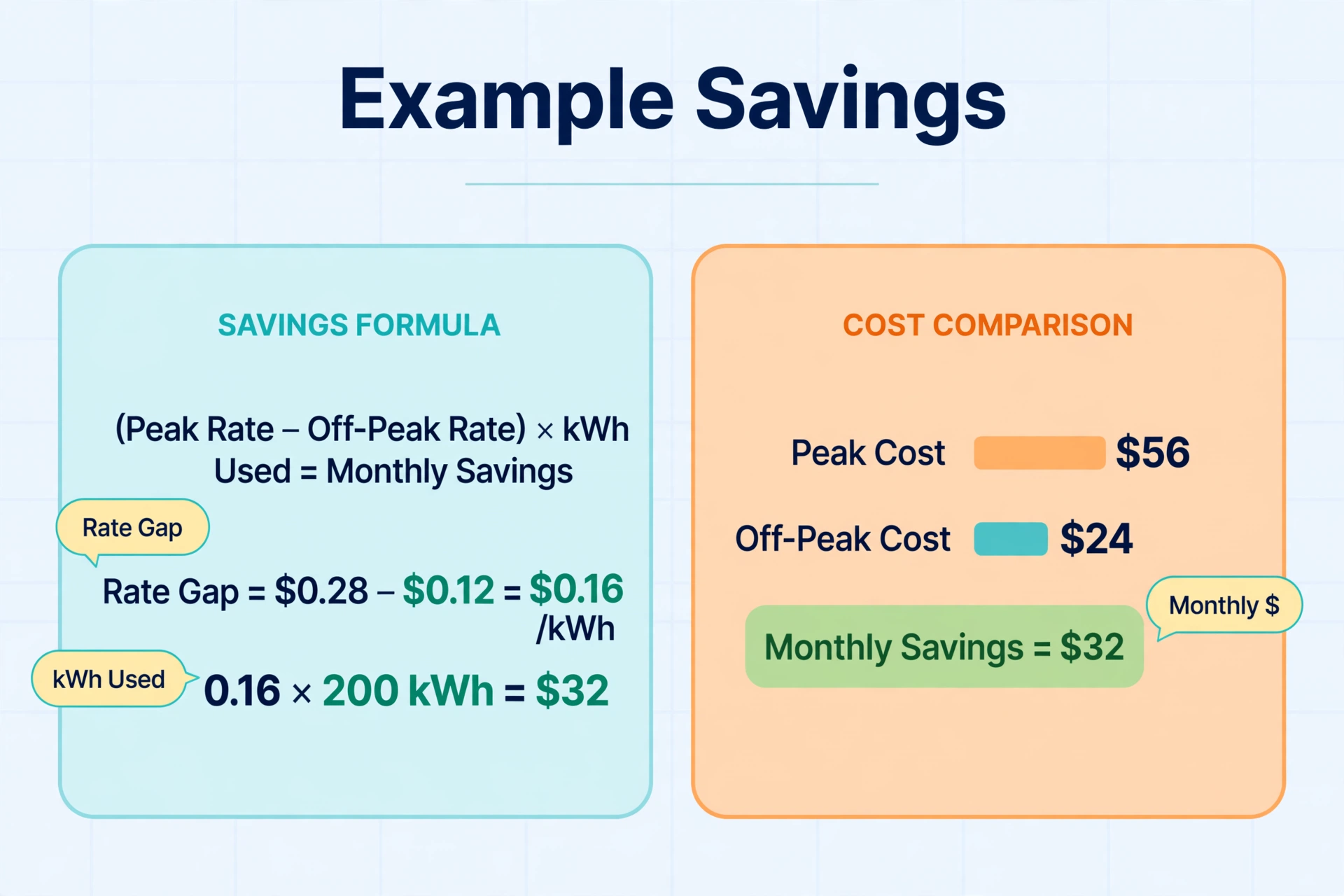
This is where honesty matters. Whether a schedule saves you $5 a month or $50 depends on three numbers: your peak rate, your off-peak rate, and how many kWh you charge at home each month. Here is a worked example:
| Scenario | Rate paid | kWh charged (example) | Example monthly cost |
|---|---|---|---|
| Charge on arrival (~6 PM, peak) | $0.34/kWh | 300 kWh | $102.00 |
| Charge off-peak overnight | $0.12/kWh | 300 kWh | $36.00 |
| Difference | — | — | $66.00/month example savings |
The assumptions: a driver adding roughly 300 kWh per month at home (about 900–1,000 miles, depending on efficiency), a $0.22/kWh spread between peak and off-peak, and 100% of charging shifted to off-peak. Change any of those and the result changes.
A realistic middle case for many households: a smaller rate spread (say $0.10–$0.15/kWh) and some charging outside the window lands you at $20–$40/month in example savings. These are examples, not promises — run the math with your own bill before expecting anything specific.
One more honest note: on a flat-rate plan, off-peak scheduling saves you nothing, because every kWh costs the same. Scheduling is still useful for other reasons (finishing charging right before departure, reducing grid strain), but it will not lower your bill.
Set the Schedule in Your Car’s App
Most modern EVs have built-in scheduling — the simplest option, because it travels with the car and needs no smart charger.
Tesla
Teslas offer two related features in the car’s charging screen and the Tesla app:
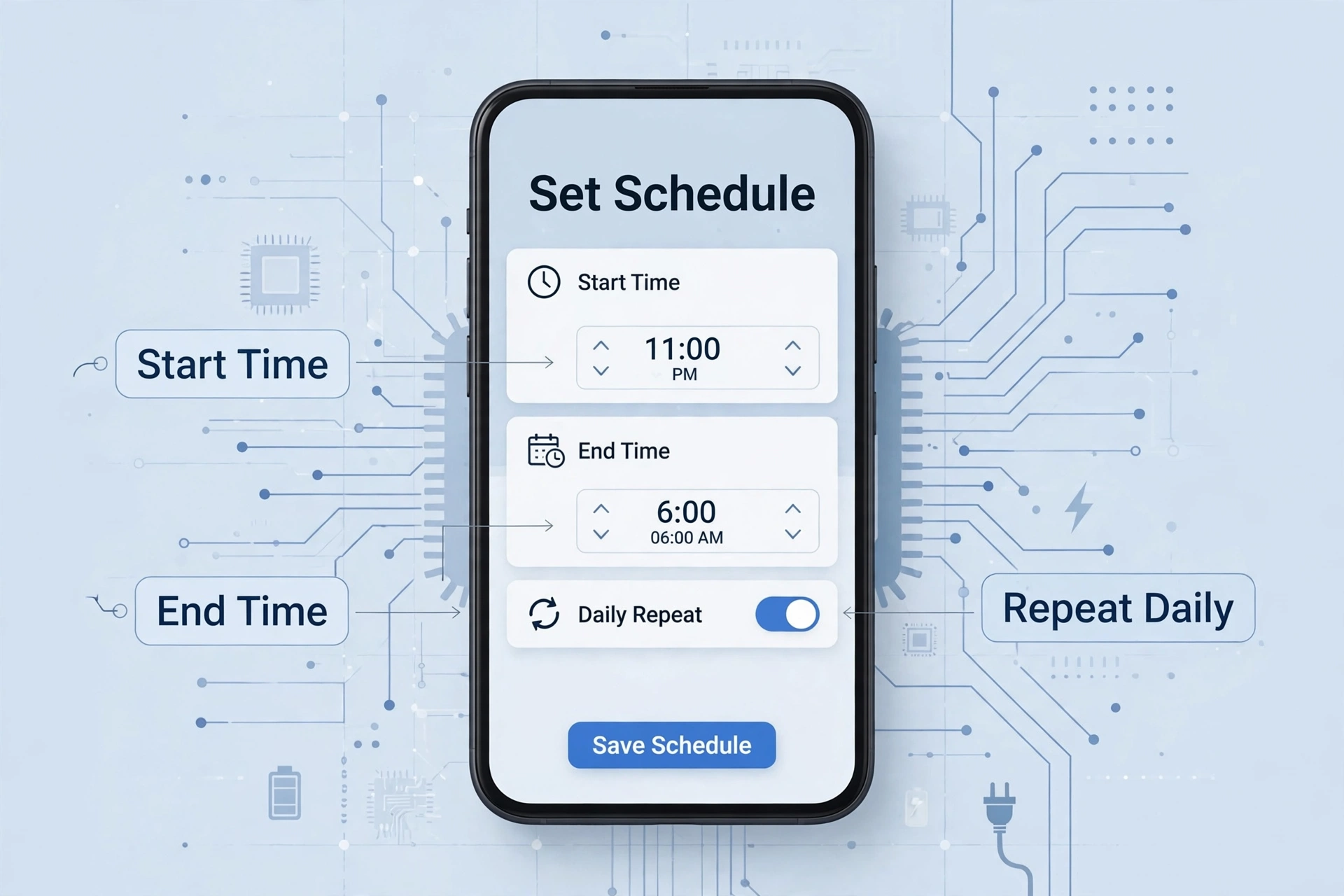
- Scheduled Charging: set a start time (for example, 11:00 PM). The car waits until that time after you plug in, then charges. Simple and reliable.
- Scheduled Departure / Off-Peak Charging: set your departure time plus the time your off-peak window ends. The car works backward from departure and finishes charging just before you leave, staying inside cheap hours.
Also set a daily charge limit (typically 50–90% for everyday driving, per Tesla’s guidance) so you start each day with the range you need. Note that Tesla controls charging through the car only — you cannot set a charging end time in the car’s software, just a start time or an off-peak-aware departure.
Ford, Chevy, Hyundai/Kia, VW and Others
Most other EVs include departure-time scheduling and charge windows in their apps or dashboard menus — “Preferred Charging Times,” “Charging Schedule,” “Departure Times” — but the idea is the same: give the car your off-peak window and a departure time, and it handles the rest.
A few practical tips that apply across brands:
- Set the schedule to your location (home), not everywhere. You do not want off-peak limits at a public fast charger on a road trip.
- Leave buffer: start charging a bit before the window opens if your commute needs a lot of range.
- If your car and charger both offer schedules, use only one. Two schedules fighting each other is the classic reason a car wakes up at 7 AM uncharged.
Set the Schedule in Your Charger App
If your EV’s own scheduling is limited — or you want one schedule covering any car plugged into your home charger — put the schedule in the charger instead. This is also the better choice for multi-EV households, since the charger controls the power regardless of which car is connected.
ChargePoint Home Flex
The ChargePoint Home Flex’s app lets you set a charging window — for example, allow charging only from 12:00 AM to 7:00 AM. The charger simply will not pass power outside that window, no matter what the car asks for. This is a hard, reliable boundary the car cannot override.
One caution from real-world use: if your car’s battery is deeply asleep when the window opens, some EVs do not wake up to start charging on their own. If overnight sessions occasionally fail to start, check the car-side wake/schedule settings first.
Wallbox (Pulsar Plus and Friends)
Wallbox’s app offers similar scheduling with its “Charge Schedules” feature, plus solar charging modes on some models that pair naturally with an off-peak schedule — cheap solar by day, cheap grid overnight.
If you are still deciding between the two brands, our detailed ChargePoint vs Wallbox comparison covers which charger fits which kind of household and Home Assistant setup.
Home Assistant: The Smartest Way to Run Your Off-Peak EV Charging Schedule
The car app and charger app give you a fixed schedule. Home Assistant gives you a smart schedule — one that reacts to your actual rate plan, your solar output, and when you actually leave for work. Build it in layers:
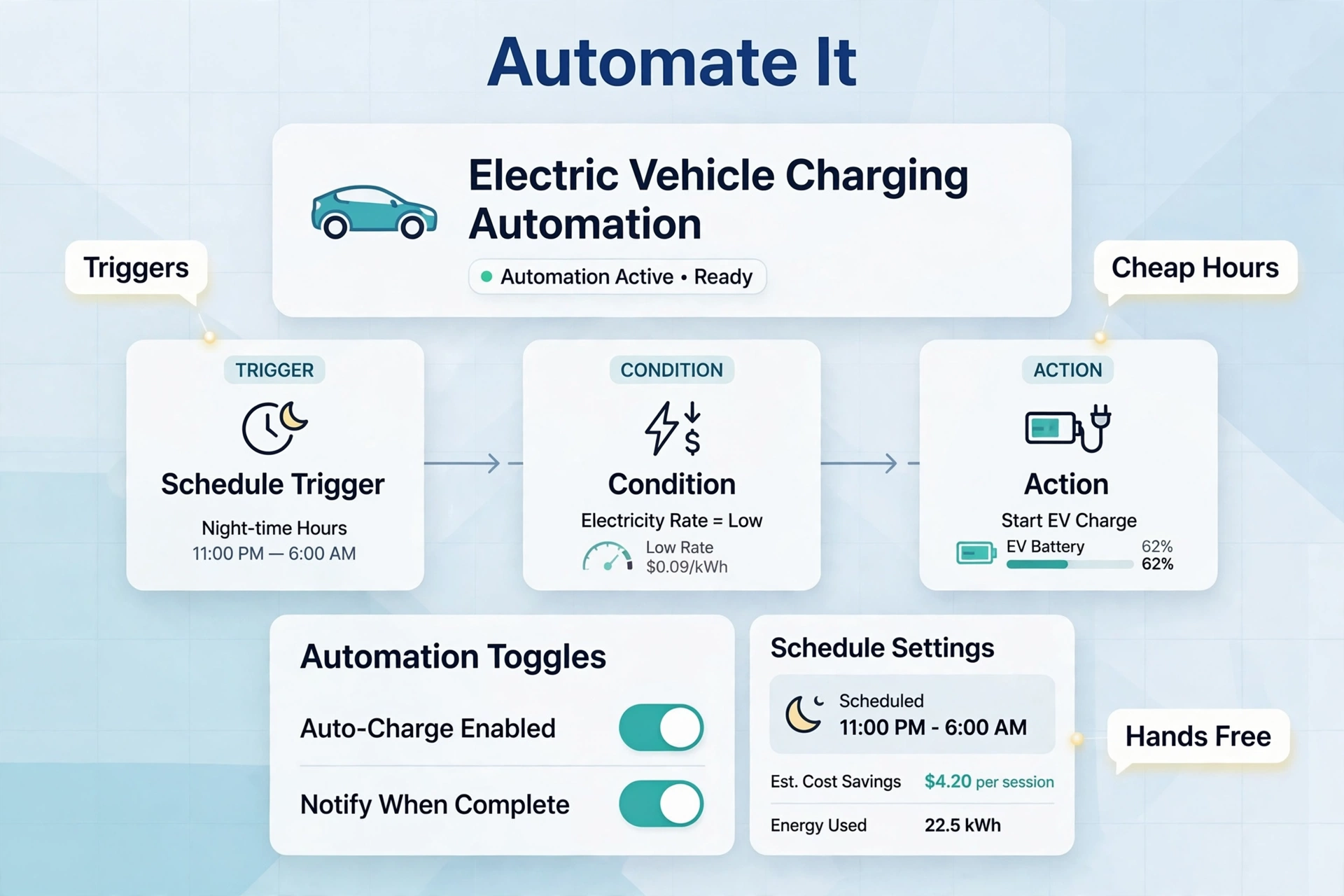
- Start with a fixed schedule as your safety net. Keep the schedule in your car or charger app (start charging at off-peak opening time). This guarantees charging happens even if Home Assistant is down.
- Add a departure-aware automation. Have Home Assistant check the car’s state of charge at off-peak start and estimate needed hours. Stop early at the target — less time sitting at high charge is gentler on the battery.
- Combine with solar. If you have panels, Home Assistant can prioritize daytime surplus charging and fall back to the off-peak grid window overnight. For charger choice, see our guide to the best smart EV charger for solar homes.
- React to dynamic rates. Some utility integrations (or Octopus-style dynamic pricing where available) let Home Assistant charge only when the current price drops below your threshold — a schedule that follows prices instead of clock time.
Key integrations to look at: the Tesla integration, the ChargePoint and Wallbox custom integrations (via HACS), and energy-monitor integrations for measuring exactly how many kWh each session uses. A whole-home energy monitor is how you verify your off-peak schedule is actually doing what you think — it shows charging load separated from the rest of the house, per hour.
Practical tip: always keep one dumb fallback. Home Assistant automations fail — updates reboot the server, tokens expire. If your charger’s own schedule is the fallback, the worst case is a slightly less optimal session, not a dead battery on Monday morning.
What If You Have Solar Panels?
Solar changes the calculus. The cheapest kWh is one you generate yourself, so daytime charging during solar surplus can beat even a great overnight off-peak rate — if the energy would otherwise be exported at a low feed-in rate. A common hybrid strategy: charge from surplus on weekends or work-from-home days, rely on the off-peak grid window overnight as the baseline, and never charge during the 4–9 PM peak.
Smart chargers with solar diversion modes (or Home Assistant adjusting charge current to match surplus) make this automatic. Our best smart EV charger for solar guide covers which models do this well.
Safety Notes: Electricians, Panels, and Local Variation
- Rate plans vary by utility and area. Everything about TOU windows and EV rates here is illustrative. Confirm your own plan’s exact hours and prices before changing behavior.
- 240V circuit work needs an electrician. Level 2 chargers run on 208/240-volt circuits at 32–60 amps. Have a licensed electrician install or upgrade the circuit, check your panel’s capacity, and pull permits where required.
- Do not overload a panel. An EV charger is one of the biggest loads in a home. An electrician should do a load calculation — adding a 48-amp charger to an already-full 100-amp service may require a panel upgrade or load management.
- Switching rate plans has consequences. TOU plans raise your peak prices. If most of your household use falls in the 4–9 PM window and you cannot shift it, a TOU plan could cost you more overall.
Off-Peak EV Charging Schedule FAQs
How much can I really save with an off-peak EV charging schedule?
It depends on your rate spread and how much you charge. With a large gap between peak and off-peak prices (say $0.20+/kWh) and heavy home charging, example savings of $40–$70/month are plausible — see the worked example above. With a small spread, expect $10–$30/month in examples. On a flat-rate plan, you will save nothing. The only honest answer is to run the math on your own bill: (peak price − off-peak price) × your monthly charging kWh. Nothing in this article guarantees any specific savings.
What if my utility has no TOU plan?
Then off-peak scheduling cannot lower your bill, because every kWh costs the same. It can still be useful: scheduling the car to finish charging shortly before departure means the battery is at its target when you need it. Your best savings move is shopping for EV-specific incentives or rebates your utility may offer instead, and considering solar if your roof and budget allow.
Does frequent scheduled charging hurt the battery?
Scheduled charging itself does not hurt the battery — the battery cannot tell the difference between a kWh that arrived at 2 AM and one that arrived at 6 PM. What affects battery health is how full you keep it and how often: sitting at 100% for long periods and frequent DC fast charging wear batteries faster than gentle overnight Level 2 charging. A good off-peak schedule usually helps, because it finishes charging right before departure instead of hitting 100% at 9 PM and sitting there all night. Keep a daily limit of 50–90% (whatever your manufacturer recommends), reserve 100% for road trips, and your schedule is doing your battery a favor.
