

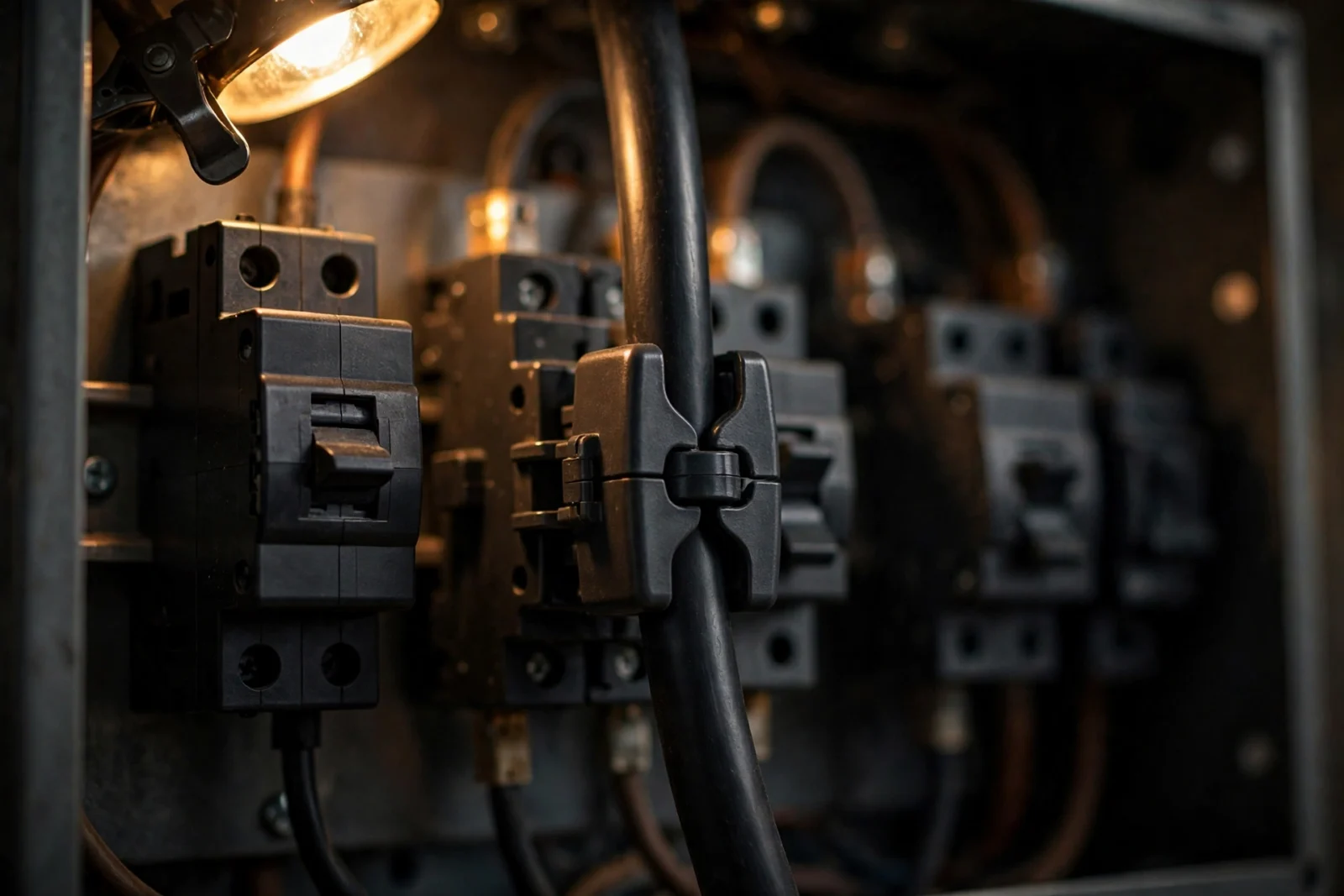
To install CT clamps for an energy monitor, turn off the main breaker, verify the branch circuits are dead with a non-contact voltage tester (test the tester first), remove the dead-front cover, and clip one CT clamp around the insulation of each main conductor — without touching the conductor itself or anything metal — with its arrow facing the utility feed. However, plug the sensor leads into the monitor, route the wiring neatly, close the panel, restore power, and finish setup in the manufacturer’s app. However, the whole job is about de-energizing what you can, verifying it, and keeping your hands away from what stays live — done right, it’s a 30–45 minute project. For example, if any part of that makes you uneasy, a licensed electrician is the right call.
That summary only works if you respect what’s inside that metal box — so this guide does safety first, steps second. Read the safety section before you pick up a screwdriver.
Read This First: Electrical Safety Is Non-Negotiable
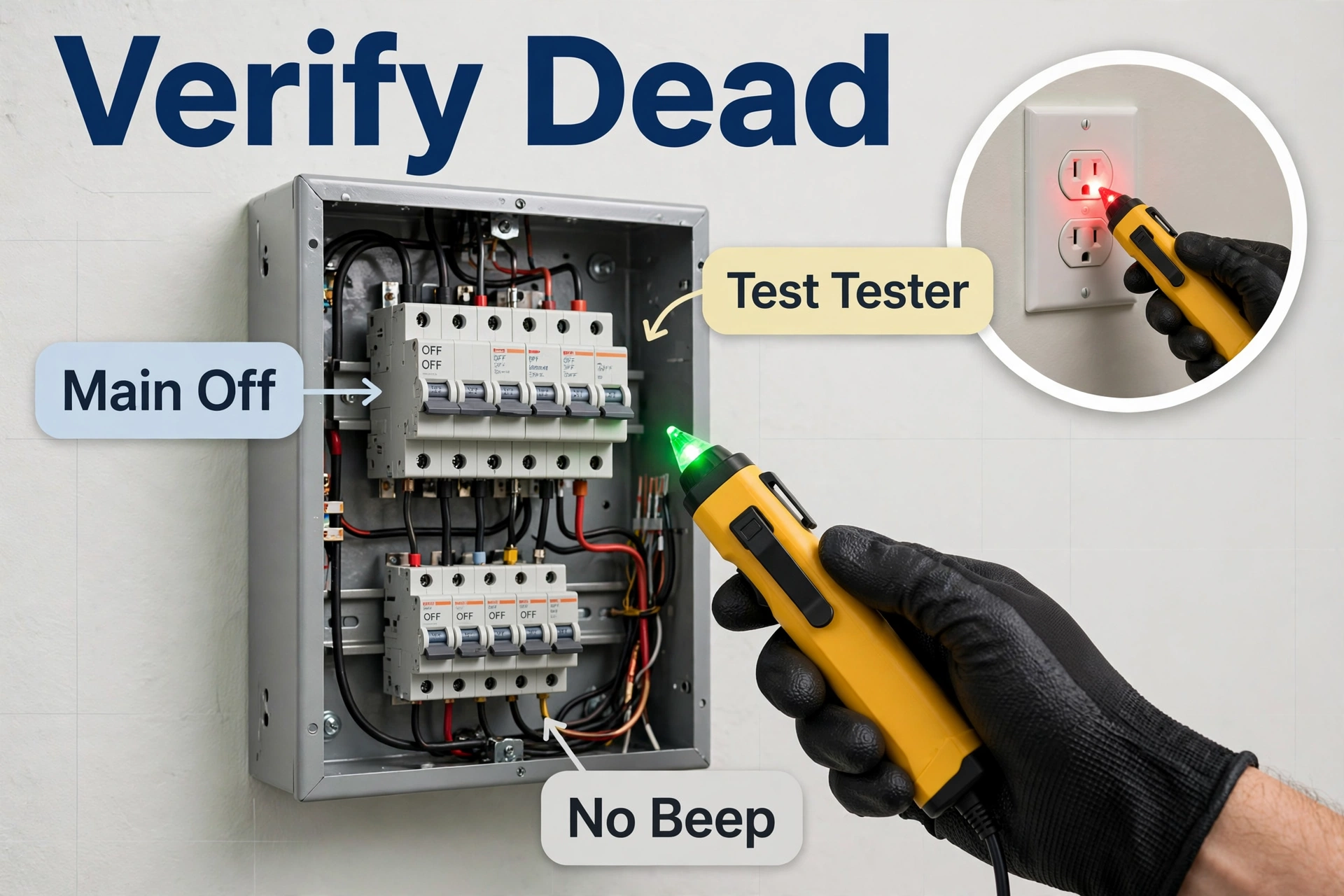
⚠️ STOP AND READ — this applies to every step below.
- Turn OFF the main breaker before opening the panel. Not a branch breaker — the main. The cover stays on until the main is off.
- Verify dead with a non-contact voltage tester. Test the tester on a known-live outlet first, then test every conductor you plan to come near inside the panel — except the incoming service conductors and main lugs, which stay live (see next bullet). The branch terminals and neutral bar should show no beep, no light, no exceptions.
- CT clamps go around INSULATED conductors only. You never strip wire, never touch bare copper, and never peel back insulation for this job. The clamp simply closes around the insulated wire.
- Service mains entering the panel are live even with the main breaker off. On many panels, the conductors feeding the main breaker never de-energize. Know where those are and keep your hands and tools away from them.
- If anything looks unfamiliar, STOP and call a licensed electrician. Crowded panels, scorched or melted-looking insulation, buzzing sounds, a burning smell, or a panel with no clear main breaker — all of these mean this is not your job.
Call a licensed electrician instead of doing this yourself if: your panel is very old or has a fused disconnect instead of a main breaker; there is aluminum branch wiring in the home; there is no main breaker at all (common in some older setups); you’re renting and your lease or landlord requires licensed work; or you’re simply unsure. There is no shame in this — electricians do this exact install every week, and the monitoring data works exactly the same.
In addition, nEVER work in a live panel for this install. For example, the monitor can wait ten minutes while you shut things down properly. In addition, no reading, no setting, no “quick check” is worth working energized.
What CT Clamps Actually Do
A CT clamp — “CT” stands for current transformer — is a split ring that snaps around a wire and measures the magnetic field the current creates. It never cuts the wire, never pierces insulation, and carries no dangerous voltage itself. The sensor lead plugs into your energy monitor, which combines the current reading with voltage reference wires to calculate real-time watts.
Your monitor typically ships with two large clamps for the two service mains plus smaller clamps for branch circuits like the HVAC, water heater, or EV charger. If you haven’t chosen one yet, see our best whole-home energy monitor picks or our Emporia Vue vs Sense comparison.
Tools and Materials You’ll Need
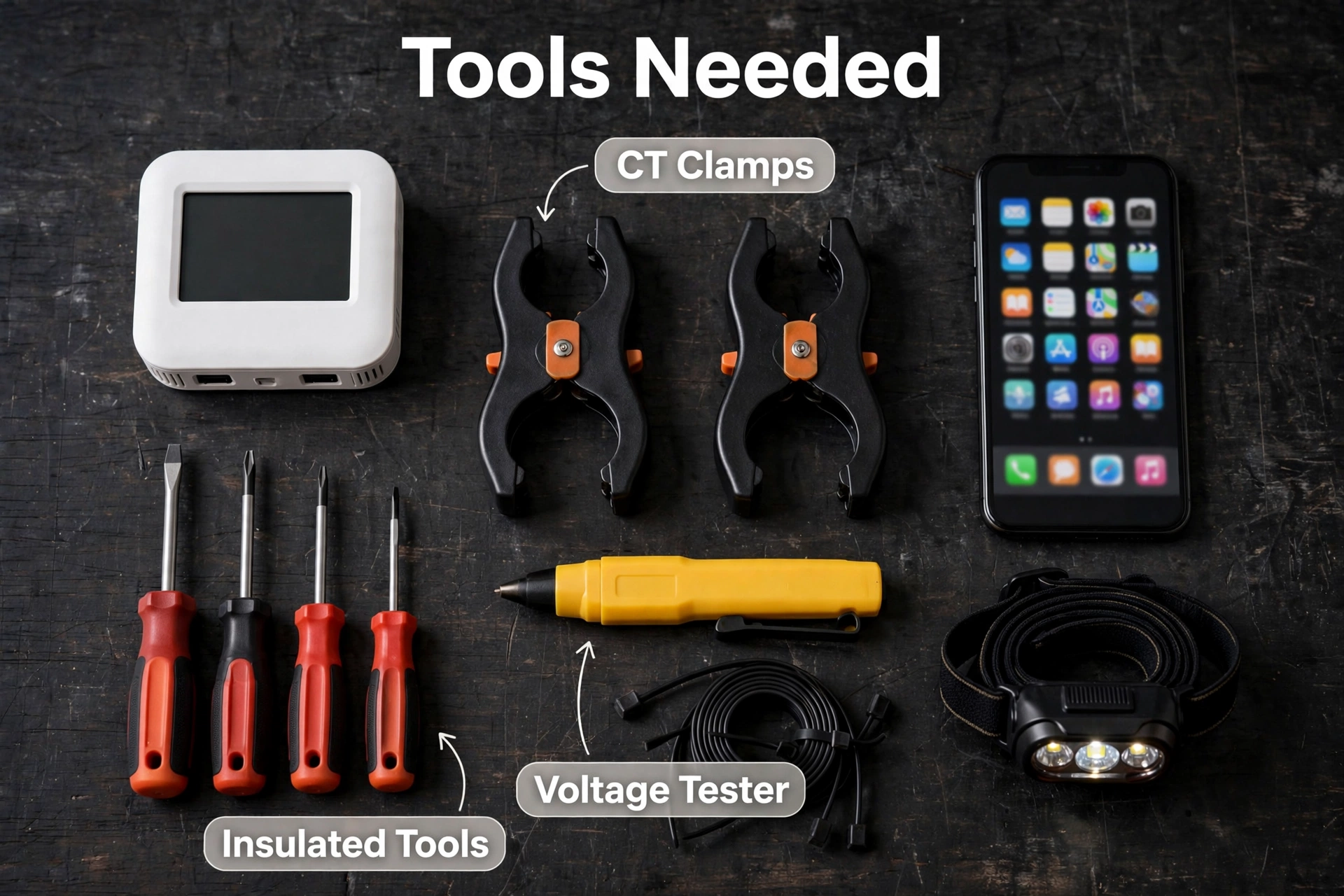
- Your energy monitor kit (monitor unit, CT sensor clamps, voltage reference harness, antenna if included)
- Non-contact voltage tester — and a known-live outlet to test it on first
- Insulated screwdriver set (flathead and Phillips) for the panel cover screws
- Flashlight or headlamp — panels are dark even with the room lights on
- Cable ties or hook-and-loop straps for tidy wire routing
- Your phone with the manufacturer’s app installed and an account created
- A towel or mat to kneel on if the panel is low
That’s it. There is no soldering and no wire stripping — but working inside a breaker panel is still serious electrical work, and a licensed electrician is the recommended default. If you do it yourself, your panel must pass the safety checks below, you must follow the manufacturer’s own guide alongside this article, and you must stop at the first thing you don’t understand. Emporia, for example, publishes an official hardware and wire-harness installation walkthrough for the Vue that you should read before you start.
Before You Open the Panel: The 5-Minute Safety Check
- Find your main breaker and confirm it actually kills the panel — flip it off and check that a few house lights go out.
- Test your voltage tester on a live outlet. Beep means it works. Now you trust it.
- Look at the panel from the outside. Rust, burn marks, a hot or buzzing enclosure, or a cover that doesn’t sit flat — any of these means stop and call a professional.
- Read the install guide in the box. Manufacturers update small details between hardware revisions; their manual is the authority for your unit.
How to Install CT Clamps for an Energy Monitor: The Full Walkthrough
Here’s the methodical version. Don’t skip ahead — each step sets up the next one, and the safety logic builds as you go.
- Turn off the main breaker. Flip it fully to OFF. Check that major loads went dark — lights, the hum of the fridge. This confirms you hit the real main, not a big branch breaker.
- Remove the dead-front cover. Unscrew the panel cover and set it aside somewhere it won’t fall on your work. Keep the screws somewhere you’ll find them — a magnetic tray or a taped-up cup works fine.
- Verify the working area is dead. Take your tested voltage tester and check every conductor you plan to come near: each branch breaker terminal and the neutral bar. These should read dead — no beep, no light. Do NOT test or approach the incoming service conductors or the main lugs: they stay energized with the main breaker off, and only the utility can de-energize them. Never probe them, never touch them, and keep your tools clear of them. Then re-test the tester on the live outlet to prove it didn’t just die on you. Test-before-and-after is the single most important habit in this guide.
- Identify the two service mains. These are the two thickest insulated conductors entering the panel — usually the two big black (or black-and-red) wires landing on the main breaker or main lugs. In a standard North American split-phase home, you’ll put one CT clamp on each.
- Plug the sensors into the monitor FIRST. Connect the CT leads to the monitor before clipping anything around a conductor. It keeps you from fumbling with small connectors over an open panel, and it protects the sensor electronics.
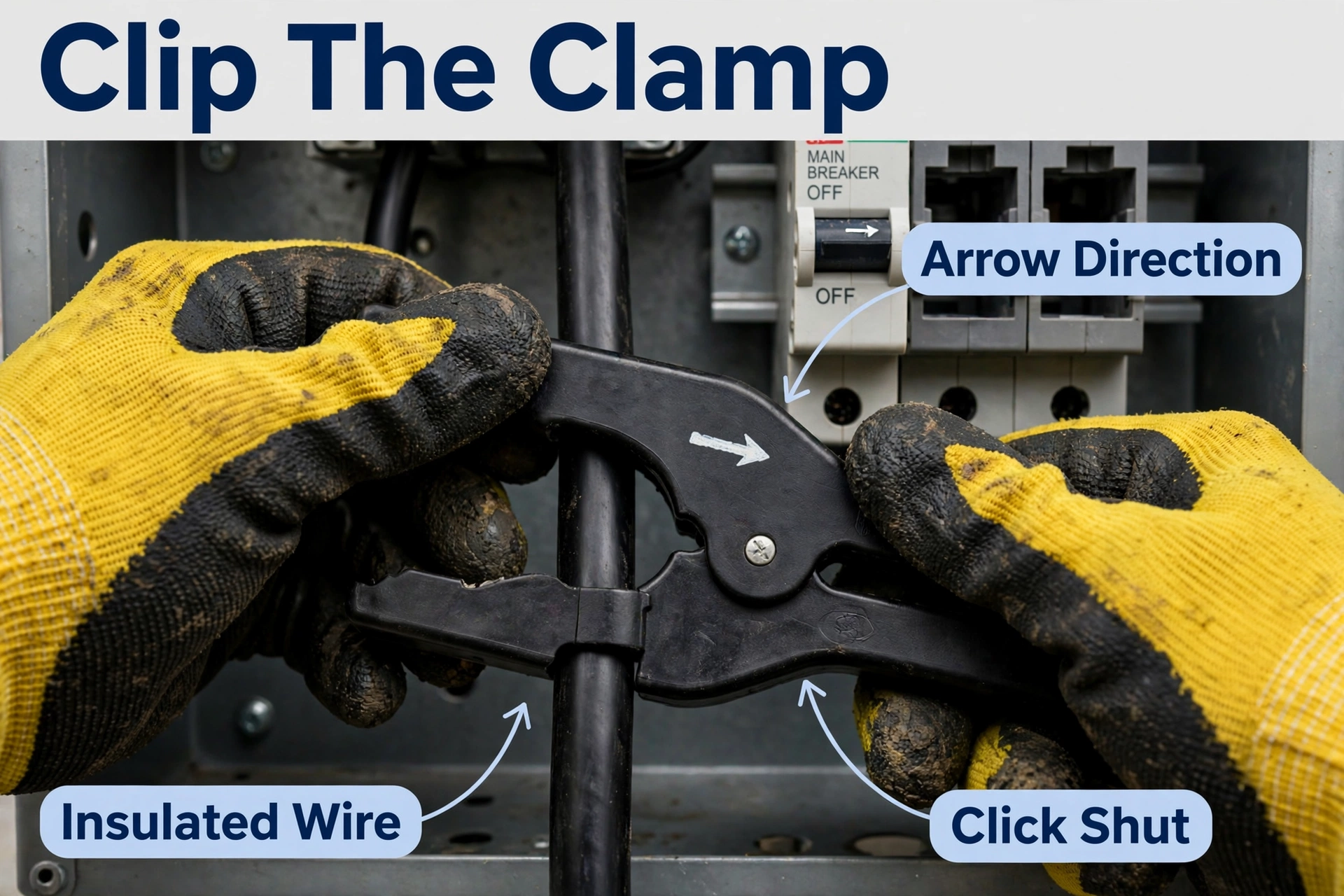
- Clip one CT clamp around each insulated main. This is the step where the most care is needed: open the clasp, slip it around the INSULATED conductor only — no touching bare metal or lugs — and close it until the clasp clicks, keeping fingers and tools clear of the live service entry at all times. Both clamps must face the same direction relative to the power source, or your readings will be wrong. Never force a clamp shut around a conductor it doesn’t fit. If the mains are hard to reach or you can’t clearly see what you’re doing — stop and hire an electrician.
- Mount the monitor and route the wires. Find a spot inside the panel for the monitor (or mount it outside per your guide if space is tight). Route sensor leads so nothing is pinched or pressed against sharp metal edges, and the clamps can’t be forced open when the cover goes back on.
- Connect the voltage reference harness. Your monitor needs to see voltage to compute watts, so connect its small harness wires to breakers (or a breaker pair) per the manual. This is the only step involving actual wiring — and it happens with the main breaker still OFF and everything verified dead. If your manual’s wiring step differs from your panel, stop and get an electrician rather than improvising.
- Close the panel. Replace the dead-front cover carefully, making sure no wire or clamp is crushed as it seats. Reinstall the screws snugly — don’t overtighten.
- Turn the main breaker back ON, then set up the app. Flip the main on, confirm the house powers back up, then finish in the app: connect to Wi-Fi, assign the CT inputs (mains vs. circuits), and enter your electricity rate for cost tracking. Give it a full day before judging accuracy — the monitor needs a baseline.
How to Install CT Clamps on Individual Branch Circuits
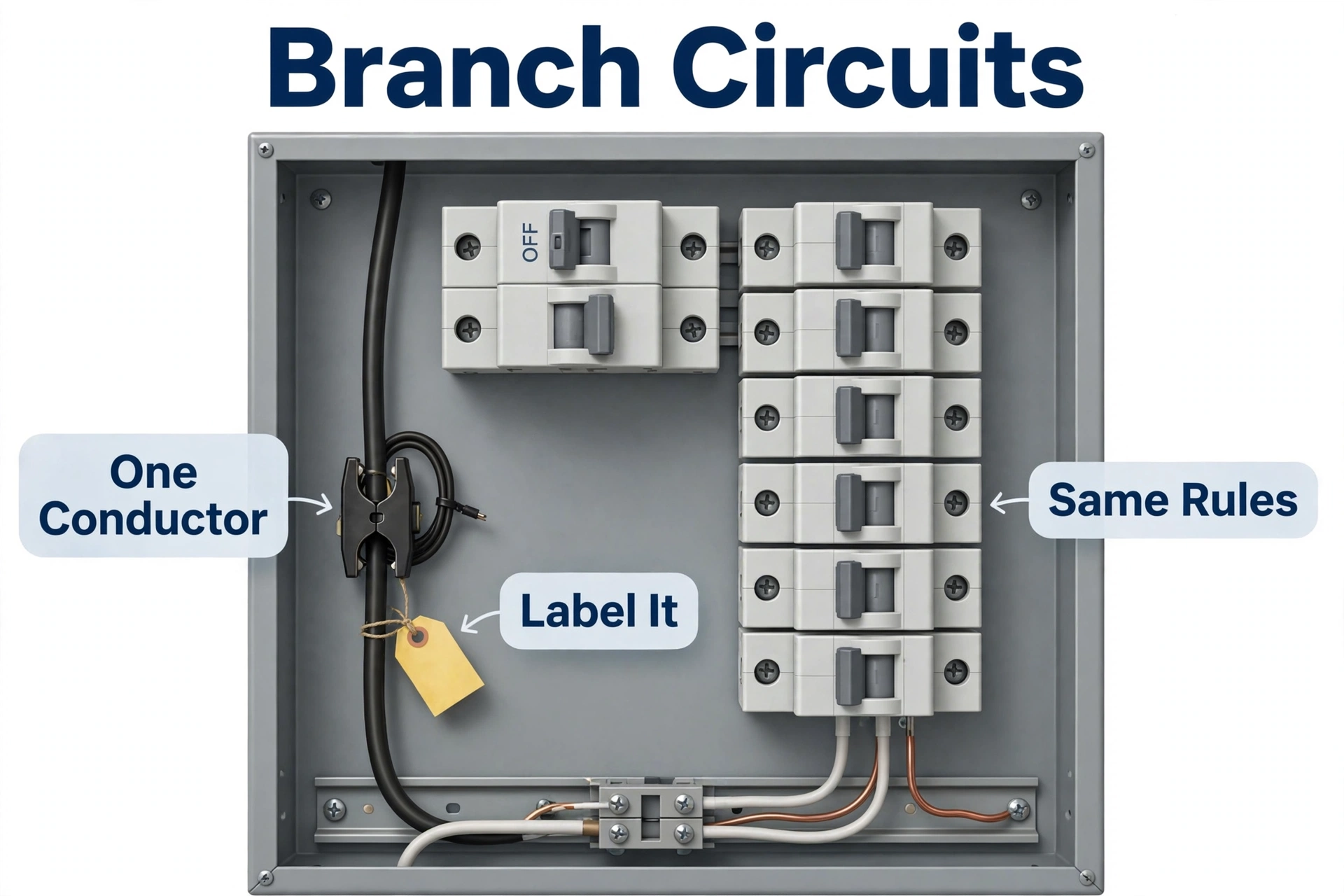
Once the mains are done, branch-circuit clamps are the easy part — same principle, smaller wires, same rules. Pick the circuits that matter most first: HVAC, electric water heater, dryer, EV charger. Furthermore, flip that circuit’s breaker OFF, verify dead with the tester, clip the clamp around the single insulated hot conductor of that circuit, label which input it plugs into, and repeat.
One gotcha: a CT clamp goes around ONE conductor, not a whole cable. Clamp around both the hot and neutral and the fields cancel — the monitor reads zero. On a 240V appliance circuit with two hots, check your manual: some monitors want a clamp on each hot, others let you combine them in software. And once you see which circuits eat the most, act on it: HVAC is usually the biggest load, which is why pairing a monitor with the right smart thermostat for a heat pump system — or comparing Ecobee vs Nest — multiplies your savings.
Common Mistakes That Cause Bad Readings
| Mistake | What you’ll see | How to fix it |
|---|---|---|
| Clamps facing opposite directions | Whole-home usage reads near zero or negative | Both arrows must point the same way relative to the power source — recheck against the manual |
| Clamp around both hot and neutral | That circuit shows ~0W even when running | Clamp one conductor only; split the cable if needed |
| Clasp not fully closed | Readings drift or jump around randomly | Reopen and close until it clicks; check nothing blocks the clasp |
| Sensor leads swapped on inputs | Phases look unbalanced; solar math looks wrong | Label each lead as you install; correct the mapping in the app |
| Clamp crushed by the panel cover | Sudden flatline after closing the panel | Reopen, reroute with clearance, re-close gently |
| Voltage harness on the wrong phase | Totals roughly right but oddly skewed | Match each reference wire to the phase the manual specifies |
When to Call a Licensed Electrician
We said it in the safety block, and it’s worth its own section: some panels are not DIY territory. Call a licensed electrician — no hesitation — when you see any of this:
- The panel has no main breaker or a fused disconnect you don’t understand
- Aluminum branch wiring is present (dull gray conductors instead of copper-colored)
- Scorch marks, melted insulation, rust, or a persistent buzzing or burning smell
- A crowded or double-tapped panel where you can’t see the mains clearly
- You’re in a rental, condo, or HOA where licensed work is required
- Your local code requires a licensed electrician for panel work — Emporia’s own guide on DIY vs. professional installation explains how this varies by jurisdiction
- You’re simply unsure — uncertainty is a complete and sufficient reason
An electrician will do this install in well under an hour, and the data afterward is identical.
Install CT Clamps Energy Monitor: Troubleshooting Quick Reference
| Symptom | Likely cause | Fix |
|---|---|---|
| No data in the app at all | Monitor not powered, or Wi-Fi not connected | Check the voltage harness connections (power off, verified dead), then redo Wi-Fi setup |
| Usage reads roughly double | Mains CTs on the wrong conductors or phases double-counted | Confirm one clamp per main, facing the same direction |
| One phase reads zero | That clamp’s clasp open, or lead unplugged | Reseat the clasp and the connector at the monitor |
| Negative solar production | Solar CTs facing the wrong direction | Flip the solar clamps so arrows match the manual’s solar orientation |
| Readings spike when the cover is on | Clamp pinched or forced partially open by the cover | Reroute for clearance and close the panel gently |
Frequently Asked Questions
Can I install CT clamps with the power on?
No. Always turn off the main breaker and verify the branch circuits dead before opening the panel. The clamps themselves carry no hazardous voltage — but the panel around them doesn’t forgive mistakes, and the incoming service conductors stay live regardless. If you’re not comfortable, hire a licensed electrician.
Do CT clamps need to touch bare wire?
Never. CT clamps read current through insulation via the magnetic field around the conductor. If insulation is damaged or a conductor is exposed, that’s a repair job for an electrician — not an excuse to strip wire.
Which way should the CT clamp arrow point?
Follow your monitor’s manual: typically the arrow points toward the power source (the utility feed for mains). What matters most is consistency — both mains clamps must face the same direction. Totals reading zero or negative? Reversed orientation is the first thing to check.
How many CT clamps do I need?
Two large clamps cover the mains in a standard split-phase home — enough for whole-home tracking. Add smaller clamps on branch circuits (HVAC, water heater, EV charger) only for circuits you actually want to break out; you can always add more later.
Will a CT clamp work on a 240V appliance circuit?
Yes, with one rule: it must go around a single hot conductor, not the whole cable. A 240V circuit has two hots, so check your manual — some monitors want a clamp on each hot, others combine them in software.
Can I install an energy monitor if my panel is outside?
Usually yes, but the monitor unit itself needs to stay dry and within its rated temperature range — many people mount it inside the panel enclosure or a weatherproof box next to it. Check the environmental ratings in the manual first.
Final Checklist: Before You Walk Away
- Main breaker OFF → cover removed → working area verified dead → clamps on insulated conductors only → no pinching when the cover went back on → main back ON
- Both mains clamps facing the same direction, clasps fully closed, leads plugged in and labeled, voltage harness per the manual
- Panel cover flat and screwed in, no wires visible or pinched
- House power fully restored — check a few circuits, not just the lights
- App shows whole-home usage that rises and falls when you switch a big load on and off (the kettle test works great)
Installing CT clamps is one of the highest-value smart-home upgrades you can do — it turns a vague monthly bill into live, circuit-by-circuit truth about where your electricity goes. Just earn that data the safe way: main breaker off, branch circuits verified dead, insulated conductors only, hands off the live service feed, and an electrician on speed dial for anything unfamiliar.
