


So — is Plex Pass worth it? However, honest answer: for most of you reading this, probably not. For example, there. Saved you five minutes.
Okay, that’s glib. In addition, the real answer has a shape to it. Furthermore, Plex Pass is worth it if — and really only if — you need hardware transcoding, offline downloads on your phone, or live TV recording. In addition, you’re in Plex for the long haul. Like, years. If you mostly just stream your own stuff around the house? The free tier already does that, and it does it well. And if the price tag makes your eyes water, here’s the thing nobody at Plex will tell you: Jellyfin does the same core job for exactly zero dollars.
But the math changed. Drastically. Plex Pass used to be a “sure, why not” impulse upgrade. Then came the price hikes — steep ones — and now the lifetime plan sits at $749.99 (as of July 2026). That’s not an impulse buy anymore. That’s a decision. So let’s work through it: what each plan costs, what you genuinely get, and where the numbers start making sense.
What Plex Pass Costs in 2026
Three ways to pay: monthly, annual, lifetime. Quick warning — Plex has moved these prices around more than once, so treat what’s below as the shape of the decision. Confirm the current figures on the official Plex Pass page before you hand over any money. Don’t trust a blog post’s numbers over the checkout page. Not even this one.
Table 1: Plex Pass plan options
| Plan | Price | Best for |
|---|---|---|
| Monthly | $6.99/month | Trying premium features short-term |
| Annual | $69.99/year | Committed for at least a year |
| Lifetime | $749.99, one-time | Planning to use Plex for many years |
And hovering over all of this, the fourth option nobody talks about enough: free. Costs nothing. Never expires. That’s your baseline, and it’s a genuinely good one. Every dollar of Plex Pass has to justify itself against “free” — not against some imaginary perfect media server.
The Break-Even Math
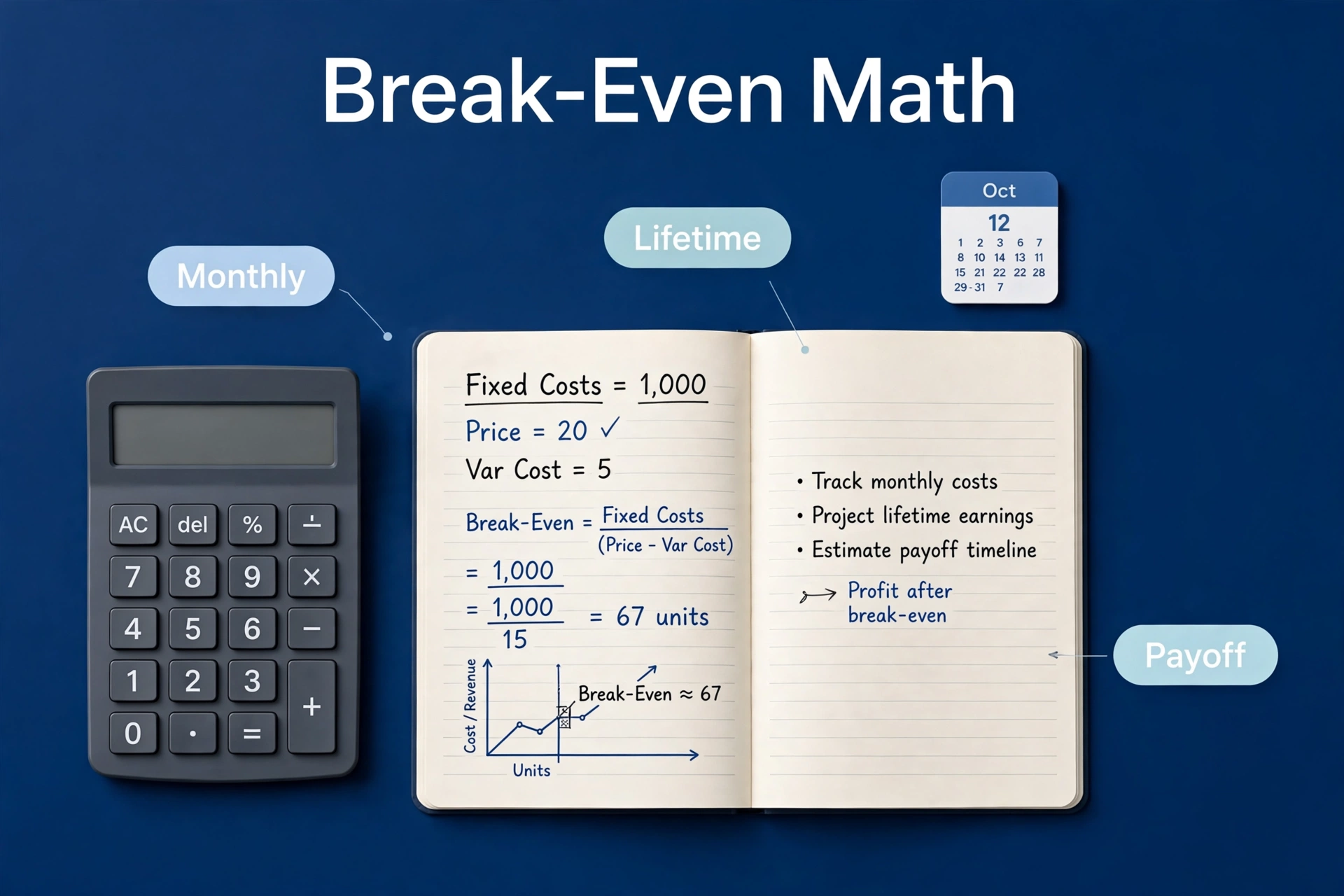
There’s exactly one formula that matters here, and it’s almost embarrassingly simple. Take the lifetime price. Divide by the monthly price. The answer is how many months of monthly payments it takes to equal one lifetime purchase.
However, run it with the current figures — $749.99 lifetime, $6.99 a month — and you land somewhere around 107 months. Moreover, that’s nearly nine years of payments before lifetime pulls ahead. Also, nine years. For example, in tech time, that’s roughly three geological eras.
In addition, now, prices move, so do your own division with whatever’s current when you read this. First, higher monthly price, sooner break-even. Second, lower, later. But the shape won’t change much: lifetime only wins on a very long timeline. Finally, which raises the uncomfortable questions. Furthermore, will you even still be self-hosting media in nine years. In fact, or will you have drifted to Jellyfin, or just stopped caring and watched Netflix like everyone else? Moreover, do you actually use the Pass-only features every single month, or would you forget you were paying? And could Plex just raise prices or change the lifetime deal again? It’s happened before.
Also, here’s the option most people sleep on: the annual plan. Not sure about the next decade but want the features now? First, a year of annual payments is a cheap experiment. You get everything, you learn what you actually use, and if you’re still happy twelve months later, then you can think about lifetime. One caveat, though — don’t assume Plex will credit your annual payments toward a lifetime upgrade. Second, maybe they do, maybe they don’t. Finally, check their current policy before banking on it.
Same story if you run the annual-vs-lifetime comparison, by the way. $749.99 divided by $69.99 gives you roughly 10.7 years to break even. However you slice it — monthly or annual — lifetime demands a decade of commitment. Which is exactly why the monthly and annual plans exist.
How to Try Before You Buy
You don’t have to guess. That’s the beautiful part — you can run this like an actual experiment instead of agonizing over hypotheticals.
Buy one month. Meanwhile, that’s it. Nevertheless, cheapest possible way to unlock everything and see what your hands actually reach for. And during that month, don’t just let it sit there — deliberately poke at the big three. In fact, stream a 4K file to your phone over mobile data. As a result, does hardware transcoding kick in? Smooth, or a stuttery mess? Meanwhile, download a movie before a trip. Got a tuner? Try live TV. Actually use the stuff.
Then be ruthless with yourself. Which features did you touch more than once? “Might use someday” doesn’t count. In fact, that’s how gym memberships work, and look how those go. Write it down if you have to.
When the month ends, one question: did Plex Pass change your week? In contrast, if yes — genuinely yes, not theoretically yes — consider annual. Similarly, unsure? Specifically, do another month; information is cheap at $6.99. If no? Cancel, enjoy the free tier, and feel good about the money you didn’t spend. Most people discover they use exactly one premium feature regularly — usually transcoding or downloads — and completely ignore everything else. Knowing is the point.
Oh, and a pro tip for the trial month: keep Plex’s dashboard open while you watch stuff. It shows you exactly when transcoding happens and whether it’s hardware or software. That one screen tells you more about your actual needs than any review on the internet. Including this one.
What the Free Tier Still Covers
Before anyone spends a dime, let’s talk about what you already get for free — because Plex’s free tier is honestly kind of great. Your full media library, streaming on your home network to any device. Remote streaming too, so you can watch away from home at no cost. Automatic metadata, posters, episode descriptions — the whole polished library look. Multiple users with their own watch history and resume points. The Plex apps on phones, TVs, streaming sticks.
For a huge number of households, that paragraph is the whole job. You collected your media, you watch it around the house and sometimes on your phone, and you never once bump into a paywall. If that’s you? Stop here. Plex Pass buys you nothing you’ll ever notice, and there’s no shame in that.
What Plex Pass Actually Unlocks
So what does the money actually buy? Four buckets of features, in rough order of “reasons anyone pays for this.”
Hardware transcoding
The big one. The one that actually moves the needle. Here’s the deal: when a device can’t play a file directly, Plex converts it on the fly. Without a Pass, that conversion runs on your CPU in software — slow, hot, limited. With a Pass, Plex hands the job to your GPU or the chip’s dedicated video engine: Intel Quick Sync, NVIDIA NVENC, that sort of thing.
On a NAS with a modest processor, this is the difference between night and day. Software-transcoding a single 4K stream can pin a weak CPU at 100%. Hardware transcoding? Several streams, barely a shrug. If your server is a low-power NAS and you stream to phones or outside your home, this single feature can justify the entire Pass. Our guide to plex hardware transcoding explained goes deeper on when it matters.
Downloads and offline viewing
Download movies and shows to your phone or tablet. Flights. Commutes. That hotel with Wi-Fi from 2008. The free tier streams remotely just fine — but it can’t save files for offline use. If you travel a lot, this is the second most valuable feature, and it’s not close.
Live TV and DVR
Got a compatible tuner and an antenna? Plex Pass adds live TV and DVR recording: pause live TV, record shows, skip commercials. It turns Plex into a proper cord-cutter’s hub. But — and this is a big but — be honest with yourself. Will you actually set up an antenna and a tuner? Plenty of people pay for this feature and never touch it. Aspirational purchases are the subscription industry’s favorite revenue stream. Don’t be one.
The nice extras
Everything else is garnish. Skip-intro and skip-credits buttons. Trailers and extras. Premium music features like loudness leveling. Early access to new releases. A few customization knobs. Pleasant? Sure. Decisive? Absolutely not. Nobody — nobody — should buy a $749.99 lifetime plan for skip-intro alone.
Who Should Buy Plex Pass
- You run Plex on a weak NAS. Hardware transcoding for smooth 4K or remote streams? That’s the clearest “yes” in this entire article.
- You travel constantly. Offline downloads on your phone or tablet, every flight, every trip. Worth it.
- You’re a cord-cutter with a tuner and antenna. Emphasis on with — as in, you already own the hardware and will genuinely use live TV and DVR. Not “someday.”
- You share with family across a bunch of devices. Grandma’s old tablet, the kids’ phones, the smart TV — the smoothest experience for non-technical users who will never troubleshoot anything themselves.
- You’ve used Plex happily for years and see no reason to switch. Loyalty plus heavy use. That’s when the lifetime math finally starts working in your favor.
Two or more of those sound like you? Plex Pass is a reasonable buy. Start monthly or annual, though — commit to lifetime only once you’re sure. Certainty first, $750 later.
Who Should Skip It
- You only stream at home on a decent network. Direct play needs no transcoding and no Pass. Done.
- Your server is a real PC with CPU headroom to spare. Software transcoding handles your load fine. Save your money.
- You rarely travel, or you always have good internet. Offline downloads would just gather digital dust.
- The price makes you wince. Trust that instinct. It’s your brain doing the math faster than you can — telling you the value isn’t there for how you actually use Plex.
- You just don’t like renting your own media library. The subscription model rubs you the wrong way on principle. Fair enough. There are alternatives — keep reading.
That last group? Bigger than it used to be. Much bigger. And it has somewhere to go.

Jellyfin: The $0 Alternative
Here’s the part Plex would rather you skip: every Plex Pass feature that actually matters — hardware transcoding, mobile downloads, live TV and DVR — is free in Jellyfin. All of it. There’s no tier to buy because there are no tiers. Install it, turn everything on, and never see a checkout page in your life.
Now, the trade-offs are real, and I’d be lying if I said otherwise. Nevertheless, jellyfin’s apps cover the major platforms but not every obscure device. In fact, setup takes a bit more elbow grease. Remote access needs manual configuration instead of Plex’s magic “it just works” relay. As a result, for a lot of people, those are one-time costs happily paid to escape a subscription forever.
On the fence? Our jellyfin vs plex comparison puts them head to head. And if you decide to make the jump, the jellyfin setup guide gets you running on a NAS in an afternoon. Switching costs nothing but a weekend — which, at current Plex Pass prices, starts looking like a pretty good trade.
The Verdict
Plex Pass is worth it for a specific person. Someone running Plex on modest hardware. Someone who actually uses the premium features regularly — not theoretically, regularly. Someone who’ll stick with Plex for years. For that person, even the lifetime price can make sense. Eventually. After a long while.
For everyone else? However, easy skip. For example, the free tier handles home streaming beautifully — genuinely, no asterisks. And Jellyfin exists for anyone who wants the premium features without the premium price. Do the break-even math with current prices, be brutally honest about which features you’ll actually touch. In addition, don’t let FOMO spend $750 on your behalf.
There’s a practical middle path too, by the way. In addition, buy one month. Furthermore, turn on hardware transcoding. Test downloads on your phone. Poke at the features you think you want. If a month goes by and you barely touched them — well, there’s your answer. In addition, it cost you almost nothing to learn it. And one timing tip: Plex has run Black Friday discounts on the lifetime plan in the past. As a result, if you do decide on lifetime, patience can pay. Just don’t let sale urgency do your deciding for you — that’s a sales tactic, not a decision-making tool.
And remember: this decision isn’t permanent. Start free. Add a month when you travel. Drop back down after. Plex Pass is a subscription, not a marriage — treat it like one, and you’ll never overpay.
Frequently Asked Questions
How much is Plex Pass lifetime in 2026?
$749.99 — and the road there was bumpy. It sat at $119.99 for years, jumped to $249.99 in April 2025, then leapt again in July 2026. Monthly and annual options cost less upfront. And because Plex has changed prices more than once, confirm the current number on the official Plex Pass page before buying. Trust the checkout page, not your memory.
Is Plex still free without Plex Pass?
Completely. The free tier covers local and remote streaming of your own media, apps on all the major platforms, metadata, multiple users, watch history — the whole core experience. Plex Pass layers on hardware transcoding, downloads, live TV/DVR, and the extras. But the media server itself? Still free, still good.
How long until Plex Pass lifetime pays for itself?
Do the division: lifetime price over monthly price. At $749.99, you’re looking at many years of monthly payments before lifetime breaks even — and both numbers have shifted over time, so run it with current prices. If there’s any real chance you switch servers or stop self-hosting within that window, lifetime is a bad bet. Full stop.
Do I need Plex Pass for 4K streaming?
Not necessarily — this trips people up. If your devices direct-play 4K files, no transcoding happens at all and no Pass is needed. You only need Plex Pass when the server has to convert video on the fly and you want that conversion done in hardware instead of on the CPU. Direct play? You’re already fine.
Can I get Plex Pass features for free with Jellyfin?
Essentially, yes. Jellyfin includes hardware transcoding, mobile downloads, and live TV/DVR as core features — not premium upsells, just… features. The trade-off is a smaller app ecosystem and a more hands-on setup, which our Jellyfin vs Plex comparison covers in detail. Free as in beer and free as in speech.
Should I buy monthly, annual, or lifetime?
Monthly if you’re testing — that’s what it’s for. Annual if you know you want the features for the coming year; it works out cheaper per month. Lifetime only if you’re genuinely confident you’ll use Plex for the better part of a decade, because that’s roughly how long it takes to break even at current prices. When in doubt, start small. You can always go bigger later.
