

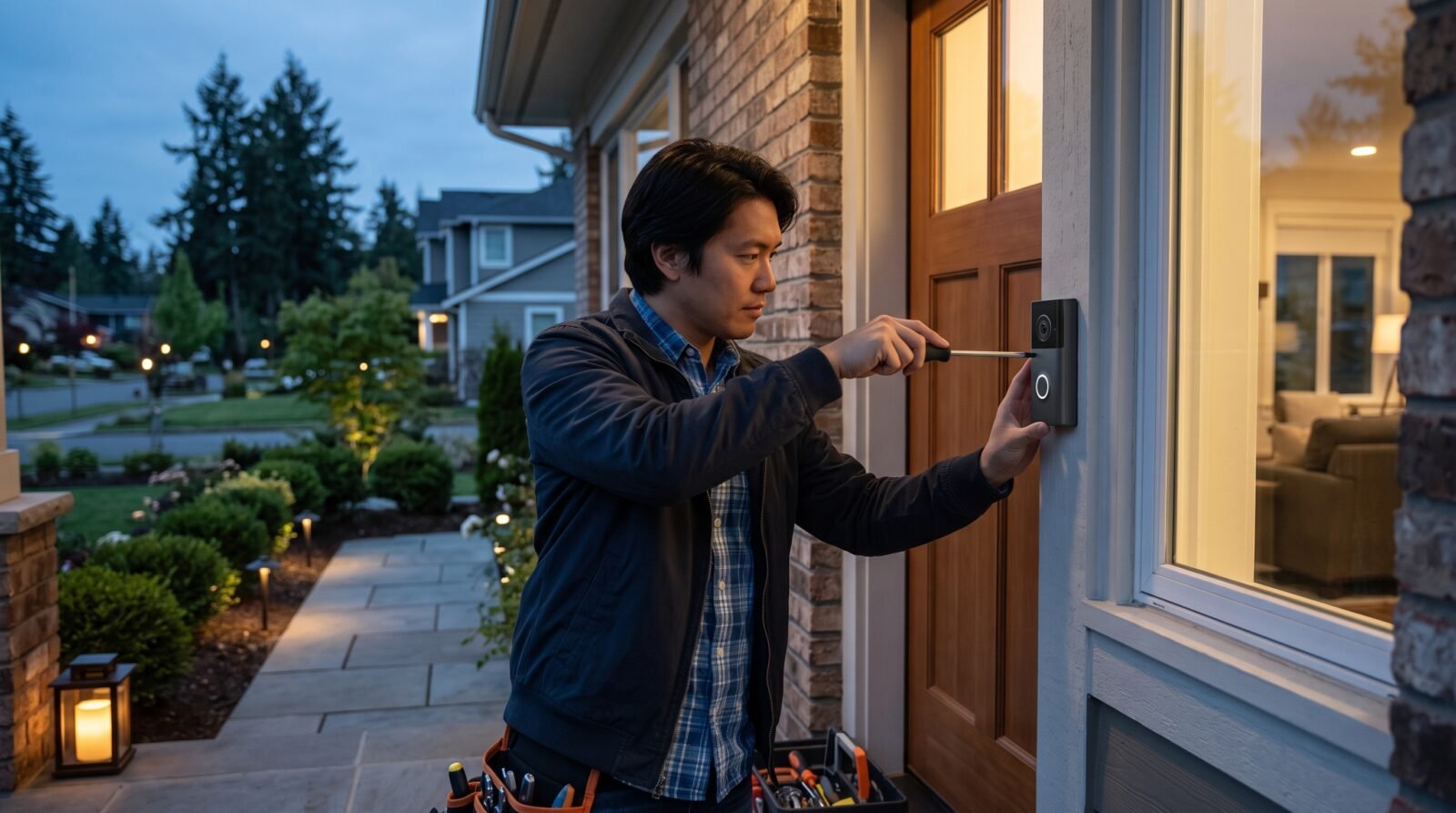
If you are wondering how to upgrade home security, start with the places where someone could get in, then consider how you would know something was wrong. A camera can show activity at your door, but it cannot repair a weak frame or secure an unlocked window.
The most useful approach combines sound locks, secure entry points, suitable lighting, reliable alerts, and habits everyone can follow. You can build that protection gradually, whether you own a house or rent an apartment. The right order depends on your property’s condition and the problems you actually need to solve.
Start with a walk around your home
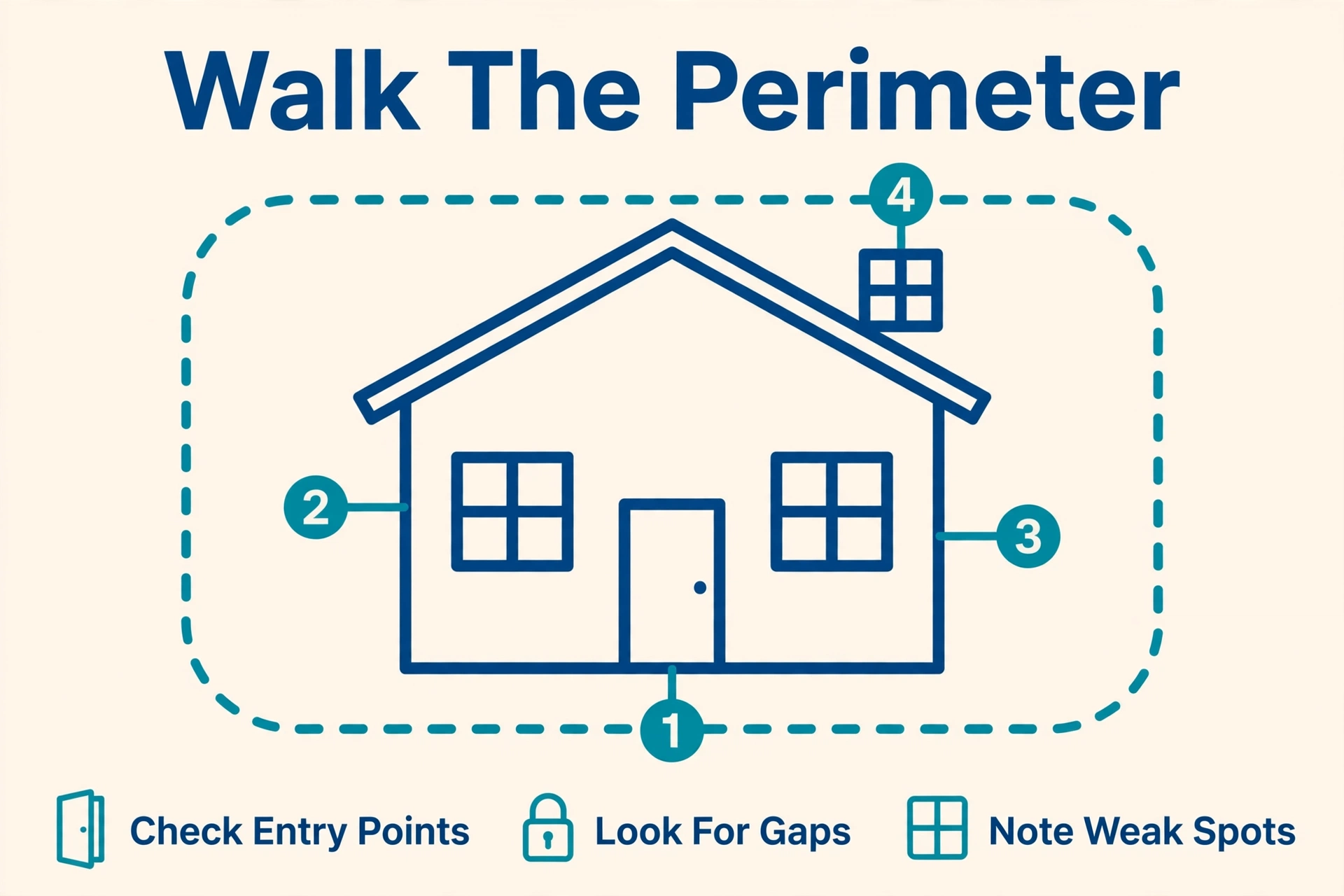
Before buying equipment, inspect your home in daylight and again after dark. Look at every external door, accessible window, garage entrance, and side gate. Include upstairs windows reachable from a balcony or flat roof.
Check practical details: does the back door lock without lifting or pushing it into place? Can you see who is outside before opening the front door? Does an existing camera actually save recordings?
Write down each weakness and the action needed. Separate repairs from optional additions. A loose window latch belongs on the repair list; another camera covering an already visible driveway may not.
Also consider your household’s routine. Frequent deliveries, carers visiting, children returning from school, and long periods away create different needs. Security should fit those routines so people use it consistently.
Prioritize a clear weakness over an attractive feature. For example, if your front entrance is secure but a rear window will not latch, fixing that window is the more sensible first purchase.
Strengthen doors, locks, and windows
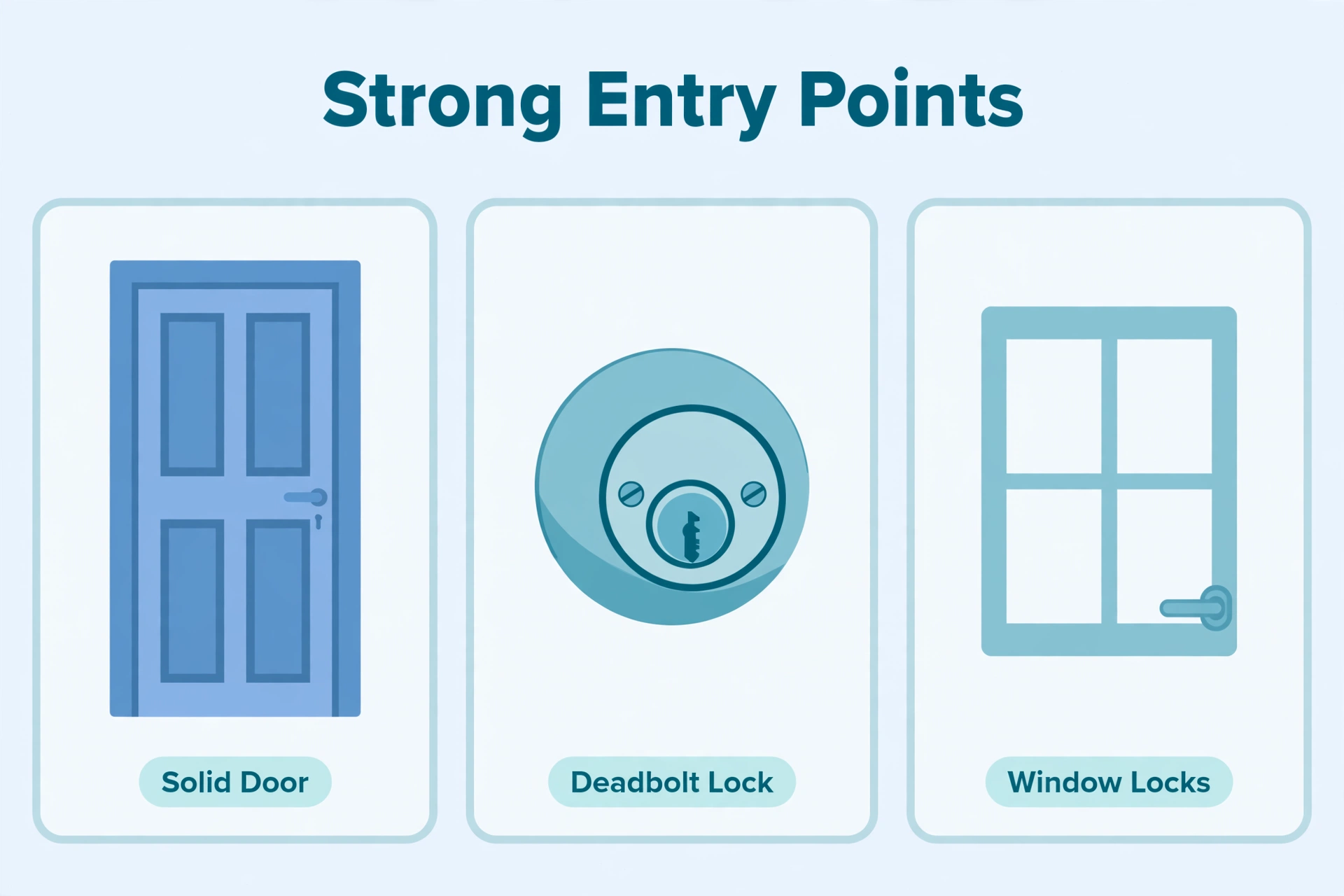
Treat each entrance as a complete assembly: door, frame, hinges, lock, and the point where the lock engages. Replacing only the lock may leave other weaknesses untouched.
Ask a qualified locksmith to assess damaged frames, poorly fitting doors, worn locks, and the need for suitable reinforcement. Choose hardware appropriate to the door material and locally recognized security standards. UK police guidance similarly recommends checking the door, frame, locks, and hinges together.
Avoid universal DIY advice about adding longer screws or extra bolts. A fitting suitable for a timber entrance may be inappropriate for a metal, composite, or fire-rated door. Get approval before modifying an apartment entrance or other fire door.
If you have moved in or cannot account for existing keys, discuss rekeying or replacing the lock with the owner or a locksmith. Rekeying changes which key operates a compatible lock without necessarily replacing the entire assembly.
For sliding doors, have the locking arrangement and any anti-lift protection checked. Include the door between an attached garage and the house in your inspection.
Check accessible windows for damaged frames and working locks. Upstairs does not automatically mean inaccessible: nearby roofs, furniture, and ladders can change that. Window hardware should match the opening style; get advice before adding restrictors or changing glazing.
Keep emergency escape possible
Security changes must preserve escape routes. Everyone who may need to leave should be able to operate the relevant releases, including children or people with limited hand strength.
Never install fixed bars across an emergency escape opening. The U.S. Fire Administration advises keeping exits clear and fitting quick-release mechanisms to security bars. Have a suitable professional check proposed hardware against local fire and building requirements.
Improve lighting and visibility
Walk your usual arrival route after dark. Can you see the lock, steps, gate, and anyone near the entrance? Aim for useful coverage rather than the brightest available floodlight.
Depending on the location, low-level dusk-to-dawn lighting or motion-activated lighting may suit your needs. Direct light toward your own access routes, and avoid glare into neighbours’ windows. Keep plants from blocking fixtures or concealing the immediate entrance.
Check the view from indoors too. A bright light pointing toward a window can make it harder to see outside. If cameras are installed, review their night footage after changing the lighting.
Secure side gates, sheds, and outdoor storage. Put tools and ladders away after use. These straightforward changes deserve attention even when your main concern is choosing electronic equipment.
Use a qualified electrician for new fixed outdoor wiring. For battery or solar fixtures, check suitability for local weather and whether the proposed location receives enough sunlight.
Choose an alarm around the response you need
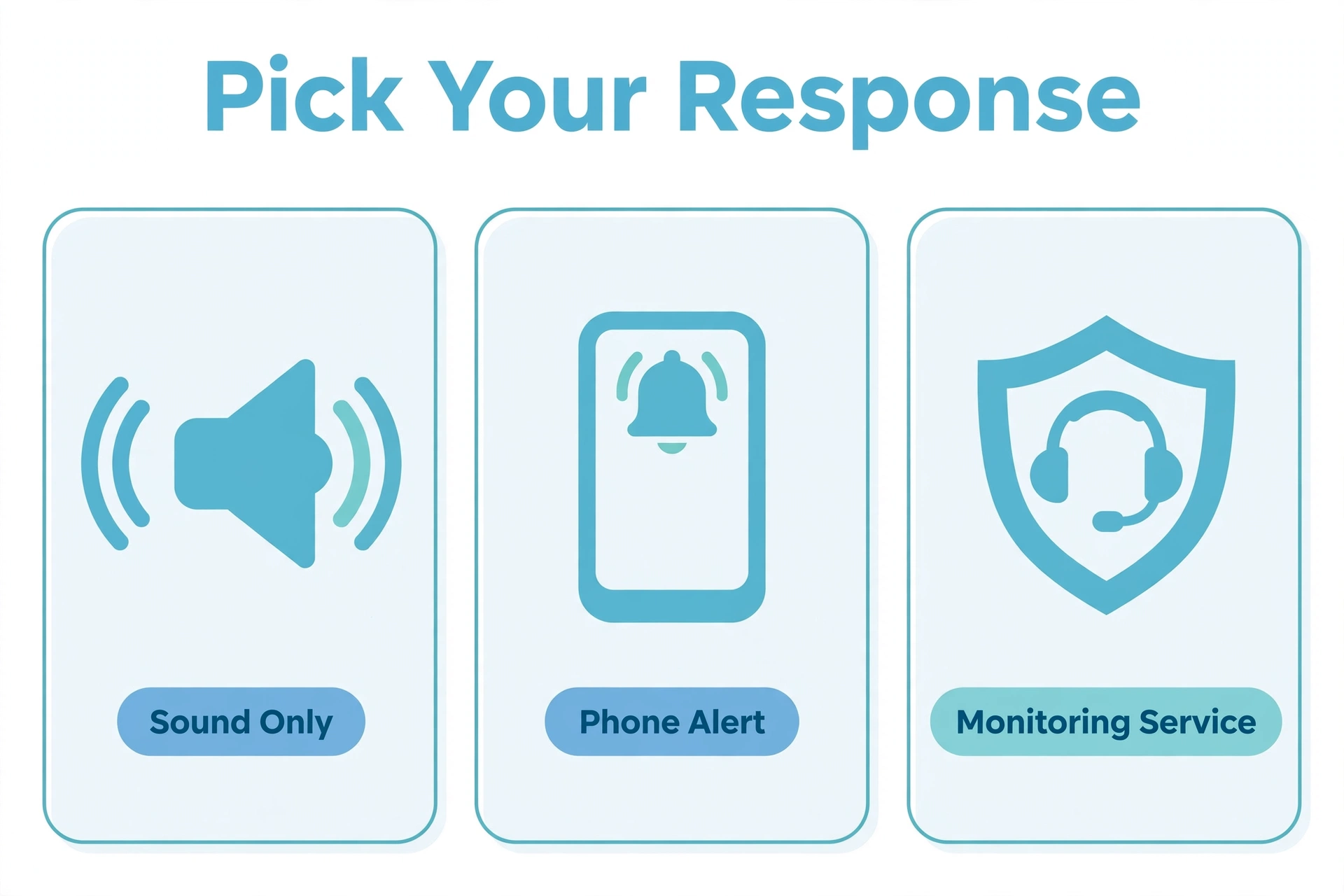
An alarm purchase should answer two questions: what will trigger it, and who will act?
An audible alarm sounds locally. A self-monitored system sends notifications for you or another nominated person to assess. Professional monitoring adds a service that handles signals according to its contract.
Self-monitoring may suit someone who can reliably receive and respond to alerts. Consider what happens during sleep, work, travel, or loss of phone reception. Paying for monitoring can reduce reliance on your availability, but it does not guarantee immediate police attendance.
Before subscribing, ask about local response arrangements, alarm registration, verification requirements, and possible false-alarm charges. UK police guidance, for example, distinguishes response to compliant monitored systems from unmonitored alarms; arrangements elsewhere need local checking.
For the equipment itself, confirm these points with the supplier:
- Entry coverage: Which doors and windows need contact sensors?
- Occupied use: Can you arm selected areas while people remain home?
- Pets: What placement and movement restrictions apply?
- Outages: What continues working without mains power or internet?
- Expansion: Can you add compatible sensors later?
Contact sensors detect an opening; they do not strengthen it. Ask the installer whether other detection is appropriate for your layout rather than assuming every opening requires the same device.
Test normal family routines before relying on the system. A setup that constantly triggers during ordinary movement needs adjustment.
Add cameras where footage will be useful
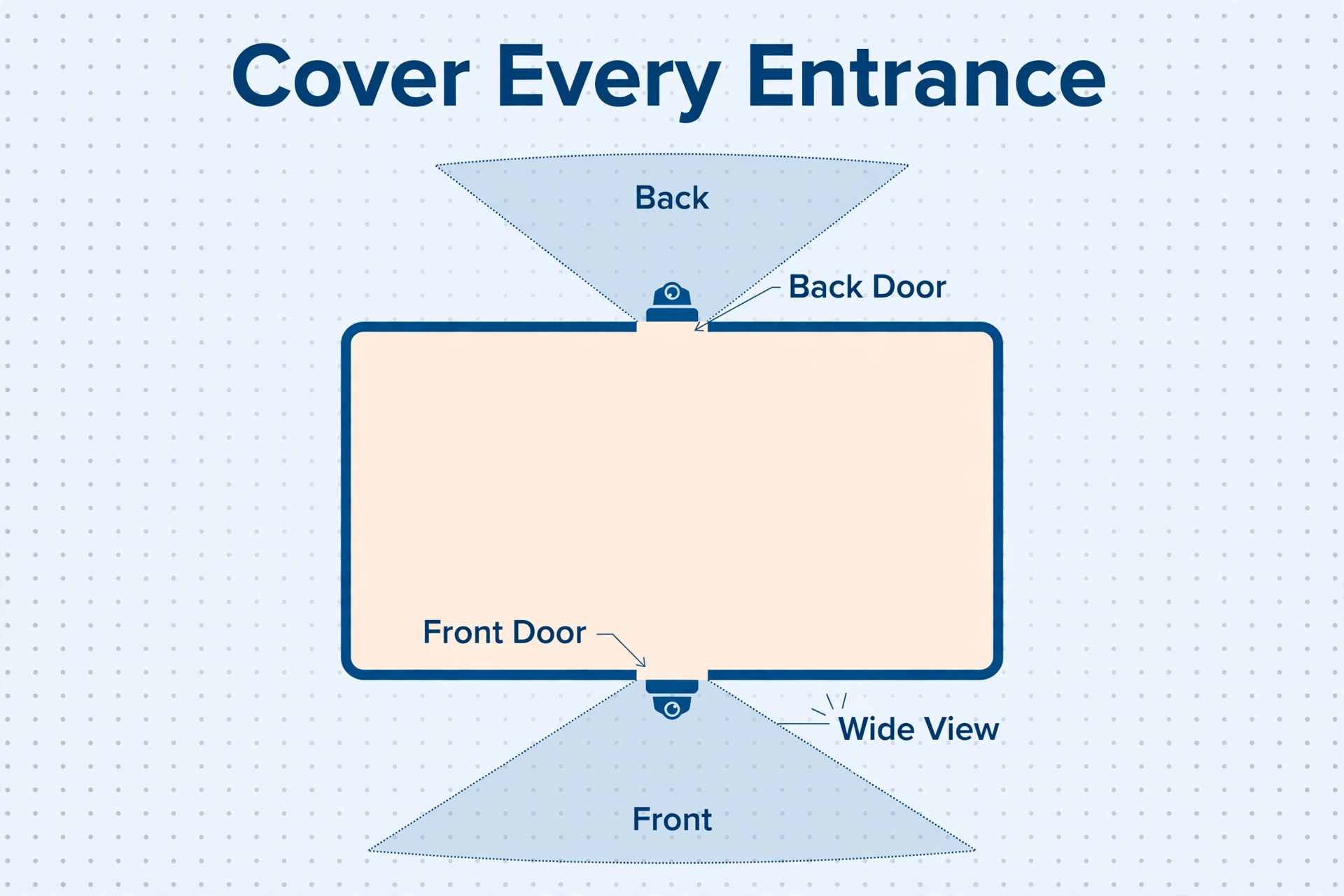
Give each camera a defined job: showing a visitor at the entrance, checking a side access route, or recording activity around an outbuilding. This helps avoid buying overlapping coverage while leaving another area unseen.
Assess placement using actual recordings. Ask someone in your household to approach normally during the day and after dark. Can you see their face? Does the recording begin soon enough? Can you retrieve and export it?
Do not choose on resolution alone. Ask about recording modes, low-light performance, power requirements, and the distance at which useful detail is captured. A wide overview and a close entrance view serve different purposes.
Before buying, establish where recordings go. Local storage may avoid a cloud-recording subscription, but you need to understand what happens if the recorder fails or is stolen. Cloud storage usually adds an account and service dependency. Some products offer both.
Check the exact model and plan for recording history, downloadable clips, person alerts, and features available after a trial expires. Live viewing does not necessarily mean recorded footage will be available later.
Respect neighbours’ privacy
Aim cameras at the area you need to protect and use privacy masks where appropriate. Avoid capturing neighbouring windows or private spaces. Disable audio unless you have a clear need and have checked applicable rules.
Privacy obligations vary by jurisdiction. In the UK, for example, recording beyond your property boundary brings data-protection responsibilities, including limits on collection and requirements around storage and access. Check your local regulator’s guidance before installation, particularly in shared buildings.
ICO
Secure smart devices and shared access
A smart lock or internet-connected camera introduces an account that also needs protection. Setup is not complete just because the app works.
Use unique passwords, enable two-factor authentication where available, and keep the camera, app, and router updated. Protect your wireless network with WPA3 or WPA2 security. The U.S. Federal Trade Commission recommends these measures for connected home cameras.
Give household members separate accounts or access codes when the system supports them. That makes it easier to remove one person’s access without resetting everything. Review permissions after a tenant, contractor, or household member no longer needs entry.
Before choosing connected equipment, look for a clear software-support policy. Ask how long security updates will be provided and what remains functional if an online service ends.
Disable remote camera viewing if you do not need it, after checking which alerts or integrations would stop working. The UK’s National Cyber Security Centre also recommends replacing default passwords and keeping camera software updated.
For smart locks, verify battery warnings, emergency access, and operation during an outage. Confirm that everyone can still exit safely and that an authorized person has a practical way in if the normal method fails.
Plan for outages and missed alerts
Do not treat “battery backup” as a description of the whole system. Ask which components have backup power and how the manufacturer specifies their runtime.
An alarm hub may remain powered while the router shuts down. A locally recording camera may retain footage but lose remote access. Cellular backup may require a subscription and suitable signal. Check these details for the exact equipment you intend to use.
Create a response plan before an incident. Decide who receives alerts, who is the backup contact, and how they should respond. Do not ask a neighbour to enter a property where an intruder may be present.
If you suspect a break-in is underway, stay away from the property or move to safety and contact local emergency services. A recording is not a reason to confront someone.
Spend in stages and compare the full cost
There is no useful worldwide price for a home-security upgrade. Labour, construction, local standards, taxes, and service availability all affect the bill.
A practical spending order is:
- Repair failures: Address damaged doors, frames, and locks.
- Improve daily security: Resolve poor entrance visibility and unreliable access routines.
- Add detection: Cover relevant entrances and choose a workable alert response.
- Add targeted video: Install cameras where recordings answer a specific need.
- Improve continuity: Fund backup power or monitoring where your circumstances justify it.
This is a starting point, not a rule. Someone with sound physical security and frequent long trips may reasonably prioritize monitoring.
Request itemized quotes for equipment, installation, subscriptions, maintenance, replacement batteries, and cancellation charges. Compare the same ownership period, such as 3 years, rather than introductory monthly prices.
Ask what remains usable after cancelling a service. Also confirm whether you own the hardware and can transfer or reuse it. An inexpensive starter package is less appealing if the functions you need require an ongoing plan you did not budget for.
Make the upgrade work in daily life
Keep the closing routine short enough to follow: secure doors and windows, check secondary entrances, put keys out of reach from outside, and set the alarm as appropriate. Police guidance supports a consistent leaving-home routine and keeping valuables away from view.
For trips, arrange parcel collection and a trusted contact who knows how to reach you. Avoid public posts that announce an empty home. Timed lighting can support the appearance of occupancy, but still complete the physical checks before leaving.
Set maintenance reminders according to manufacturers’ instructions. Check batteries, sensors, camera views, saved footage, and contact details. Repeat relevant checks after changing your router, phone, landscaping, or household access.
For monitored systems, follow the provider’s test procedure before triggering devices. Otherwise, a well-intended check could start a response you did not intend.
Frequently asked questions
Can renters upgrade home security without permanent changes?
Yes. Portable alarms, suitable removable sensors, and improved account security can be useful. Get written permission before drilling, changing locks, or fitting exterior cameras. Confirm installation requirements: removable equipment still needs reliable mounting, and it must not interfere with fire doors or escape routes.
Should I replace an existing wired alarm?
Not automatically. Ask an installer to assess the sensors, wiring, control panel, backup battery, and available support. Compare repair or compatible modernization with replacement. Existing components may be reusable, but compatibility needs checking rather than assuming a new hub will accept them.
Will upgrading security reduce home-insurance costs?
Possibly, but ask your insurer before buying. Requirements and discounts differ, and a particular lock or monitoring service may need approval. Request the conditions in writing and compare any confirmed savings with ongoing costs. Do not assume installation alone qualifies you.
Can home security work without Wi-Fi?
Yes. Mechanical locks and many standalone alarms do not need it. Some systems use wired connections, local recording, or cellular communication. However, remote viewing and phone alerts need a supported communications route. Check each function separately instead of relying on a general “works offline” claim.
Choose your first upgrade
Start with one complete inspection and identify the most consequential weakness you can fix. Repair it, verify that the improvement works, and move to the next priority.
A dependable home-security setup is one your household can operate, maintain, and afford over time. Strong entry points, useful alerts, and a clear response plan give each purchase a purpose.
