

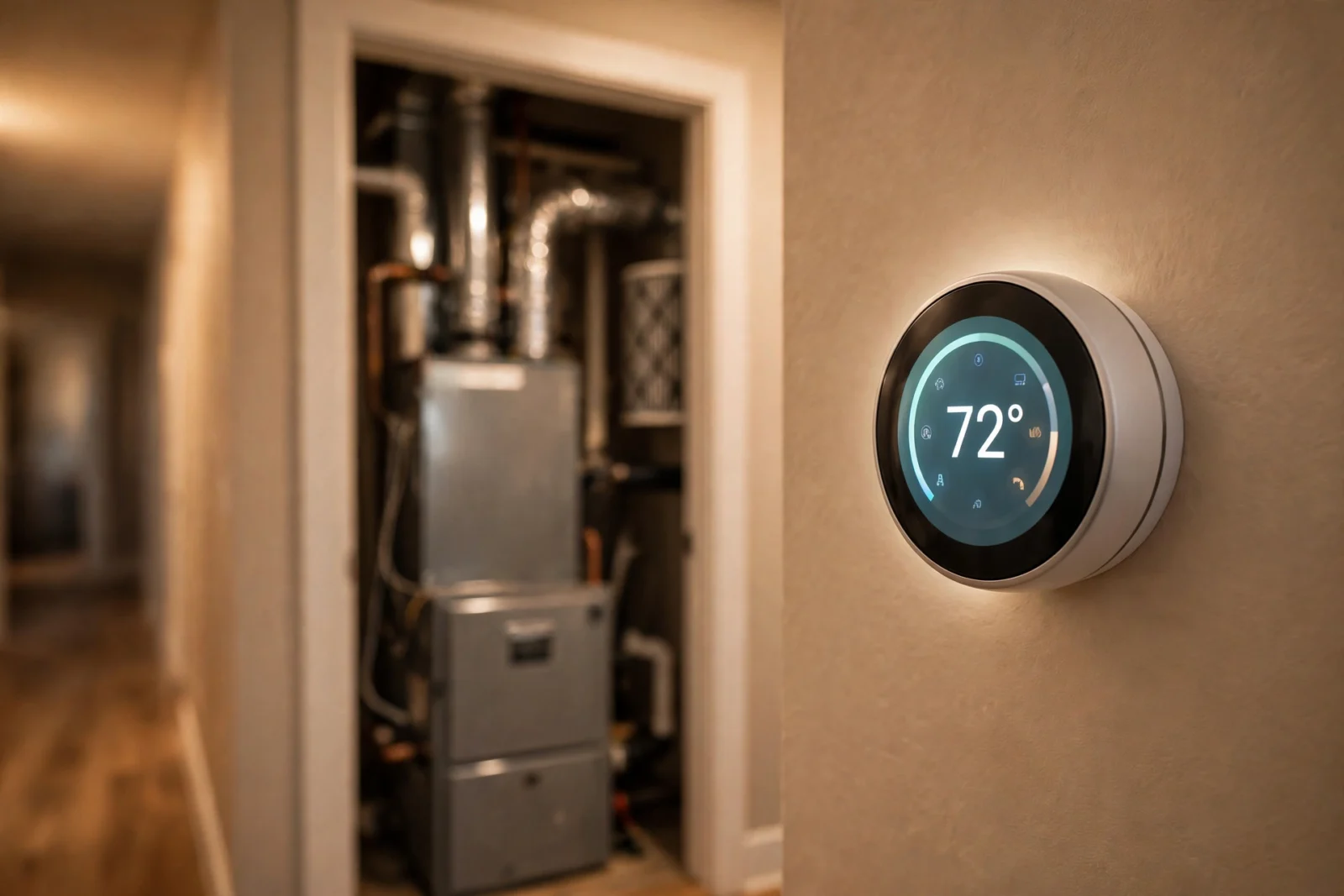
To install a c-wire adapter, mount the adapter module at your furnace or air handler control board, move your existing thermostat wires from the board onto the adapter, and connect the adapter’s labeled wires back to the board’s R, W, Y, G, and C terminals — the thermostat then gets steady 24-volt power without a new wire through the wall. However, most people finish in 30 to 60 minutes, the adapter costs around $25, and you need only a screwdriver, a voltage tester, and the kit’s instructions.
Wiring at a furnace board is real electrical work: read the safety block below before you touch anything, and read it again before the install steps.
Read This First: Safety Before Anything Else
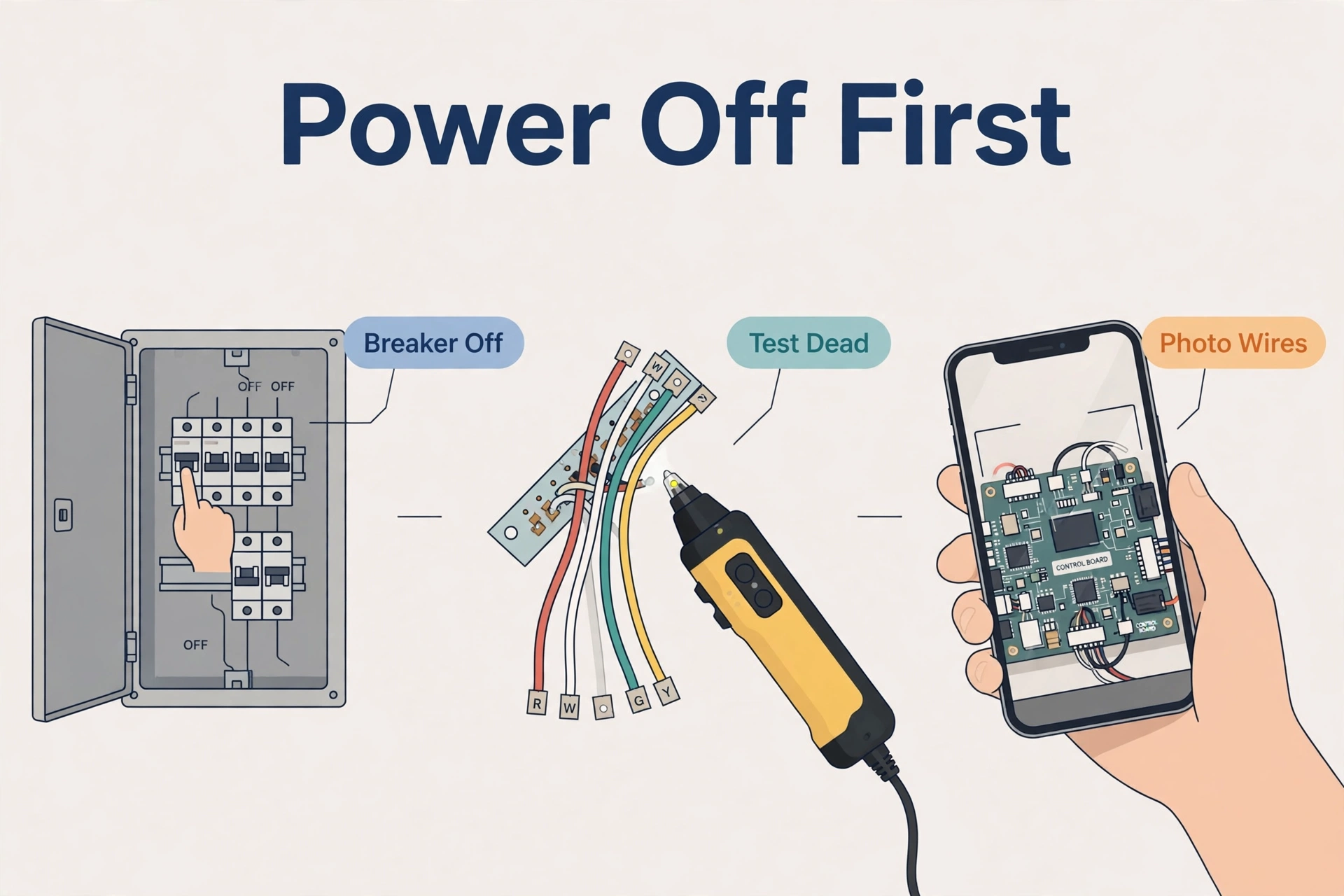
- Turn off the furnace AND air conditioner breaker at your electrical panel — the thermostat alone being off does not cut power to the furnace control board.
- Verify power is dead with a non-contact voltage tester before touching a wire. Test the tester on a live outlet first so you know it works.
- Photograph every wire and terminal from multiple angles, and label each wire with its terminal letter (R, W, Y, G, C) before disconnecting anything. Photos are your undo button.
- Never work on live circuits. If the power must stay on for a test, close all panels and stand clear before flipping the breaker back on.
- Call an HVAC technician instead of DIY if any of these apply: you can’t reach or open the air handler/furnace panel, your thermostat wires are aluminum (silver, dull gray — they need special connectors and different handling), you have a boiler or hydronic system with no C terminal on the control board, or anything looks unfamiliar or confusing. A pro visit costs less than a fried control board.
What a C Wire Does (And Why Your Thermostat Needs One)
Old-school thermostats were simple switches that barely needed power, so many homes were wired with just four wires: R (24V power), W (heat), Y (cooling), and G (fan). That was fine for a mercury dial.
Smart thermostats are small computers. Wi-Fi, touchscreens, and sensors all sip steady power, and without a C wire most thermostats “power steal” from the R wire. That often almost works — until the thermostat reboots mid-cycle, or keeps the fan running just to steal power. The C wire — the “common” wire — completes the 24-volt circuit and gives the thermostat a constant power feed. When pulling a fresh wire through finished walls is impractical, a C-wire adapter is the next best thing.
What a C-Wire Adapter Actually Does
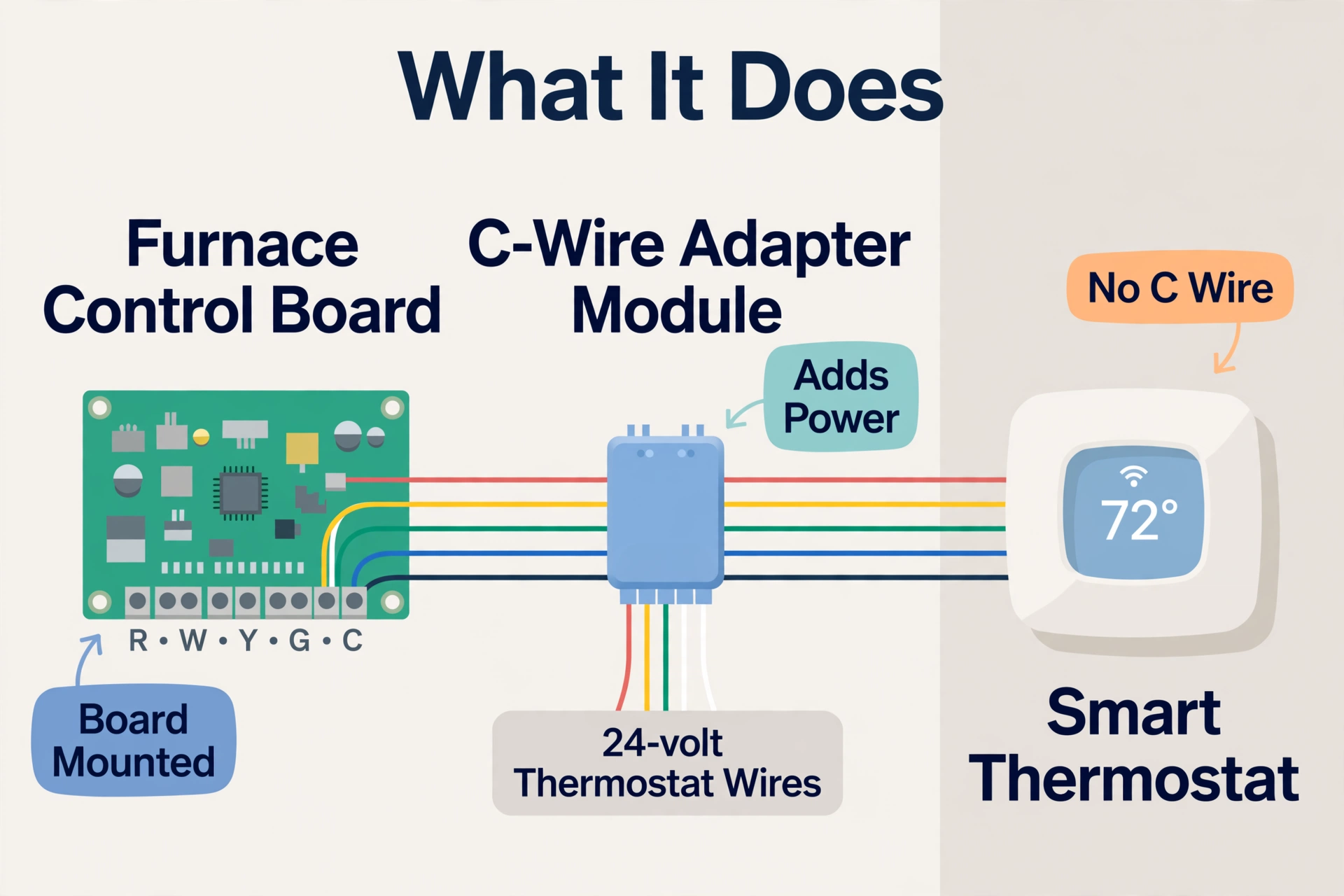
A C-wire adapter is a small module that lives at your furnace control board and rewires the signals your existing thermostat cable already carries, so the thermostat gets continuous power without a new wire run. Think of it as a translator sitting between your furnace and your thermostat. The three common options work on the same principle but are brand-specific:
- ecobee Power Extender Kit (PEK): repurposes the G (fan) wire so one conductor becomes the C wire at the thermostat. Needs a Y wire — heat-only two-wire systems are out.
- Google Nest Power Connector: installs at the air handler to power Nest thermostats from existing wires. Works with the Nest Thermostat, Nest Thermostat E, and 3rd-gen Nest Learning Thermostat.
- Venstar Add-A-Wire (ACC0410): uses a diode module to combine two thermostat signals onto one wire, turning four wires into five. Brand-neutral for most 24-volt thermostats.
None of these create power from nothing — they need a working 24-volt system and a real C terminal on the furnace board. Your adapter’s manual and your furnace manual are the final word on your specific setup.
Before You Buy: Check for a Spare Wire First
Many thermostat cables contain five or more conductors, but the installer only connected four at each end. An unused wire sitting coiled behind your thermostat base is a free C wire waiting to happen — this five-minute check can save you the adapter entirely.
Here’s how to check:
- Turn the breaker off. Pull your thermostat off its wall plate and look at the cable coming out of the wall.
- Count the conductors. An unused blue, brown, or black wire tucked behind the plate is a free C wire waiting to happen — note its color.
- Open the furnace panel and find that same cable. If the spare wire reaches the board, strip it, connect it to the C terminal, and connect its twin at the thermostat end to C too.
- No spare wire at either end? Then a C-wire adapter is your move.
Checking costs nothing and can save you the adapter. Note how many wires you have while you’re behind the plate — that decides which adapter fits.
C-Wire Adapter Options Compared
Pick the adapter that matches your thermostat brand and wiring situation. Prices below were checked on 2026-10-02 — confirm current pricing and compatibility on the official ecobee Power Extender Kit page before you buy.
| Feature | ecobee Power Extender Kit (PEK) | Google Nest Power Connector | Venstar Add-A-Wire (ACC0410) | Running new wire |
|---|---|---|---|---|
| Typical price (checked 2026-10-02) | ~$25 standalone; free with most ecobee thermostats except Essential and Lite | ~$25 | ~$35–$50 | $100–$300+ if a pro runs it |
| Thermostat compatibility | ecobee only (Premium, Enhanced, ecobee3 Lite, ecobee4) | Nest Thermostat, Nest Thermostat E, 3rd-gen Nest Learning | Most 24-volt thermostats (brand-neutral) | All thermostats |
| Minimum wires needed | R, W, Y, G — requires a Y wire; no heat-only 2-wire | 4-wire systems typical | 4 wires act as 5 | 5+ wires pulled fresh |
| System compatibility | 24 VAC only; excludes millivolt, high voltage, dual transformer, fan coil, communicating | 24 VAC systems; 1st/2nd-gen Nest Learning needs a Nest Pro consult | 24 VAC systems; mounts inside equipment | All low-voltage systems |
| Best for | ecobee owners whose PEK went missing | Nest owners without a C wire | Any 24V thermostat, brand mismatch | New builds, open walls |
If you’re still choosing between ecosystems, our ecobee vs Nest comparison breaks down which thermostat suits which home.
What You’ll Need
Tools
- Non-contact voltage tester (essential — don’t skip this)
- Screwdrivers: Phillips and flathead, small sizes
- Wire strippers or a utility knife for 18-gauge thermostat wire
- Your phone’s camera for before-photos
- Masking tape or the wire labels that come with your adapter
- Flashlight or headlamp — furnace closets are dark
Materials
- Your C-wire adapter kit (PEK, Power Connector, or Add-A-Wire)
- Wire nuts, if your kit doesn’t include them
- Zip ties or the magnetic mount in the box for securing the module
Safety Check Before You Start the Install
Second reading, as promised — do not scroll past:
- The furnace AND AC breakers are OFF — the thermostat screen being dark is not proof.
- You tested for voltage at the furnace board and got nothing. Test the tester on a live outlet first.
- You have photos of the wiring and every wire is labeled. If you can’t put it all back exactly, don’t take it apart.
- Your system is a standard 24-volt furnace or air handler with reachable board. Boilers with no C terminal, high-voltage systems, aluminum wiring, or anything not in your adapter’s instructions: stop and call an HVAC tech.
The same cabinet carries 120-volt line power next to the 24-volt thermostat wires — respect both.
How to Install a C-Wire Adapter: Step by Step
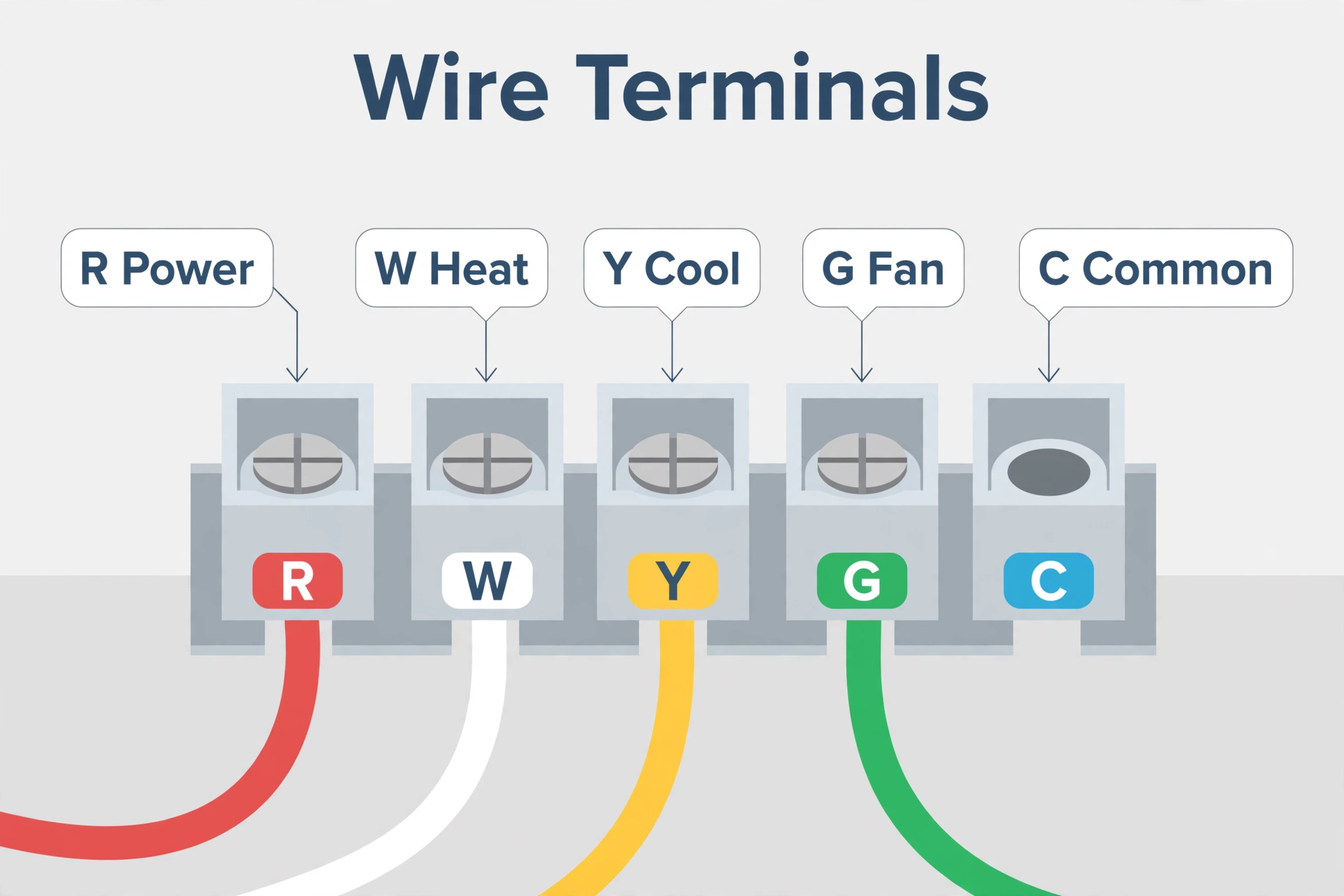
These steps follow the standard PEK-style install — a module wired at the furnace control board. Your kit’s exact wire colors may differ; the printed manual inside the box overrides anything here. The principle is the same for the Nest Power Connector and the Venstar Add-A-Wire.
- Kill the power. Switch off the furnace and AC breakers at your panel. Tape the breaker off or tell everyone in the house to leave it alone.
- Verify the power is dead. Open the furnace or air handler access panel. Touch your non-contact voltage tester to the thermostat wires at the control board — it should stay silent.
- Photograph and label everything. Photograph the control board showing every wire and its terminal letter (R, W, Y, G, C). Label each thermostat wire, and photograph the wall wiring too.
- Find the thermostat cable on the board. Identify which cable runs to your thermostat — the one landing on R, W, Y, and G (colors are usually red, white, yellow, green, but trust the terminals, not the colors). Confirm it matches your wall photo.
- Disconnect the thermostat wires from the board. Release the R, W, Y, and G thermostat wires from the board terminals. Keep labels on. Don’t disturb other wires — especially the ones to the outdoor AC unit.
- Wire the thermostat conductors into the adapter. Connect those four wires to the matching terminals on the adapter module (usually R, W, Y, G). Loose connections are the number-one cause of mysterious reboots later.
- Connect the adapter to the control board. Run the adapter’s output wires back to the board’s R, W, Y, G terminals and land its C wire on the board’s C terminal. This is the step that gives your thermostat its steady power feed.
- Secure the module and close up. Mount the adapter inside the cabinet with its magnetic mount, screws, or zip ties — clear of the blower and any moving parts. Replace the access panel fully; many furnaces won’t run with the panel switch open.
- Restore power and test. Turn the breakers back on. Run a full test: call for heat, let it fire, then switch to cooling and confirm the compressor starts, then run the fan manually. Each mode should respond cleanly with no flicker or reboot.
- Watch the thermostat for a day. Check the thermostat’s power reading in its settings (ecobee shows it under the equipment menu; Nest under Technical Info). If the numbers look healthy and the screen doesn’t reboot, you’re done.
On heat pumps, the O/B reversing-valve wire joins the same party — the idea doesn’t change, but heat pump boards have extra terminals and extra ways to get confused. If this is your first time inside an air handler, read our best smart thermostat for heat pump guide first, and don’t hesitate to call a tech.
When NOT to DIY: Call an HVAC Tech
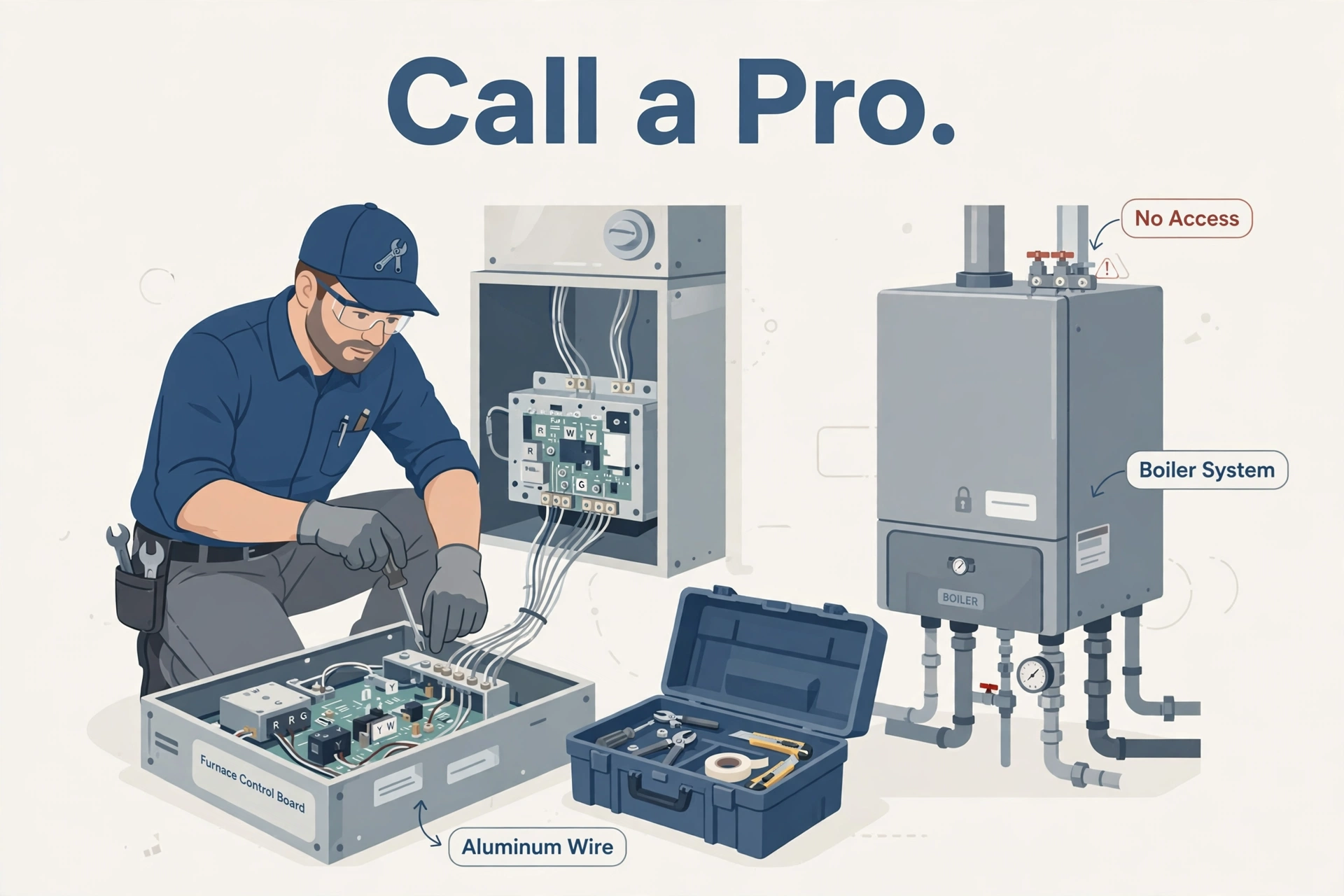
A C-wire adapter is a reasonable DIY job on a standard furnace with clear board access — it is not for every system. Stop and call a professional if:
- You can’t access the air handler or furnace. Attic units with no safe footing, units sealed behind drywall, or a landlord’s equipment — all tech territory.
- The thermostat wires are aluminum. Aluminum wiring needs special connectors and anti-oxidant paste. Mixing it with standard copper-rated wire nuts is a fire risk.
- You have a boiler or hydronic system with no C terminal. Many boilers don’t expose a common connection at all, and their control wiring differs from forced-air systems. Adapter manuals usually don’t cover them.
- Your system is high voltage, millivolt, dual transformer, fan coil, or communicating. The ecobee PEK explicitly excludes these, and they can damage adapters and thermostats alike.
- You only have two wires (heat-only) and bought an ecobee PEK. The PEK requires a Y wire. You’ll need a different solution — or a pro.
- Anything looks unfamiliar or doesn’t match the instructions. Trust that feeling. Wiring you don’t understand is wiring you shouldn’t touch.
After the Install: Quick Troubleshooting
Thermostat still reboots or shows low battery. Almost always a loose connection. Power down and tug-test every wire nut and terminal you touched. Check that the adapter’s C wire is actually on the C terminal — one row off is a classic mistake.
For example, heating works but cooling doesn’t (or vice versa). However, the Y or W wire is on the wrong terminal. For example, compare against your before-photos — this is exactly why you took them.
Fan runs constantly. In addition, the G wire pairing got swapped during the adapter hookup. Furthermore, power down and recheck the wiring against the manual’s diagram.
Everything worked, then stopped a week later. Moreover, check the adapter’s placement — if it’s resting against a hot surface or vibrating against the blower housing, relocate and secure it. In addition, if wiring looks fine, call a tech.
Once your thermostat holds steady power, you can pull its data into a dashboard — our Home Assistant on Raspberry Pi 5 guide walks through the setup.
C-Wire Adapter Install FAQs
Will a c-wire adapter install work with my furnace?
If you have a standard 24-volt gas furnace or air handler with R, W, Y, and G wires and a C terminal on the control board, yes. Check your adapter’s compatibility list and your furnace manual first — millivolt, high-voltage, dual-transformer, fan coil, and communicating systems are usually excluded.
Can I use an ecobee Power Extender Kit with a Nest thermostat?
No. Adapters are brand-specific: the PEK is designed exclusively for ecobee thermostats, and the Nest Power Connector for Nest thermostats. Cross-brand use can cause malfunction or damage. If the brands don’t match, look at the brand-neutral Venstar Add-A-Wire or call an HVAC tech.
How long does a c-wire adapter install take?
Plan 30 to 60 minutes your first time — finding the breaker, photographing wires, and double-checking the manual take longer than the actual wiring. If it stretches past two hours or you keep second-guessing the diagram, stop and schedule a tech.
My thermostat cable only has two wires. What now?
Two-wire (heat-only) systems don’t qualify for the ecobee PEK, which requires a Y wire. Options: ask an HVAC tech about adding a wire or a 24-volt transformer, or consider whether a simpler thermostat fits the system. Don’t force an adapter onto wiring it wasn’t designed for.
Is an adapter as good as a real C wire?
A dedicated C wire is always the gold standard — simpler, and nothing extra to fail. But a properly installed adapter delivers the same continuous 24 volts for a fraction of the cost. For most homeowners, the adapter is the practical answer; run new wire only when the walls are already open.
Do I need to rewire the thermostat end too?
Usually not much changes at the wall. With a PEK-style install, the wire that was G at the thermostat typically becomes the C wire, and you land it on the thermostat’s C terminal. Follow your adapter manual’s diagram — not your memory of the old wiring.
The Bottom Line
A c-wire adapter install is one of the cheapest fixes in smart-home DIY: about $25, under an hour, and your thermostat gets the steady power it was designed for. Check for a spare wire first, pick the adapter that matches your thermostat brand, kill the breaker and verify it’s dead, and photograph everything before you disconnect a thing. And if your system is a boiler, high voltage, or anything the manual doesn’t cover — hand it to an HVAC tech.
Furthermore, another wiring question in the same project? Our how to identify a neutral wire guide walks through safe wire identification step by step.
