

The fastest-feeling motion sensor for lighting is mmWave with local automations — and the best motion sensor for lighting speed right now is arguably the Aqara Presence Sensor FP1E, which Aqara rates at a 200-millisecond response. But mmWave needs USB power and a Zigbee hub, so it won’t fit every room. However, for battery-powered speed, the Aqara P2 on Matter over Thread is about as fast as PIR gets, while the Philips Hue motion sensor is the “it just works” pick inside the Hue ecosystem.
Why does any of this matter? Because lighting automation lives or dies on that first half-second. If you walk into a dark hallway and the light is already on, the system feels magical. If you’re three steps in before anything happens, it feels broken — even if the sensor technically did its job.
Why Speed Matters: PIR Wake-Up Lag vs mmWave Instant
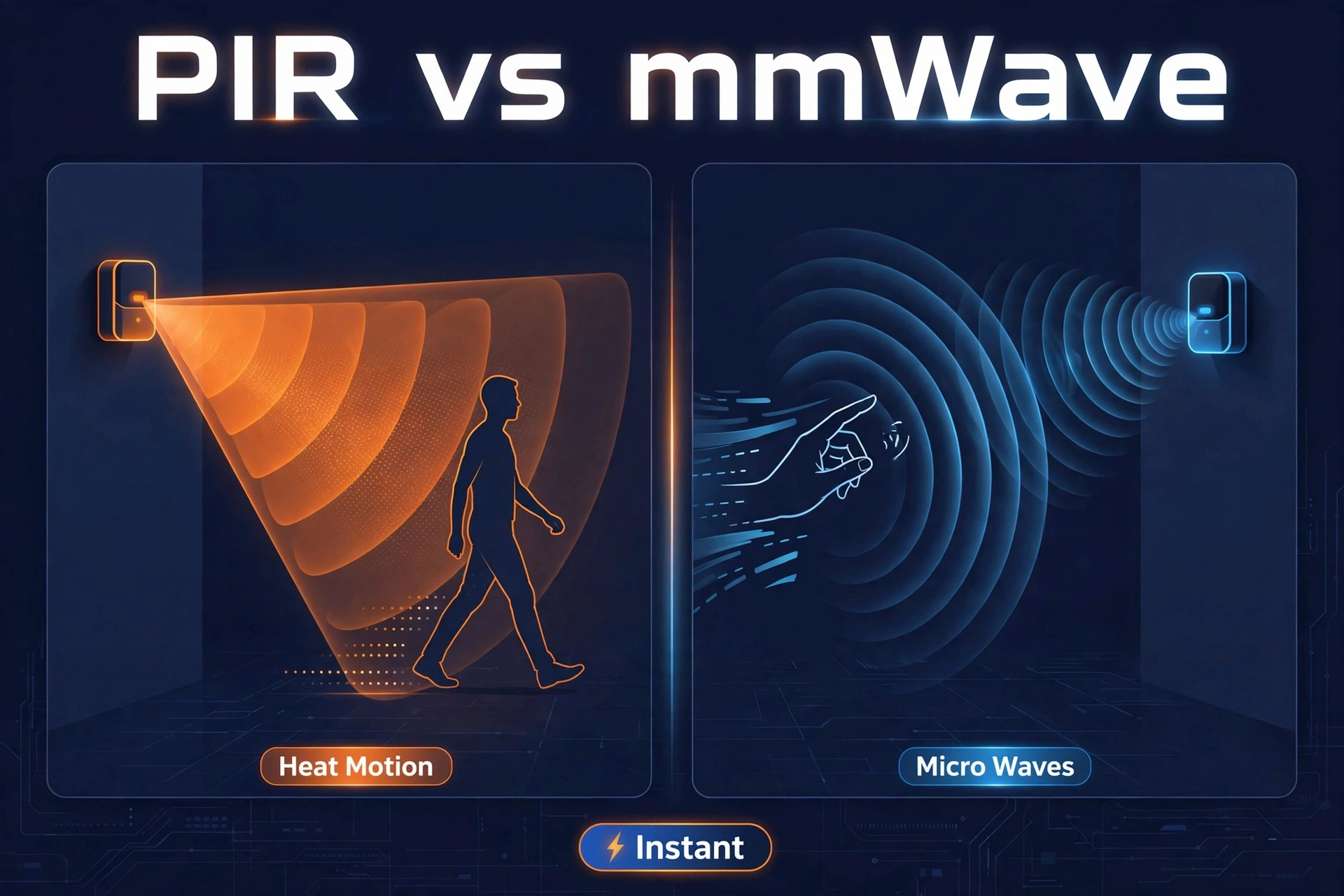
Most motion sensors use PIR — passive infrared. The element sits half-asleep until a warm body moves across its view, then it wakes, radios your hub, and your hub tells the light to turn on. Every step adds delay: sensor wake time, the radio hop, the automation engine, the bulb’s own boot time.
A good PIR sensor on a local mesh with local automations fires in roughly half a second. For example, the real problem is the cooldown: after firing, many PIR units go partially blind for a stretch to save battery. For example, walk out and back in during that window and nothing happens — you end up waving your arms at the ceiling. mmWave radar works differently. In addition, it bounces tiny radio waves around the room and notices the smallest changes — a hand lifting, breathing. No wake-up, no blind time. It just sees you, continuously. That’s why mmWave feels instant — and why it also solves the classic “light turns off while I’m still on the couch” problem.
In addition, in short: mmWave wins on entry speed and staying-on reliability; PIR wins on battery life, price, and placement freedom. Furthermore, most rooms do fine with a fast PIR. Moreover, rooms where you sit still — home offices, reading nooks, bathrooms — are where mmWave earns its keep. If you want the full breakdown, our guide to PIR vs mmWave sensors goes deeper.
What Makes a Motion Sensor Feel Fast
Raw detection speed is only one ingredient — a sensor that detects in 200 milliseconds but waits two seconds to report will feel slow. The four things that shape it:
- Report time. How quickly the sensor sends “motion detected” after seeing you. Good firmware keeps this near-instant.
- Radio latency. A sensor talking to a local hub beats one routing through the cloud. Zigbee, Z-Wave, and Thread all run local-first — which is why they dominate this list.
- Cooldown and timeout. A long blind time after each trigger makes the sensor feel unresponsive even when its first detection was quick. Adjustable retrigger times are gold.
- Built-in light sensing. A sensor that also reads lux lets you build “only when dark” rules.
The Fastest Motion Sensors Compared
Seven sensors, side by side. Prices checked October 2, 2026 — always confirm before buying.
| Feature | Philips Hue Indoor | Aqara P2 | Zooz ZSE18 | IKEA Vallhorn | Third Reality | Aqara FP1E | Zooz ZSE11 |
|---|---|---|---|---|---|---|---|
| Protocol | Zigbee (Hue Bridge) | Matter over Thread | Z-Wave 800 LR | Zigbee | Zigbee 3.0 | Zigbee + Matter over bridge | Z-Wave 800 LR |
| Detection tech | PIR + daylight sensor | PIR + independent light sensor | PIR | PIR + illuminance | Pet-friendly PIR | mmWave radar | PIR + temp, humidity, lux |
| Response feel | Snappy in the Hue app | Near-instant on Thread | Fast; 8 sensitivity levels | Quick; hardware timer | Fast, broad compatibility | 200 ms, continuous presence | Fast; multi-sensor in one |
| Timeout / cooldown | Per-room auto-off timer; dims before off | Customizable timeout + sensitivity in Aqara Home | Adjustable retrigger time | Hardware button: 1 or 5 min auto-off; day/night mode | Hub-side timers | No PIR-style blind time | Customizable via hub settings |
| Power | 2× AAA, ~2 years | 2× CR2450, ~2 years | 1× CR123A (~1 yr) or USB (repeater) | 2× AAA | 2× AAA (~2 yr); R1: 3× AA up to 3 yr | USB powered | 2× CR123A or USB (repeater) |
| Price | ~$49 | ~$34 | ~$28 (on sale) | ~$12 | ~$20–$30 | ~$50 | ~$38 (on sale) |
Our Top Picks
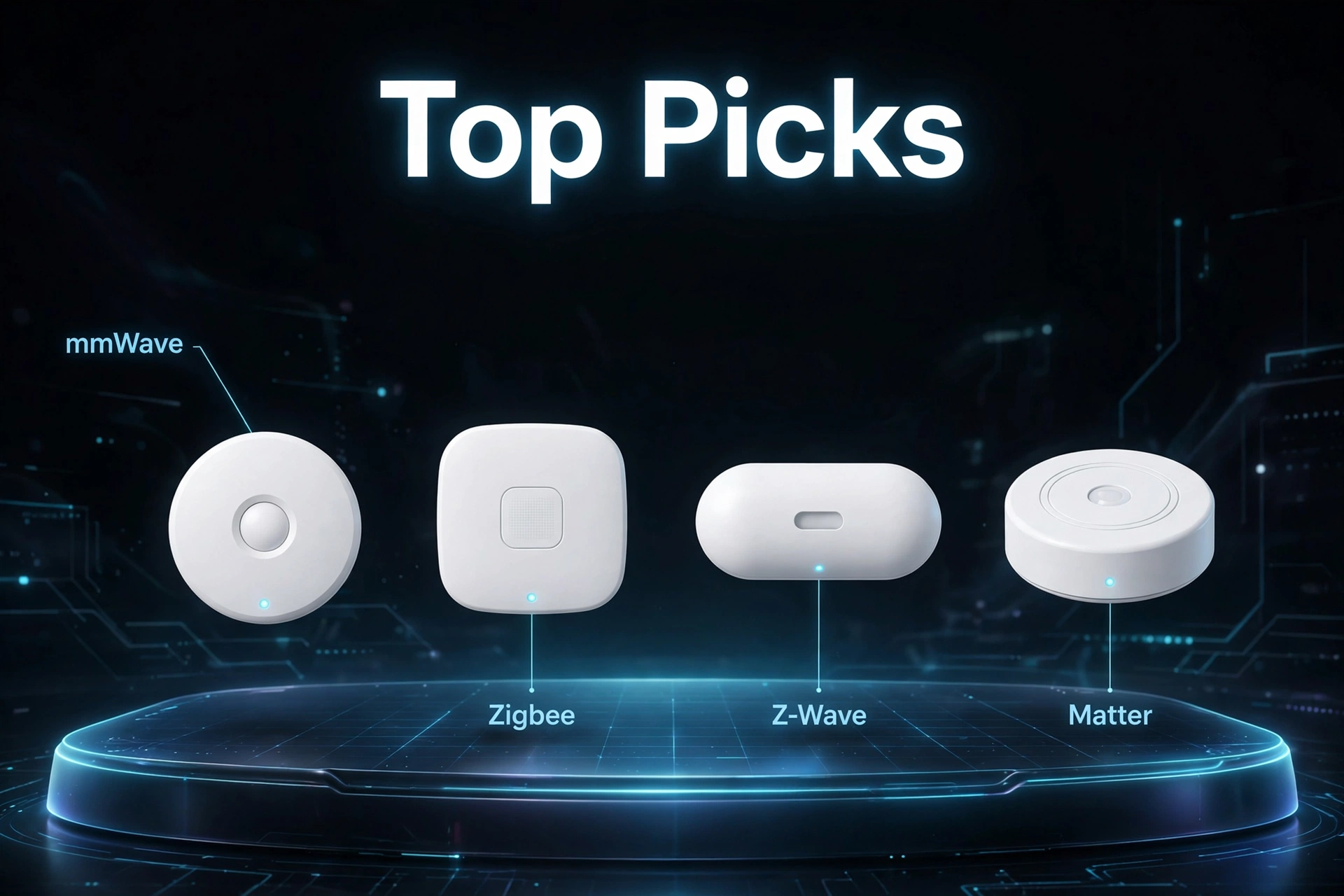
1. Aqara Presence Sensor FP1E — the fastest of them all
For the fastest response, stop here. The FP1E’s mmWave radar responds in about 200 milliseconds per Aqara and detects presence rather than motion, so the light never turns off while you’re sitting still. Coverage is 120 degrees up to 6 meters — around 50 square meters ceiling-mounted.
Trade-offs: USB power limits placement to spots near an outlet, and it needs an Aqara Zigbee 3.0 hub (Matter arrives over the hub’s bridge). At $49.99 it’s the priciest pick — but for a home office, nothing else here touches it. More options in our best mmWave presence sensors roundup.
- mmWave radar with ~200 ms response and continuous presence detection
- AI spatial learning filters out pets and interference
- Matter-over-bridge support via an Aqara hub
2. Aqara Motion and Light Sensor P2 — the best fast PIR
The P2 is our pick for the fastest battery-powered sensor: Matter over Thread, with low-latency local communication to Apple Home, Google Home, Alexa, or SmartThings — no Aqara hub needed, just a Thread border router.
It pairs a 170-degree angle and 7-meter range with an independent light sensor, so automations fire only below your lux threshold. With Aqara’s Hub M3 you also get customizable detection timeout and sensitivity — the two settings that matter for lighting speed. Two CR2450 cells last up to two years. Around $34; check the official Aqara P2 product page for current pricing.
- Native Matter over Thread — no vendor hub required
- 170° field of view, 7 m range, independent lux sensor
- Customizable timeout and sensitivity (with Hub M3)
3. Philips Hue Indoor Motion Sensor — best for Hue households
If your lights are already Hue, this is the one. It talks straight to the Hue Bridge over Zigbee, and the Hue app is built for this: scenes by time of day, a daylight sensor so lights only fire when dark, and a per-room auto-off timer.
Before lights switch off, they dim briefly — your cue to move if you’re still there. Detection runs about 16 feet at 100 degrees, two AAA batteries last up to two years, setup takes minutes. At around $49 it costs more than generic Zigbee sensors, but the Hue integration is smoother than any third-party alternative.
- Built-in daylight sensor with app-controlled sensitivity
- Dim-before-off warning and per-room timers
- 2-year battery life from 2× AAA
4. Zooz ZSE18 800LR — best for Z-Wave lighting
Z-Wave users get snappy lighting triggers: the 800-series chip plus Long Range stretches coverage up to 1,300 feet with a capable hub, and motion reports are about as immediate as wireless gets.
The win for lighting is configurability: eight sensitivity levels and an adjustable retrigger time for a busy hallway versus a quiet bathroom. The included CR123A runs about a year, or power it over micro-USB and it doubles as a Z-Wave repeater. Indoor-only, hub-required, $27.95 on sale — see the Zooz ZSE18 product page.
- 800-series Z-Wave with Long Range support
- 8 sensitivity levels and adjustable retrigger time
- Battery or USB power; acts as a repeater on USB
5. IKEA Vallhorn — the budget speed pick
Sometimes the fastest sensor is the one you can afford to put everywhere. At roughly $12: Zigbee, IP44 indoor/outdoor rating, illuminance reporting, and physical buttons for auto-off (1 or 5 minutes) and day/night mode.
It won’t out-sense units four times its price, and pairing with third-party Zigbee hubs can take some fiddling. But once paired it’s quick, reports lux so automations respect daylight, and at this price you can cover every hallway and closet.
- Zigbee with IP44 weather resistance for indoor/outdoor use
- Hardware timer and day/night buttons — no app needed
- Illuminance sensor for daylight-aware automations
6. Third Reality Motion Sensor — the compatibility all-rounder
The “pairs with everything” pick: Home Assistant, SmartThings, Hubitat, Homey, and Echo devices with a built-in Zigbee hub. The pet-friendly PIR means cats and small dogs rarely trigger your 2 a.m. hallway light show.
Two AAA batteries give up to two years of life, firmware updates arrive over the air, detection covers around 20 feet. The newer R1 adds adjustable range up to 9.5 meters and a claimed three years on three AA batteries. Roughly $20–$30 by version.
- Zigbee 3.0 with broad hub and Echo compatibility
- Pet-friendly PIR reduces false triggers
- OTA firmware updates; R1 adds adjustable range
7. Zooz ZSE11 800LR — the 4-in-1 for smart lighting logic
Sometimes “fast” means the automation is smarter. The ZSE11 packs motion, temperature, humidity, and a 0–65,535 lux sensor into one compact Z-Wave device. That lux reading is the star: automations that only fire when the room is genuinely dark feel instantly right instead of annoyingly wrong.
It runs the 800-series Z-Wave chip with Long Range, S2 security, and SmartStart pairing on two CR123A batteries or USB (doubling as a repeater). Motion reaches about 20 feet; $37.95 on sale, down from $46.95. See also our best presence sensors for Home Assistant guide.
- Motion, temperature, humidity, and lux in one device
- 800-series Z-Wave with Long Range and S2 security
- Battery or USB power; repeater mode on USB
Protocols Compared: Zigbee, Z-Wave, Thread, and Matter
Every sensor here runs locally — no cloud round-trips. The protocols still differ:
Zigbee is the veteran. Also, huge device selection, cheap sensors, and rock-solid local meshes through Home Assistant, SmartThings, Hubitat, or an Echo.
Z-Wave is Zigbee’s disciplined sibling. First, strict certification means devices interoperate reliably, and 800-series Long Range gives remarkable reach. Second, the catch: hubs are less common and sensors cost more.
Thread is the new mesh — IP-based, low-latency, and already hiding in devices you own (Apple TV 4K, HomePod mini, many Echo and Nest products all have Thread border routers).
Matter isn’t a radio; it’s the language devices speak over Thread or Wi-Fi. Finally, a Matter-certified sensor pairs with Apple Home, Google Home, Alexa, and SmartThings without brand lock-in.
For pure lighting speed, all four work. Pick what your hub already speaks; favor Thread/Matter if you’re starting fresh.
Placement Tips That Make Any Sensor Faster
A great sensor in a bad spot will always feel slow. Most “laggy automation” complaints are placement problems, not sensor problems.
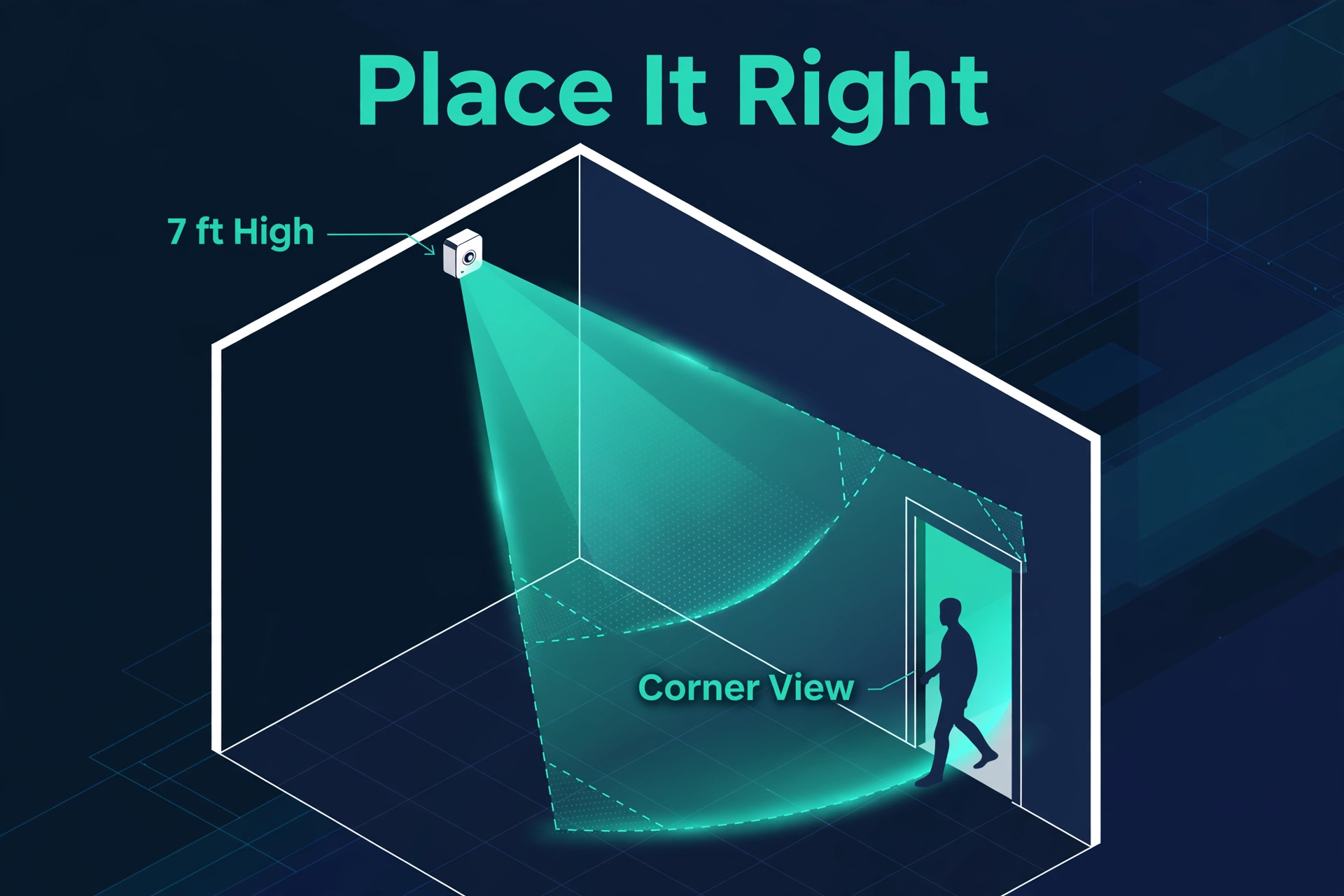
- Mount in the corner, facing the doorway. PIR catches movement across its field of view better than movement straight toward it. Corner-mount at 2–2.2 m to catch people walking in.
- Don’t aim at windows or heat sources. Sunlight, radiators, and HVAC vents cause false positives on PIR sensors and make you distrust the automation.
- Overlap coverage in long spaces. One sensor per hallway end beats one in the middle. Hand-offs feel seamless if both trigger the same light group.
- Keep mmWave sensors near power. The FP1E needs USB, so plan outlet locations first. Ceiling mounting gives the widest coverage.
Setting Timeout and Cooldown the Right Way
The timeout — how long after last-detected motion before the light turns off — is where lighting automations are won or lost. Here’s a sane starting setup:
- Set the sensor’s retrigger as short as practical. Lower the retrigger time on the ZSE18, shorten the P2’s detection timeout, or pick the Vallhorn’s 1-minute timer for high-traffic spots.
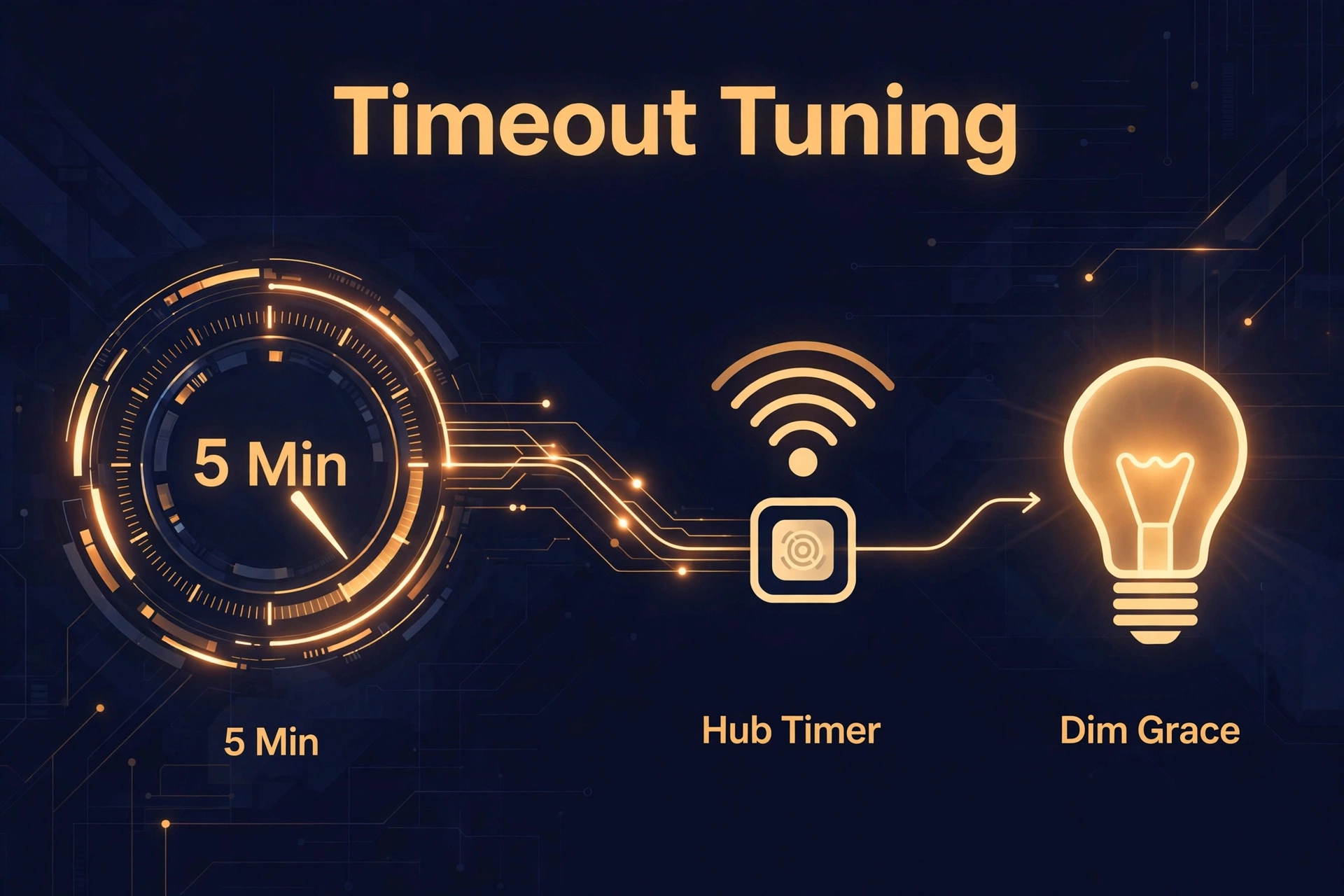
- Put the off-timer in the automation, not the sensor. Hub-side timers are easier to tune. Start with 5 minutes for hallways, 10–15 where people sit.
- Add a lux condition. If your sensor reports light levels — the P2, ZSE11, and Vallhorn all do — require the room to be below your threshold before firing.
- Use the dim-before-off trick. The Hue app does this natively; in Home Assistant, drop lights to 20% for 30 seconds first. That grace window lets a small movement keep them alive.
- Tune sensitivity last. Start at medium. Raise it only if the sensor misses entries; lower it if pets or passing cars cause false triggers.
Rule of thumb: busier room, shorter timeout — 1–3 minutes for hallways, 10–20 for bathrooms and offices. If someone sits still in that office all day, add mmWave — our Aqara FP2 vs Apollo MSR-2 comparison shows what’s possible when a sensor never loses sight of you.
Best Motion Sensor for Lighting FAQs
What is the fastest motion sensor for lighting automation?
mmWave presence sensors are the fastest-feeling — no wake-up lag, no cooldown blind time. The Aqara FP1E responds in about 200 milliseconds per Aqara. For battery-powered PIR, the Aqara P2 on Thread and the Zooz ZSE18 on Z-Wave are among the quickest.
Is mmWave or PIR better for turning lights on and off?
mmWave is better at keeping lights on while you’re still in the room. PIR is usually fine for turning lights on when you enter — a good one fires in well under a second. Use PIR at doorways and hallways; reserve mmWave for rooms where they sit still.
Why does my motion sensor have a delay before the light turns on?
The delay usually comes from the chain after detection: the sensor’s radio message, the hub’s automation engine, and the bulb. Cloud-based automations are the biggest culprit — running the automation locally on your hub often cuts the delay dramatically. Also check the sensor isn’t in a cooldown from a previous trigger.
How long should the timeout be on a motion sensor light?
Start with 5 minutes for hallways and stairs, 10–15 for rooms where people linger, up to 20 for bathrooms. Add a lux condition so lights only fire when it’s dark, and use a dim-before-off grace period.
Do I need a hub for these motion sensors?
Yes, in practice. The Hue sensor needs a Hue Bridge; Zigbee sensors need a Zigbee coordinator (a hub, Home Assistant with a Zigbee stick, or an Echo with Zigbee built in); Z-Wave sensors need a Z-Wave hub; and the Thread-based Aqara P2 needs any Thread border router. None of them work with a phone alone.
Can a motion sensor work with the lights I already have?
Almost always, as long as the lights are also smart and on the same platform. A Zigbee sensor can trigger Zigbee or Wi-Fi lights through Home Assistant or SmartThings. The key is a shared hub or platform where the automation lives.
Final Verdict
There is no single best motion sensor for lighting — there’s the fastest for each situation. Absolute quickest response and lights that never turn off on a still room? Aqara FP1E near an outlet. Fast, battery-powered, and future-proof? The Aqara P2 on Matter over Thread. Deep in Hue? The Hue motion sensor. On Z-Wave? The ZSE18 for speed, the ZSE11 for extra sensors.
On a budget, buy three IKEA Vallhorns instead of one premium sensor. Also, coverage beats specs — a fast sensor watching the wrong corner loses to a cheap one aimed at the door.
