


Best mmWave Presence Sensor for a Smarter, Hands-Free Home
The best mmWave presence sensor for most homes is the Aqara FP2 if you want one sensor that maps a whole room and tracks several people. The best value pick is the Everything Presence Lite, which tracks up to three people with real positions for £28. And if you want the deepest radar tuning per dollar plus extra environmental readings, the ESPHome-based Apollo MSR-2 is hard to beat. This guide compares them all, plus a DIY route, so you can match the right radar to the right room.
These five sensors share one promise: your lights follow you, not your movements. Sit still on the sofa and a normal motion sensor decides the room is empty; an mmWave sensor knows you are still there breathing. Below: short reviews with verified prices, then zones, false triggers, and the ways mmWave still gets it wrong.
Why Presence Beats Motion
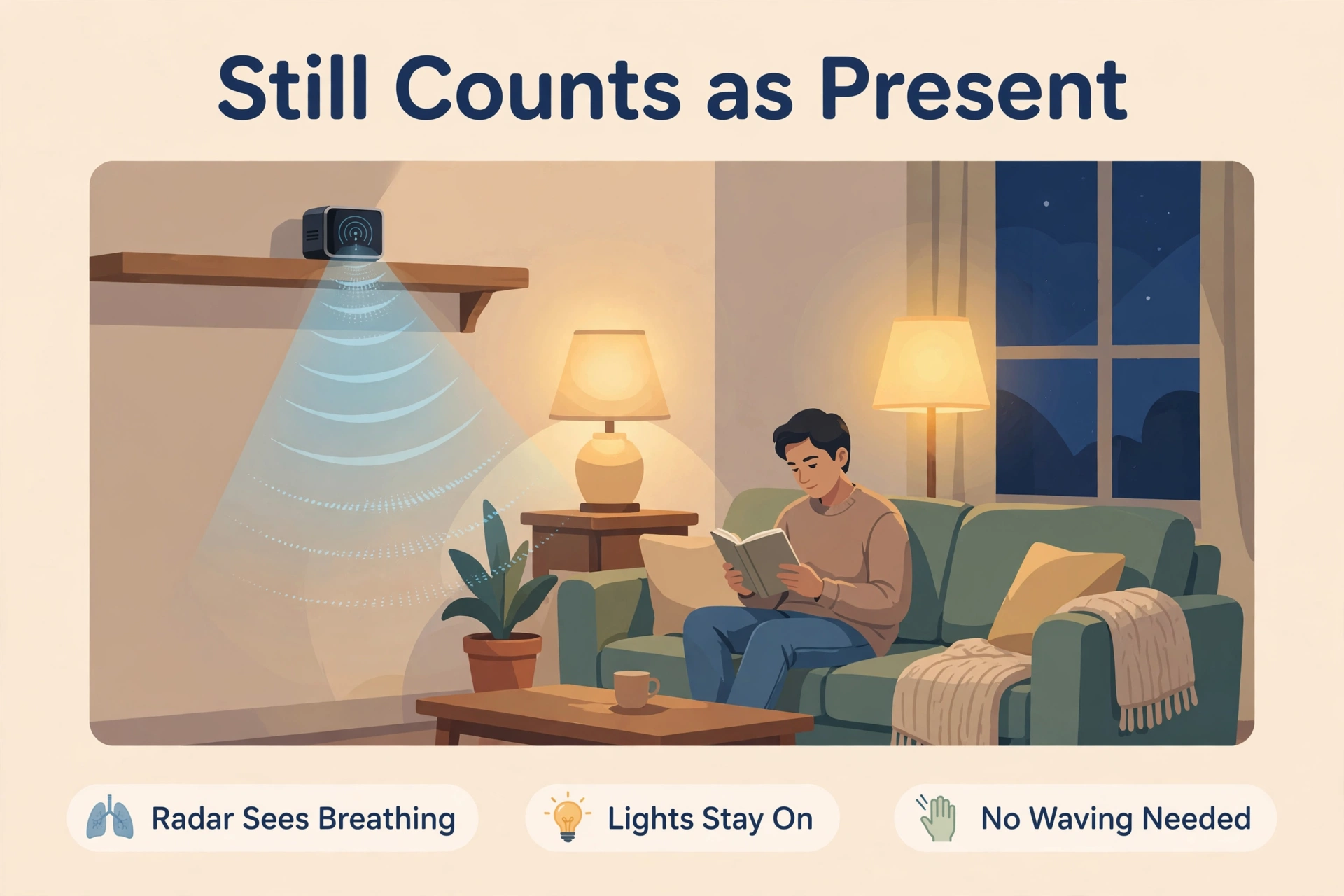
A classic PIR motion sensor sees changes in heat. Walk through its view and it fires; sit down to read and, a few minutes later, the room goes dark around you. mmWave radar works differently: it sends out radio waves and reads tiny reflections from your body, including your breathing. That one difference gives you three upgrades.
- Stillness detection: the sensor keeps reporting “occupied” while you read, type, watch TV or sleep — no waving at the ceiling to keep the lights on.
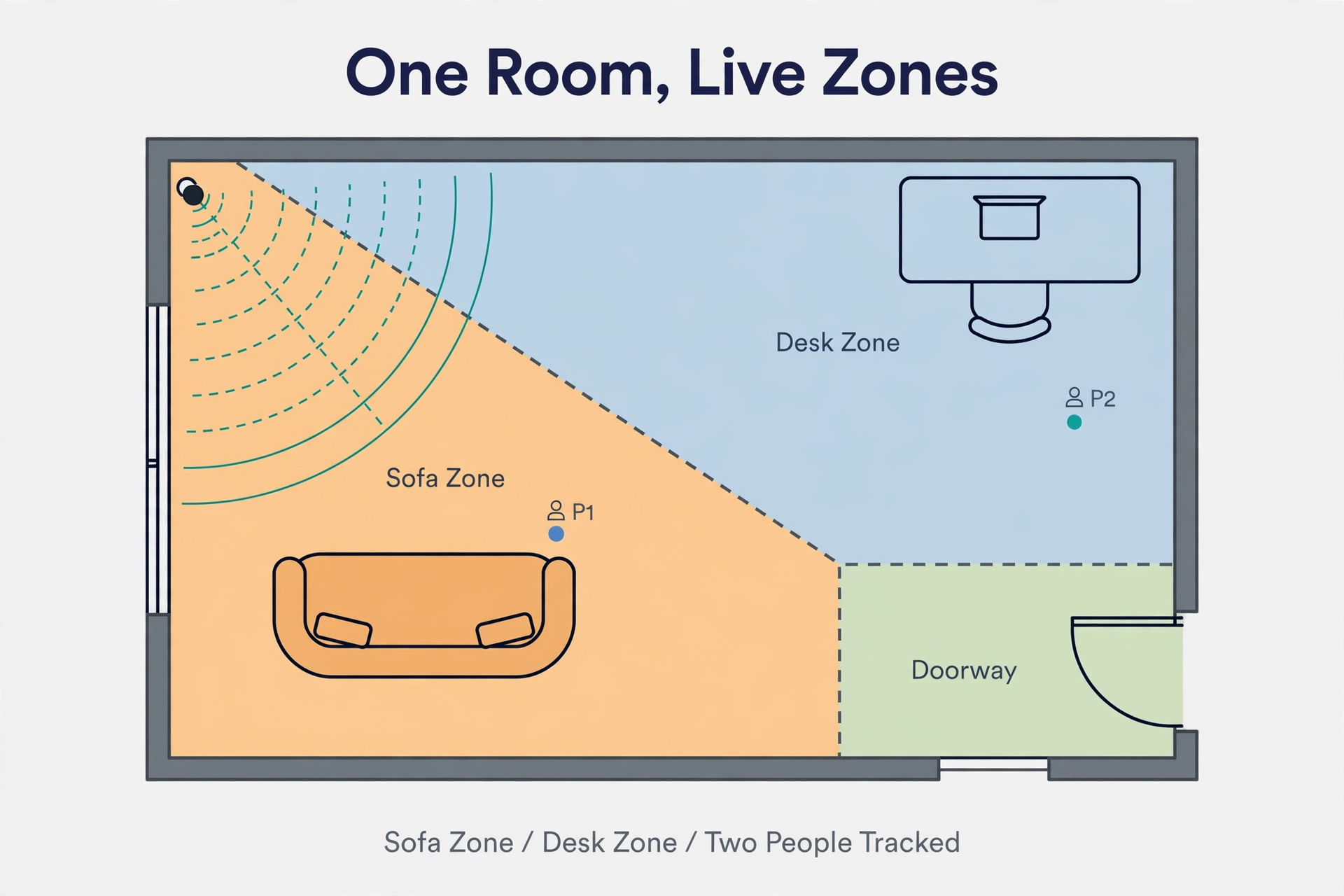
- Zones and positions: better radars know where in the room you are, so the desk light and the sofa light can behave differently.
- Multi-person tracking: some models follow several people at once, which keeps family-room automations calm instead of flickering.
If the radar-versus-heat idea is new to you, our explainer on mmWave vs PIR sensor technology walks through how each one sees a room. Every sensor below differs in how much mapping, tuning and extra sensing it wraps around that radar.
How We Picked These Sensors
We narrowed the field to sensors you can actually buy today, with prices checked on the makers’ own stores on 2026-10-01, and judged each on the same points:
- Still-person detection — does it hold a room occupied while you barely move?
- Mapping ability — real room zones, X/Y position tracking, or simple distance bands?
- Home Assistant fit — native ESPHome local control, or a bridge through another platform?
- Extra sensors — light, temperature, humidity or CO2 readings that make non-lighting automations possible
- Price and availability — what the maker’s own store charges right now, before shipping
Two of the five — the Aqara FP2 and Apollo MSR-2 — already have a full Aqara FP2 vs Apollo MSR-2 comparison on this site, so they get shorter treatment here. The other three fill the £28–£47 range and add a $25.55 DIY route, covering every budget.
The Five Sensors at a Glance
Here is the whole shortlist on one screen. Prices are the makers’ own store listings checked on 2026-10-01; shipping and street prices vary, so recheck before you buy.
| Feature | Aqara FP2 | Everything Presence Lite | Everything Presence One | Apollo MSR-2 | Screek Human Sensor 1MS (DIY route) |
|---|---|---|---|---|---|
| Radar | 60–64 GHz mmWave | 24 GHz Hi-Link LD2450 | 24 GHz DFRobot SEN0609 plus Panasonic PIR | 24 GHz Hi-Link LD2410B | 24 GHz Hi-Link LD2410C |
| People tracked | Up to 5 (best results with 3 or fewer) | Up to 3 at once, with X/Y positions | 1 presence point (no positions) | 1 target | 1 target |
| Zones | Up to 30 zones on a room map | Up to 4 dynamic zones drawn in Home Assistant | No zones; distance and sensitivity settings | Distance gates g0–g8, tuned per gate | Distance gates g0–g8, tuned per gate |
| Coverage | Rooms up to 40 m² (430 sq ft) | About 5–6 m range | Radar module rated up to 25 m; PIR to 12 m | About 6 m in front of the sensor | Nine gates in 0.75 m steps (about 6 m) |
| Extra sensors | Light | Light | PIR, temperature, humidity, light | Light + UV, temperature, pressure; optional CO2 | Presence only |
| Home Assistant | Via HomeKit Controller integration | Native ESPHome, local | Native ESPHome, local | Native ESPHome, local | Native ESPHome, local |
| Power | USB-C 5V, wired | USB-C 5V, wired | USB-C 5V, wired | USB-C 5V, wired | USB-C 5V, wired |
| Price (maker’s store) | $82.99 (Aqara US) | £28.00 (Everything Smart) | £47.00 (Everything Smart) | $37.99 (Apollo); $57.99 with CO2 | $25.55 (Screek eBay store) |
| Best for | Zone maps and multi-person rooms | Tracking value in Home Assistant | Big rooms and extra climate data | Deep tuning and sensor data per dollar | Tinkerers on the tightest budget |
One pattern to notice: every sensor here is USB-powered. Radar that listens for breathing cannot sip battery like a PIR can, so budget an outlet near each mounting spot.
The Best mmWave Presence Sensors, Reviewed
Aqara FP2 — Best for Zones and Multi-Person Rooms
The FP2 is the polished flagship of this list. Its 60 GHz radar watches rooms up to 40 m² and lets you draw up to 30 zones on a floor plan in the Aqara app — sofa, desk, bed — each zone acting like its own sensor. It follows up to five people at once (Aqara itself notes the best results with three or fewer), adds a light sensor, and offers a ceiling-mount fall-detection alert mode, though Aqara is clear it is not a medical device. An IPX5 rating makes it the only bathroom-friendly pick here.
In Home Assistant it arrives through the HomeKit Controller integration rather than native firmware — solid, but a dependency the ESPHome picks below do not have. At $82.99 on Aqara’s US store it is also the priciest sensor here — you are paying for the room map and multi-person headroom. If your open-plan living space is the problem room, this is the fix.
Everything Presence Lite — Best Value with Real Tracking
The Lite is the sensor that makes the FP2 nervous. For £28 from Everything Smart’s own store, its LD2450 radar tracks up to three people at once and reports live X/Y positions inside Home Assistant, where you can draw up to four dynamic zones — desk corner, sofa, doorway — and trigger automations per zone. Range is a modest 5–6 metres, which still covers most bedrooms, offices and living rooms from one corner.
It runs ESPHome on an ESP32, so presence, the onboard light sensor and a Bluetooth proxy all land in Home Assistant locally with no cloud account. The injection-moulded case and a right-angle USB-C cable are in the box. The honest trade-offs: it needs a corner with USB power, and expect ten minutes placing zones in the visualiser before it feels magical. For the money, nothing else here tracks like it.
Everything Presence One — Best for Big Rooms and Extra Senses
The Everything Presence One takes a different route: instead of tracking positions, it pairs a long-range 24 GHz radar (the DFRobot SEN0609, rated by the vendor for up to 25 metres of detection) with a classic Panasonic PIR that sees up to 12 metres. The PIR catches you the instant you enter; the radar then holds the room while you sit still — a belt-and-braces design that shines in large or L-shaped rooms where a single technology struggles.
Around the radar it packs temperature, humidity and light sensors, an ESP32 running ESPHome, and a Bluetooth proxy, all for £47 from the maker’s store. One honest caveat from the vendor itself: the temperature sensor sits in a warm case and can read about 2 °C high, and their firmware applies an offset you can adjust. Choose it for coverage and climate data, not for mapping: no zones, no multi-person tracking.
Apollo MSR-2 — Best Tuning and Sensor Data per Dollar
The MSR-2 is the Home Assistant native’s favourite: a 40 mm ESPHome multisensor built around the LD2410B radar, with lux and UV light sensing, temperature and pressure readings, an RGB LED, a small buzzer, and Bluetooth device tracking in one tiny box. Apollo’s store lists it at $37.99, or $57.99 with the optional SCD-40 CO2 variant.
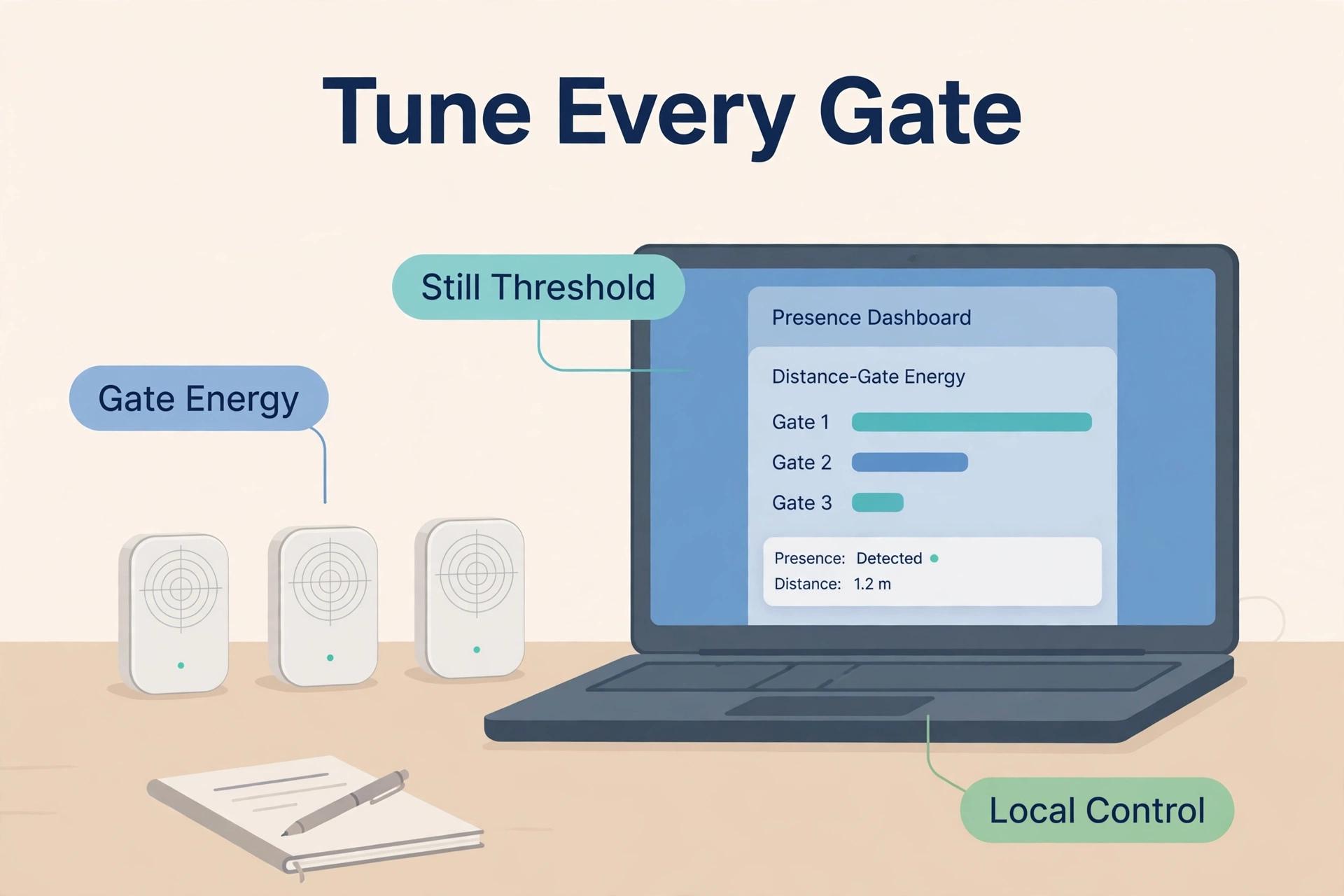
It tracks one person (no positions) and maps rooms by distance: nine gates, g0 to g8, each with separate move and still thresholds, plus near/mid/far bands you can shape in Home Assistant. That gate-level control is why owners hide MSR-2s under beds and behind sofas — tuned once, it holds a still sleeper without lighting up for the hallway. Buy it for data and control, not a floor plan.
Screek Human Sensor 1MS — the DIY Route
If you like ESPHome and own a soldering iron you rarely use, the Screek Human Sensor 1MS is the cheap seat: an LD2410C radar on an ESP32-C3, pre-flashed with ESPHome, listed at $25.55 in Screek’s official eBay store. You get still and moving detection across the same nine distance gates as the MSR-2, with per-gate energy readings you can tune endlessly — and nothing else: no light sensor, no case luxuries, no environmental extras.
Feeling braver? However, the bare HLK-LD2410C module plus any ESP32 board becomes the same sensor for less, at the cost of wiring UART pins and writing YAML. ESPHome’s official LD2410 documentation covers the gate thresholds, timeout and engineering mode in full. For example, screek’s firmware runs locally and collects no data — the right default for a sensor that watches your sofa. Pick this route when the tinkering is the hobby.
Honest Limits: What mmWave Still Gets Wrong
mmWave is a big upgrade on PIR, but it is not magic, and vendor pages rarely dwell on failure modes. Plan around these and you will love it; ignore them and you will blame the sensor.
- Fans and curtains still fool it. Radar sees movement, not people. A ceiling fan, swaying curtains or a robot vacuum can read as presence. Aqara markets AI filtering on the FP2 for robots and pets, but placement and sensitivity tuning still do the most work.
- Pets are a “usually”. A sleeping cat is normally below the still-energy threshold; a large dog pacing the room is a person-shaped radar return. Gate distances and thresholds tame this, not eliminate it.
- Placement decides everything. Radar struggles behind glass, inside cabinets and aimed at metal. High corners with a clear view beat clever automations.
- It can see too much. Some radars pick up movement through thin internal doors or a hallway beyond the room. Shorten the max gate distance instead of fighting it.
- Every pick here needs USB power. There is no battery mmWave worth buying yet, so “wireless” means Wi-Fi, not wire-free.
None of this is a deal-breaker — it is a setup discipline.
Setting Up Zones Without the False Triggers
This order of operations gives you calm automations instead of a light show. Our step-by-step mmWave detection zones setup guide goes deeper, including interference marking and gate tuning.
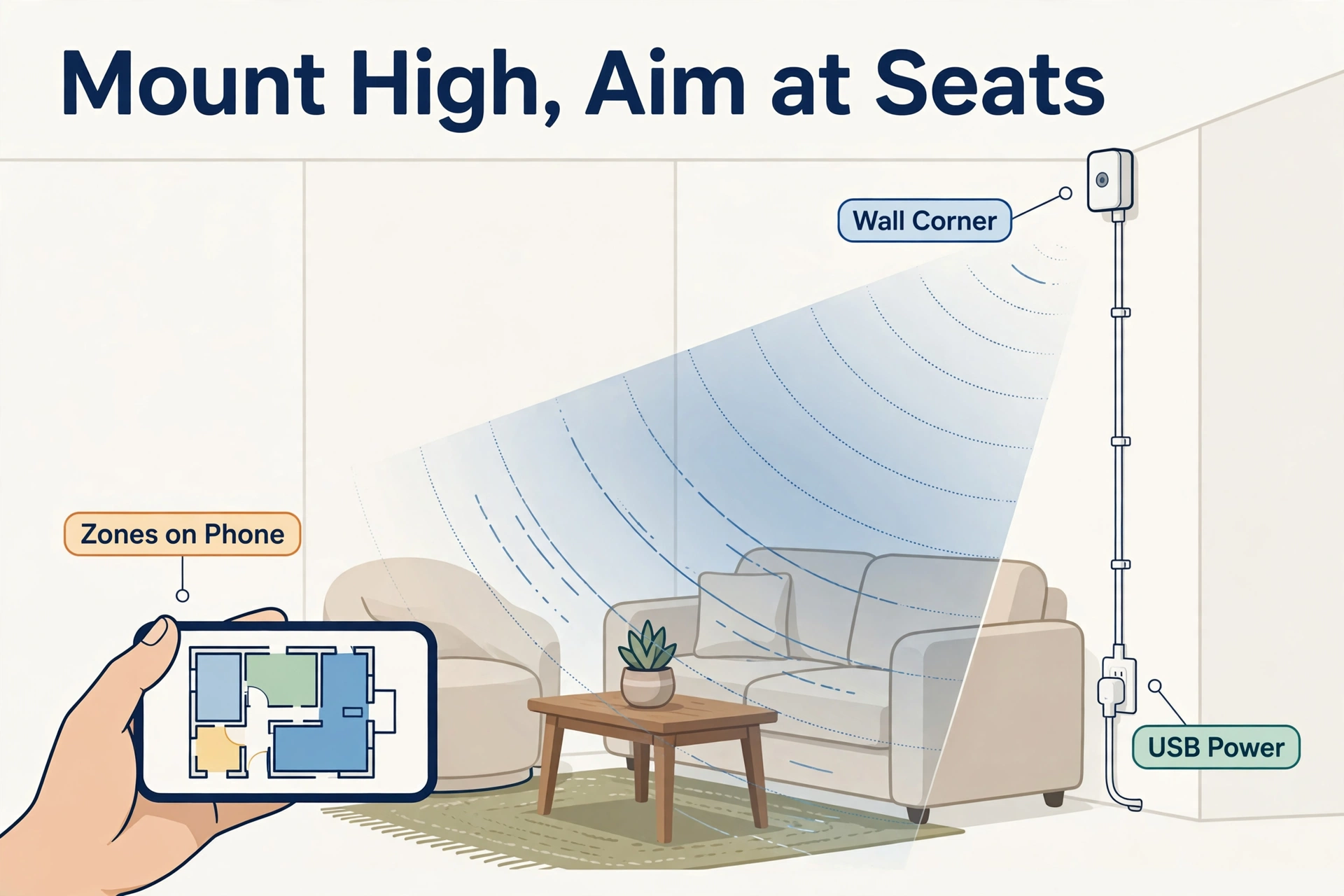
- Mount high in a corner, roughly 1.5–2.5 m up, angled down at the seating — not at the door, the fan or a window with curtains.
- Walk the room slowly and watch the live position or gate energies in Home Assistant. Note where you actually sit; that is your zone.
- Draw zones around furniture, not floor space: sofa, desk, bed. Leave gaps at doors and walkways so passers-by do not count as “present”.
- Set the ignore areas: fans, radiators, curtain lines and the robot vacuum’s dock get excluded or sensitivity-tuned before anything else.
- Live with it for two days before adding automations. Adjust still thresholds and the empty-timeout (30–120 seconds works well) until a quiet evening produces zero false “occupied” flips.
Do that and the sensor disappears into the house: rooms light as you enter, stay lit while you exist in them, and let go a minute after you leave.
Which One Should You Buy?
Match the room, not the spec sheet:
- Open-plan living room, several people, one sensor: Aqara FP2 — the 30-zone map is built for exactly this.
- Home Assistant household that wants tracking on a budget: Everything Presence Lite — X/Y positions and zones for £28 is the value story of this list.
- Large or awkward room, plus climate data for other automations: Everything Presence One — PIR-plus-radar coverage and temp/humidity/light in one box.
- Bedrooms, beds and sofas where still detection is everything: Apollo MSR-2 — gate tuning per distance band, ESPHome native, optional CO2.
- Tinkerers and multi-room rollouts on a budget: Screek 1MS — or a bare LD2410C build — and accept the YAML time as part of the fun.
Presence is also only half of a hands-free room. Once a sensor knows you are there, local voice control is the natural partner — our guide to a custom wake word in Home Assistant shows how a room can listen for your phrase without sending your voice to the cloud. Presence decides whether to listen; the wake word decides what happens next.
Frequently Asked Questions
Can mmWave sensors see through walls?
Partly. Radar at these frequencies passes through drywall, wood and thin doors to a degree, so a sensor can detect someone in the next room or hallway. The fix is deliberate placement plus a maximum detection distance: set your gates or zones to end at the room you care about.
Will an mmWave presence sensor detect my pets?
Small pets, usually no; big dogs, sometimes. A cat asleep on the rug produces a tiny, steady radar return that most still-energy thresholds ignore, while a Labrador wandering the room looks a lot like a person. Lower sensitivity, shorter gates and mounting height solve most cases — and zone-based models let you ignore the floor-level band where pets live.
Do these sensors work without internet or cloud accounts?
The ESPHome models (Lite, One, MSR-2, 1MS) run entirely on your local network and report straight into Home Assistant — no account, no cloud, and automations survive an internet outage. The FP2 needs the Aqara app for setup and zone drawing, then reaches Home Assistant via HomeKit Controller; Aqara notes compatible local automations continue without internet once configured.
Is mmWave radar safe, and does it record anything?
These sensors use very low-power radio waves — the Aqara FP2’s spec sheet caps radar output power at 20 dBm — and they contain no camera and no microphone. They report presence, position and distances, not images or audio — why presence sensing beats a camera in bedrooms and bathrooms. Nothing here records or uploads footage, especially on the ESPHome picks.
Which is better for a bathroom: mmWave or PIR?
mmWave, and it is not close. A PIR loses you the moment you sit still in the bath or behind a shower screen. A presence sensor keeps the room marked occupied while you soak. For a humid bathroom, pick a rated model (the FP2 is IPX5) and power it safely outside the splash zone.
Furthermore, the best mmWave presence sensor is the one matched to your room’s shape and your platform. In addition, start with one room, tune it until it disappears, and you will understand why PIR feels broken afterwards.
