


The best presence sensor for Home Assistant is the Aqara FP2 (around $70–$83) if you want room zones and multi-person tracking with almost no tinkering, or the Apollo MSR-2 ($37.99) if you run ESPHome and want full control over every setting. Both know you are still in the room when you sit down to read — something a regular motion sensor simply cannot do.
That is the whole point of a presence sensor. A PIR motion sensor turns your lights off while you are on the couch, then makes you wave your arms like you are landing a plane. A presence sensor sees the tiny rise and fall of your breathing and leaves the lights alone. This guide rounds up the five sensors worth buying in 2026, how each one connects to Home Assistant, and how to mount and tune them so they behave.
Presence vs Motion: Why mmWave Wins Indoors
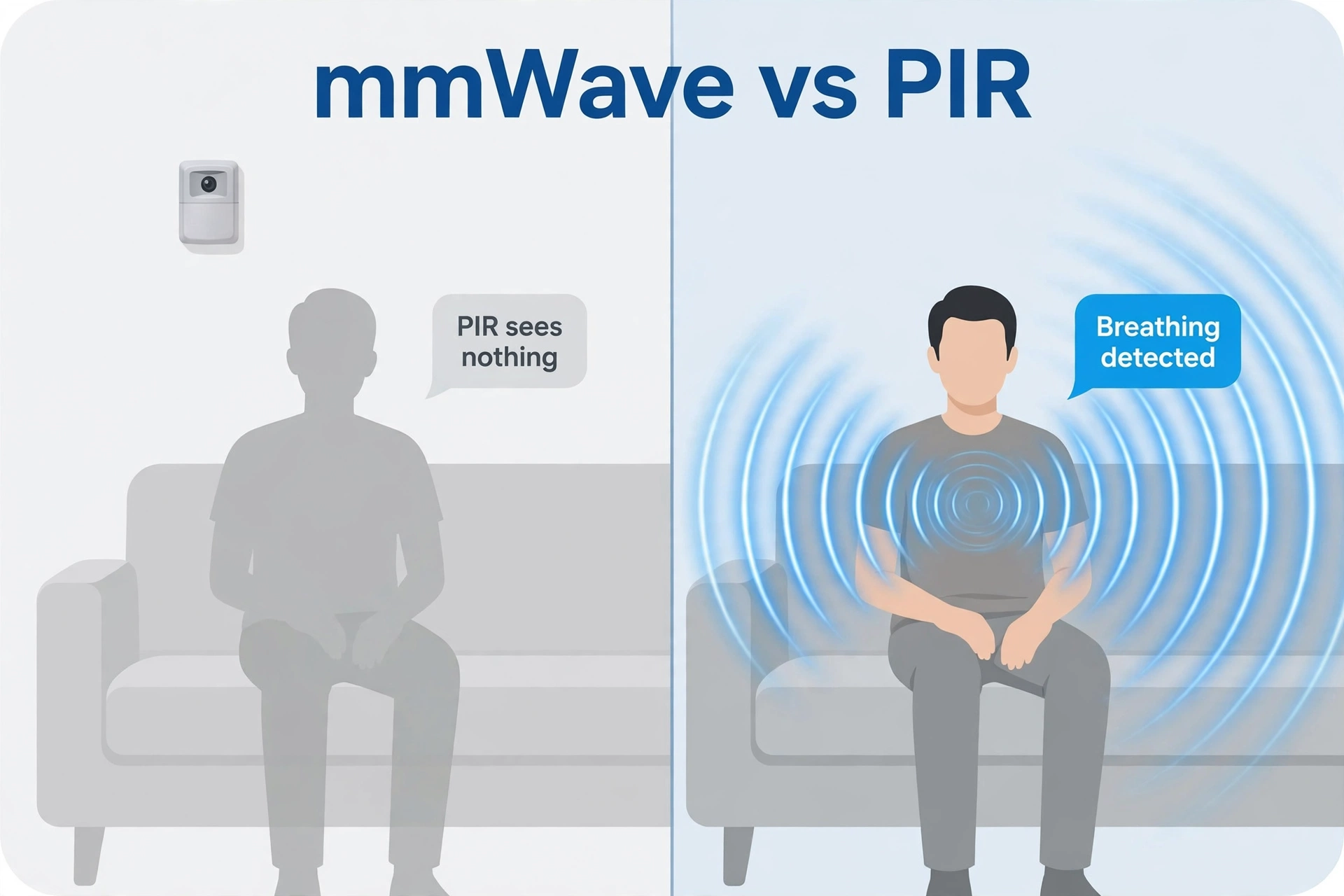
A PIR motion sensor watches for changes in infrared heat. Sit still for five minutes and you go invisible to it. mmWave radar works completely differently: it fills the room with harmless radio waves — usually around 24 GHz or 60 GHz — and listens for the echo. Even the small chest movements of breathing change that echo enough to register. So the sensor keeps reporting “someone is here” while you read, work, or nap.
The trade-off is that mmWave is too good at its job. It can see through thin walls, notice a ceiling fan, and get confused by a curtain in a draft. That is why tuning matters, and why the best sensors give you zones and sensitivity controls. Our explainer on how mmWave compares to PIR sensors digs into the physics if you want the full picture. The practical rule: PIR for doorways and hallways where people keep moving, mmWave for rooms where people sit still.
The 5 Best Presence Sensors for Home Assistant, Compared
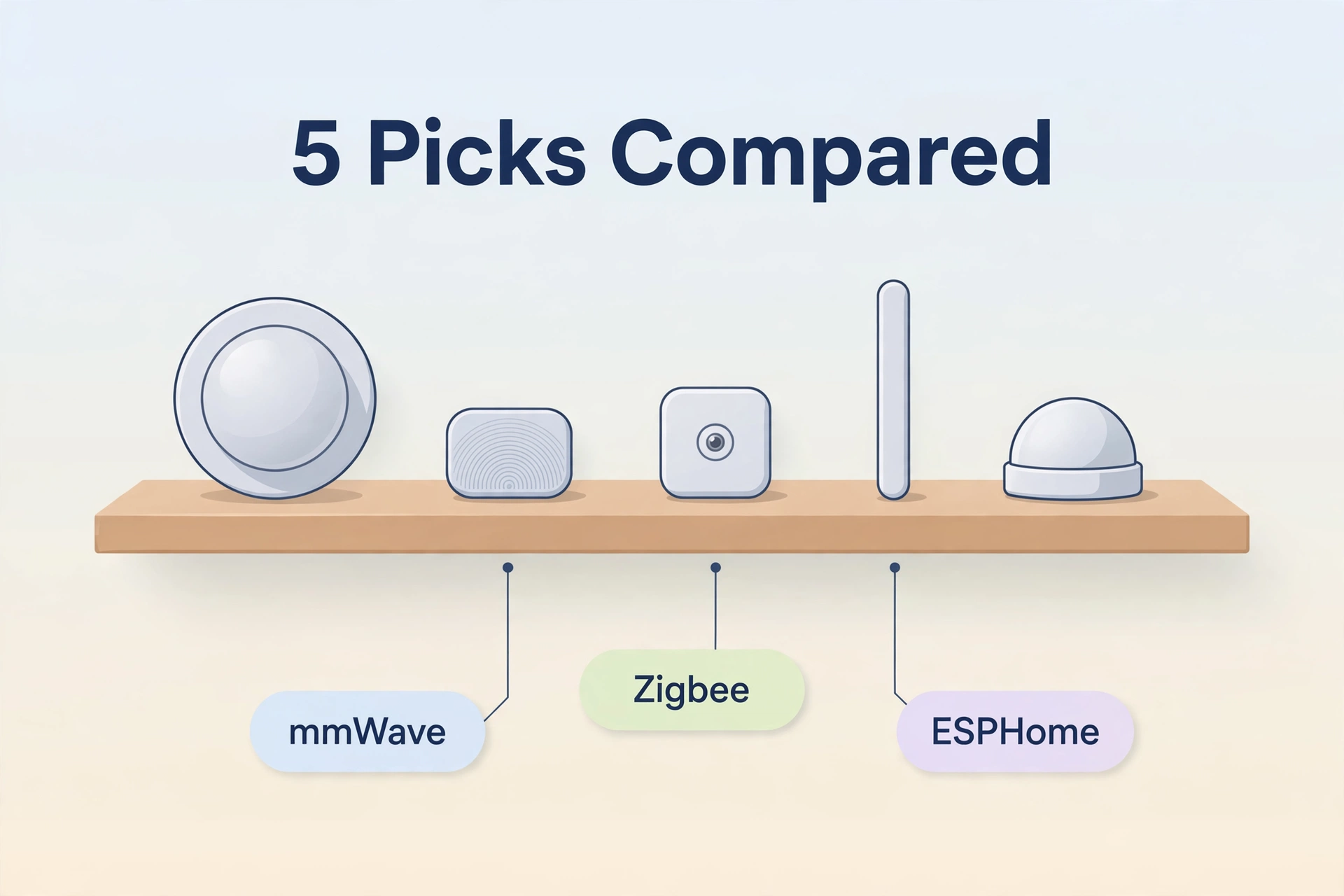
Here is the shortlist before we go deep on each one. Prices are US street prices checked on 2026-10-02 — recheck before buying, because smart home prices move.
| Feature | Aqara FP2 | Apollo MSR-2 | Everything Presence Lite | Sonoff SNZB-06P | Apollo MTR-1 |
|---|---|---|---|---|---|
| Price (checked 2026-10-02) | About $70–$83 | $37.99 (base) | £28 (about $37) | About $18–$23 | From £37.90 |
| Radar | 60 GHz mmWave | 24 GHz (LD2410B) | 24 GHz (LD2450) | 5.8 GHz microwave | 24 GHz (LD2450) |
| Targets tracked | Up to 5 people | 1 (presence yes/no + distance) | Up to 3 | 1 (presence yes/no) | Up to 3, with X/Y position |
| Zones | Up to 30 zones | 3 distance zones (via ESPHome) | Up to 4 zones | None | 3 zones, visual setup app |
| Connection | Wi-Fi 2.4 GHz | Wi-Fi (ESPHome) | Wi-Fi (ESPHome) | Zigbee 3.0 (hub required) | Wi-Fi (ESPHome) |
| Power | USB-C (wired) | USB-C (wired) | USB-C (wired) | USB 5V (wired) | USB-C (wired) |
| Extras | Light sensor, fall detection, IPX5 | LUX + UV, optional CO2, RGB LED, buzzer | Light sensor, Bluetooth proxy | Light sensor | LUX, RGB LED (varies by build) |
Aqara FP2 — Best Overall Presence Sensor
The Aqara FP2 is the closest thing to a finished, polished presence sensor you can buy. It is a 60 GHz mmWave unit that plugs in over USB-C, joins your 2.4 GHz Wi-Fi, and can split one room into up to 30 zones — sofa, desk, bed, doorway — each triggering its own automations. It tracks up to 5 people at once, has a built-in light sensor for “only turn lights on when it is dark” logic, and when ceiling-mounted it can even detect falls and send an alert.
For Home Assistant, the FP2 pairs through the HomeKit integration, which keeps everything local — no cloud account needed after setup. You do use the Aqara Home app once to draw the zones, but day-to-day control stays on your network. It is also IPX5 rated, so a bathroom is fair game.
The price sits around $70–$83 depending on the retailer (checked 2026-10-02). That is the most expensive pick here, and worth it if you want zones without touching a line of YAML. The main complaint is the app: zone drawing works, but it is fiddly, and firmware updates come on Aqara’s schedule, not yours.
Buy it if: you want the richest zone features with the least DIY, and you are fine paying a premium for polish.
Apollo MSR-2 — Best for ESPHome Tinkerers
The Apollo MSR-2 is the enthusiast favorite, and at $37.99 for the base unit (or $57.99 with the CO2 sensor, per Apollo’s own store, checked 2026-10-02) it is easy to see why. Inside is an ESP32-C3 running ESPHome and an LD2410B 24 GHz radar that is excellent at still detection — the “person sitting on the couch” case — with deep tuning to kill false positives.
What sets it apart is everything around the radar: a LUX and UV light sensor, an optional true-CO2 sensor, an RGB LED for notifications, a piezo buzzer, and Bluetooth device tracking (with a little YAML). It adopts into Home Assistant the moment it joins your Wi-Fi, and every threshold is adjustable from the ESPHome dashboard. Apollo even documents how to tune the radar’s eight distance gates to ignore a hallway or a fan.
The catch is the form factor. It is tiny and light, so a USB cable can drag it out of position — budget a few dollars for a mount. And tuning the gates takes an evening of watching energy graphs. But if you already run ESPHome, nothing else gives you this much sensor for the money.
Buy it if: you run ESPHome, you enjoy tuning, and you want one device that also covers light, UV, and optionally CO2.
Everything Presence Lite — Best Budget Multi-Target Pick
The Everything Presence Lite takes the LD2450 — the multi-target 24 GHz module — and wraps it in a finished ESPHome product for £28 (roughly $37, from the maker’s own shop, checked 2026-10-02). It tracks up to 3 people at once with real-time X/Y position, supports up to 4 custom zones defined in Home Assistant, and throws in an ambient light sensor plus a Bluetooth proxy for good measure.
Detection range is 5–6 meters, which covers a normal bedroom or office. Setup is pure ESPHome: flash, adopt, done. The zones take some patience — you define them with X/Y coordinates, which is powerful but not exactly fun — and stock comes and goes since it is a small shop. But for multi-target tracking at this price, nothing else is close.
Buy it if: you want to know where in the room people are, on a budget, and you are comfortable with ESPHome.
Sonoff SNZB-06P — Best Zigbee Option
Not everyone wants another Wi-Fi device. The Sonoff SNZB-06P uses 5.8 GHz microwave radar over Zigbee 3.0, so it joins your existing Zigbee mesh — through Zigbee2MQTT or ZHA — instead of your Wi-Fi. At about $18–$23 (checked 2026-10-02), it is the cheapest way to add true presence detection to a Zigbee-heavy home.
It detects both moving and stationary people, has a built-in light sensor so lights only trigger in the dark, and acts as a Zigbee router, which strengthens your mesh. The trade-offs: it needs a Zigbee hub or coordinator (it cannot work standalone), it offers no zones — presence is a simple yes/no — and it is indoor-only with no waterproofing.
If you are still choosing your Zigbee setup, our Zigbee2MQTT vs ZHA comparison will help you pick. Either one handles the SNZB-06P fine.
Buy it if: your home is Zigbee-first, you want presence for under $25, and simple on/off presence is enough.
Apollo MTR-1 — Best for Visual Zone Setup
The Apollo MTR-1 is built around the LD2450, the same multi-target radar as the Everything Presence Lite, tracking up to 3 targets with live X/Y coordinates at 10 updates per second. It starts from £37.90 at UK resellers like The Pi Hut (checked 2026-10-02).
Its standout trick is zone setup: instead of typing coordinates, you connect over Bluetooth to a visual app that shows targets moving around the room, and you drag boxes to create up to 3 detection zones. It is by far the friendliest way to set up zones on a DIY sensor. Like the MSR-2 it runs ESPHome, so it slots straight into Home Assistant.
Compared with the Everything Presence Lite, you pay a little more for the easier zone workflow and Apollo’s documentation. Compared with the MSR-2, you trade the extra environmental sensors for true multi-target tracking.
Buy it if: you want multi-target zones but dread the coordinate-typing workflow.
Mounting Your Presence Sensor Right
A badly mounted mmWave sensor is worse than no sensor. A well mounted one feels like magic. The rules that matter:
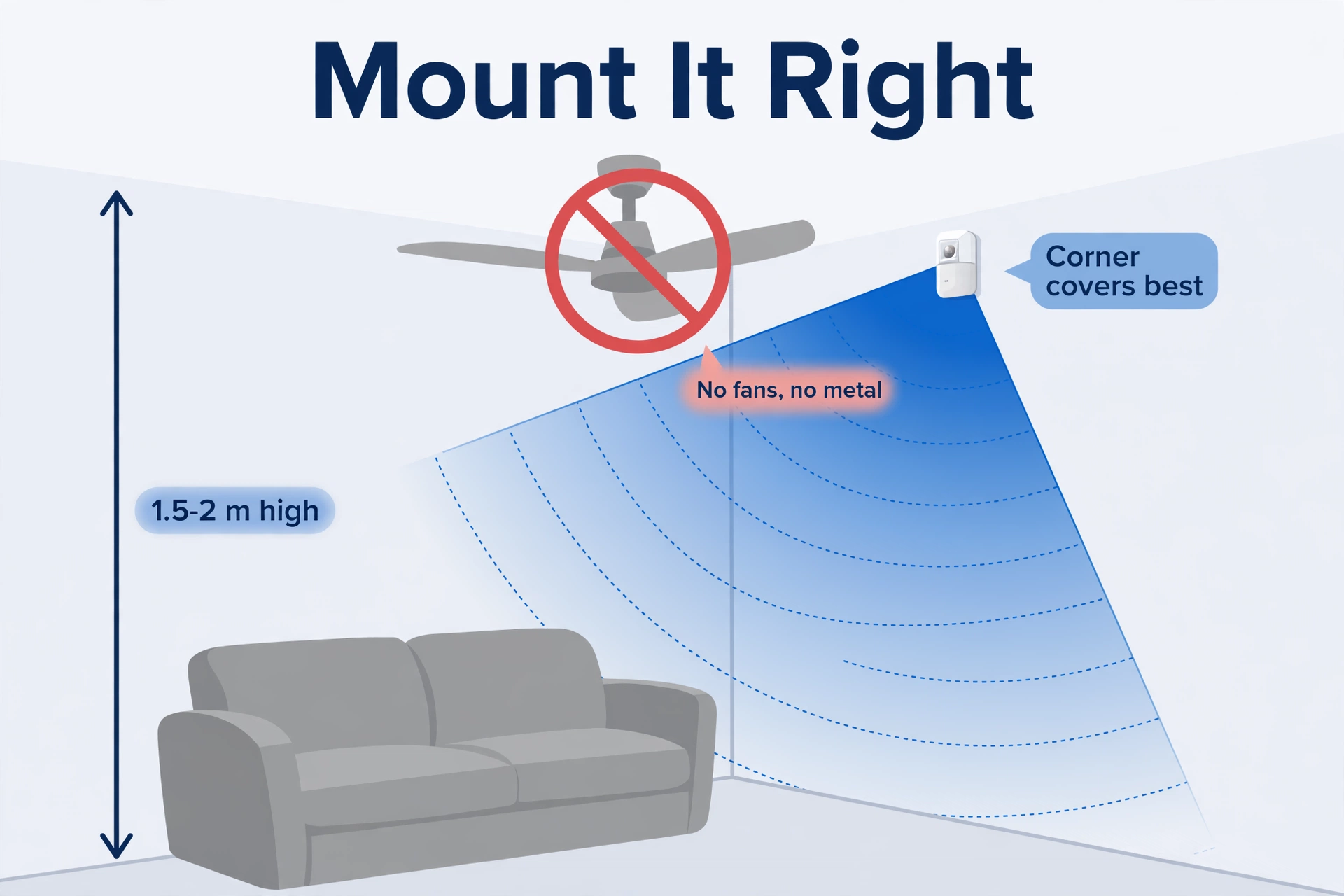
- Height: Hi-Link, the company behind the LD2410 and LD2450 modules, recommends 1.5–2 meters on a wall for the LD2450. The Aqara FP2 can also ceiling-mount, which is required for its fall detection.
- Angle: most of these modules see about ±60° horizontally. Corner-mounting covers a room better than flat-on-the-wall.
- No fans, no metal: a spinning ceiling fan is a moving target to a radar. Large metal objects reflect the signal and create ghosts. Keep both out of the beam.
- One radar per zone of coverage: never aim two 24 GHz radars at each other — they interfere.
- Thin walls are transparent: mmWave sees through drywall. If the sensor covers the hallway through the bedroom wall, shrink the range or it will trigger from the next room.
Tuning Out False Triggers
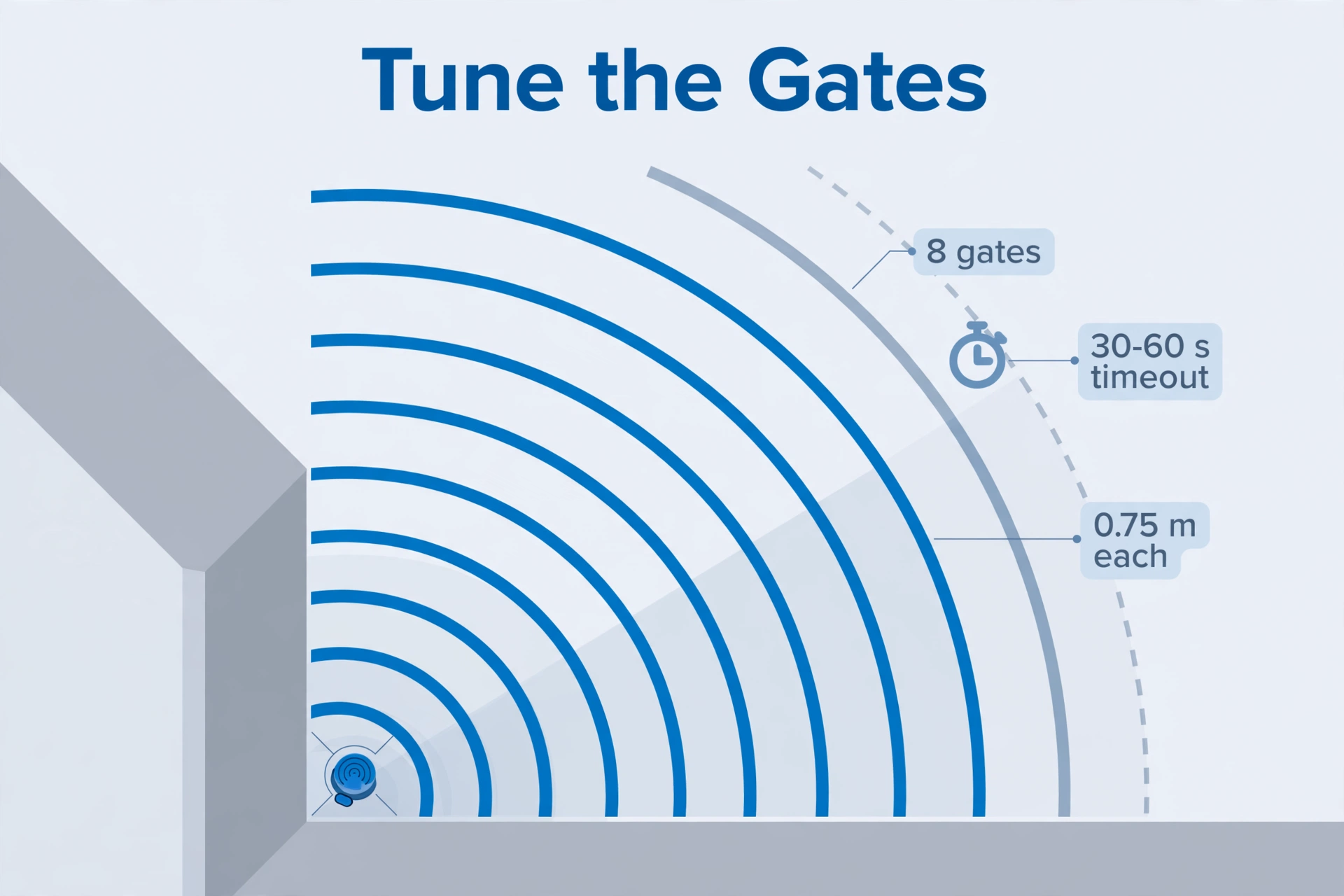
Every good mmWave sensor lets you tune, and the ten minutes you spend here pay off for years. The LD2410-based sensors (like the MSR-2) split their range into eight distance gates of 0.75 m each. Apollo documents an engineering mode where you watch each gate’s energy live, then lower the sensitivity of the gates covering the hallway, the fan, or the neighbor’s wall.
The practical method works on any sensor:
- Start with the range short. Set the maximum distance to the far wall of the room, not beyond it.
- Watch it for a day. Note every false trigger — what moved, and when.
- Desensitize the guilty gates or zones. Lower one step at a time until the falses stop but real presence still registers.
- Set a sensible timeout. A 30–60 second “still present” delay smooths over momentary dropouts without leaving lights on for an hour.
Zone-based sensors (FP2, EP Lite, MTR-1) add a second layer: exclude the doorway or the pet’s favorite spot from the zones that control your lights.
ESPHome vs Zigbee: Which Path Fits You
Four of these five sensors are Wi-Fi devices running ESPHome; one is Zigbee. The right path depends on your home, not on the sensor.
Choose ESPHome (Wi-Fi) if you already run Home Assistant with ESPHome devices, you want per-gate tuning and rich data (distance, light, CO2), and your Wi-Fi comfortably covers the room. Flashing and adopting is straightforward — if you have not set up the hardware yet, our guide to install Home Assistant on a Raspberry Pi 5 covers the hub side.
Choose Zigbee if your home is already Zigbee-heavy, you want the sensor to strengthen your mesh, and simple presence yes/no is enough. The SNZB-06P is the obvious pick, and it works with both major coordinators — see our Zigbee2MQTT vs ZHA comparison if you are still deciding.
Either way, keep presence automations local. A sensor that needs the cloud to turn on a light will betray you the night your internet drops.
Final Word: The Best Presence Sensor for Home Assistant
For most people, the Aqara FP2 is the best presence sensor for Home Assistant: zones, multi-person tracking, and a local HomeKit path into HA with no YAML. If you like to tinker, the Apollo MSR-2 gives you more sensor and more control for half the price. On a tight budget, the Everything Presence Lite brings multi-target tracking under $40, and the Sonoff SNZB-06P is the no-brainer for Zigbee homes.
Whichever you pick, mount it thoughtfully and tune it once. A tuned $38 sensor beats an untuned $83 one every single time.
Best Presence Sensor for Home Assistant: FAQs
Do I need ESPHome to use a presence sensor with Home Assistant?
No. The Aqara FP2 joins Home Assistant through the HomeKit integration, and the Sonoff SNZB-06P joins through Zigbee2MQTT or ZHA. ESPHome is only needed for the Apollo and Everything Presence sensors — and if you already run ESPHome, those are the most flexible picks.
Can a presence sensor see through walls?
mmWave radar can pass through thin interior walls like drywall, which is why range tuning matters. It will not reliably see through brick, concrete, or metal. Always limit the detection range to the room you actually want to cover.
Are mmWave presence sensors safe?
Yes. These modules transmit at very low power — milliwatts — far below Wi-Fi routers and phones, and far below any regulatory exposure limit. They contain no camera, so they are also the privacy-friendly option: they know someone is there, not who.
Why does my presence sensor trigger when nobody is home?
Almost always one of four things: a fan or curtain moving in the beam, the range extending through a wall into another room, a large pet, or a reflective metal surface creating ghost targets. Shorten the range, desensitize the affected gates or zones, and keep moving objects out of the beam.
Can I use a presence sensor in the bathroom?
Yes — this is one of the best uses, since PIR sensors famously leave you in the dark mid-shower. The Aqara FP2 is IPX5 rated for humid rooms. For other sensors, mount them outside the direct splash zone and away from steam-heavy spots.
