

The best energy monitoring smart plug is the TP-Link Tapo P115: it costs around $15, tracks real-time watts plus historical usage in the Tapo app, handles up to 15 amps, and works with Alexa, Google, and SmartThings. However, if you want deeper cost analytics, the Emporia Smart Plug is the standout at about $10–12; Apple Home users should look at the Kasa EP25, and tinkerers who want local control should pick the Shelly Plug S Gen3.
Energy monitoring plugs are one of the cheapest ways to find out where your electricity actually goes. A $10–15 plug on your TV setup, space heater, or home server can reveal vampire draw and wasteful loads you would never spot on a monthly bill. This guide compares the four plugs worth buying in 2026, explains how to read the numbers, and shows how to turn the readings into a lower bill.
What Is an Energy Monitoring Smart Plug?
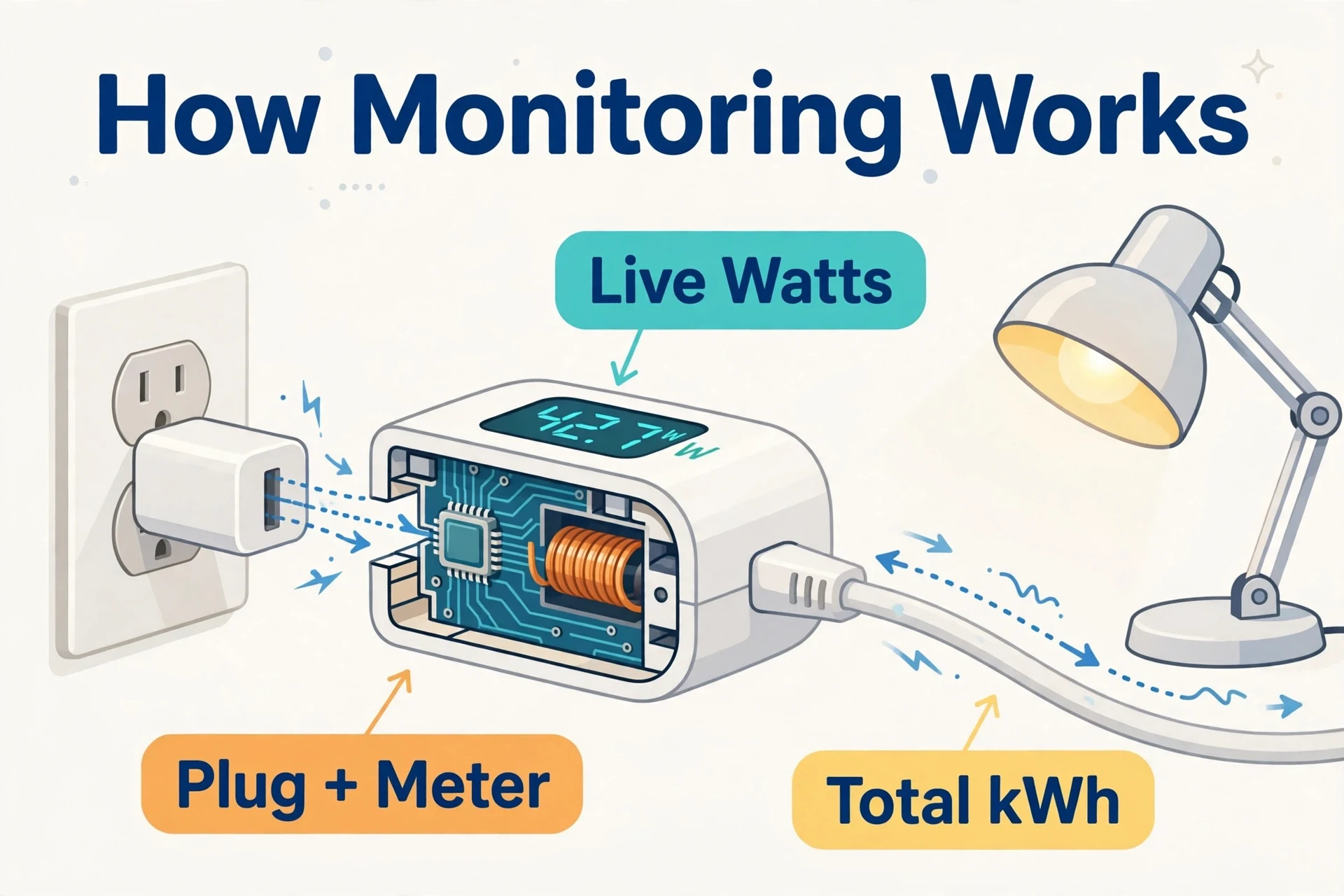
An energy monitoring smart plug is a smart plug with a built-in power meter. Beyond turning things on and off, it measures what the connected device is doing electrically:
- Real-time watts (W): how much power the device is drawing right now.
- Energy over time (kWh): the running total of electricity used across hours, days, and months.
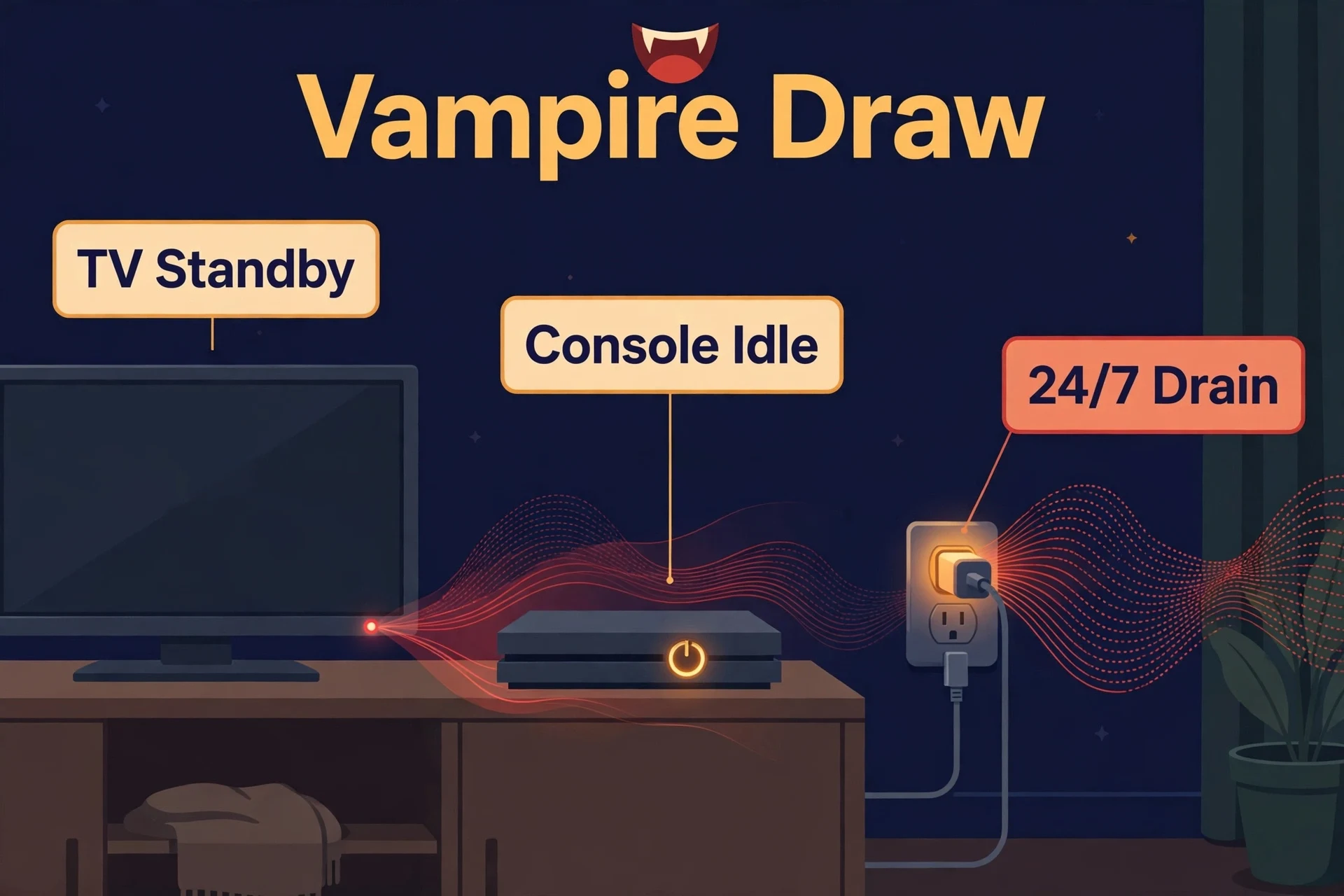
- Standby or “vampire” draw: the watts a device keeps pulling even when it looks off — game consoles, TVs, and cable boxes are the usual suspects.
Most companion apps convert those readings into charts and, in some cases, estimated dollar cost. That is the real value: you stop guessing which device is expensive to run and start measuring it.
Best Energy Monitoring Smart Plugs at a Glance
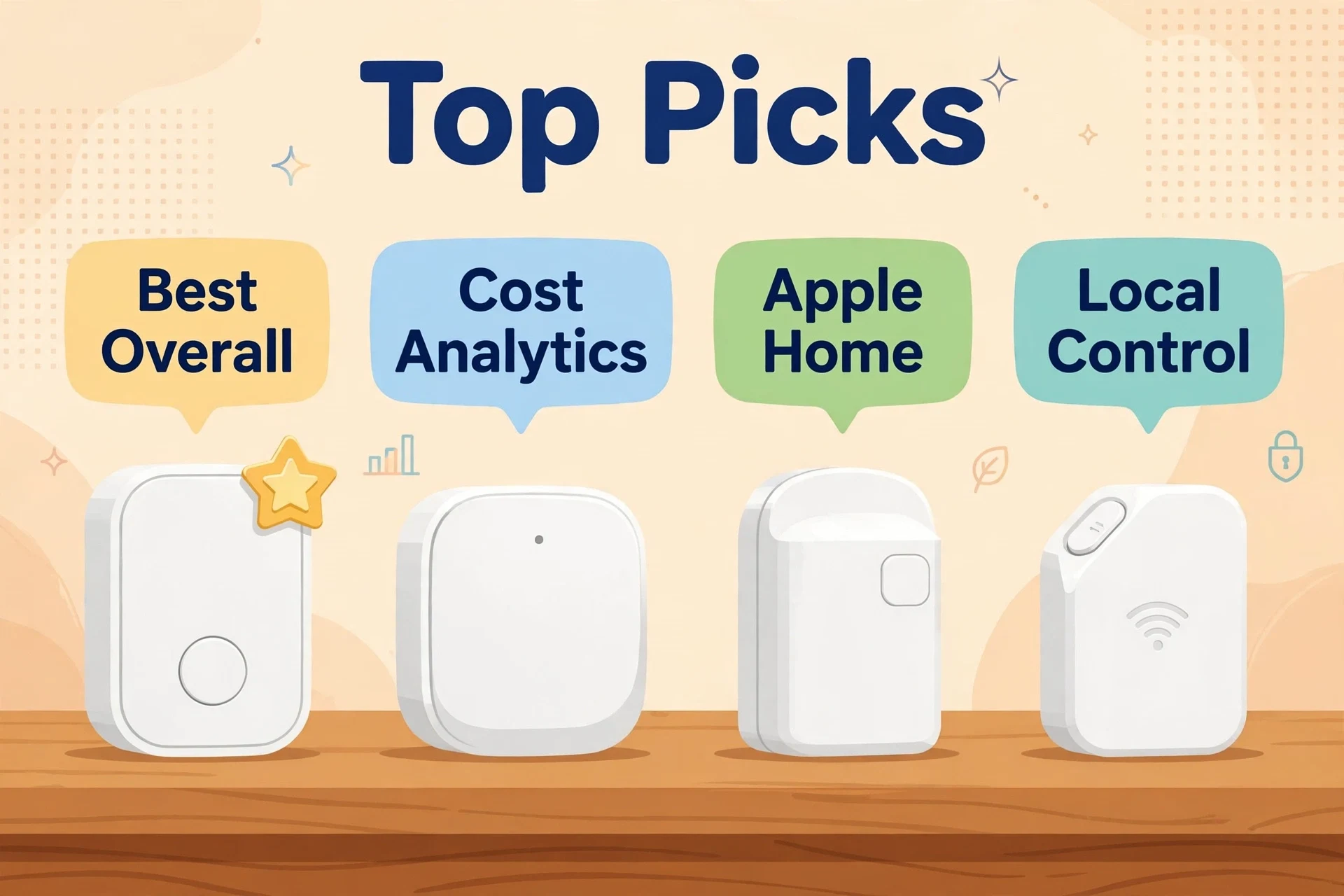
Table 1: The four energy monitoring smart plugs compared
| Model | Typical price | Max load | Energy readings | Standout feature |
|---|---|---|---|---|
| TP-Link Tapo P115 | ~$15 | 15 A / 1,800 W | Real-time watts, historical charts, estimated bill | Best overall balance of price, app, and monitoring |
| Emporia Smart Plug | ~$10–12 | 15 A peak / 1,800 W | Real-time watts, daily/weekly/monthly totals, annual cost projections | Best cost analytics with utility-rate support |
| Kasa Smart EP25 | ~$11 (4-pack $41.99) | 15 A / 1,800 W | Real-time watts, historical consumption | Best for Apple Home users |
| Shelly Plug S Gen3 | ~$20 (US Gen4 4-pack $79.99) | 12 A / 2,500 W (EU); 15 A / 1,800 W (US Gen4) | Real-time power, cloud-stored history | Best local control and Home Assistant fit |
TP-Link Tapo P115 — Best Overall
The Tapo P115 is the plug most people should buy. It is a compact mini plug rated for 15 amps (1,800 W), and its energy monitoring is genuinely useful rather than a checkbox feature: the Tapo app shows real-time power draw, clean historical charts, and an estimated-energy-bill view that multiplies your usage by your electricity rate.
Setup is simple — Bluetooth-assisted pairing plus 2.4 GHz Wi-Fi — and it works with Alexa, Google Assistant, and Samsung SmartThings. For example, two extras make it practical for cutting waste: a charge-guard mode that cuts power once a device finishes charging. In addition, an auto-off timer that kills power after a set period. Overload protection shuts the plug down automatically if the load gets dangerous.
At around $15 per plug (often cheaper in multi-packs), it is hard to beat on value. If you only buy one energy monitoring plug, make it this one.
- 15 A / 1,800 W rating with overload protection
- Real-time and historical energy monitoring with bill estimates
- Charge guard and auto-off timer for fighting standby draw
- Alexa, Google Assistant, SmartThings support
Emporia Smart Plug — Best for Cost Analytics
Emporia is an energy company first and a smart plug company second, and it shows. The Emporia Smart Plug has the most analytics-focused app of the bunch: real-time watts, estimated cost per hour, daily, weekly, and monthly totals, and even annual cost projections per device. You can enter your utility rate — including tiered and time-of-use pricing — so the estimates reflect what you actually pay instead of a national average.
The hardware is straightforward: a compact chassis rated for 15 amps peak (10 amps continuous, 1,800 W at 120 V), ETL certified, with a physical power button. In addition, reviews have found its readings line up closely with dedicated meters like the Kill A Watt. Furthermore, two plugs fit side by side on a standard duplex outlet without blocking either socket.
At roughly $10–12 per plug, it is the cheapest way to get real wattage monitoring from a reputable brand. The trade-offs: no Matter or HomeKit support, no local API (it is cloud-dependent), and Wi-Fi is 2.4 GHz only. If you pair it with an Emporia Vue whole-home monitor, each plug can be assigned as a subcomponent of a monitored circuit — but the plug works fine on its own too.
- Real-time watts with detailed cost tracking and projections
- Utility-rate input including time-of-use pricing
- ~$10–12 per plug — best value in this roundup
- Alexa and Google Home support; no HomeKit or Matter
Kasa Smart EP25 — Best for Apple Home Users
The Kasa EP25 is the slim, HomeKit-friendly option. It monitors real-time energy use and keeps historical power consumption records in the Kasa app, all in a compact body that will not block the second outlet in a duplex receptacle. The 15-amp, 1,800-W rating and UL-certified flame-retardant housing make it safe for heavier loads like space heaters and window ACs.
Its standout feature is ecosystem breadth: it works with Alexa, Google Assistant, Samsung SmartThings, and Apple HomeKit with Siri control — the only plug in this roundup with HomeKit support out of the box. Moreover, that makes it the default pick if your home runs on Apple.
Pricing is aggressive: a 4-pack lists at $41.99 at major retailers, which works out to roughly $11 per plug. If you need several plugs to cover a whole entertainment center or home office, multi-packs make the per-device math very friendly.
- Real-time and historical energy monitoring in the Kasa app
- Apple HomeKit + Siri alongside Alexa, Google, SmartThings
- 15 A / 1,800 W, UL certified, compact slim design
- ~$11 per plug when bought as a 4-pack
Shelly Plug S Gen3 — Best for Local Control
Shelly is the tinkerer’s brand, and the Shelly Plug S Gen3 is built for people who want their data local. It offers precise real-time power monitoring, Matter certification, and HomeKit support — plus scripting, webhooks, and MQTT for advanced automations that run on your own network instead of someone’s cloud.
The Gen3 is rated for 12 amps (2,500 W) on the EU version. Moreover, the US Gen4 variant is rated 15 amps / 1,800 W and adds Zigbee and Bluetooth alongside Wi-Fi. Both can act as a Wi-Fi range extender and BLE gateway. In addition, both work with the Shelly Smart Control app as well as third-party platforms including Home Assistant.
The key advantage is control: Shelly devices expose a local HTTP API. As a result, home Assistant can read power data directly without round-tripping through a cloud server. Also, that means faster updates, automations that survive internet outages, and no account required just to see your own readings.
Pricing runs higher than the budget picks: the Gen3 lists at €23.90 on Shelly’s EU store, and the US Gen4 4-pack lists at $79.99 (about $20 per plug). You pay more for the openness — worth it if you run Home Assistant, overkill if you just want an app chart.
- Real-time power monitoring with cloud-stored history
- Matter certified, HomeKit support, scripting and MQTT
- Local API — no cloud required for Home Assistant
- Acts as Wi-Fi extender and BLE gateway
How to Read Your Energy Numbers
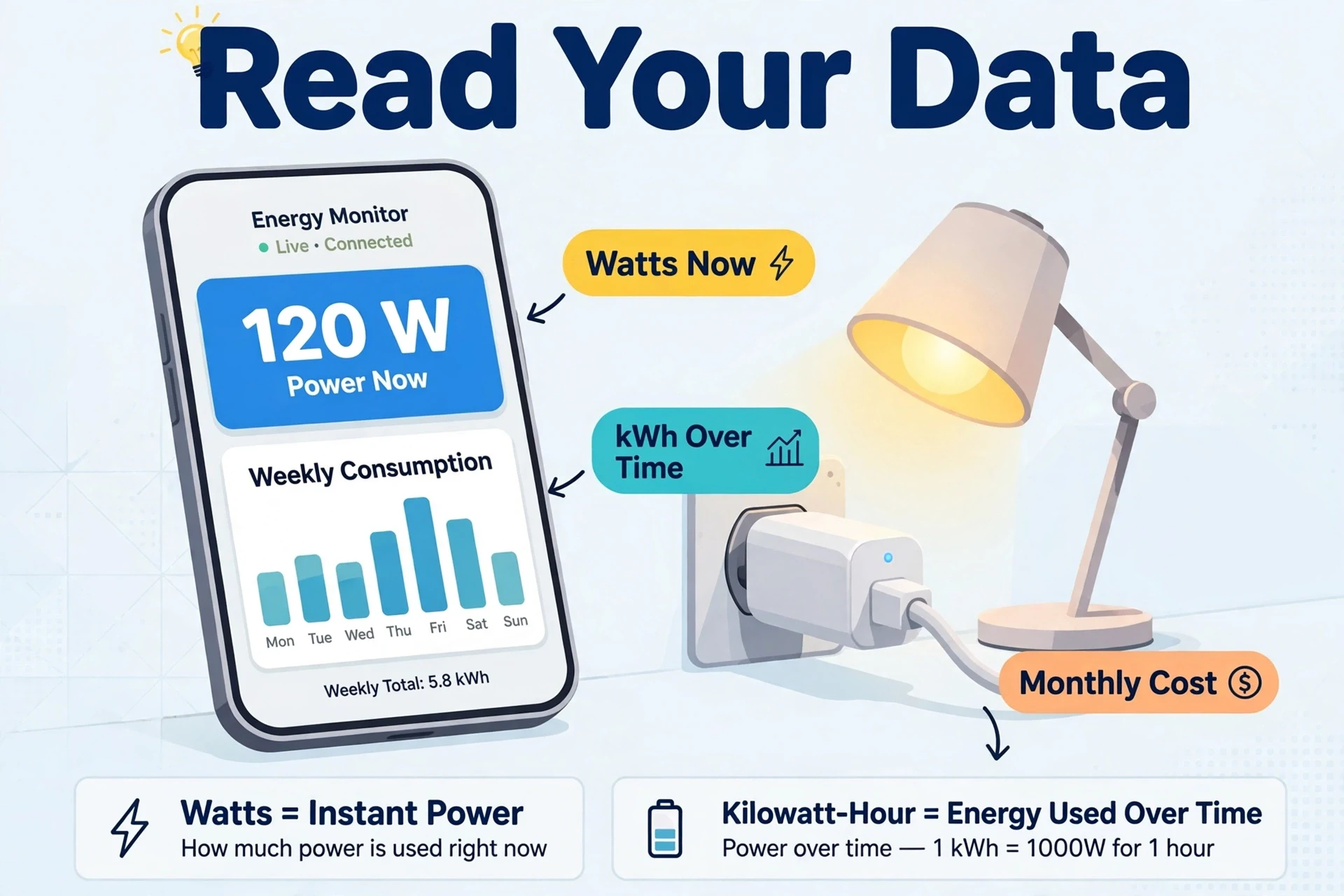
Plugging a meter in is easy; understanding what it tells you takes a minute. Here is the short version:
Watts vs. kilowatt-hours
Watts (W) measure power right now — a snapshot. Kilowatt-hours (kWh) measure energy over time — the number your utility bills you for. The conversion is simple: watts × hours ÷ 1,000 = kWh. A 100-watt device running for 10 hours uses 1 kWh.
Estimating cost
Multiply kWh by your electricity rate. If your rate is $0.17 per kWh and your plug reports that a space heater used 60 kWh this month, that heater cost you about $10.20. Emporia’s app does this math for you if you enter your rate; with Tapo and Kasa you can do it by hand in seconds.
Finding vampire draw
Plug the smart plug into a device, turn the device “off” the normal way, and check the real-time watts. Anything above a watt or two on a device that should be asleep is vampire draw — and it runs 24 hours a day, 365 days a year. A game console sipping 12 watts in standby costs you over $17 a year at $0.17/kWh, doing literally nothing.
Accuracy: How Trustworthy Are Smart Plug Readings?
Smart plug meters are good enough for the decisions they are meant to support — finding waste and comparing devices — but they are not utility-grade instruments. A few caveats:
- Expect small error margins. Consumer plugs typically land within a few percent of a dedicated meter, which is plenty for spotting a 40-watt vampire load. Do not use them to dispute your electricity bill.
- Resistive loads read best. Simple heating elements (space heaters, kettles) give the cleanest readings. Electronics with switching power supplies can be slightly less precise.
- Check the continuous rating. The Emporia plug, for example, is rated 15 A peak but only 10 A continuous — fine for most electronics, but do not run a 1,500-watt space heater through it all winter.
- Very low draws are noisy. Readings under a couple of watts can be imprecise; treat a 0.8 W standby reading as “about a watt,” not a lab measurement.
Using Energy Monitoring Plugs with Home Assistant
If you run Home Assistant on a Raspberry Pi, energy monitoring plugs become far more powerful than their native apps allow. Home Assistant’s energy dashboard can combine per-plug readings into whole-home views, trigger automations on power thresholds (turn off the TV setup when standby draw drops below 5 watts), and keep years of history locally.
The plugs integrate differently:
- Shelly is the easiest — native integration, local polling, no cloud account needed.
- Tapo/Kasa integrate via the TP-Link Smart Home integration; readings update over your local network.
- Emporia has no official local integration and is cloud-dependent, so it is the weakest Home Assistant citizen of the four.
One plug on each of your biggest always-on loads — entertainment center, home server, office desk — gives the energy dashboard enough data to show you exactly where the money goes.
How to Actually Cut Your Bill with Smart Plugs
Measurement is only step one. Here is the process that turns readings into savings:
- Audit the big suspects first. Put plugs on your entertainment center, home office, space heater, window AC, and dehumidifier — the devices that draw the most or run the longest.
- Kill vampire draw with schedules. Found a 15-watt standby load on the TV setup? A plug schedule that cuts power overnight and while you are at work removes it for roughly two-thirds of the day.
- Shift usage to off-peak hours. If your utility has time-of-use rates, schedule dishwashers, EV charging, and laundry-adjacent loads for cheap hours. Emporia’s rate-aware app makes this easy to track.
- Attack the biggest loads, not the most fun ones. Heating and cooling dwarf everything else in most homes. A smart thermostat for a heat pump or an Ecobee vs Nest comparison will move the needle more than optimizing a phone charger — do both, but in that order.
- Zoom out when you are ready. Per-plug data is great for devices, but if you want circuit-level and panel-level numbers for your whole house, a dedicated whole-home energy monitor is the next step.
Be realistic: a few smart plugs will not cut your bill in half. What they reliably do is find the 5–15% of waste hiding in standby loads and forgotten devices — and they pay for themselves quickly when they do.
Best Energy Monitoring Smart Plug FAQs
Do energy monitoring smart plugs use electricity themselves?
Yes, but very little — typically around 1 watt, which costs roughly $1.50 a year at average US rates. The waste they help you find is almost always far larger than what they consume.
Can a smart plug handle a space heater or window AC?
Yes, if you respect the ratings. The Tapo P115, Kasa EP25, and US Shelly variant are rated for 15 amps / 1,800 watts, which covers most portable heaters and window ACs. The Emporia plug is rated 15 amps peak but only 10 amps continuous, so avoid running high-draw heaters through it for hours at a time.
Are smart plug energy readings accurate enough to trust?
For finding waste and comparing devices, yes — they typically land within a few percent of a dedicated meter. They are not precise enough for billing disputes or lab measurements, but that is not what they are for.
Which energy monitoring plug works with Home Assistant?
Shelly is the best fit thanks to its native integration and local API. Tapo and Kasa plugs also integrate well over your local network. Emporia is cloud-only with no official local integration, making it the weakest choice for Home Assistant users.
Do I need a hub for these plugs?
No. All four plugs connect directly to your 2.4 GHz Wi-Fi network and work without any hub. The Shelly Gen3 is also Matter-certified, so it can join a Matter fabric through any Matter controller you already own.
Is an energy monitoring plug better than a Kill A Watt meter?
They solve different problems. A Kill A Watt gives you a one-time measurement you read by eye; a smart plug logs history, draws charts, estimates cost, and can automatically cut power on a schedule. For ongoing monitoring and actually reducing usage, the smart plug wins.
Final Verdict
The best energy monitoring smart plug for most people is the TP-Link Tapo P115 — around $15, genuinely useful energy charts, and handy features like charge guard and auto-off. Buy the Emporia Smart Plug if cost analytics are your priority, the Kasa EP25 if you live in the Apple ecosystem, and the Shelly Plug S Gen3 if you run Home Assistant and want local control.
Whichever you choose, the strategy is the same: measure first, find the vampire loads, automate them away with schedules, and recheck the numbers monthly. In addition, a handful of $10–15 plugs is one of the cheapest experiments in the smart home world. In fact, and one of the few that can pay for itself.
