

Shopping for the best thread border router can feel confusing, because the answer depends on which smart home ecosystem you already live in. The good news is that you may not need to buy anything at all. Many devices you already own — a HomePod mini, a Nest Hub, an Echo speaker — quietly do this job in the background. This guide explains what a Thread border router does, shows you how to check whether you already own one, and rounds up the seven best options for every major smart home platform in 2026.
What Is a Thread Border Router?
Thread is a low-power wireless mesh network that battery-powered smart home devices use to talk to each other. It runs on the same 2.4 GHz radio technology as Zigbee, and it is designed for small sensors, locks, buttons, and light bulbs that cannot afford the power drain of Wi-Fi.
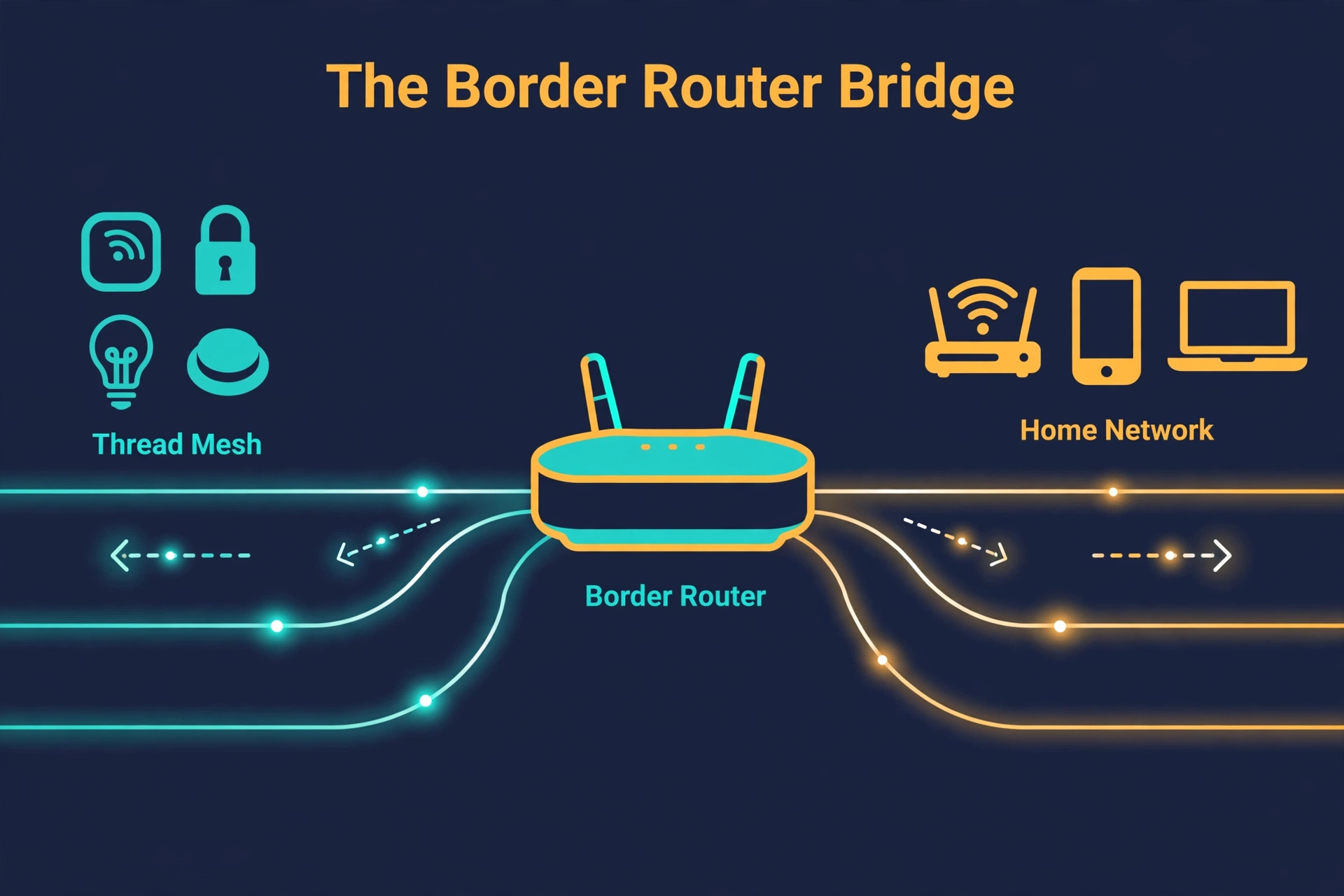
However, here is the catch: Thread devices cannot reach your home network on their own. However, they need a translator that bridges the Thread mesh to your Wi-Fi or Ethernet network. For example, that translator is the Thread border router. For example, without one, a Matter-over-Thread sensor can join the mesh but your phone and your automations cannot reach it.
In addition, think of your Thread devices as a little neighborhood speaking their own low-power radio language. In addition, the border router is the post office at its edge, forwarding messages both ways between the Thread mesh and your home network. According to OpenThread’s official border router guide, a border router provides two-way IP connectivity between the Thread network and Wi-Fi or Ethernet, plus the service discovery that lets your phone find Thread devices automatically.
Our guide to Matter and Thread for smart homes covers the full relationship, but the short version is enough for now: Thread is the plumbing, Matter is the language, and the border router is the bridge between them.
Do You Already Own a Thread Border Router?
Before you spend a cent, check your shelves. Thread border router functionality is baked into dozens of popular devices, and there is a real chance one is already plugged in at your house. Open your Apple Home, Google Home, or Alexa app and look for any hub or speaker labeled as Thread-enabled.
You may already own one: a HomePod mini, a recent Apple TV 4K, a Nest Hub (2nd gen), a Nest Hub Max, a Nest Wifi Pro, or an Amazon Echo (4th gen) all qualify. Moreover, if any of those sound familiar, skip to the setup section below. In fact, your Thread network may just need configuration, not a new purchase.
If none of those are in your home — or you run Home Assistant and want full local control — one of the seven picks below is your answer. The list matches the best thread border router to your ecosystem and how hands-on you want to be.
Our Best Thread Border Router Picks for 2026
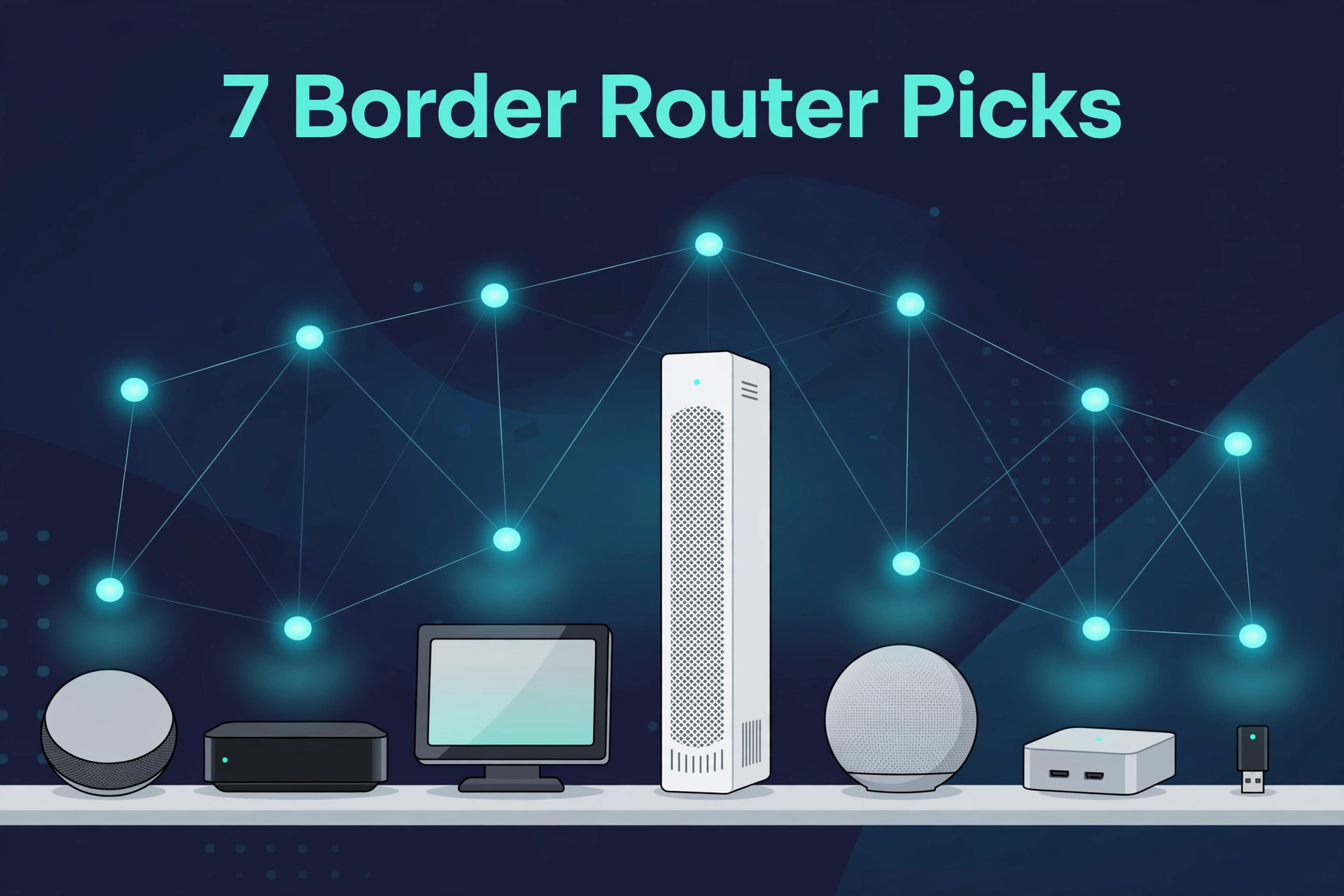
We judged the most popular Thread border routers on ecosystem fit, ease of setup, reliability, and how well they serve a growing smart home. Here is the quick summary before the detailed reviews.
Table 1: Best Thread border router options compared — ecosystem, form factor, and standout strength.
| Product | Best For | Ecosystem | Standout Strength |
|---|---|---|---|
| Apple HomePod mini | Apple Home users | Apple Home, Matter | Small, reliable, doubles as a speaker |
| Apple TV 4K (3rd gen, 128 GB) | Apple homes with a TV | Apple Home, Matter | Streaming box plus hub in one device |
| Google Nest Hub (2nd gen) | Google Home households | Google Home, Matter | Smart display with touch controls |
| Google Nest Wifi Pro | Large homes and mesh coverage | Google Home, Matter | Wi-Fi 6E router plus border router |
| Amazon Echo (4th gen) | Alexa smart homes | Alexa, Matter | Speaker and hub in one affordable device |
| Home Assistant Yellow | Local-control enthusiasts | Home Assistant, Matter | Built-in radio, no cloud required |
| Home Assistant Connect ZBT-2 | DIY Home Assistant setups | Home Assistant, Matter | Adds Thread to any existing setup |
Apple HomePod mini — Best Pick for Apple Homes
If your smart home runs on Apple Home, the HomePod mini is the easiest win on this list. It works as a Thread border router out of the box and doubles as a surprisingly capable little smart speaker. Plug it in, add it in the Apple Home app, and it starts bridging Thread devices automatically — nothing to configure, no add-on to install.
It also serves as a HomeKit home hub, enabling automations and remote access while handling your Thread mesh. Its compact size means you can place one in every room, quietly improving Thread coverage across the house. The one limitation is ecosystem: it will not manage Google Home or Alexa setups, so non-Apple households should pick from the options below.
Apple TV 4K (3rd Gen, 128 GB) — Best for Apple Homes With a TV
The Apple TV 4K is a Trojan horse of a border router: you buy it for streaming, and it quietly becomes the backbone of your Apple smart home. The third-generation 128 GB model includes a Thread radio and works as a Thread border router alongside its role as a HomeKit home hub.
One important detail: only the 128 GB Wi-Fi + Ethernet model includes the Thread radio, so check the model before checkout. Paired with a HomePod mini or two in other rooms, it forms a rock-solid Apple Thread network. It only makes sense as a purchase if you actually want a streaming box, though — nobody should buy a TV box just for the radio inside it.
Google Nest Hub (2nd Gen) — Best Pick for Google Home
Google’s second-generation Nest Hub is the natural border router for Google Home households. Behind the smart display screen, it quietly bridges your Thread mesh to your Wi-Fi network. Setup is the usual Google Home flow: plug it in, add it in the app, and the Thread side takes care of itself.
The display is the selling point — touch controls for your devices, glanceable info, and a photo frame when idle. It also pairs well with the growing list of Matter-compatible smart home devices, since most work across Google Home, Apple Home, and Alexa at once. The catch is placement: a display belongs in living areas, not tucked in a closet, so larger homes may need a second border router to fill coverage gaps.
Google Nest Wifi Pro — Best for Large Homes and Mesh Coverage
The Nest Wifi Pro solves two problems at once. It is a Wi-Fi 6E mesh router that blankets your home in fast wireless coverage, and each node also works as a Thread border router. Place two or three around a large house and you get strong Wi-Fi and strong Thread coverage from the same hardware.
A mesh node sits central and elevated with clean power — exactly where a border router radio wants to be. And since every node is a border router, your Thread mesh gets multiple on-ramps to your network, so the setup stays connected even if one node reboots. It is overkill if your Wi-Fi is already fine, but for a big house with patchy coverage and growing Thread sensors, it is the most elegant two-birds-one-stone option here.
Amazon Echo (4th Gen) — Best Pick for Alexa Homes
The fourth-generation Amazon Echo — the spherical one — is the go-to Thread border router for Alexa households. It functions as a smart home hub with a built-in Thread radio, so Matter-over-Thread devices pair through the Alexa app and join your network with no extra hardware.
Its strength is value and simplicity: a decent smart speaker, an Alexa hub, and a Thread border router in one device that needs no technical skill. Newer Echo devices, including the Echo Hub and recent Echo Show models, also include Thread support. The caveat is ecosystem lock-in — it is happiest inside Alexa, so split-platform households may prefer a more neutral option below.
Home Assistant Yellow — Best for Local Control
Home Assistant Yellow is the enthusiast’s answer: a Home Assistant hub with a built-in 802.15.4 radio that can run Zigbee or Thread. Install the OpenThread Border Router add-on and Yellow becomes a fully local Thread border router — no cloud account, no vendor app, no data leaving your house.
Why does local matter? Cloud-dependent hubs degrade when your internet drops, while Yellow keeps Thread devices, automations, and dashboards running on your local network. The trade-off is effort: Home Assistant rewards curiosity but is not plug-and-play, and the radio runs one protocol at a time, so plan your Zigbee and Thread strategy before committing it to Thread.
Home Assistant Connect ZBT-2 — Best DIY Add-On
Already running Home Assistant on a Raspberry Pi, mini PC, or old laptop? The Home Assistant Connect ZBT-2 is the simplest way to add Thread to that setup. This USB adapter plugs into any Home Assistant machine and turns it into a Thread border router through the OpenThread Border Router add-on.
The ZBT-2 succeeds the original SkyConnect — later renamed the Connect ZBT-1, now discontinued — with updated hardware and a USB-C connector. Like Yellow’s radio, it handles one protocol per radio, so most people dedicate it to Thread and keep Zigbee on a separate adapter. Use the included USB extension cable: USB 3.0 ports can interfere with 2.4 GHz radios when the stick sits right next to the port.
How to Choose the Right Border Router
With seven solid options, three questions will point you to the best thread border router for your home.
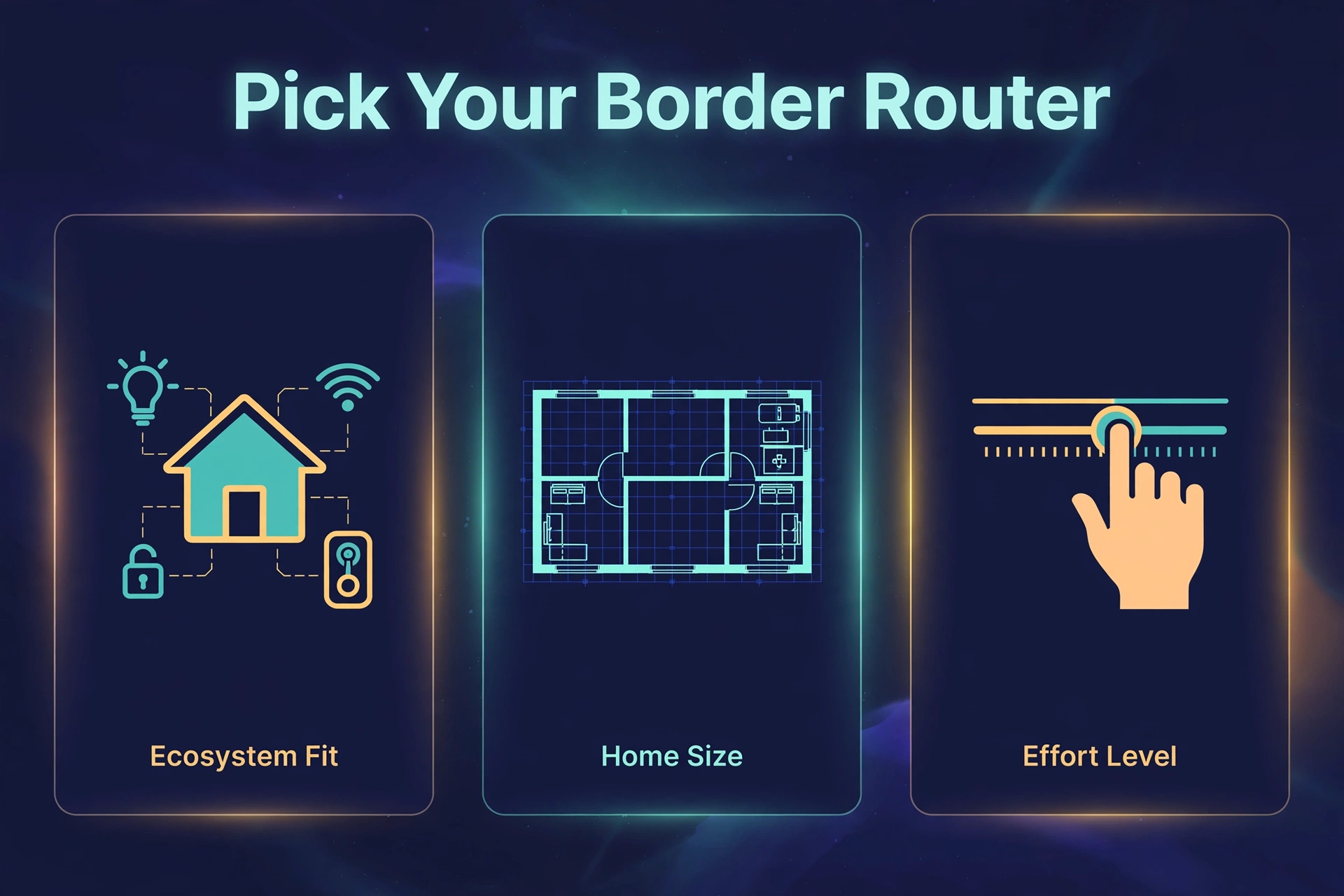
- Which ecosystem runs your home? Match the border router to your platform. Apple Home pairs with HomePod mini or Apple TV 4K, Google Home pairs with Nest Hub or Nest Wifi Pro, Alexa pairs with the Echo (4th gen), and Home Assistant pairs with Yellow or the Connect ZBT-2. Mixing ecosystems works thanks to Matter, but setup is smoothest when the border router speaks your platform’s native language.
- How big is your home? Thread is a mesh, so every mains-powered Thread device extends the network — but the border router is still the on-ramp. Large or multi-story homes benefit from two or more border routers, like a pair of HomePod minis or a set of Nest Wifi Pro nodes, to keep every corner of the mesh connected.
- How hands-on do you want to be? The Apple, Google, and Amazon options configure themselves and mostly disappear. Home Assistant options demand an evening of setup but reward you with local control, deeper automations, and no cloud dependency. There is no wrong answer here, only a mismatch between the tool and the person using it.
One more thing worth knowing: the Thread Group now certifies new border routers against the Thread 1.4 specification, which improves how border routers from different brands share one network. That multi-brand future is getting smoother every year — worth remembering if you are curious about how smart technology is evolving inside the modern home.
Setting Up Your New Border Router
Exact steps vary by brand, but the flow is nearly identical everywhere:
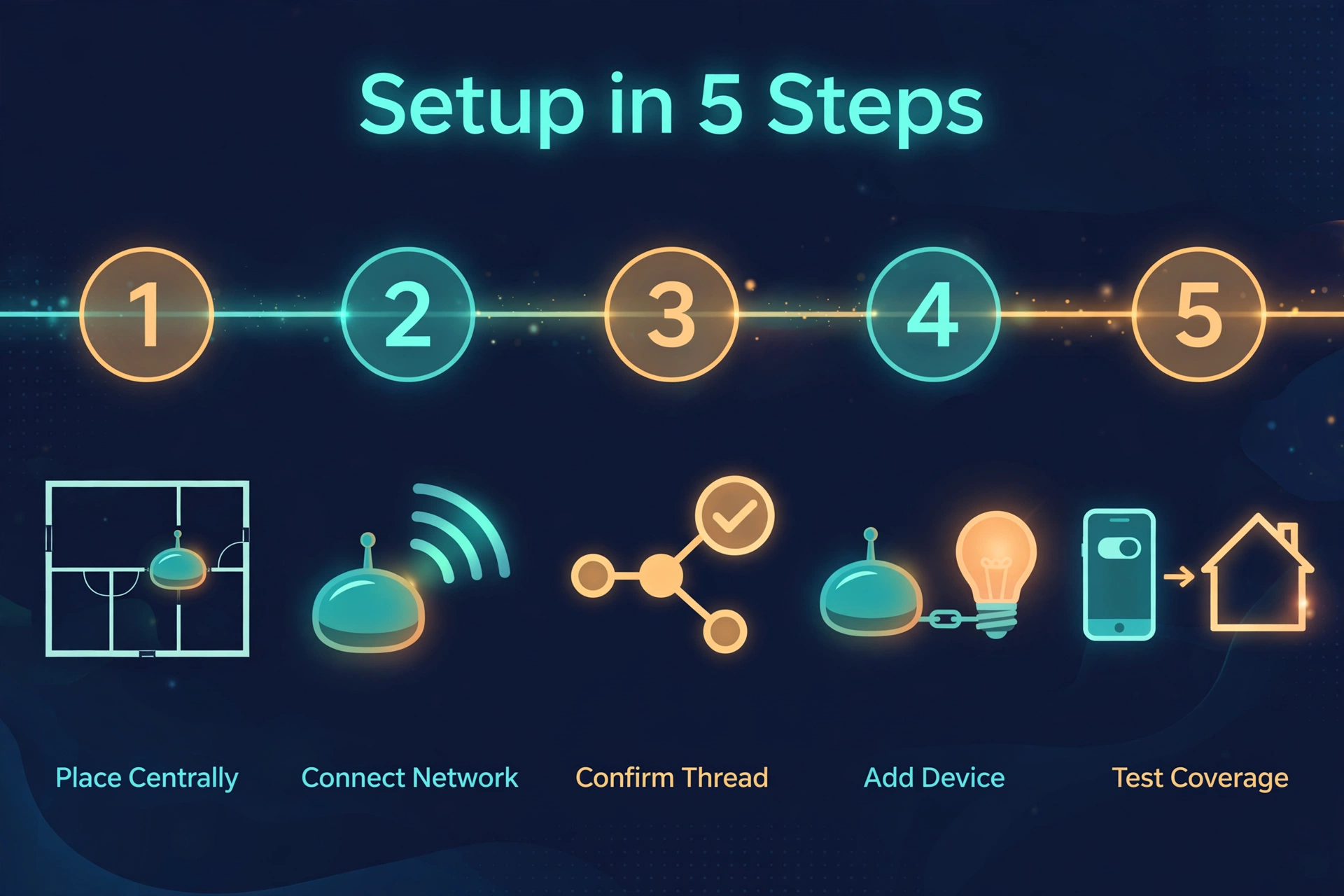
- Place it centrally. Put the border router somewhere central in your home, elevated if possible, away from thick walls and metal appliances. Radio coverage matters more than looks.
- Connect it to your network. Join it to your Wi-Fi in the companion app (Apple Home, Google Home, Alexa, or the Home Assistant interface). Use Ethernet for the Apple TV 4K or Yellow if the option is available — wired backhaul is always more stable.
- Confirm Thread is active. In your platform’s app, check the device or hub settings for a Thread or border router status. On Home Assistant, install the OpenThread Border Router add-on and verify the Thread integration appears.
- Add your first Thread device. Put the sensor, bulb, or lock in pairing mode and add it through your platform’s app, not the device maker’s app. The border router handles the Thread commissioning behind the scenes.
- Test from another room. Walk to the far end of your house and toggle the device. If it responds quickly, your mesh is healthy. If it lags, consider adding a second border router or a mains-powered Thread device midway.
If a device refuses to pair, the border router is a prime suspect — wrong network, outdated firmware, or a radio that never activated. Our Matter pairing errors guide covers the most common causes and fixes.
Frequently Asked Questions
Do I need a Thread border router for every Matter device?
No. Only Matter devices that communicate over Thread need one. Matter devices that use Wi-Fi connect straight to your home network like any other Wi-Fi gadget, and they work fine with no border router at all. If the specs say “Matter over Thread,” you need one; “Matter over Wi-Fi” needs none.
Can I use more than one Thread border router?
Yes, and in larger homes you should. Multiple border routers join the same Thread network and share the load. If one goes offline, the others keep the mesh connected to your home network. That is why many homes end up with two or more — a speaker per floor, or mesh nodes that each include a border router.
Does a Thread border router replace my Wi-Fi router?
No. A border router bridges the Thread mesh to your existing network — it does not replace your Wi-Fi router. The one exception is the Nest Wifi Pro, which happens to be both a Wi-Fi router and a Thread border router in a single box. Every other device on this list works alongside your current router, not instead of it.
Will a border router from one brand work with another brand’s devices?
For Matter-over-Thread devices, yes. That is the whole point of Matter: a Thread sensor from one brand can join a network bridged by an Apple, Google, Amazon, or Home Assistant border router. Older Thread devices using HomeKit-over-Thread or proprietary protocols are pickier, so check compatibility first. For the official word on how certification works across brands, see the Thread Group’s official resources.
The Bottom Line
The best thread border router is the one that fits the smart home you already have. Apple households should grab a HomePod mini or the 128 GB Apple TV 4K. Google homes are best served by the Nest Hub (2nd gen), or the Nest Wifi Pro if the Wi-Fi needs an upgrade too. Alexa users can stop at the Echo (4th gen). And if you want everything local and under your control, Home Assistant Yellow or the Connect ZBT-2 will carry you further than any cloud hub ever could.
Whatever you choose, check your shelves first. Moreover, the cheapest border router is the one you already own. In fact, and it might already be plugged in, quietly waiting for its first Thread device.
