


If you have just bought a Zigbee coordinator and plugged it into Home Assistant, you will hit one decision fast: the zigbee2mqtt vs zha debate. However, which Home Assistant integration should you pick?
Both are free. For example, both run 100% locally. In addition, both support thousands of Zigbee devices. But they take different paths to the same goal, and picking the wrong one can mean hours of re-pairing devices later.
Here is the short answer: ZHA is the simple, built-in option. Zigbee2MQTT is the powerful, flexible option. In this guide, you will learn exactly how they differ, where each one wins, and which one fits your setup — so you can choose once and choose right.
What Is ZHA?
ZHA stands for Zigbee Home Automation. It is the official Zigbee integration built directly into Home Assistant core. It was one of the first Zigbee integrations for the platform, and it ships with every Home Assistant installation.
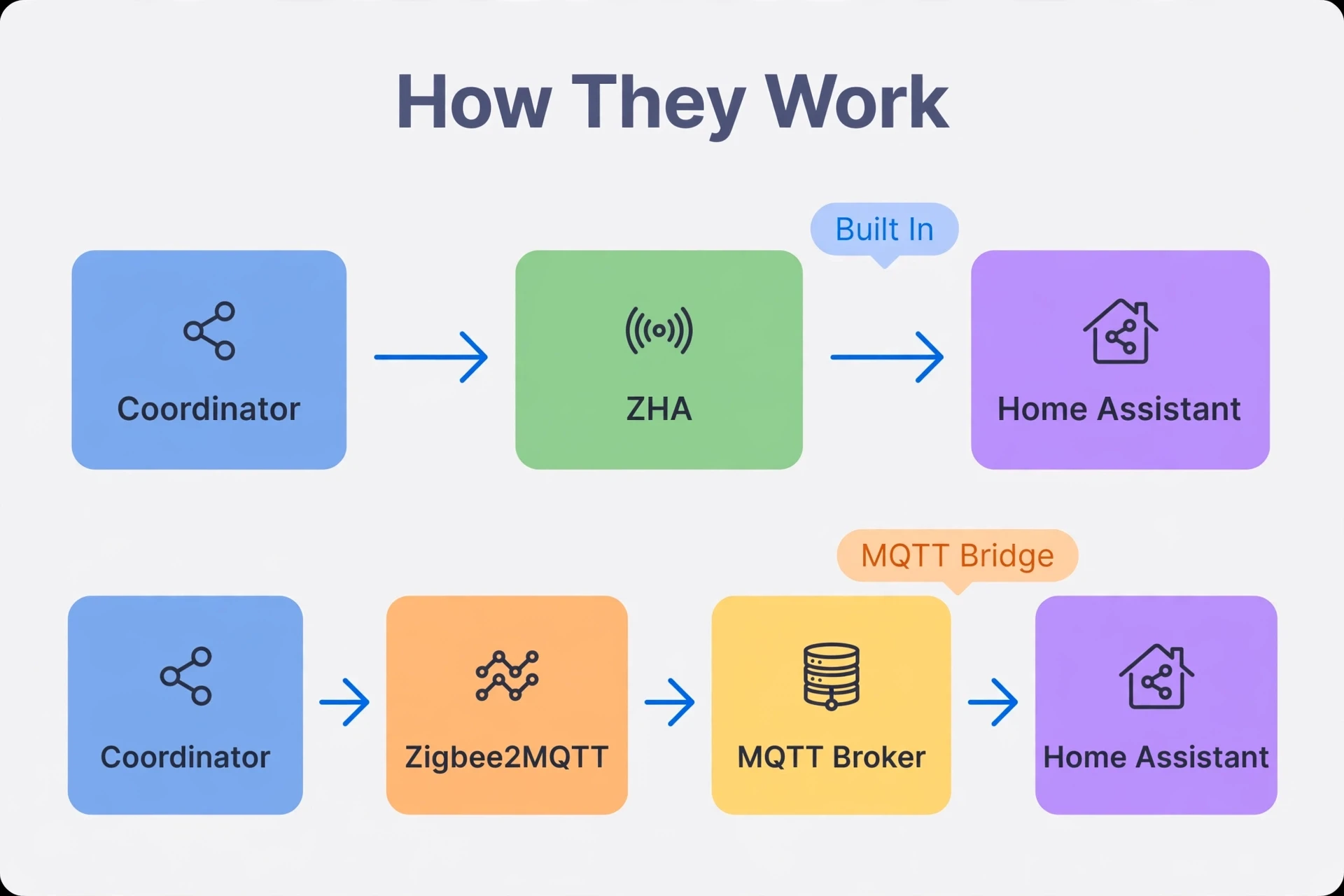
With ZHA, you plug in a compatible Zigbee coordinator (a USB dongle like the SONOFF or ConBee adapters), and Home Assistant detects it. Furthermore, setup usually takes five minutes or less: add the integration, pick your USB port, and start pairing devices.
There is no separate software to install and no extra server to run. Moreover, everything happens inside Home Assistant. Also, you manage devices, view entities, and build automations using the same familiar interface you already know.
Under the hood, ZHA uses a library called zigpy. First, the community maintains quirks (special handling rules) for devices that don’t follow the Zigbee standard perfectly. Because ZHA lives in core, it gets updates with every Home Assistant release.
ZHA is perfect for most beginners. It is stable, simple, and covers the devices most people buy: IKEA, Aqara, Philips Hue, SONOFF, and other popular brands.
What Is Zigbee2MQTT?
Zigbee2MQTT (often shortened to Z2M) is an independent, open-source application that bridges Zigbee devices to MQTT. It is a separate piece of software that runs alongside Home Assistant — not inside it.
Here is how it works. Second, zigbee2MQTT talks to your Zigbee coordinator and translates every device message into MQTT messages. Home Assistant’s MQTT integration then discovers those devices automatically, and they appear in Home Assistant just like any other device.
For example, this means Zigbee2MQTT needs an MQTT broker running somewhere. Finally, most Home Assistant users install the Mosquitto broker add-on, which takes only a few minutes. Meanwhile, the Zigbee2MQTT add-on itself is installed from its official community repository. In addition, the whole setup takes roughly 10 to 20 minutes if you are new to it.
The payoff is flexibility. Because Zigbee2MQTT is a separate service, your Zigbee network keeps running even if Home Assistant restarts. And because it speaks MQTT, any MQTT-compatible system — not just Home Assistant — can use your devices. You can read more in Zigbee2MQTT’s official documentation if you want the full technical picture.
Moreover, zigbee2MQTT supports one of the largest device libraries in the Zigbee world, including many lesser-known brands and custom firmware devices. It also has its own web-based dashboard with a network map, detailed logs, and fine-grained controls that ZHA doesn’t offer.
Zigbee2MQTT vs ZHA: Head-to-Head Comparison
Sometimes a side-by-side view makes the decision obvious. Here is how the two stack up across the areas that matter most.
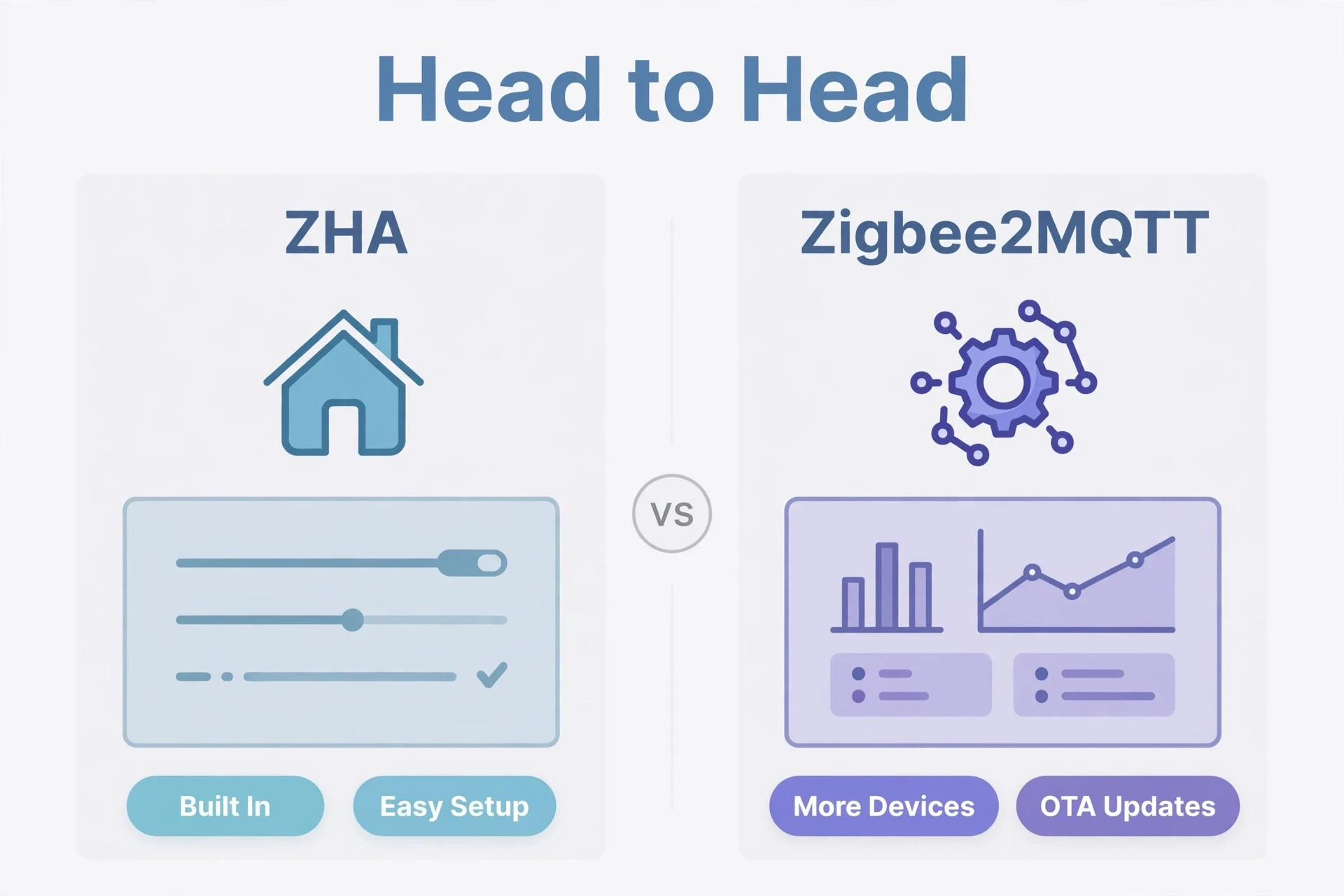
Table 1: Zigbee2MQTT vs ZHA feature comparison for Home Assistant
| Aspect | ZHA | Zigbee2MQTT |
|---|---|---|
| Ease of setup | Very easy, built into Home Assistant | Moderate, requires MQTT broker |
| Device support | Thousands of devices, covers major brands | Thousands of devices, broader and more niche brands |
| OTA firmware updates | Limited support | Extensive built-in support |
| Web dashboard | None (uses Home Assistant UI) | Yes, with network map and detailed logs |
| Works without Home Assistant | No, tied to Home Assistant core | Yes, runs as an independent service |
| Multiple coordinators | Not supported | Supported (multi-instance) |
| Debugging and logs | Basic logs and diagnostics | Advanced logging and troubleshooting tools |
| Customization | Basic network settings | Deep control over device and network behavior |
| Maintenance effort | Low, updates with Home Assistant | Medium, update add-on and broker separately |
Now let’s break down the differences that actually change how your smart home feels day to day.
Key Differences Between Zigbee2MQTT and ZHA
1. Setup and Complexity
This is the biggest practical difference. ZHA is a few clicks: plug in the coordinator, add the integration, and pair. You are done in minutes, and everything stays inside Home Assistant.
Zigbee2MQTT is a two-part setup. First you install and configure an MQTT broker like Mosquitto. Then you install the Zigbee2MQTT add-on, point it at your coordinator, and pair your devices through its own web interface. Also, it is not hard — there are excellent guides — but there are more moving pieces.
If you already run MQTT for other projects, the gap shrinks a lot. The broker is already there, so Zigbee2MQTT is nearly as quick to add.
2. Device Compatibility
Both support thousands of devices, and both handle the big names well: Aqara, IKEA, Philips Hue, SONOFF, and more. For the average user buying mainstream Zigbee gear, either option will pair everything they own.
The difference shows up at the edges. Nevertheless, zigbee2MQTT supports a wider range of niche and unusual devices, including lesser-known brands, Tuya devices with odd firmware, and custom DIY builds. In fact, its device converters — the code that translates a device’s messages — are added quickly by a very active community.
ZHA’s quirk system is solid and improving, but support for brand-new or obscure devices can lag behind. A practical rule: before you decide, check both device lists for your exact models. If even one device you own is Zigbee2MQTT-only, the choice is made for you.
3. Automations and Daily Use
Once devices are paired, daily use feels surprisingly similar. Both expose devices as entities in Home Assistant, so automations, scenes, and dashboards work the same way.
First, there is one subtle difference with button devices like remotes. ZHA fires events (called zha_event) that you attach automations to, using the device’s IEEE address and command name. In contrast, zigbee2MQTT exposes devices through MQTT discovery, and button presses arrive as device triggers or MQTT topic messages.
Neither is better in practice — it is just a different way of writing the same automation. If you are used to Home Assistant’s automation editor, both integrate with it cleanly.
4. OTA Updates and Debugging
This is where Zigbee2MQTT pulls ahead clearly. Over-the-air (OTA) firmware updates are baked into its web interface. Updating a Zigbee plug’s firmware is a few clicks, and the logs show exactly what is happening.
ZHA’s OTA support is more limited. Similarly, some devices can be updated, but the tooling is not as complete or as visible. Specifically, for most users this doesn’t matter — many never update device firmware — but tinkerers love having the option.
The same gap appears in debugging. When a device misbehaves, Zigbee2MQTT gives you deep, detailed logs and a graphical network map showing how each device routes through the mesh. ZHA gives you basic logs and a simpler network visualization. Both are enough for common problems, but Zigbee2MQTT is far better for hunting tricky ones. If you ever face mysterious dropouts, our guide on how to fix Zigbee devices that keep going offline can help regardless of which integration you run.
5. Independence and Scaling
Zigbee2MQTT runs as its own service. That independence has real perks: your Zigbee network keeps working through Home Assistant restarts and updates, and any MQTT-capable system can share your devices. It also supports running multiple coordinators — useful for very large homes or if you want a second Zigbee network.
ZHA lives inside Home Assistant. However, restart Home Assistant and ZHA restarts with it. For example, that is fine for most homes, and it means one fewer thing to maintain. But you can’t use ZHA devices from outside Home Assistant, and you are limited to a single coordinator.
For typical homes with a few dozen devices, this difference never comes up. It matters mainly for large installs or multi-system setups.
Zigbee2MQTT vs ZHA: Which Should You Choose?
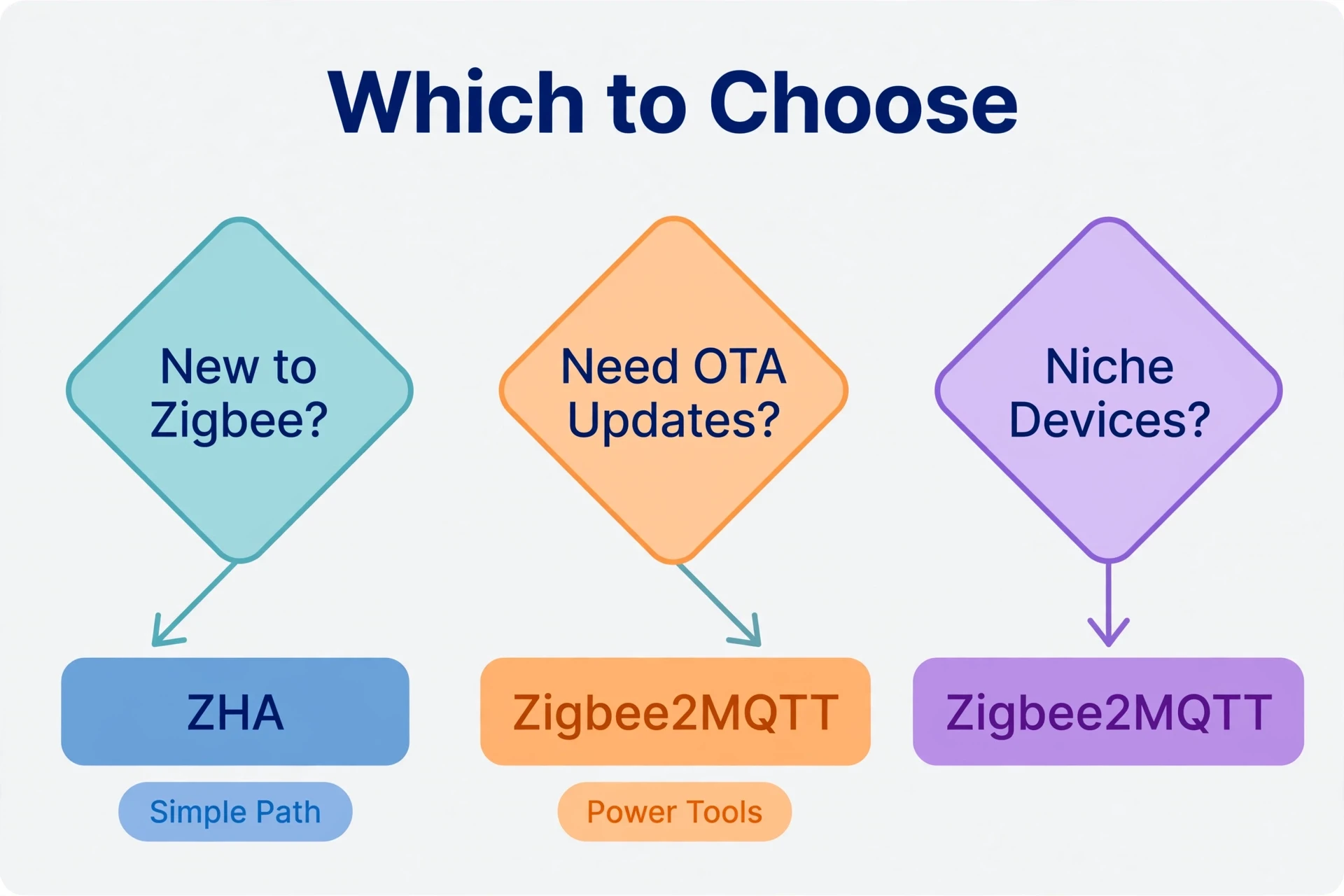
Enough theory — here is a simple decision framework. Read through both sides and see which one sounds like you.
Choose ZHA If…
- You are new to Home Assistant and want the easiest path. Plug in, click a few times, and you are pairing devices.
- Your devices are all common, mainstream brands. If they are on ZHA’s supported list, you will never notice the difference.
- You don’t use MQTT for anything else. There is no reason to add a broker just for Zigbee.
- You want minimum maintenance. One system to update, one interface to learn, everything under one roof.
- You like the idea that picking the best home automation system setup means keeping things simple, not adding layers.
Choose Zigbee2MQTT If…
- You own (or plan to own) niche or unusual devices. Zigbee2MQTT’s wider device library is the deciding factor.
- You already use MQTT. If a broker is already running, Zigbee2MQTT slots right in.
- You want OTA firmware updates and serious debugging tools. The web dashboard and logs are genuinely excellent.
- You want the Zigbee layer independent from Home Assistant. Restarts, updates, and multi-system access all become smoother.
- You run a large network (100+ devices) or might want a second coordinator someday.
Honestly, there is no wrong answer here. Both are mature, well-maintained, and power thousands of homes. The “better” option is the one that matches your devices and your appetite for tinkering.
Can You Switch From One to the Other Later?
Yes, but it is tedious. Switching means re-pairing every Zigbee device to the new stack. Each device must be put into pairing mode again, one by one. For five devices, that’s a coffee break. For fifty, that’s an afternoon.
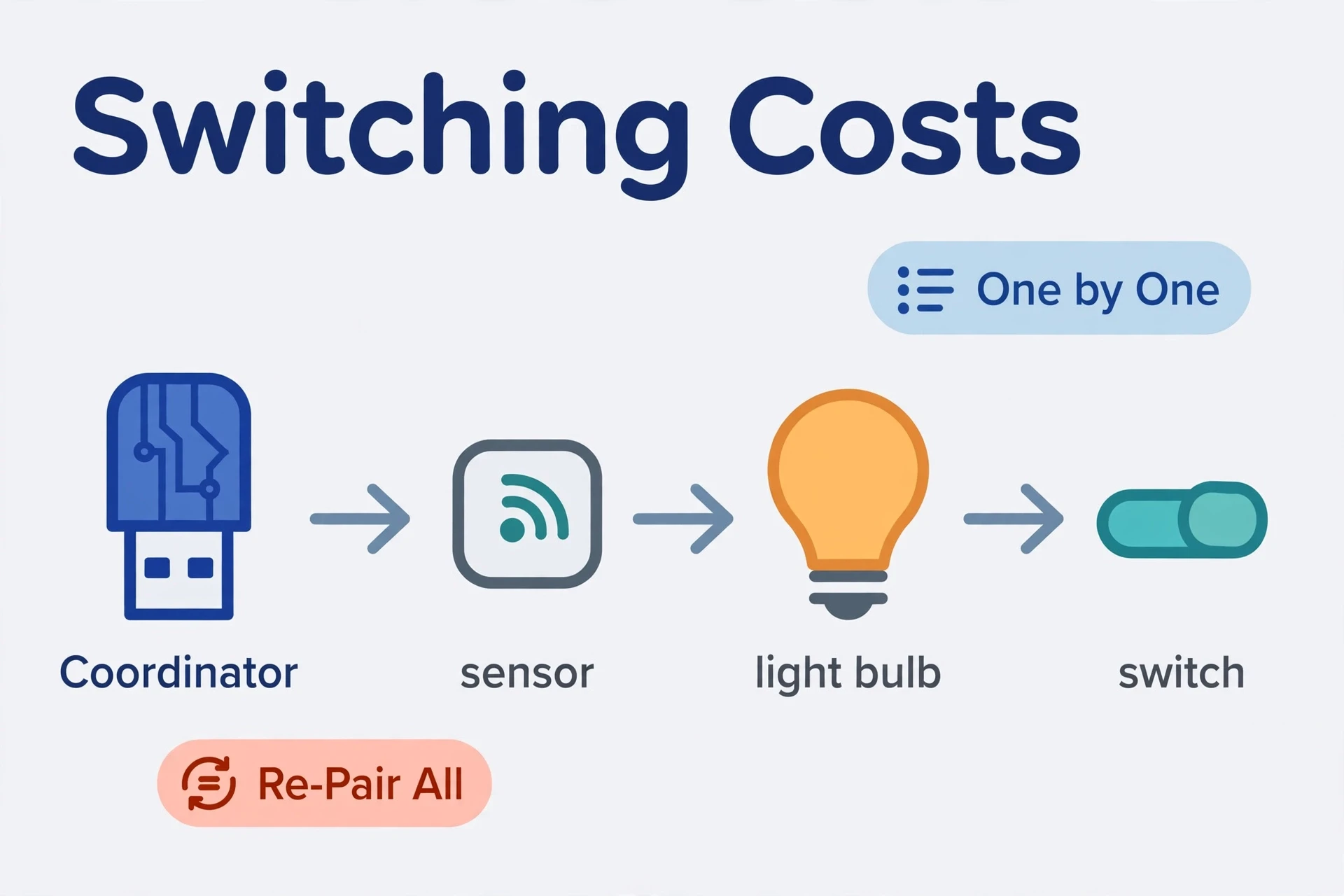
Your automations will also need attention, since entity IDs and trigger styles may change. Finally, it is not a project you want to repeat often.
That is exactly why this decision matters more than it looks. In addition, take ten minutes now to check your device list and your comfort level, and you will save yourself a painful migration later.
If you haven’t bought a coordinator yet, start with our guide to the best Zigbee coordinator for Home Assistant — the hardware choice shapes the experience almost as much as the software.
Zigbee2MQTT vs ZHA: Frequently Asked Questions
Can ZHA and Zigbee2MQTT run at the same time?
Yes, but only with two separate coordinators — one per Zigbee network. A single coordinator can’t be shared between them. Running both is an option during a gradual migration, but for everyday use it adds complexity with little benefit. Pick one and stick with it.
Does Zigbee2MQTT work without Home Assistant?
Yes. Zigbee2MQTT runs as a standalone service and publishes everything to MQTT, so any MQTT-capable software can use your devices. Home Assistant is one popular consumer of that data, but it is not required. ZHA, by contrast, only works inside Home Assistant.
Which is better for Aqara devices?
Both handle Aqara devices well these days, and that wasn’t always true. If you have standard Aqara sensors and switches, ZHA is fine and simpler. If you have newer or unusual Aqara models, Zigbee2MQTT tends to add support faster thanks to its active community. Check both device lists for your exact model before deciding.
Is Zigbee2MQTT slower than ZHA because of MQTT?
Not in any way you would notice. The extra hop through an MQTT broker adds milliseconds. On a normal home network, Zigbee2MQTT automations feel instant. Both respond fast enough for lighting, motion sensors, and everything else in a typical smart home.
Do I need an MQTT broker for ZHA?
No. ZHA is built into Home Assistant and doesn’t use MQTT at all. An MQTT broker is only required for Zigbee2MQTT. If you have no other use for MQTT, that is a small point in ZHA’s favor.
Final Verdict
So, zigbee2mqtt vs zha — which Home Assistant integration is better? It comes down to one question: do you want simple or do you want powerful?
Choose ZHA if you want the fastest path from a boxed coordinator to working automations. Furthermore, it is built in, easy to maintain, and handles mainstream devices beautifully.
Choose Zigbee2MQTT if you want the widest device support, OTA updates, deep debugging, and a Zigbee network that can stand on its own. Moreover, the extra setup pays off if you like control.
In fact, either way, you’re getting a fully local Zigbee setup with no cloud account and no subscription — and that alone puts you ahead of most smart home setups. For the full picture of how your devices fit into the wider ecosystem, Home Assistant’s official ZHA documentation is a great reference for ZHA-specific details.
