

Best Offline Voice Assistant for a Private, No-Cloud Smart Home
Every time you say “Alexa, turn off the lights,” your voice travels to a data centre, gets processed by a company server, and only then does your light switch off. Most people accept that trade. But if you would rather keep your voice inside your own walls — and keep your lights working when the internet drops — you want the best offline voice assistant you can run yourself. This guide compares the leading options honestly, explains how offline voice control actually works, and walks you through the setup route we recommend for a typical smart home.
One honest note before we start. An offline assistant will not answer trivia questions, stream music from the cloud, or hold a chat like a big online model. What it does brilliantly is the job most people use voice for 95% of the time: lights, switches, fans, timers, scenes, and simple status questions — answered instantly, privately, and with zero monthly cost. If that is your goal too, read on.
What “Offline” Really Means for a Voice Assistant
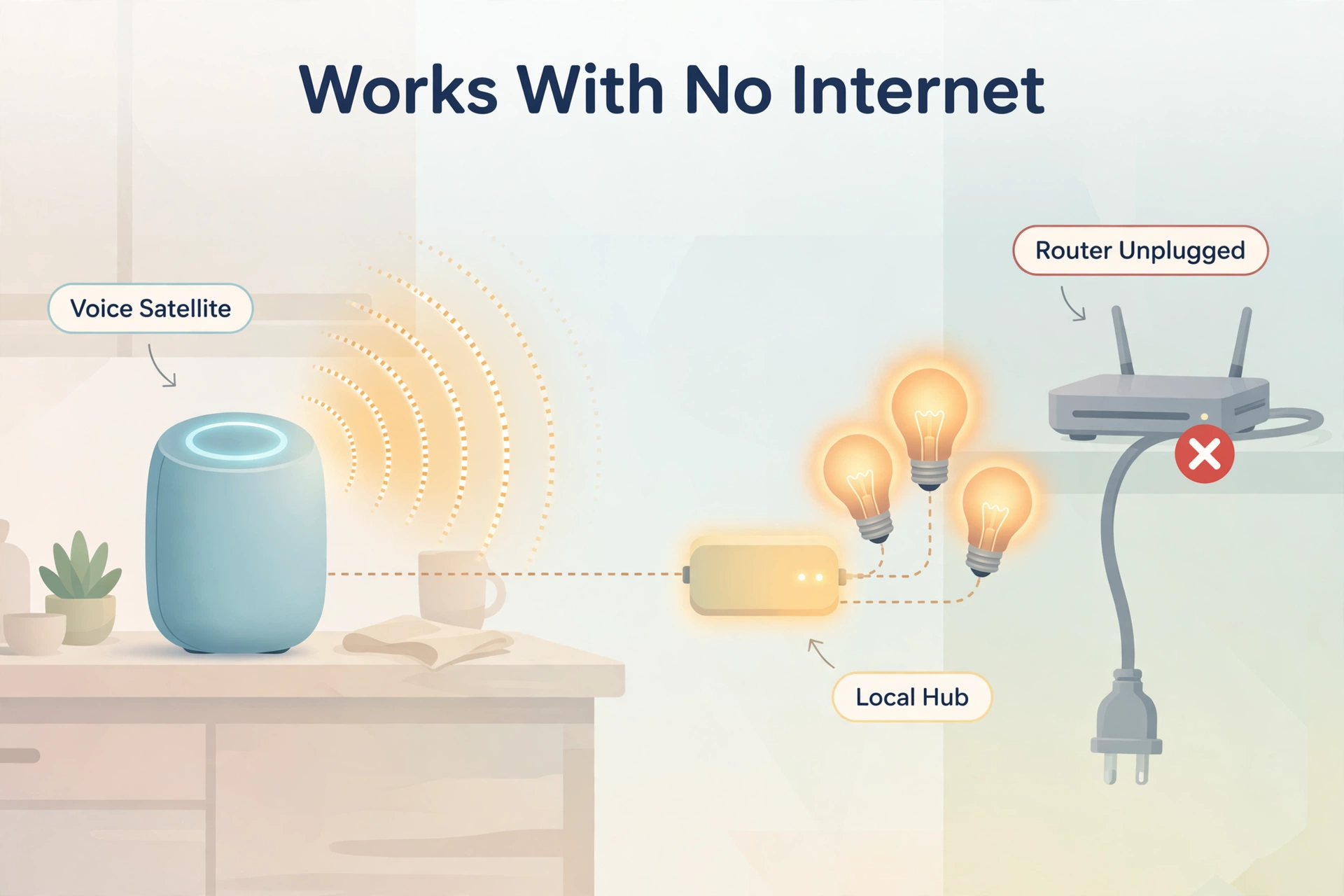
An offline voice assistant listens for a wake word, turns your speech into text, works out what you want, and speaks a reply — all on hardware inside your home. No part of that loop needs the internet. The microphone audio never leaves your network, nothing is stored on a company server, and there is no account that can be sold, shut down, or re-priced next year.
This matters more than people expect, for three practical reasons:
- Privacy. Your conversations stay in your house. There is no recording library somewhere that you hope stays private.
- Speed. A local system answers in a fraction of a second. Cloud assistants add network travel time to every single command.
- Reliability. When your internet connection drops — and it always drops eventually — a local assistant keeps working. Your lights, timers, and automations do not care about your ISP.
Offline does not mean cut off. You can still add cloud features on purpose, like a weather service or a music app. The difference is that the core of the system — hearing you, understanding you, answering you — belongs to you.
The Best Offline Voice Assistant Options, Compared
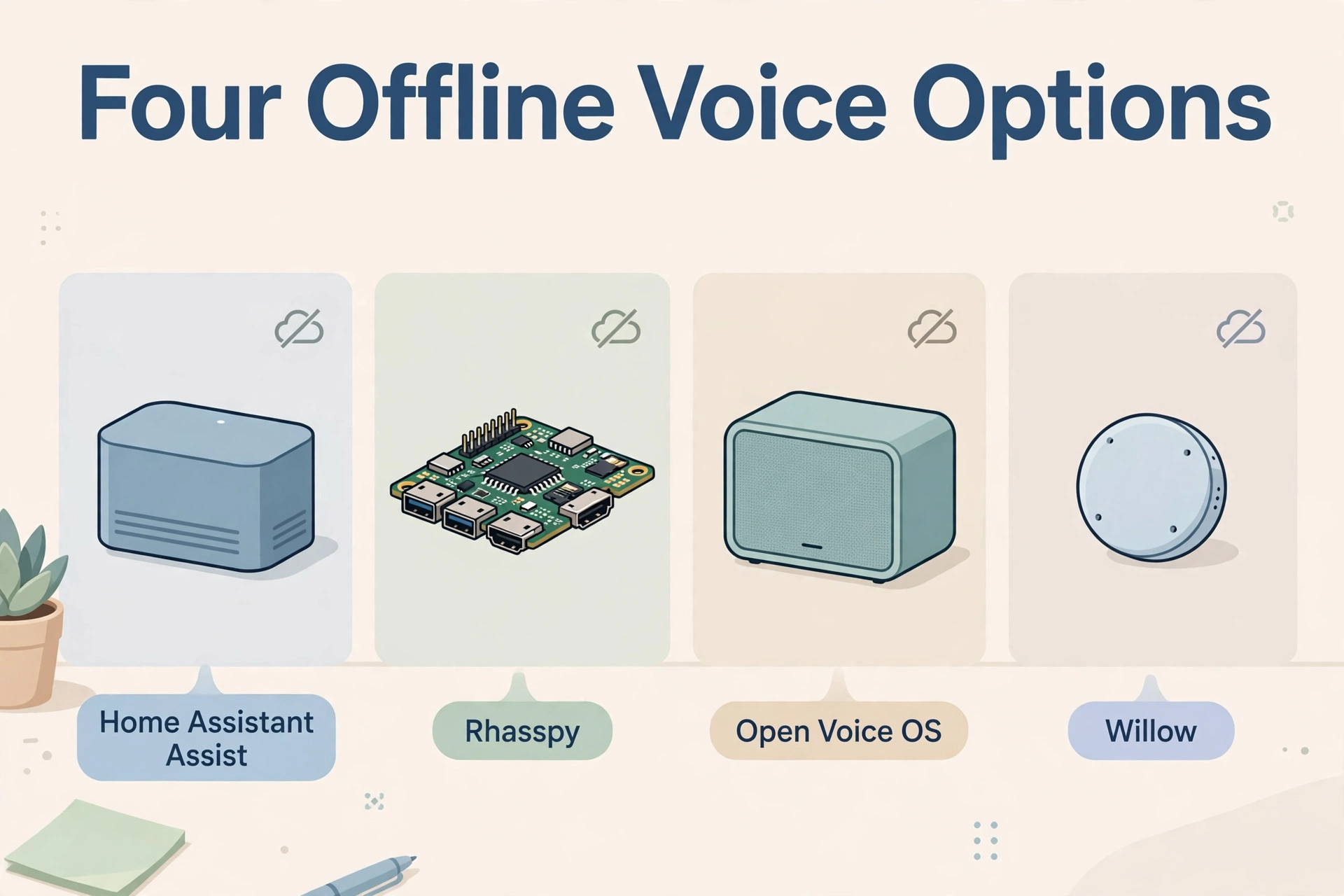
There is no single product to buy here; there are a few mature open-source projects, each with a different personality. These are the four that matter in 2026.
1. Home Assistant Assist (Whisper + Piper)
Home Assistant is the biggest smart home platform that runs fully locally, and its built-in voice system, Assist, is the most complete offline option for most people. It uses Whisper for speech-to-text and Piper for text-to-speech, both running on your own hub. Assist understands real sentences (“turn off the kitchen lights”), not just fixed commands, and it connects directly to the thousands of devices Home Assistant already supports. If you already run Home Assistant — or plan to — this is the route to take. Our step-by-step tutorial on how to build a fully local voice assistant with Home Assistant covers the whole pipeline from scratch.
2. Rhasspy
Rhasspy is the veteran of offline voice. It is built specifically to work without the internet and pairs with Home Assistant or other home automation systems to act on your commands. Its great strength is flexibility: you can run parts of it on small devices around the house and keep a bigger “brain” in one place. It asks a little more technical patience than Assist, but in return it gives you deep control over languages and voice models.
3. Open Voice OS (OVOS)
Open Voice OS, often called OVOS, is the community successor to the Mycroft voice assistant after that company closed down. It runs on a Raspberry Pi or similar small computer and works fully offline for core skills like lights, timers, and reminders. It feels closest to a classic “smart speaker replacement” — you talk to it, it does things. The project is smaller than Home Assistant’s ecosystem, so device support is narrower, but as a dedicated talking box it is charming and capable.
4. Willow
Willow takes a slightly different path. The small ESP32-based box on your shelf handles the wake word and streams your speech to a Willow server you run at home, which does the heavy listening. Everything still stays on your own network — “offline” from the internet’s point of view — and the hardware is cheap and tidy. It is a good fit if you want neat little satellites in several rooms without building each one yourself.
Table: The best offline voice assistant options compared
| Feature | Home Assistant Assist | Rhasspy | Open Voice OS (OVOS) | Willow |
|---|---|---|---|---|
| Needs the internet to answer | No | No | No | No (local server) |
| Understands natural sentences | Yes — flexible phrasing | Mostly fixed sentences you define | Skill-based commands | Fixed command set |
| Smart home device support | Huge (thousands of integrations) | Via Home Assistant or MQTT | Small but growing | Via Home Assistant |
| Typical hardware | Your Home Assistant hub + satellites | Raspberry Pi units around the home | Raspberry Pi or small PC | ESP32 boxes + home server |
| Best for | Most smart homes | Tinkerers and multi-language homes | A simple talking speaker box | Cheap multi-room satellites |
For nine out of ten readers, the honest answer to “which is the best offline voice assistant?” is Home Assistant Assist, simply because it sits inside the strongest local smart home platform and improves every few months. The others shine in narrower roles, which the sections below explain.
How an Offline Voice Assistant Works
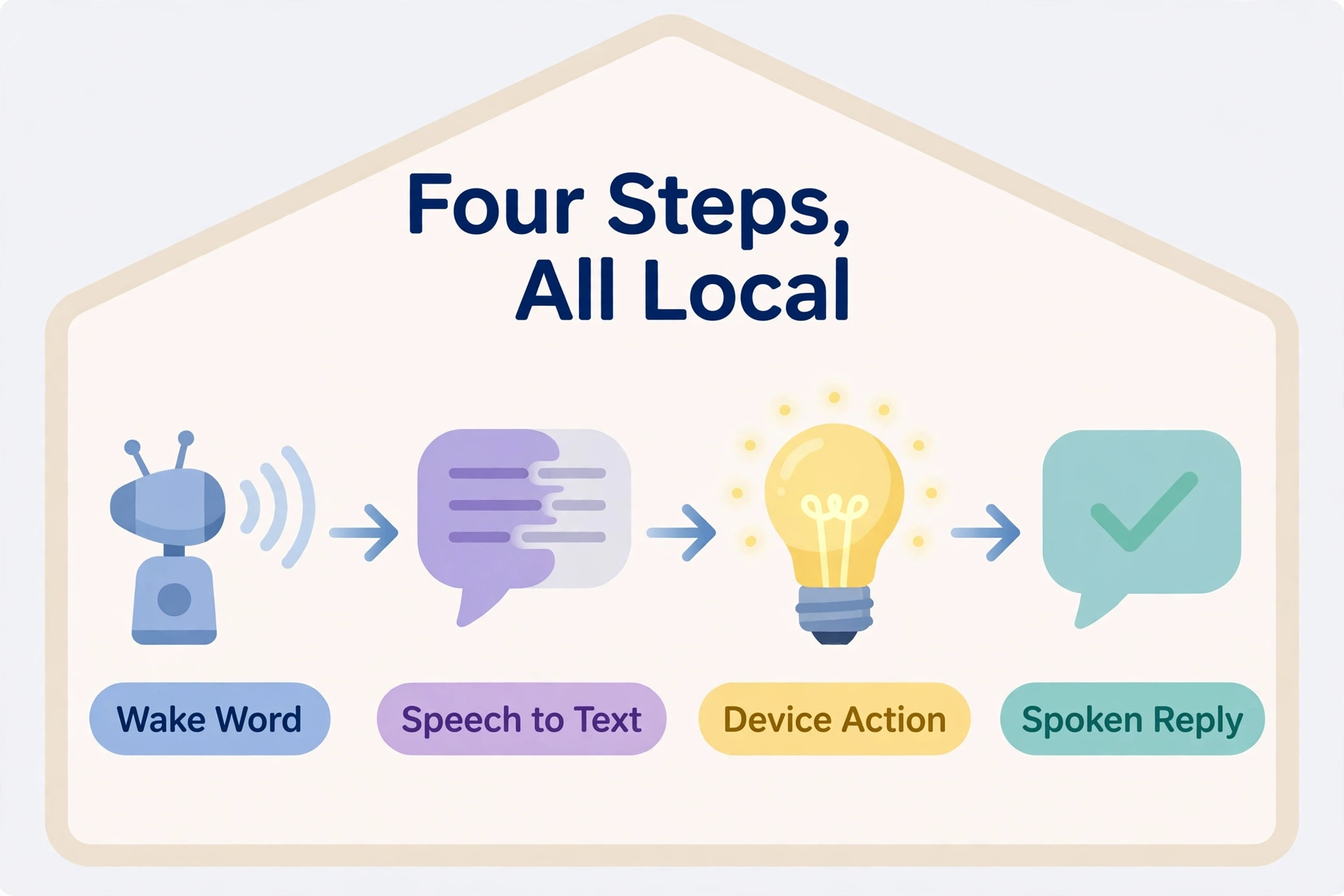
Every offline assistant, whichever you pick, runs the same four-step chain. Understanding it makes setup and troubleshooting much easier.
- Wake word detection. A small, always-listening model on the device waits for one phrase — “OK Nabu,” or a private phrase of your own. Nothing is recorded or sent anywhere before this point.
- Speech-to-text. Once awake, your words are converted into text by a local model such as Whisper. On modest hardware this takes a moment; on a decent mini PC it is nearly instant.
- Understanding and action. The system matches your sentence to an intent — “turn off” + “kitchen light” — and runs it against the devices in that room.
- Text-to-speech. A local voice such as Piper speaks the short reply: “Turned off the kitchen light.” No cloud voice, no delay.
The wake word step deserves one extra note, because it is where privacy is won. With server-side detection the satellite streams audio across your local network to a detector; with on-device detection nothing leaves the little box at all until it hears the phrase. If you want a phrase nobody else’s assistant uses, our guide to setting up a private wake word with Home Assistant shows all three routes, from built-in phrases to training your own.
What You Need to Get Started
The shopping list is short, and you may already own most of it:
- A small always-on computer to be the brain: a Raspberry Pi 5, a Home Assistant hub appliance, or a mini PC.
- At least one voice satellite — a microphone-and-speaker device for each room where you want to talk. Dedicated satellites, ESP32-based boxes, or a spare phone or tablet all work.
- Smart devices worth controlling by voice: lights, plugs, switches, fans, or blinds already connected to your hub.
- A little patience for the first setup. Plan on an hour for the full pipeline, less if your hub is already running.
If your hub itself does not exist yet, set that up first: our walkthrough on how to install Home Assistant on a Raspberry Pi 5 takes you from blank memory card to a working dashboard, which is the foundation every option in this guide builds on.
Setting Up the Recommended Route, Step by Step
Here is the Home Assistant route in outline — the same route our full tutorial follows in detail. The official Home Assistant voice control documentation is the reference to keep open beside it, since menu names evolve over time.
- Install the two voice engines. From the Home Assistant add-on store, install the Whisper add-on (speech-to-text) and the Piper add-on (text-to-speech), then start both.
- Add the Wyoming integrations. Home Assistant usually discovers the new add-ons automatically; confirm each one when prompted so Assist can use them.
- Build your voice pipeline. In Settings → Voice assistants, create a pipeline that combines your wake word engine, Whisper, Assist itself, and Piper, and pick a voice you like.
- Connect a satellite. Add your voice satellite device, point it at your new pipeline, and select its wake word.
- Expose a few devices to voice. Mark your most-used lights and switches as available to Assist, and give them clean, simple names — “kitchen light” beats “IKEA bulb E27 02.”
- Test in the real room. Stand where you normally stand, talk at normal volume, and try the phrases your family will actually use. Adjust names and room assignments until it feels boring — boring is the goal.
Honest Limits: What Offline Assistants Cannot Do (Yet)
A guide that only praises its subject is an advert, so here is the other side. Offline speech-to-text is very good, but a small local Whisper model makes more mistakes than the giant cloud versions, especially with names, accents, and noisy rooms. A better hub with more CPU power closes most of that gap. Local voices from Piper sound clear but slightly robotic next to the best cloud voices. And open-ended questions — “who won the match last night?” — are simply outside the design; an offline assistant controls your home, it does not browse the world.
None of this stops the core job from working beautifully. Lights, scenes, timers, locks, and status checks are handled locally with a speed and privacy no cloud speaker can match. Many households also keep both worlds: local control for the home itself, and a phone for questions that genuinely need the internet.
Frequently Asked Questions
What is the best offline voice assistant for a smart home?
For most homes, Home Assistant Assist with Whisper and Piper. It runs fully offline, understands natural sentences, and controls the widest range of smart devices without any subscription. Rhasspy suits tinkerers who want maximum control, while OVOS and Willow fit simpler or multi-room satellite setups.
Can a voice assistant really work with no internet at all?
Yes, provided every part of the pipeline — wake word, speech-to-text, understanding, and the spoken reply — runs on your own hardware. That is exactly how the systems in this guide are built. Your devices keep responding through internet outages; features that fetch outside data, like weather forecasts, are the only ones that pause.
Is an offline assistant faster than Alexa or Google Assistant?
For home control commands, usually yes. A cloud assistant sends your audio across the internet, waits for a distant server, and streams a reply back. A local assistant does everything in the same house, often answering in well under a second on decent hardware.
How much does it cost to run?
The software in this guide is free and open source. Your costs are the hardware: a small hub computer if you do not own one, plus a satellite per room. There is no subscription and no per-command fee, and the electricity draw of a small hub is a few watts — pennies a month.
Will it understand my family and my accent?
Generally yes for clear speech at normal distances, and Whisper supports many languages. Expect the odd misunderstanding with quiet voices, far-away speech, or a loud TV — the same conditions that trip up cloud assistants. Naming devices simply makes a bigger difference than any model setting.
The Bottom Line
The best offline voice assistant is the one whose whole pipeline — ears, brain, and voice — lives in your house. Home Assistant Assist earns the top spot for most readers because it pairs fully local Whisper and Piper voice processing with the largest smart home ecosystem available, all free and all private. Start with one room, one satellite, and your most-used lights. Live with it for a week. Most people find the cloud speakers start gathering dust all by themselves.
