

Two names own the smart thermostat shelf: ecobee and Nest. However, both promise lower bills and a home that heats and cools itself, but they take different roads to get there. This ecobee vs Nest comparison puts the full 2026 lineups head to head — models, room sensors, learning smarts, Home Assistant fit, installation, and price — so you can pick the right one the first time.
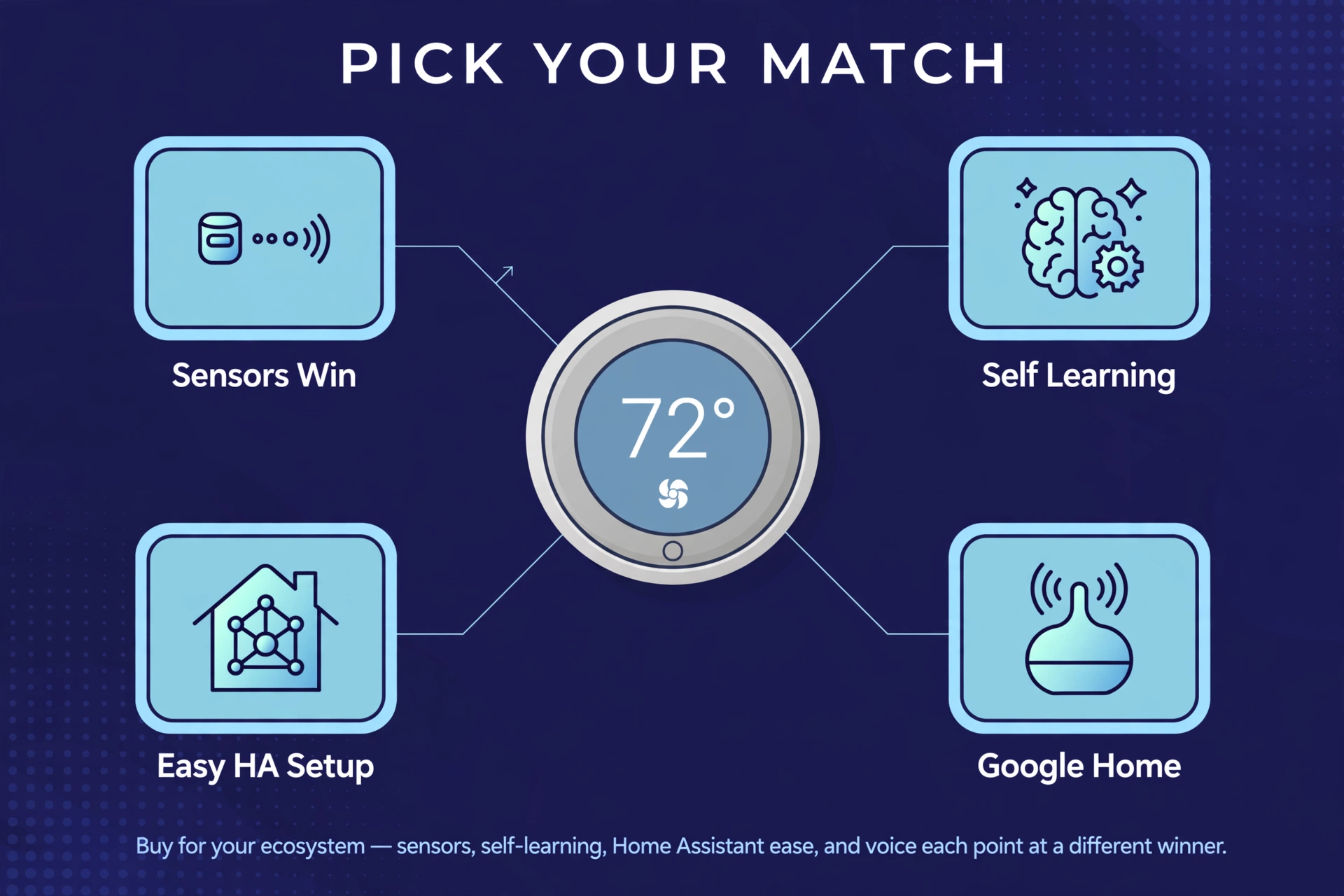
The short answer: pick ecobee for occupancy-aware room sensors and the deepest Home Assistant support, or Nest if your home runs on Google and you want a thermostat that programs itself. For example, details below — they matter more than the logos.
The 2026 Lineups, at a Glance
ecobee sells three thermostats, all current models. The Smart Thermostat Premium ($259.99) sits at the top with a built-in air quality monitor, a voice speaker, and one SmartSensor in the box. The Smart Thermostat Enhanced ($199.99) has the same climate smarts in a simpler body — no speaker, no air monitor, no sensor in the box. The Smart Thermostat Essential ($139.99) is the entry point: full scheduling and app control at nearly half the Premium’s price.
Nest keeps it simpler with two. The Nest Learning Thermostat (4th gen) ($279.99) is Google’s flagship: a borderless crystal display, a self-programming Smart Schedule, and one Nest Temperature Sensor in the box. The plain Nest Thermostat ($129.99) is the budget play — a mirrored, touch-strip design with scheduling suggestions instead of true learning, and no remote sensor support.
Prices above are the makers’ own US store list prices, checked on 2026-10-02. Also, street prices move, sales happen, and utility rebates can cut the price dramatically — check before you buy.
ecobee vs Nest: The Specs, Side by Side
Here is the whole comparison on one screen.
| Feature | ecobee Smart Thermostat Premium | ecobee Smart Thermostat Enhanced | ecobee Smart Thermostat Essential | Nest Learning Thermostat (4th gen) | Nest Thermostat |
|---|---|---|---|---|---|
| List price (maker’s store) | $259.99 | $199.99 | $139.99 | $279.99 | $129.99 |
| Room sensor in the box | Yes — 1 SmartSensor (temp + occupancy) | No (compatible, sold separately) | No (compatible, sold separately) | Yes — 1 Nest Temperature Sensor (temp only) | No (no remote sensor support) |
| Self-learning schedule | No — smart schedules + eco+ | No — smart schedules + eco+ | No — smart schedules + eco+ | Yes — Smart Schedule learns your routine | No — schedule suggestions only |
| Built-in voice assistant | Yes — Alexa or Siri | No | No | No (via Google Assistant devices) | No (via Google Assistant devices) |
| Indoor air quality monitor | Yes — VOCs, estimated CO2, humidity | No | No | No — outdoor air quality + humidity sensing | No |
| Apple Home | Native HomeKit | Native HomeKit | Native HomeKit | Via Matter | Via Matter |
| Works with Alexa and Google | Yes | Yes | Yes | Yes | Yes |
| Home Assistant path | Native integration (no API key needed) | Native integration (no API key needed) | Native integration (no API key needed) | SDM API — $5 Device Access fee + Google Cloud setup | SDM API — $5 Device Access fee + Google Cloud setup |
| Wi-Fi | Dual-band | Dual-band | 2.4 GHz only | Dual-band | Dual-band |
The pattern is already visible. ecobee is the platform player’s thermostat: more sensors, more voice, more ecosystems, more DIY. First, Nest is the Google player’s thermostat: simpler lineup, stronger self-learning, cleaner design, and a steeper path into Home Assistant.
Learning vs Scheduling: How They Think
This is the deepest philosophical split in the ecobee vs Nest debate, so it deserves a clear explanation.
The Nest Learning Thermostat (4th gen) genuinely learns. For the first week or so, you turn the dial (or tap the app) whenever you want a change. The thermostat watches: what temperature you pick, at what time, on which days. Then its Smart Schedule starts programming itself, suggesting tweaks as it goes. Leave home and Adaptive Eco drops to an efficient temperature, then warms or cools back toward your comfort zone before you return. Natural heating and cooling learns how outdoor weather affects your house — a sunny afternoon warms the living room, so it eases off the heat early. It is the closest thing to a thermostat you never program.
ecobee takes the opposite approach: it gives you a proper schedule and makes the schedule smarter. Second, you (or the guided setup) build Home, Away, and Sleep comfort settings with setpoints for each. Then eco+ layers on top — occupancy sensing turns temperatures down when nobody is around, and the system suggests schedule refinements over time. What ecobee does not do is build the schedule from your manual tweaks the way Nest does. For some people that is a feature, not a gap: the schedule does exactly what you told it to, every time, with no surprises.
The cheaper Nest Thermostat sits in the middle: no true learning, just a Savings Finder that suggests schedules you build yourself. In the budget tier of ecobee vs Nest, neither model learns — the ecobee Essential simply gives you richer scheduling tools.
Sensors and Room Comfort: Where ecobee Pulls Ahead
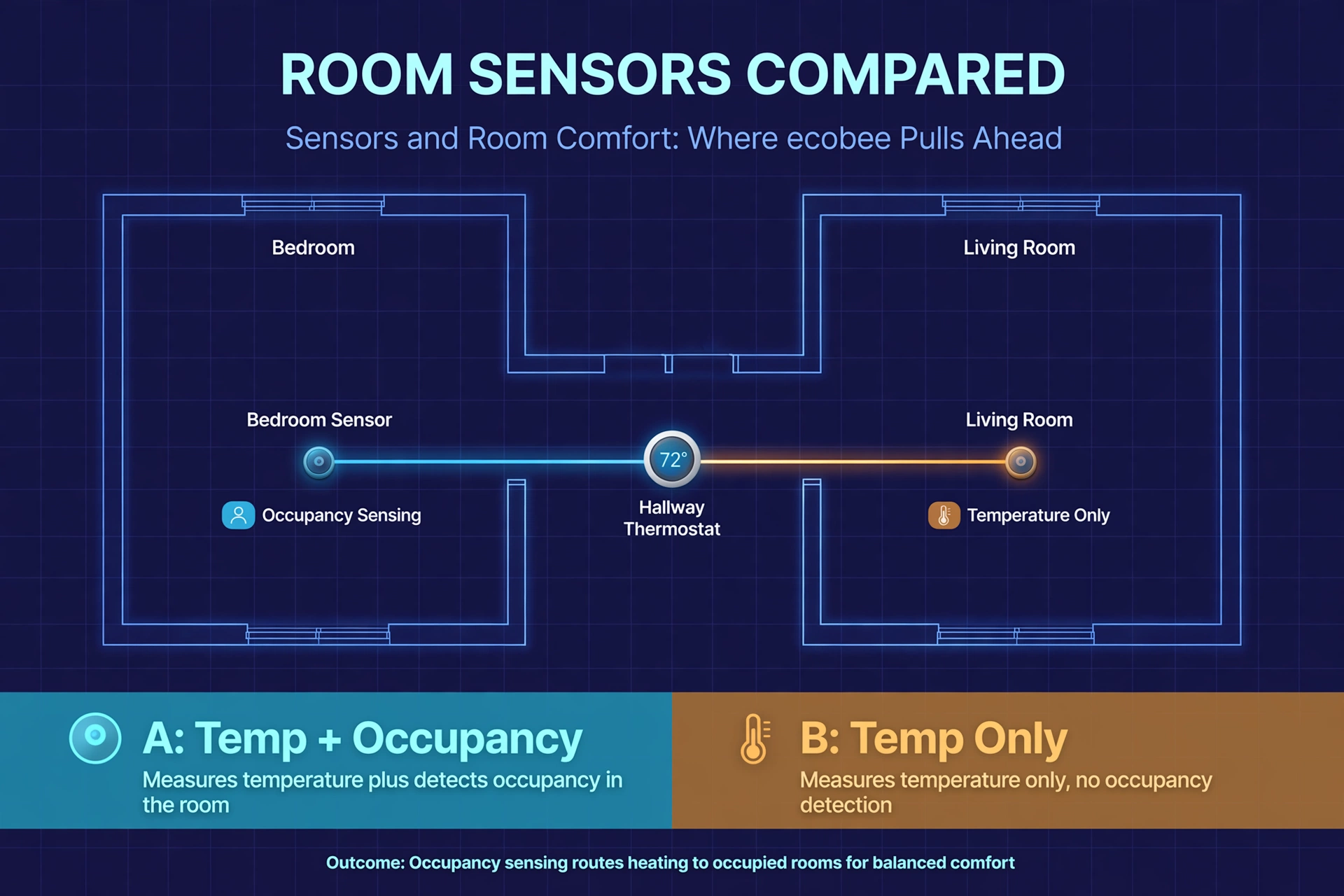
Thermostats measure temperature where they hang — usually a hallway. Meanwhile, your bedroom runs cold, the office runs hot, and the hallway is perfect. Nevertheless, remote room sensors fix that, and this is ecobee’s strongest card.
The ecobee SmartSensor measures both temperature and occupancy. That second part matters: ecobee’s Follow Me mode averages only the rooms that are actually occupied, and Smart Home & Away can cut heating or cooling when the house sits empty. In fact, the Premium ships with one SmartSensor; a two-pack lists at $99.99. Extra sensors pair with all three current ecobee models.
Nest’s answer is the Nest Temperature Sensor (2nd gen): one in the box with the 4th-gen Learning Thermostat, up to six per thermostat, $39.99 each or $99.99 for a three-pack at list. But it measures temperature only — no occupancy. As a result, you pick which sensor is active during each part of the day (bedroom at night, living room in the evening), which solves the cold-bedroom problem without solving the empty-room problem. And the budget Nest Thermostat does not support remote sensors at all.
On air quality, the split is indoor versus outdoor. In contrast, the ecobee Premium monitors indoor air — VOCs, estimated CO2, and humidity at the thermostat — with alerts and air-filter reminders (it cannot detect particulate matter, so treat it as a guide, not a lab). Similarly, the Nest Learning 4th gen watches humidity indoors and pulls in outdoor air quality to drive its Smart Ventilation feature: fresh air when the outside is healthy, hold back when pollution makes it unhealthy.
The occupancy angle is worth one more sentence, because it is how rooms actually get comfortable. Motion and presence sensing decides which rooms count toward your comfort target; our explainer on mmWave vs PIR sensors covers how different sensor types see a room. ecobee’s occupancy-aware averaging is the closest any mainstream thermostat gets to that idea out of the box.
Home Assistant and Smart Home Fit
If you run Home Assistant, this section may decide the ecobee vs Nest question for you before price even enters the room.
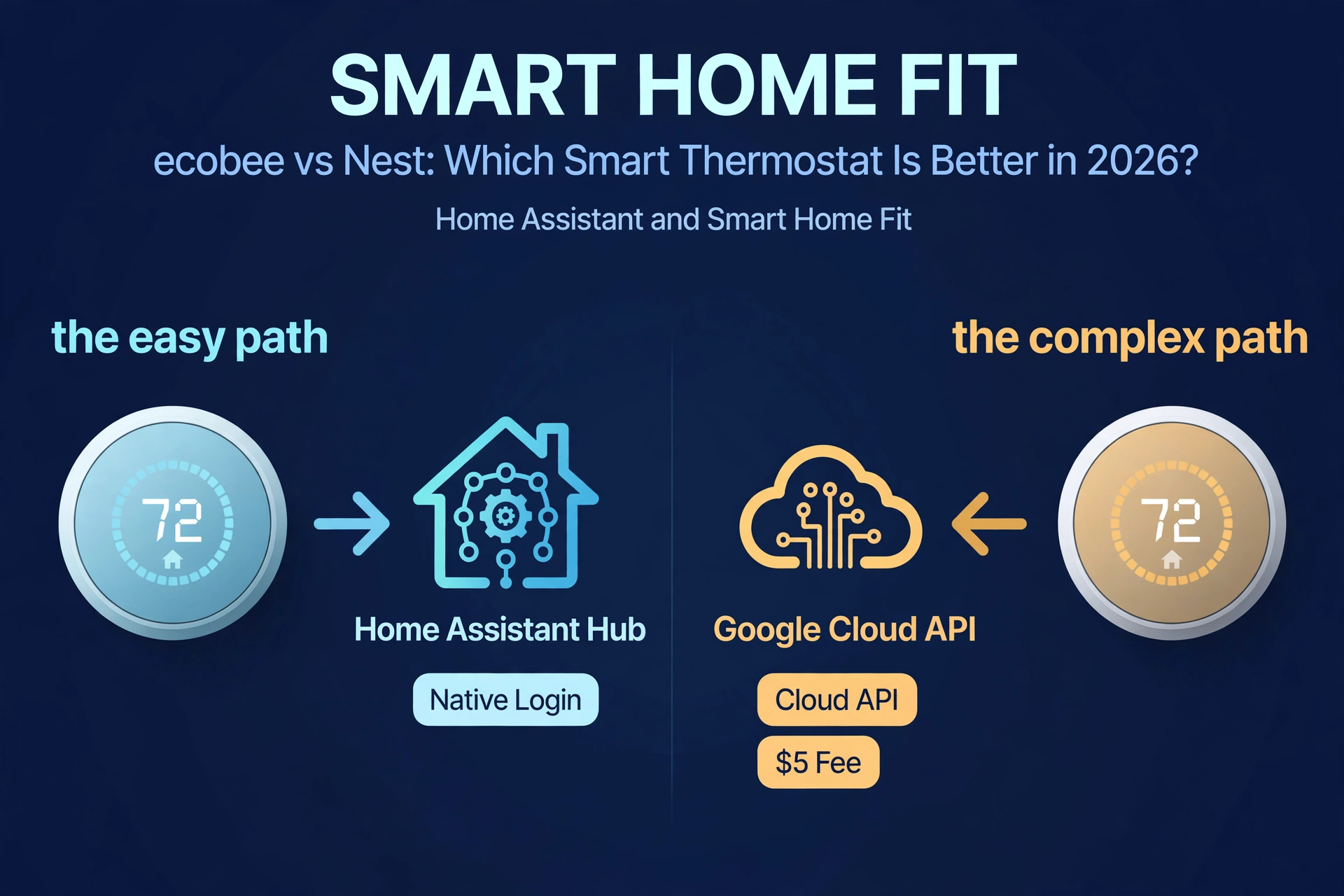
ecobee + Home Assistant is now the easy one. The official ecobee integration connects with just your ecobee.com username and password — since Home Assistant 2026.3, no developer API key is needed, and it exposes climates (Home, Away, Sleep), occupancy modes, humidity targets, ventilator control, and even which sensors participate in each climate program. Specifically, prefer local control? ecobee thermostats are HomeKit-native, so the HomeKit Device integration in Home Assistant pairs them locally over your LAN with no cloud round trip. Either route is well documented in Home Assistant’s official ecobee integration docs.
Nest + Home Assistant works, but it costs effort and a small fee. However, the official Nest integration uses Google’s Smart Device Management API, which requires a Google Cloud project, OAuth setup, a Device Access project (a one-time US$5 fee), and Cloud Pub/Sub plumbing for device events. For example, it does not work with Google Workspace accounts or Advanced Protection. Full details live in Home Assistant’s official Nest integration docs. Once running, you get climate control and sensor readings — but the setup afternoon is real. If you have not built your system yet, our guide to install Home Assistant on a Raspberry Pi 5 covers the hardware side.
Ecosystem scorecard: every current ecobee thermostat works natively with Apple HomeKit, Amazon Alexa, and Google Assistant, plus SmartThings. Furthermore, Nest thermostats work with Google Home and Alexa, and the 4th-gen Learning Thermostat adds Matter, which is how it reaches Apple Home. Moreover, neither Nest model has a built-in voice speaker; only the ecobee Premium does. If your household mixes Apple, Google, and Alexa devices, ecobee’s native HomeKit support is the smoother path. If you are all-in on Google, Nest is obviously the native citizen.
Installation and the C-Wire Question
Before falling in love with either side of ecobee vs Nest, check one boring thing: your wiring. Also, a C-wire gives the thermostat continuous 24V power; without one, smart thermostats need a workaround.
ecobee includes a Power Extender Kit (PEK) in the box with the Premium and Enhanced. First, the PEK installs at your furnace and repurposes one existing thermostat wire to carry power — no new wire run. Second, the Essential’s PEK is sold separately. All three handle staged heat pumps (up to two heating and cooling stages plus aux heat) and conventional systems; inverter or variable-speed heat pumps are not directly supported.
Nest handles the C-wire question differently. Finally, the 4th-gen Learning Thermostat’s 12-terminal backplate covers most 24V systems, and Google will send a Nest Power Connector free of charge if the power test during setup says you need one. Meanwhile, the budget Nest Thermostat has a narrower six-terminal backplate and is the model most likely to need the power connector. Google’s own compatibility checker is worth running before you buy — five minutes there beats a return.
A sensible install order, whichever brand you choose:
- Run the compatibility checker on the maker’s site with your current thermostat’s wiring in front of you.
- Kill the power at the breaker for the furnace and AC before touching a single wire.
- Photograph and label every wire before disconnecting the old thermostat.
- Install the power kit or connector first (if needed), then wire the new base.
- Complete setup in the app, run the equipment test, and confirm heating and cooling both fire before closing up.
Voice Control and Apps
Only one thermostat in this comparison talks back: the ecobee Smart Thermostat Premium, with Alexa or Siri built in (Siri needs an Apple home hub on the network). Nevertheless, the other four models have no speaker or microphone — voice runs through a separate smart speaker. If you run Home Assistant, you can build fully local voice control instead; our guides to a custom wake word in Home Assistant and the best offline voice assistant show what is possible without any cloud at all.
Both apps — ecobee’s and Google Home — handle the essentials well: schedules, holds, energy history, remote control. ecobee’s app adds Home IQ energy reports with month-by-month breakdowns; Google Home leans on the Energy Dashboard with history and the Nest Renew program.
Price and the Value Math
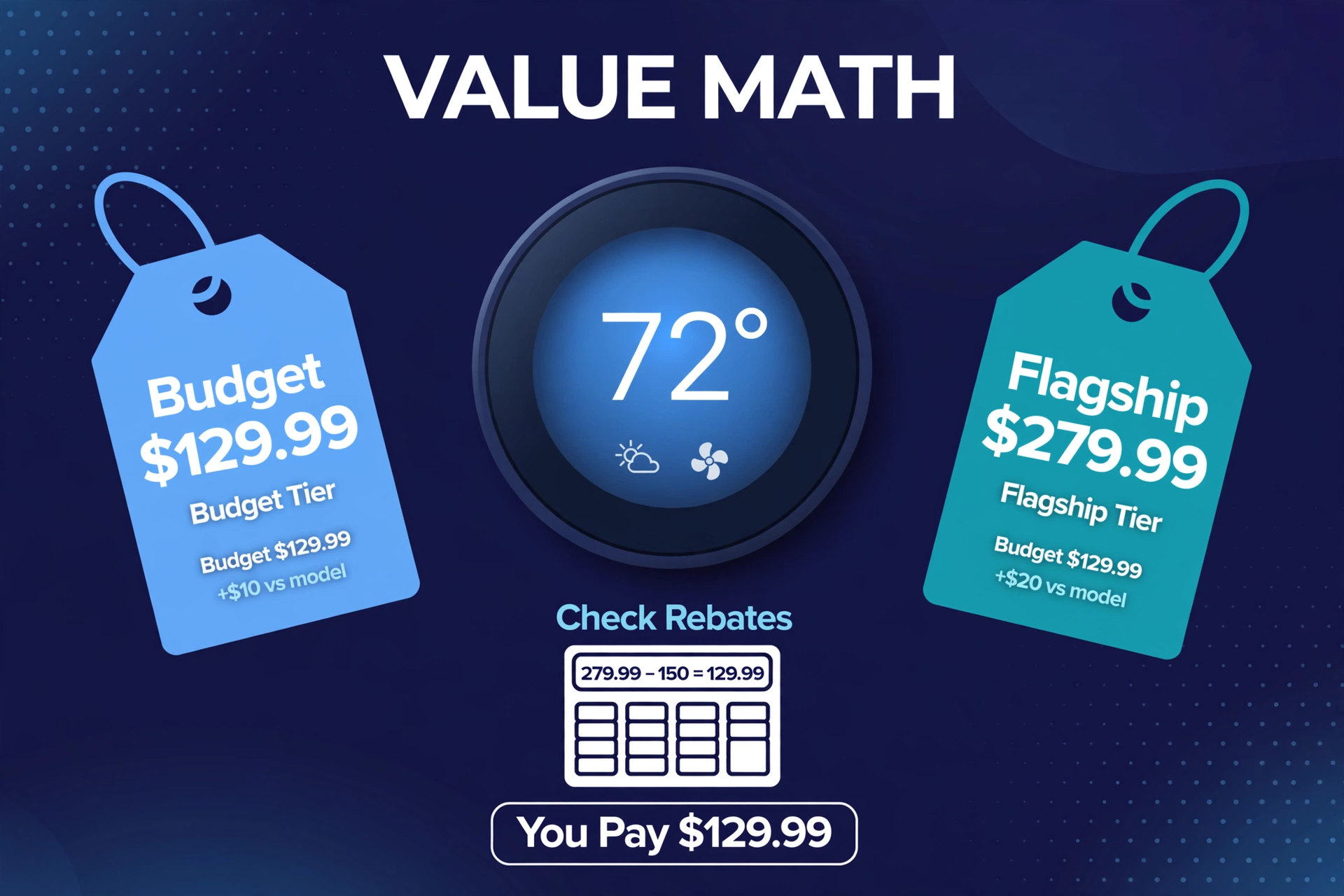
List prices, checked on 2026-10-02: ecobee Essential $139.99, Nest Thermostat $129.99, ecobee Enhanced $199.99, ecobee Premium $259.99, Nest Learning (4th gen) $279.99. In fact, the budget race is genuinely close — ten dollars apart. The flagship race has Nest $20 above ecobee’s Premium, though ecobee bundles a $100-value SmartSensor two-pack’s worth of sensing and an air quality monitor the Nest lacks at any price.
Then there is the savings claim both brands lean on. ecobee says the Premium and Enhanced can save up to 26% on annual heating and cooling costs (Essential: up to 23%), measured against holding 72°F. Nest says the Learning Thermostat saves an average of 12% on heating bills and 15% on cooling bills. Both are manufacturer claims — real savings depend on your climate, your home’s insulation, and how wasteful your current habits are. Also check utility rebates: energy companies routinely discount smart thermostats by $50–$100, which can make the “expensive” model the cheapest one you actually buy.
The Verdict: Which ecobee vs Nest Pick Fits Your Home
After the full ecobee vs Nest rundown, here is the honest shortlist:
- Get the ecobee Smart Thermostat Premium if you want the best all-rounder: occupancy-aware room sensors, built-in voice, indoor air quality monitoring, native HomeKit, and the easiest Home Assistant integration of the bunch.
- Get the ecobee Smart Thermostat Enhanced if you want ecobee’s climate smarts for $60 less and can live without the speaker, the air quality monitor, and the sensor in the box.
- Get the ecobee Smart Thermostat Essential if budget is the priority and you like the ecobee ecosystem — it is the cheapest way into native HomeKit plus full scheduling.
- Get the Nest Learning Thermostat (4th gen) if you are deep in Google Home and want the thermostat to program itself — or need Matter-based Apple Home control.
- Get the Nest Thermostat if you want the cheapest credible smart thermostat and your home is already Google-centric — just know it skips remote sensors and true learning.
And one final thought: the thermostat you configure beats the “better” one you never set up. As a result, buy for your ecosystem, wire it correctly, and build the schedule. In contrast, either brand will pay for itself; the setup is where the savings live.
ecobee vs Nest FAQs
Is ecobee or Nest better for Home Assistant?
ecobee, clearly. Its official Home Assistant integration needs only your ecobee login since version 2026.3, and its native HomeKit support allows fully local control through the HomeKit Device integration. Similarly, Nest works through Google’s Smart Device Management API, which costs a $5 Device Access fee and a multi-step Google Cloud setup.
Do I need a C-wire for ecobee or Nest?
Not necessarily. ecobee includes a Power Extender Kit with the Premium and Enhanced for homes without a C-wire; the Essential needs it bought separately. Specifically, Google sends a Nest Power Connector free if setup says your system needs one. However, run the maker’s compatibility checker with your wiring before buying.
Which saves more energy, ecobee or Nest?
Both brands publish claims: ecobee says up to 26% on heating and cooling (23% for the Essential); Nest says an average of 12% on heating and 15% on cooling. For example, these are manufacturer figures from controlled comparisons, so treat them as rough guidance. In addition, real savings depend on your climate, insulation, and current thermostat habits.
ecobee vs Nest: which has better room sensors?
ecobee. Furthermore, its SmartSensor measures temperature and occupancy, so the thermostat can average only occupied rooms and cut conditioning when the house is empty. Moreover, nest’s Temperature Sensor measures temperature only, and the budget Nest Thermostat supports no remote sensors at all.
Can ecobee or Nest work with Apple Home?
Yes, both — differently. Also, all current ecobee thermostats support Apple HomeKit natively. First, the Nest Learning Thermostat (4th gen) reaches Apple Home through Matter. Only ecobee gives you native HomeKit; only Nest gives you Matter.
