

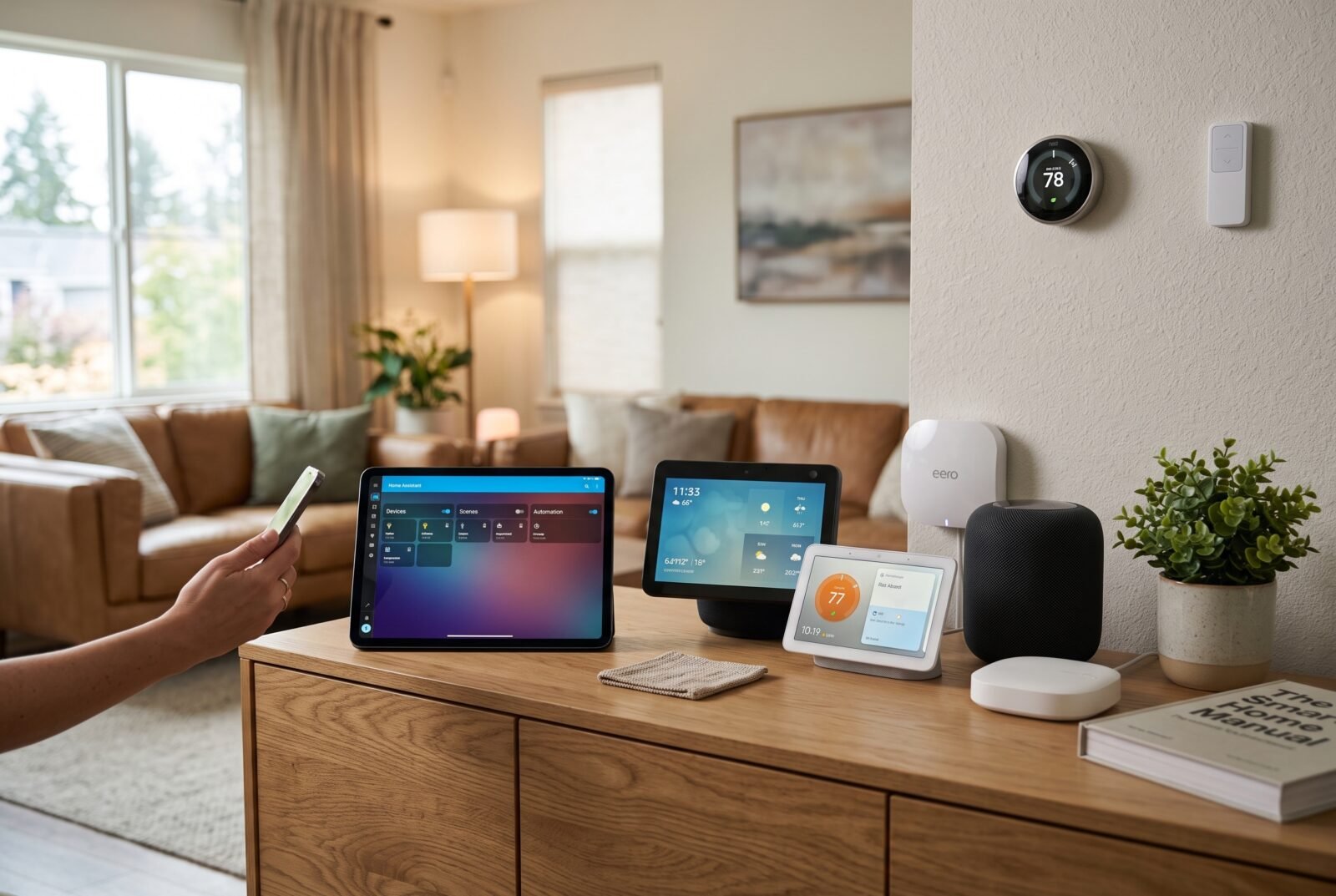
The best home automation system should make everyday tasks easier without leaving you responsible for a complicated collection of apps. The right choice depends on the devices you own, how much control you want, and whether anyone in your household is willing to maintain it.
For flexible automation and local control, Home Assistant is the strongest choice in this comparison. Apple Home is a better starting point for many Apple households, while SmartThings suits people bringing different brands together. Alexa and Google Home make sense when their speakers and services already fit your routine.
This guide compares consumer smart home platforms, with a separate note on professionally installed systems. Recommendations reflect documented capabilities and practical trade-offs, rather than hands-on product testing.
Which home automation system fits your needs?
Choose by your household’s priorities before comparing individual hubs. A system that can do more also gives you more to configure, troubleshoot, and explain to other people.
| System | Best fit in this comparison | Main advantage | Main compromise |
| Home Assistant | Advanced automation and local control | Flexible rules and integrations | Requires ongoing attention |
| Apple Home | Households using Apple devices | Familiar shared controls | Less convenient for Android households |
| Samsung SmartThings | Combining compatible devices from different brands | Accessible routines with conditional local execution | Hub and integration capabilities vary |
| Amazon Alexa | Homes already using Echo speakers | Convenient voice control | Local device support does not guarantee fully offline operation |
| Google Home | Homes already using Google and Nest products | Integrated controls and supported Matter devices | Automation features can depend on cloud services |
| Homey Pro | Buyers wanting a dedicated automation hub | Multiple protocols and visual automation tools | Higher initial hardware expense |
These are suitability judgments, not performance rankings. Compatibility with your exact devices matters more than a platform’s overall feature list.
What a home automation system actually includes
A home automation system connects devices and coordinates their behaviour. Usually, it combines an app, a controller or hub, compatible accessories, and rules that tell those accessories what to do.
Remote control and automation serve different purposes. Turning on a lamp from your phone is remote control. Having it turn on when a sensor detects movement after sunset is automation.
That distinction matters when shopping. A smart speaker can provide a convenient interface, but it may not support every sensor, condition, or action you need. Likewise, a hub with several radios does not automatically support every product using those radio technologies.
Start with an outcome: “Light the hallway at night without waking everyone.” Then check whether the proposed system supports the sensor, brightness control, timing conditions, and manual override needed to deliver it.
The best home automation systems by use case
Home Assistant: best for flexible automation and local control
Home Assistant is the best fit here for people who want detailed control over how their home behaves. Its automation tools can coordinate supported devices and services, while dashboards provide a shared place to view and control them. Its emphasis on local processing is especially useful when reducing cloud dependence is a priority.
The trade-off is ownership of the system. You should be comfortable checking integration requirements, managing updates, keeping backups, and occasionally diagnosing a device that stops responding. Installing dedicated hardware simplifies the starting point, but does not remove those responsibilities.
Home Assistant Green offers a ready-made hardware option. Check accessory requirements carefully: Zigbee needs an appropriate coordinator or supported bridge, and Matter-over-Thread devices need a suitable Thread border router. Do not assume the Green box includes every radio you need.
Choose it when custom behaviour matters enough to justify some maintenance. If nobody wants to look after the setup, choose a simpler platform or paid support.
Apple Home: best for households already using Apple devices
Apple Home is a sensible choice when the people managing the house already use iPhones, iPads, or Macs. Keeping everyday controls in a familiar interface can be more valuable than gaining another layer of customisation.
Plan around a supported HomePod or Apple TV home hub for automations, shared control, and access away from home. Thread accessories also need the appropriate Thread infrastructure; Apple lists HomePod mini and Apple TV 4K, third generation, Wi-Fi + Ethernet among its Thread-enabled hub options. Check the exact model before buying. Apple’s home hub requirements
Its main limitation is household fit. If an Android user needs equal responsibility for managing the home, evaluate that requirement before committing. You should also verify the particular accessory functions available in Apple Home, rather than assuming every feature from a manufacturer’s app will appear there.
Choose Apple Home for a focused setup whose devices and household members fit the ecosystem.
Samsung SmartThings: best for bringing different brands together
SmartThings deserves a place on the shortlist when your intended devices come from several manufacturers, and you want approachable automation without running a separate home server.
Its local processing needs careful interpretation. SmartThings documents that a rule can execute locally on a hub only when all the device features and services involved support local execution. Otherwise, that rule runs in its cloud. A locally connected sensor therefore does not make every routine using it local.
Before buying a hub, make a model-by-model compatibility list. Confirm the required connection method, whether additional bridges are needed, and which functions appear in routines. Treat the hub’s product name as the beginning of the check, not proof of support.
Choose SmartThings when your essential devices have well-supported integrations and its routine options meet your needs. For a simple household, that may be a better balance than building a more elaborate system.
Amazon Alexa: best for homes already using Echo speakers
Alexa is a practical starting point if speaking to an Echo is already part of everyday life. For such households, adding compatible lighting and other controls can avert introducing another interface everyone has to learn.
Compatible Echo devices can control Matter accessories through a local connection. However, Matter controller support and a built-in Thread border router are different capabilities. Amazon publishes separate device lists, so check your Echo’s generation and the accessory’s connection type.
Local communication with an accessory should not be read as a promise that all voice requests, routines, or connected services work without internet access. Evaluate the complete task you want to perform.
Choose Alexa for convenient household interaction when the devices you need are supported. Before buying specifically for newer assistant features, verify their availability, language support, and subscription conditions in your country.
Google Home: best for households invested in Google and Nest
Google Home is a logical choice when your existing speakers, displays, and other devices already sit within its ecosystem. It can offer a common place to manage supported accessories without asking the household to adopt a separate automation platform.
For Matter devices, Google requires a compatible hub. Its documentation distinguishes hubs supporting Matter over Wi-Fi from those also providing Thread connectivity. Nest Hub second generation) and Google TV Streamer are among the listed options with both capabilities. Google Home’s Matter requirements
More involved automation is possible through Google’s script editor, which supports starters, conditions, and actions. However, Google explicitly warns that automations can depend on internet access and service availability. Google’s automation documentation
Choose Google Home when ecosystem convenience is the priority. If dependable offline routines are your main requirement, verify each intended workflow before committing to the platform.
Homey Pro: best for a dedicated hub with visual automation
Homey Pro is worth considering if you want a dedicated controller and visual automation tools without assembling your own server. Its documented capabilities include Matter, Thread, Zigbee, Z-Wave, and Advanced Flow for building more involved routines.
Homey describes Pro as locally operated, while acknowledging that it uses cloud services where necessary. Check individual integrations: a locally running hub cannot make a manufacturer’s cloud-only service independent of the internet.
The initial purchase is a bigger commitment than reusing an existing speaker. As a reference, the US product page lists Homey Pro at US$449; local pricing, taxes, and availability vary. Core features are included, while automatic cloud backups are an optional paid extra. Homey Pro features and pricing
Choose it after confirming your exact devices in its app ecosystem. Also distinguish Homey Pro from other Homey products, since their hardware, connectivity, and service arrangements differ.
Matter, Thread, and compatibility: what to check
Matter is a shared smart home standard, not a complete automation system. You still need a platform that manages devices and runs your chosen routines. Its purpose includes interoperability and local connectivity across participating brands.
Thread is a networking technology used by some Matter accessories. A Thread border router connects that network to the rest of your home network. Matter devices can also communicate over Wi-Fi or Ethernet; buying a Matter product does not automatically mean you need Thread.
Most importantly, shared compatibility does not guarantee identical features. A manufacturer-specific integration may expose controls that Matter does not. Home Assistant’s documentation uses Philips Hue as an example: its native integration offers features beyond the basic lighting controls available through Matter. Home Assistant’s Matter guidance
Before purchasing, verify three separate things: the exact accessory model, your platform’s support for its device type, and the particular function you intend to automate. A product appearing in an app is only part of the answer.
How to compare reliability, privacy, and total cost
Check the whole automation for cloud dependence
Consider a hypothetical hallway routine: movement triggers a light only after dark. For it to work during an internet outage, the sensor connection, timing logic, and lighting command must all remain available locally.
Replacing the timing condition with an online service can change that outcome. Remote notifications may also fail even when the light itself still operates. Test ordinary lighting routines with the internet connection unavailable while leaving the home network powered, and record what actually continues working.
An internet outage and a power cut are different problems. Local processing does not keep unpowered equipment running.
Budget for a working room, not just a hub
Compare complete shopping lists: controller, accessories, required bridges or adapters, installation, and any recurring services. Include camera recording, remote-access services, or backup subscriptions only where your chosen setup requires them.
A useful comparison is the cost of delivering the same outcome in one room. Reusing an existing compatible hub may be economical; replacing several functioning accessories to fit a new ecosystem may erase that saving.
For an international purchase, check the local product version, electrical suitability, warranty, and supported services. A foreign price provides context, not a dependable local budget.
Make privacy and maintenance part of the purchase
Ask what information leaves the home, which companies receive it, and what stops working if you disconnect an account. Local processing can reduce some dependence on the cloud, but cameras, voice features, and third-party integrations require separate scrutiny.
Check the manufacturer’s update policy and keep a recovery plan for lost account access. Electrical Safety First also recommends checking for ongoing software support and retaining manual alternatives in case smart equipment fails.
When professional installation makes more sense
A renovation involving integrated lighting, multiple entertainment zones, and coordinated controls may justify a professionally designed system. Control4, for example, works through integrators who configure devices, scenes, and interfaces and provide installation support.
Ask for an itemised proposal covering equipment, programming, recurring charges, warranty, and future changes. Clarify which settings you can alter yourself and what happens if your original installer becomes unavailable.
Professional design is particularly valuable when the requirement extends beyond connecting consumer accessories. For mains wiring, fixed switches, or heating controls, use an appropriately qualified installer and follow local requirements. A platform recommendation is not confirmation that a particular device suits your wiring or heating equipment.
Start with one useful room
Avoid buying a whole-house bundle before proving that the setup works for your household.
- Choose one outcome. Start with something easy to evaluate, such as evening lighting in a living room.
- List the required functions. Specify the trigger, timing, brightness, and way to override it.
- Verify every component. Check exact models, required hubs, and supported automation features before ordering.
- Install a small pilot. Name devices clearly and give other household members access where appropriate.
- Test ordinary exceptions. Try a guest using the controls, someone switching a lamp off manually, and an internet outage.
- Expand after resolving friction. Keep notes on the setup and store recovery details securely.
A successful pilot should feel convenient to the least technical person who uses the room. If they need instructions for ordinary lighting, simplify the controls before adding more automation.
Frequently asked questions
Can I use two home automation systems together?
Yes, where their integrations support it. Matter can let a compatible accessory join multiple controllers. However, sharing a device does not automatically share automation rules between platforms. Keep each important routine in one primary place so overlapping instructions are easier to avoid and troubleshoot. Matter’s multiple-controller support
Which setup makes sense for renters?
Start with removable accessories, such as compatible bulbs, plug-in controls, and freestanding sensors. Choose a platform that fits equipment you can take with you. Obtain any required permission before changing fixed wiring, locks, or other parts of the property.
Do I need to replace working devices with Matter versions?
No. If an existing accessory has a supported integration and reliably performs the functions you need, keep it. Consider Matter when it solves a compatibility problem or gives you useful platform choice, rather than replacing equipment solely to collect matching logos.
Can home automation replace a safety or security system?
Do not treat general-purpose routines as a substitute for appropriate safety equipment or professionally specified protection. Google explicitly limits its automations to convenience uses and warns against relying on them for safety-critical tasks. Keep essential protection independent of whether a routine runs. Google’s automation safety guidance
Choose the system you can comfortably live with
The best home automation system is the one that supports your essential devices, handles your real routines, and remains manageable. Start with Home Assistant for flexibility, your existing Apple, Google, or Alexa ecosystem for familiarity, or SmartThings and Homey Pro for their respective approaches to coordinating devices.
Before committing, prove one useful routine in one room. Reliable everyday behaviour is a better reason to expand than a long list of compatibilities.